
7 Best Task Management Apps for Work and Teams
Productivity isn’t about doing more. It’s about managing work better. This guide reviews the best task management apps, showing where each excels and how they help you regain clarity, structure, and control.

Today, most teams lose a significant part of their work time to nonstop emails and back-to-back meetings. To stay focused and avoid burnout, you need a clear system that brings order to the chaos. That’s where task management apps come in, transforming scattered tasks into manageable steps.
In this article, we’ve rounded up 11 of the best tools for projects of any complexity. But first, let’s glance at the key trends shaping how we work today.
Compare:
Task management software: Definition, market size, functionality
Task management software provides teams with tools to plan, organize, and track work: from individual tasks to large projects. The market is growing steadily. In 2026, it’s projected to reach approximately $5.87 billion, with annual growth around 13%. This rise is fueled by the ongoing shift toward hybrid work, increasing demands for collaborative environments, and the need for clearer prioritization in complex workflows.
Where task management software is used
Task management tools are widely adopted across:
- Marketing and content teams.
- Product and development teams.
- Customer support and operations.
- HR and recruiting.
- Finance and administrative departments.
With such varied use cases and team structures, the next question becomes practical: which tool aligns with your workflow?
The overview below provides a side-by-side snapshot of the best task management apps covered in this guide before we explore each one in detail.
Quick comparison: Best task management apps at a glance
Here’s a quick overview of the tools we’ll be exploring. The table provides a snapshot of their strengths, pricing, and focus, so you can start forming an idea of which task management app might align with your needs.
Here’s a quick overview of the tools we’ll be exploring. The table provides a snapshot of their strengths, pricing, and focus, so you can start forming an idea of which task management app might align with your needs.
| Tool | Best for | Free plan | Starting price | Key strength |
| MeisterTask | Visual Kanban workflows | Yes | $8.25/user/mo | Clean board-based interface |
| Weekdone | OKR-based weekly planning | Yes (≤3 users) | $99/month (unlimited users) | Structured goal reporting |
| Any.do | Personal productivity + calendar | Yes | $5.99/user/mo | Calendar-integrated task view |
| Todoist | Structured personal & team tasks | Yes | $4/user/mo | Advanced filtering & prioritization |
| I Done This | Daily accountability reporting | No | $9/user/mo | End-of-day progress tracking |
| Trello | Visual boards for teams | Yes | $9.99/user/mo | Flexible board system |
| Wrike | Mid-size to enterprise workflows | Yes (≤5 users) | $24.80/user/mo | Reporting & dashboards |
Now, let’s dive into each tool in detail. We’ll explore what makes them stand out, their key features, and when they fit best.
1. MeisterTask
⭐ 4.6 (G2)
Company: MeisterLabs
Best for: Visual task management for small teams and remote collaborators who prefer Kanban-style workflows.
Description
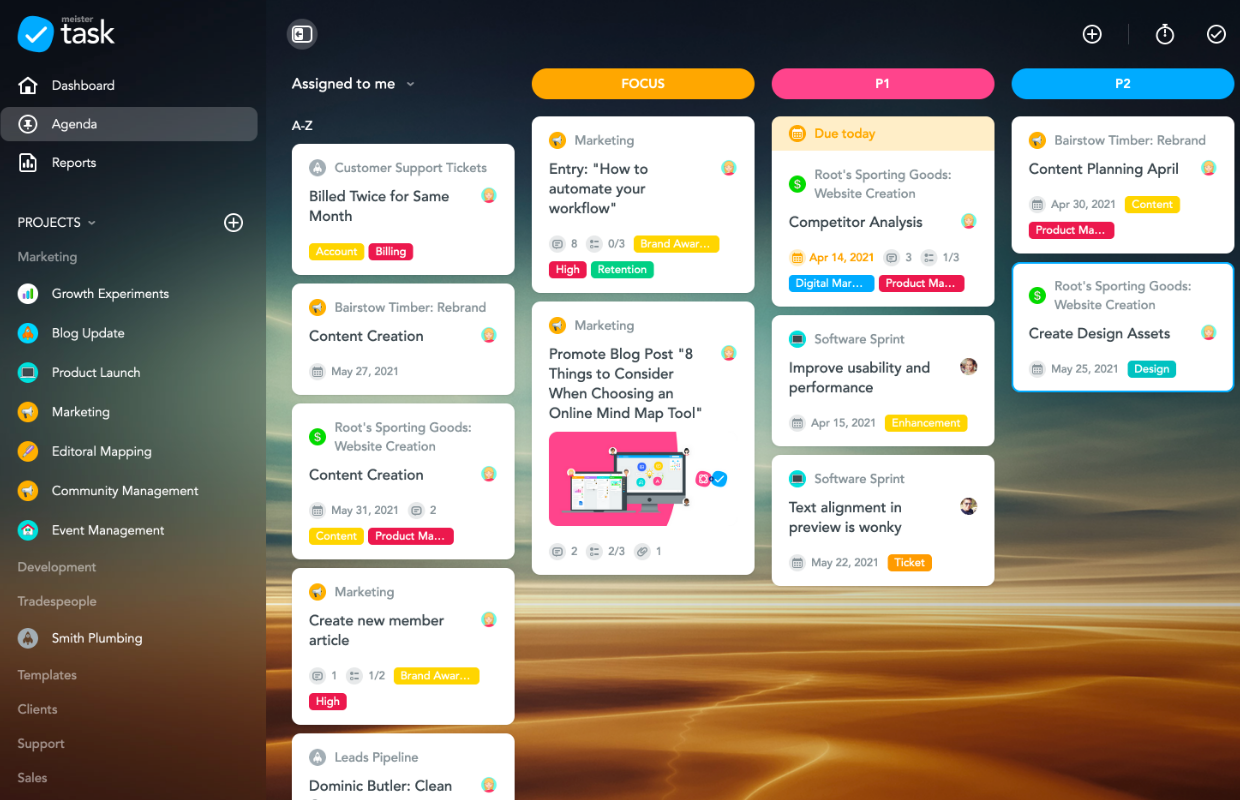
MeisterTask is a Kanban-style task management tool built for teams that value visual organization and simplicity. It helps you track tasks on flexible boards, making it ideal for small teams or remote collaborators.
Overview
| Category | Details |
| Company | MeisterLabs |
| Best for | Visual Kanban task management for small teams and remote collaborators |
| Tracking method | Manual task management on Kanban boards |
| Billing support | No built-in billing features |
| Platforms | Web, Windows, macOS, iOS, Android |


2. Weekdone
⭐ 4.1 (G2)
Description
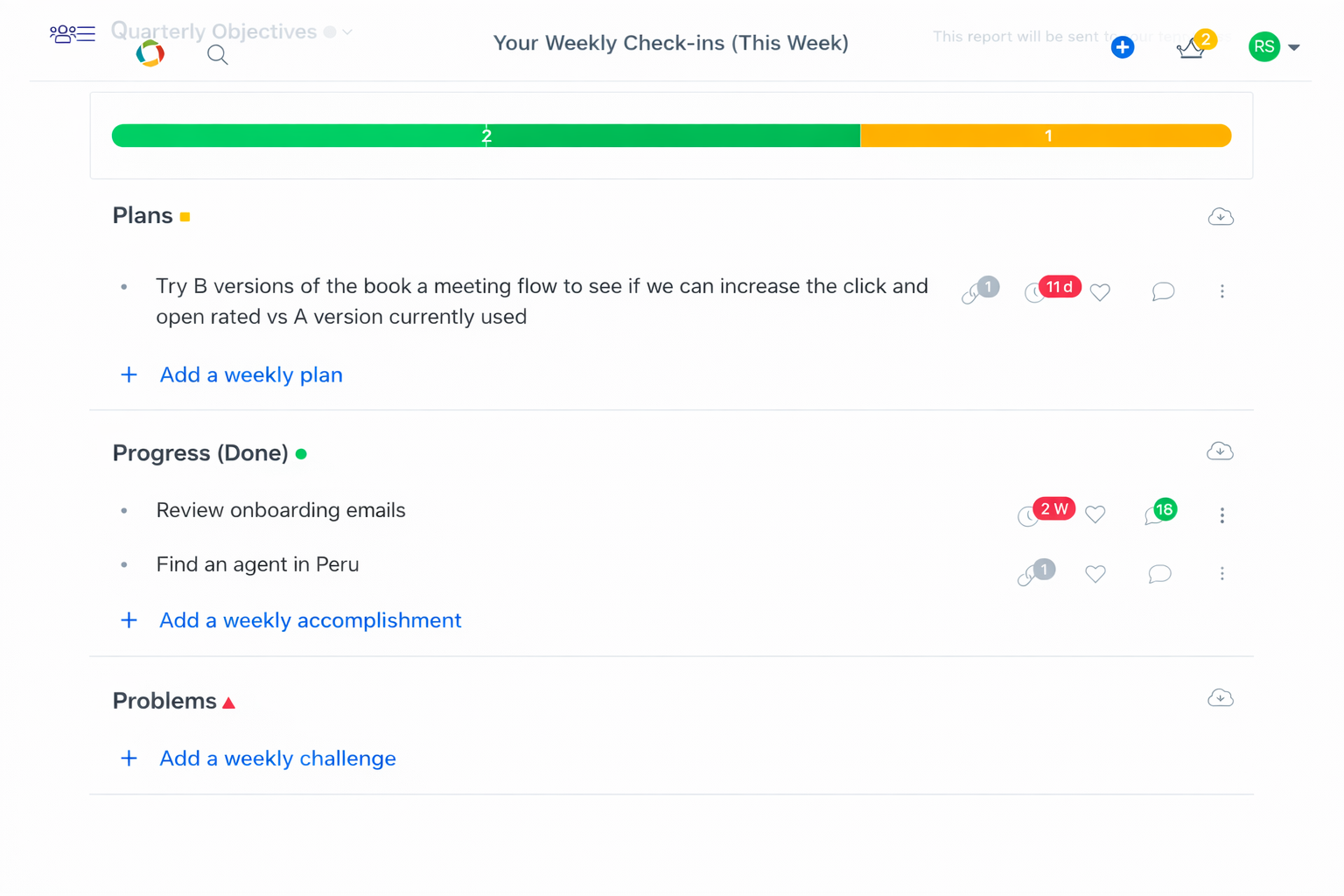
Weekdone is a weekly planning and reporting platform designed to align daily execution with strategic goals. Using its Plans-Progress-Problems framework, teams can track performance, monitor priorities, and maintain visibility into progress across individuals and departments.
Overview
| Category | Details |
| Company | Weekdone Inc. |
| Best for | Goal-driven teams using OKRs and weekly reporting |
| Tracking method | Manual progress reporting (Plans-Progress-Problems framework) |
| Billing support | No billing features |
| Platforms | Web, iOS, Android |

3. Any.do
⭐ 4.2 (G2)
Company: Any.do Inc.
Best for: Individuals and small teams who need a simple task manager tightly integrated with calendars.
Description
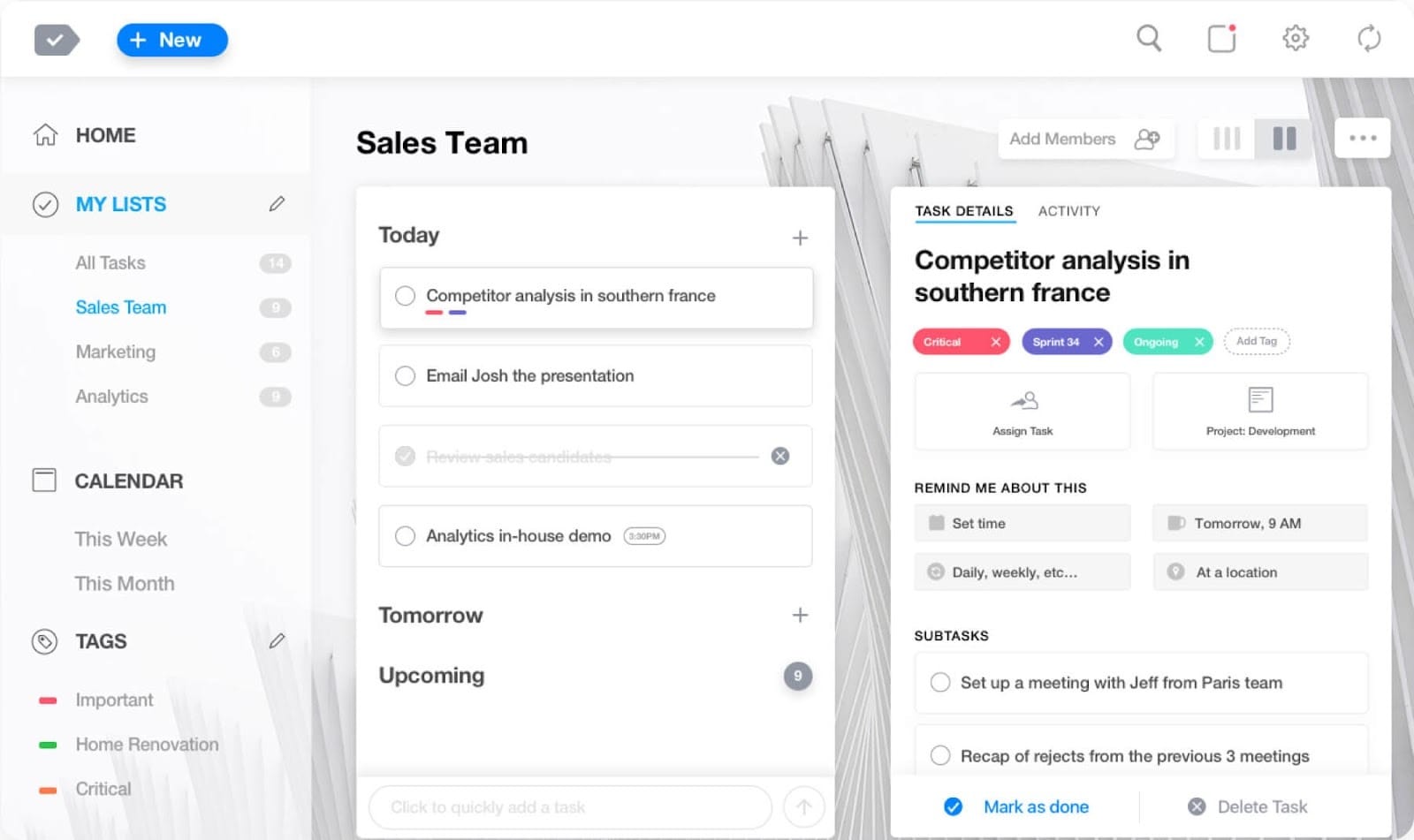
Any.do is a task management app built for streamlined daily planning. It combines task lists, reminders, and calendar scheduling in one interface, allowing users to manage responsibilities and deadlines without switching between multiple tools.
Overview
| Category | Details |
| Company | Any.do Inc. |
| Best for | Individuals and small teams needing calendar-based planning |
| Tracking method | Manual task lists with reminders |
| Billing support | No billing features |
| Platforms | Web, Windows, macOS, iOS, Android |

4. Todoist
⭐ 4.5 (G2)
Company: Doist
Best for: Professionals who want structured personal productivity with scalable team collaboration features.
Description
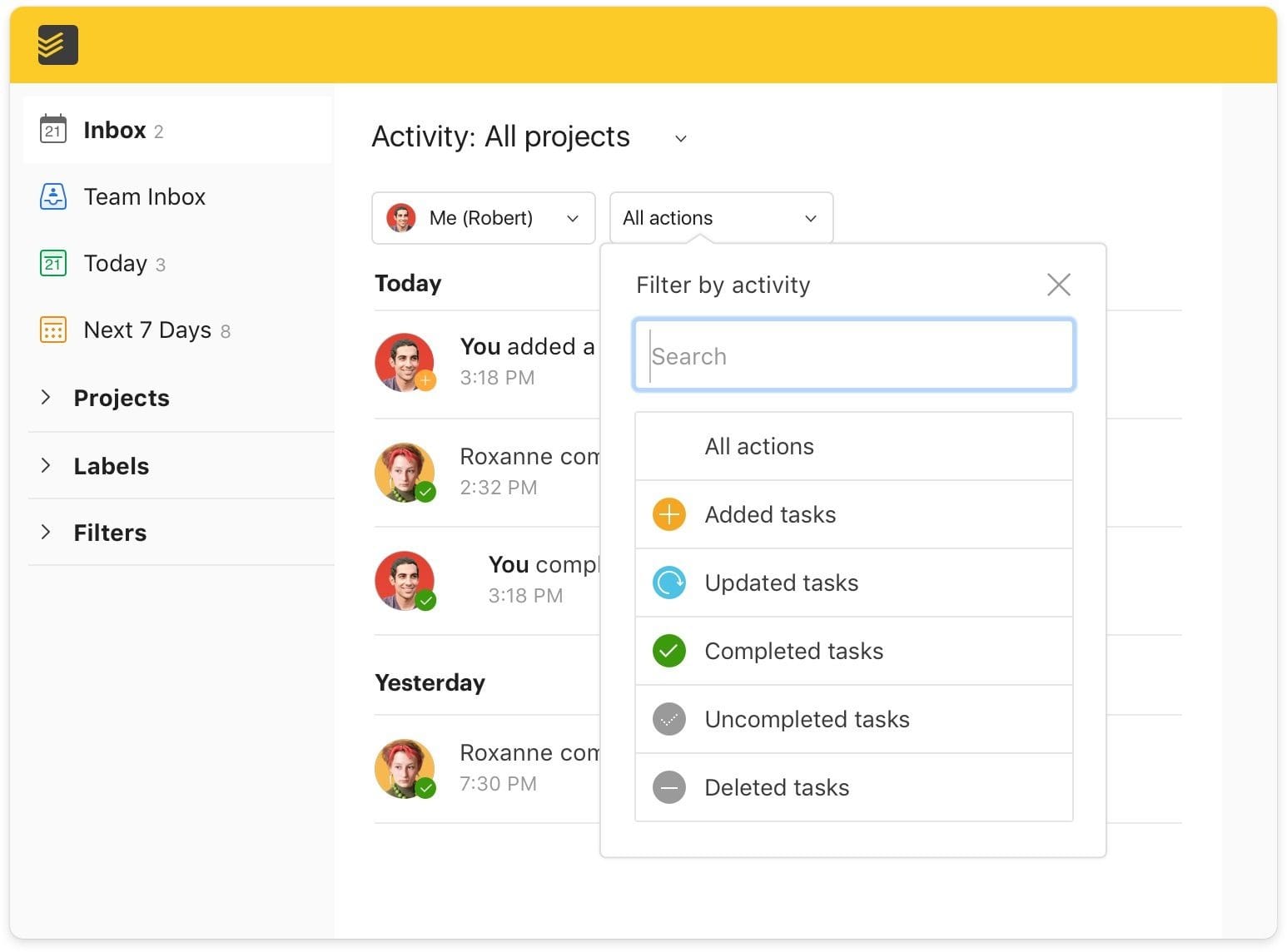
Todoist is a task management platform designed to organize daily work through structured lists, filters, and prioritization tools. It supports both individual productivity and team collaboration, offering flexible planning features that scale as workflows grow.
Overview
| Category | Details |
| Company | Doist |
| Best for | Structured personal productivity and small-team collaboration |
| Tracking method | Manual task lists with priorities and filters |
| Billing support | No billing features |
| Platforms | Web, Windows, macOS, Linux, iOS, Android |

5. I Done This
⭐ 4.5 (G2)
Company: I Done This, Inc.
Best for: Teams focused on daily accountability and lightweight progress reporting.
Description
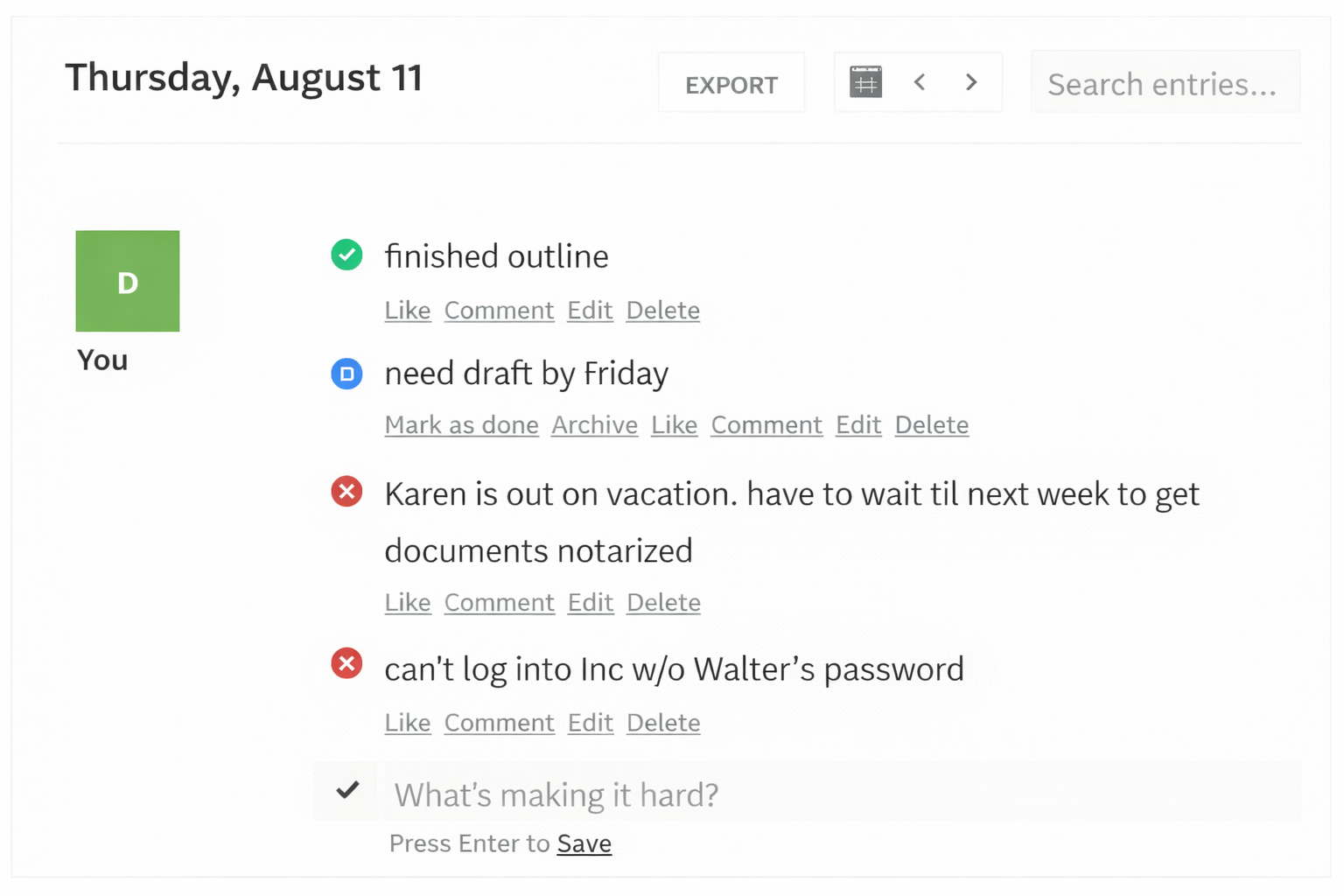
I Done This is a task reporting tool designed to track daily accomplishments rather than future tasks. Team members log completed work at the end of each day, creating shared visibility into progress and helping teams identify execution patterns without relying on complex project workflows.
Overview
| Category | Details |
| Company | I Done This, Inc. |
| Best for | Daily accountability and progress reporting |
| Tracking method | Manual daily accomplishment logging |
| Billing support | No billing features |
| Platforms | Web |

6. Trello
⭐ 4.4 (G2)
Company: Atlassian
Best for: Visual project management using boards and cards, especially for marketing and cross-functional teams.
Description
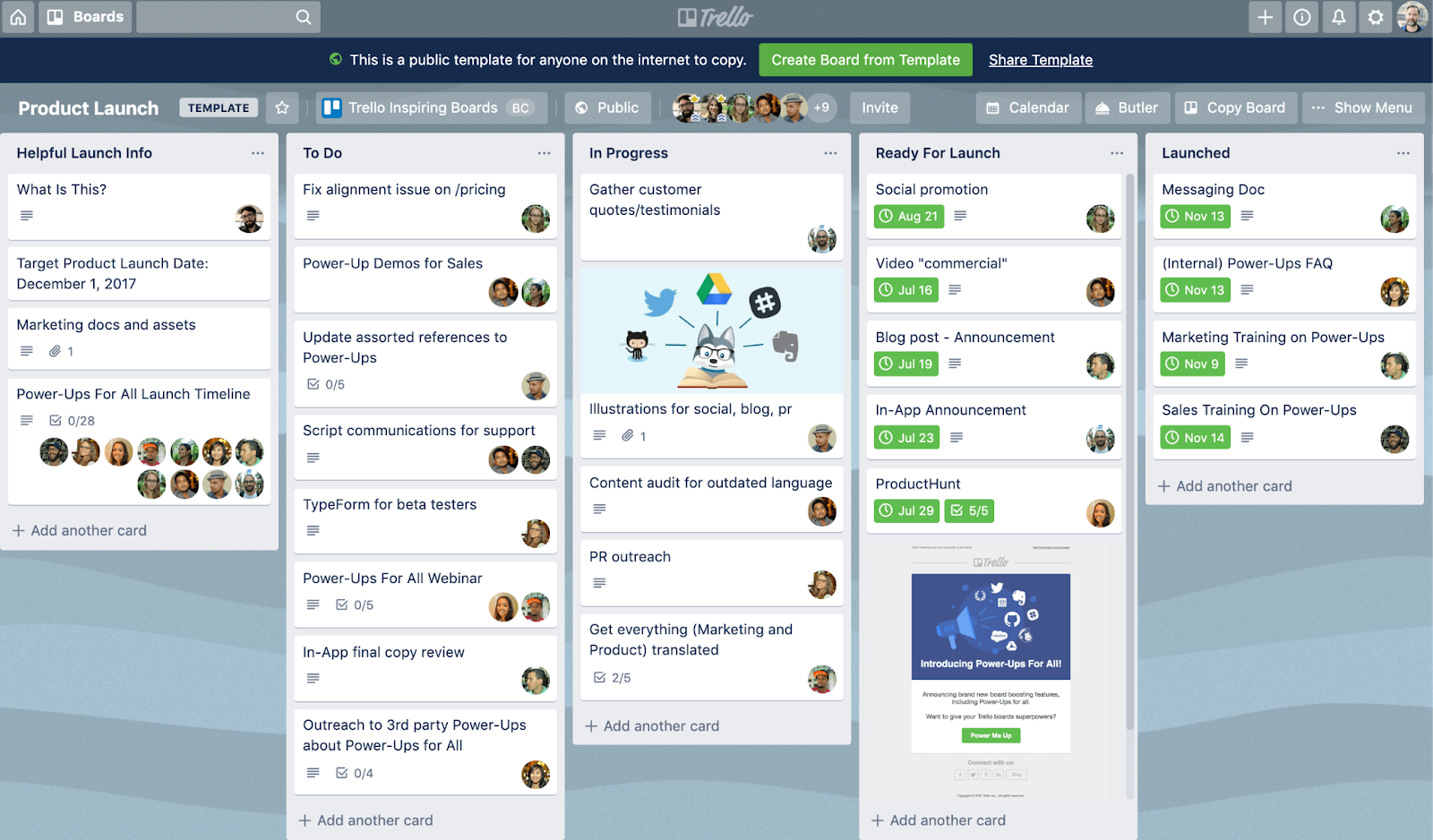
Trello is a visual task management platform built around boards, lists, and cards that help teams map workflows in a flexible, easy-to-understand format. Its drag-and-drop interface simplifies task organization, making it suitable for teams that want quick visibility into project progress without complex setup.
Overview
| Category | Details |
| Company | Atlassian |
| Best for | Visual project management with boards and cards |
| Tracking method | Manual Kanban board management |
| Billing support | No native billing (via integrations) |
| Platforms | Web, Windows, macOS, iOS, Android |

7. Wrike
⭐ 4.2 (G2)
Company: Wrike, Inc. (a Citrix company)
Best for: Mid-sized to enterprise teams managing complex, multi-project workflows.
Description
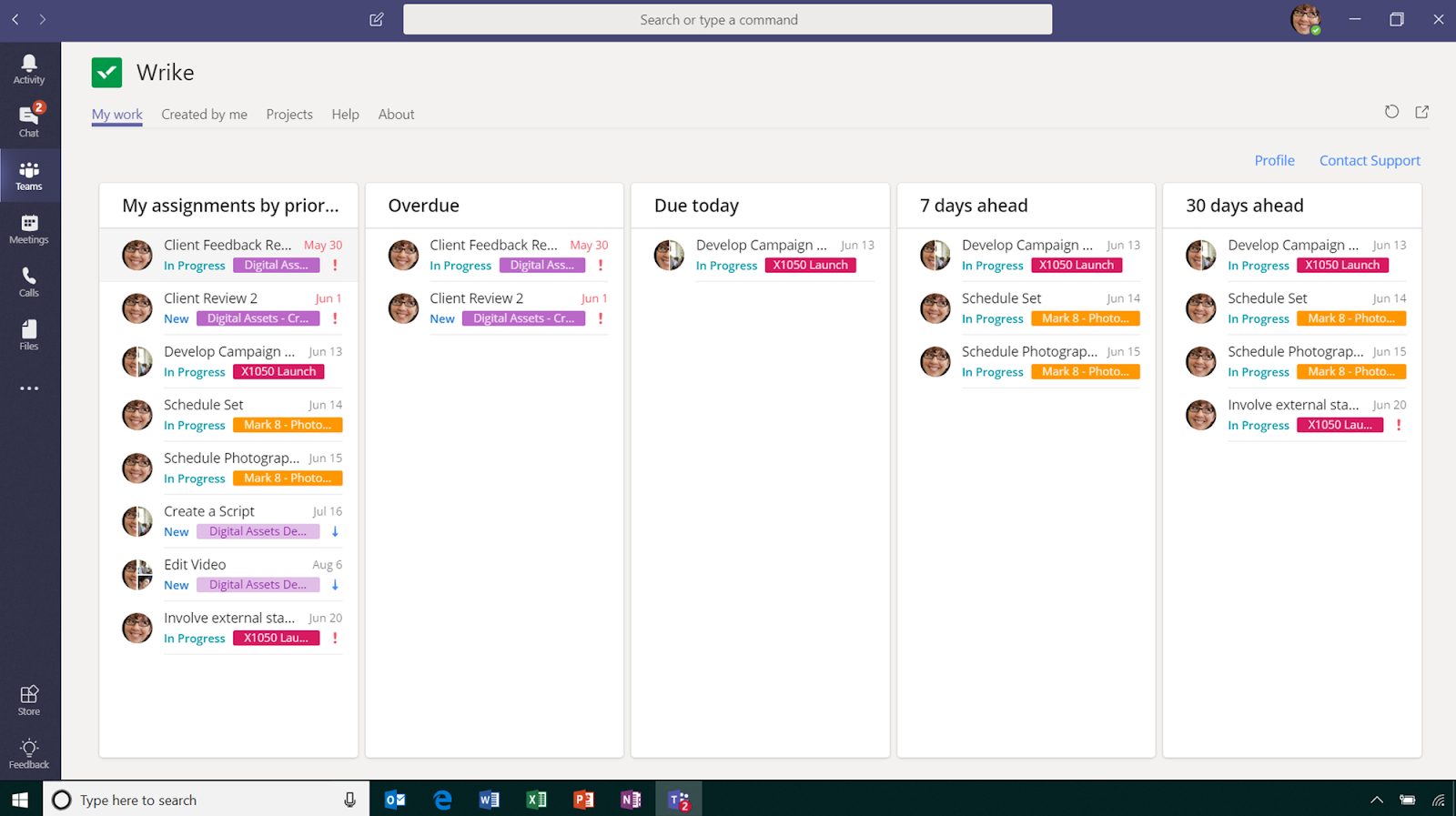
Wrike is a project and task management platform designed for teams that need structured visibility across multiple projects. It combines task tracking, reporting, collaboration, and document management in a centralized workspace, making it suitable for organizations coordinating cross-functional workflows at scale.
Overview
| Category | Details |
| Company | Wrike, Inc. (Citrix) |
| Best for | Mid-size to enterprise teams managing complex workflows |
| Tracking method | Manual task and project tracking with advanced reporting |
| Billing support | Limited billing via integrations |
| Platforms | Web, Windows, macOS, iOS, Android |

Now that you’ve seen how these tools compare, the next step is deciding which one actually fits your workflow.
How to choose the best task management app
Selecting the best task management app starts with understanding how work flows inside your team. Popularity rankings and feature lists rarely tell the full story. What matters is alignment — between the tool’s structure and the way your team plans, collaborates, and delivers work.
Different task management applications serve different operational realities. A freelancer managing daily deliverables requires something very different from a cross-functional team coordinating multi-phase projects. The right decision begins with clarity on your workflow.
1. Task complexity and work structure
First, assess how structured your work really is.
If your tasks are independent and short-term, a simple interface with list or board views may be enough. However, when projects involve dependencies, milestones, approvals, and recurring workflows, you’ll need more robust task management software with timeline views, advanced filtering, and a structured hierarchy.
The best task management apps reflect the actual movement of work (from intake to completion) without forcing teams to adapt to rigid templates.
2. Team size and collaboration model
Next, consider how your team collaborates.
Small teams often prioritize simplicity and speed. Larger teams typically require clear ownership, role-based access, file sharing, and structured communication within tasks. For distributed or hybrid teams, visibility becomes even more critical.
The best task management app for teams creates transparency around who is responsible for what, while keeping collaboration friction low.
3. Integration and ecosystem fit
No tool operates in isolation. Email platforms, calendars, communication tools, CRM systems, and documentation software already shape how work gets done.
The best task management app for work should integrate into this existing ecosystem rather than disrupt it. Integration depth often determines whether a tool enhances productivity or creates duplication.
4. Reporting and operational visibility
Execution without visibility limits growth.
As teams scale, leaders need insight into workload distribution, progress tracking, and delivery timelines. Dashboards, reporting tools, and historical performance views become increasingly important.
Among the top task management apps, differentiation often appears in reporting depth and managerial oversight capabilities.
5. Budget and scalability
Finally, evaluate pricing against long-term needs.
Many of the best apps for task management offer generous free tiers. These can be effective for individuals or early-stage teams. However, as collaboration grows more complex, paid plans typically unlock structured permissions, automation, reporting, and integrations.
The best task management software is the one that supports both your current operations and your projected growth, without requiring migration six months later.
Choosing the right tool is only part of the equation. The next practical question is whether a free plan is enough or if your workflow requires the structure of a paid solution.
Free vs paid task management software
One of the most common questions teams ask is whether a free plan is enough or whether upgrading to paid task management software is necessary. The answer depends on how structured, collaborative, and visibility-driven your workflow is.
Many of the best task management apps offer free tiers designed for individuals or small teams. These plans typically provide core functionality and are often sufficient for straightforward task tracking.
What free task management apps typically offer
Free apps for task management usually include:
- Basic task creation and assignment
- List or board views
- Limited collaboration features
- File attachments with size restrictions
- A capped number of integrations
- Basic mobile access
For individuals managing daily responsibilities or small teams coordinating lightweight projects, these features can be enough. In many cases, a free version can function as a capable best app for task management at an early stage.
However, limitations begin to surface as workflows grow in complexity.
When paid task management software makes sense
Paid plans become valuable when structure, visibility, and scale matter.
Organizations often upgrade when they require:
- Advanced reporting and dashboards
- Role-based permissions and access control
- Automation and workflow rules
- Timeline or Gantt views
- Expanded integrations
- Higher storage capacity
For teams managing cross-functional projects or client deliverables, paid plans often represent the best task management app for work because they provide operational oversight and scalability.
Even after selecting the right plan, another question often arises: Does task management alone give you full visibility into performance? To answer that, it’s important to understand how task management apps differ from time tracking tools
Task management apps vs time tracking tools
Task management apps and time tracking tools are often discussed together, but they serve different operational purposes. Understanding the distinction helps teams select the right combination of tools rather than expecting one platform to solve every workflow challenge.
What task management apps are designed for
Apps for task management focus on planning and organizing work. Their primary purpose is to structure execution by helping teams:
- Create and assign tasks
- Set deadlines and priorities
- Track progress toward completion
- Visualize workflows through lists, boards, or timelines
- Collaborate within shared projects
The best task management apps provide clarity around what needs to be done and who is responsible for it. They improve coordination and reduce ambiguity in both individual and team settings.
However, while task management applications show task status and completion, they do not measure the actual effort behind the work.
What time tracking tools are designed for
Time tracking tools focus on measuring how long work takes. Instead of organizing tasks, they record effort and provide insight into:
- Time spent per task or project
- Workload distribution
- Billable vs non-billable hours
- Productivity trends
- Budget consumption
Where task management software answers, “What needs to be done?” Time tracking answers, “How much effort does this work require?”
These tools support operational decisions related to resource planning, billing, forecasting, and performance evaluation.
Why do they solve complementary problems?
Expecting a single platform to handle both structured planning and accurate effort tracking often leads to trade-offs. Even the best task management app does not replace a dedicated time tracking system, just as time tracking tools do not organize project workflows.
Together, they create a more complete operational view:
- Task management defines scope and ownership.
- Time tracking measures execution and effort.
For teams aiming to improve planning accuracy, workload balance, and cost visibility, combining both categories often produces stronger results than relying on one tool alone.
Track time on tasks and projects with TMetric
Task management applications are excellent at helping teams organize work. You can assign tasks, set deadlines, and monitor progress with clarity. But one question often remains unanswered: how long does the work actually take?
Without effort visibility, estimates are often based on intuition rather than data.
That’s where TMetric fits naturally into the picture.
Instead of replacing your task management software, TMetric complements it. While apps for task management structure what needs to be done, TMetric measures the effort behind that work. The combination gives teams both direction and measurable insight.
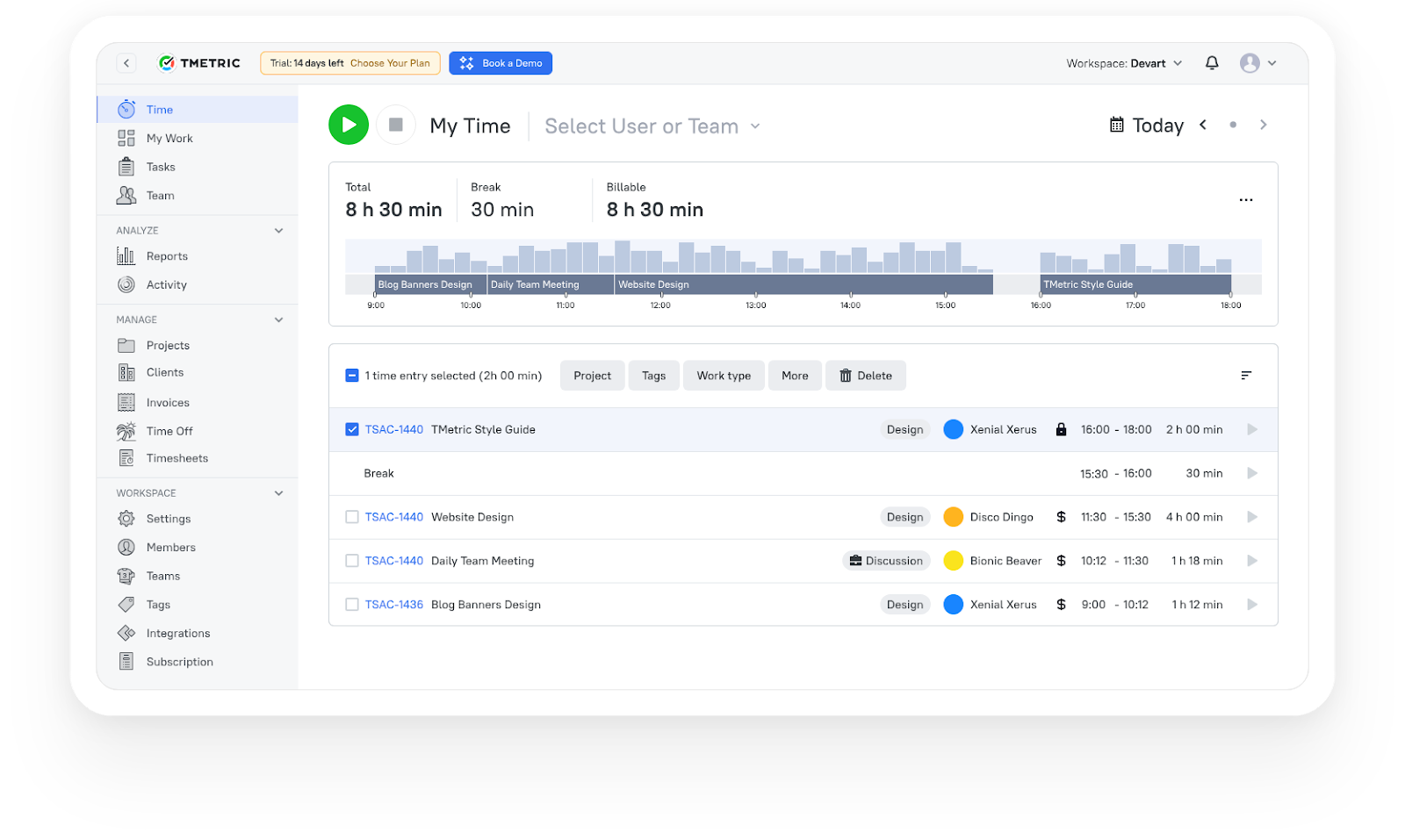
With TMetric, teams can:
- Track time spent on specific tasks and projects.
- Separate billable and non-billable hours.
- Monitor workload distribution across team members.
- Generate reports for budgeting, payroll, or client billing.
- Improve planning accuracy using real effort data.
For agencies, consulting teams, and growing businesses, understanding time spent is often the missing layer between planning and profitability. When paired with the best task management apps, time tracking strengthens forecasting, pricing decisions, and resource allocation.
If your team already uses one of the best task management apps for work, adding time tracking creates a fuller operational view, from planning to execution to performance analysis.
Try TMetric for free and see how task-based time tracking supports smarter planning and clearer accountability.
The Takeaway
Choosing the best task management app is rarely about features alone. It’s about alignment — between the tool and the way your team plans, collaborates, and delivers work.
Some teams need a lightweight tool to manage daily tasks. Others require advanced task management software with reporting, permissions, automation, and structured workflows. That’s why asking, “What is the best task management app?” rarely has a universal answer — the context of your work matters more than popularity rankings.
That being said, before committing to any one of the top task management tools, test it in real scenarios. Assign tasks, simulate collaboration, review dashboards, and check how well it integrates with your existing tools. A strong solution should make work clearer and more organized, not more complicated.
And remember: planning tasks is one part of execution. Understanding how much time those tasks actually take is another. If visibility into effort, workload, and billable hours matters to your team, pairing your chosen tool with time tracking can provide a more complete operational picture.
Try TMetric for free to connect your task planning with measurable effort and better-informed project decisions.
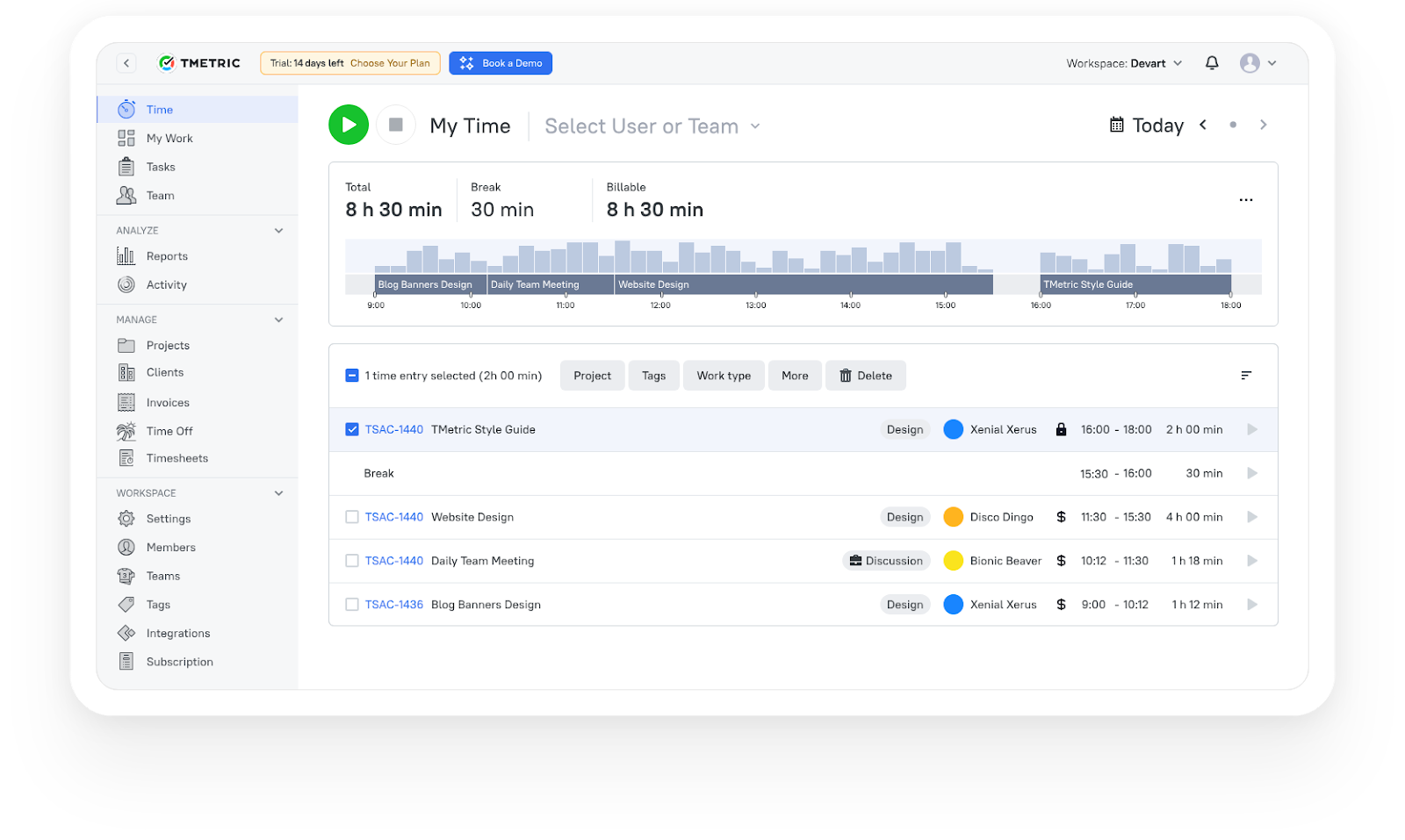
3,000+ companies, teams, and individuals worldwide use TMetric to track time, manage work, and bill with confidence.
FAQ
How do task management apps differ from simple to-do list apps?
Simple to-do list apps focus on personal task tracking. They allow users to create and check off items, often without collaboration features.
Task management applications go further. They support task assignment, deadlines, shared projects, workflow visualization, reporting, and integrations. While a to-do list may work for individual use, the best task management apps are designed to support team coordination and structured project execution.
What features should I look for in a task management app for work?
When choosing the best task management app for work, consider:
- Task assignment and ownership tracking.
- Deadline management and reminders.
- Collaboration tools such as comments and file sharing.
- Workflow views (list, board, timeline, or Gantt).
- Reporting and dashboards.
- Integrations with communication and calendar tools.
The right feature set depends on your team size and workflow complexity.
Can task management apps help improve team accountability and deadlines?
Yes. By assigning ownership, setting clear due dates, and tracking completion status, task management applications improve transparency. Teams can see who is responsible for each task and monitor progress in real time, which supports accountability and deadline adherence.
Is TMetric a task management app or a time tracking tool?
TMetric is a time tracking tool. While apps for task management help teams organize and assign work, TMetric measures how much time is spent completing that work. It complements task management software rather than replacing it.
Can I track billable and non-billable time for tasks using TMetric?
Yes. TMetric allows users to categorize time entries as billable or non-billable. This is especially useful for agencies, consultants, and service-based teams that need accurate billing and payroll reporting.
Can TMetric help analyze how much time tasks actually take to complete?
Yes. TMetric generates detailed reports that show time spent per task, project, or team member. This helps teams improve planning accuracy, balance workloads, and make more informed pricing decisions.