
10 Essential Tools to Maximize Remote Team Productivity
Discover the 10 essential remote tools that can help maximize productivity and collaboration for your remote team. From project management to communication tools, find out how these tools streamline your remote work processes and skyrocket efficiency.


Due to the pandemic and massive digital transformation, the concept of a traditional workspace has dramatically changed.
Remote work, once a mere possibility, has become a prevailing reality for many organizations worldwide.
But working remotely can be a double-edged sword:
- It offers flexibility and convenience
- It poses challenges to productivity and team cohesion.
Fortunately, technology has made it possible to stay connected and productive, no matter where team members are located.

Below are ten essential tools, from project management software to remote support platforms. They are for all remote warriors ready to level up their virtual game and improve collaboration.
This list of tools will equally suit a seasoned remote professional or a newbie adapting to this mode of work as it is tailored to enhance the performance of the distributed teams and foster a productive remote working culture.
Best Productivity Tracking Tools for Remote Teams Compared
Productivity tracking tools help remote teams understand how work gets done, where time goes, and how effectively projects move forward. Depending on the platform, productivity tracking can include time spent on tasks, task completion, workload distribution, employee activity patterns, resource utilization, and project output.
Some tools focus on employee activity and workforce analytics, while others prioritize project management, collaboration, or time tracking. TMetric is a strong option for teams that need time tracking, project tracking, and reporting in a single workflow. It connects tracked hours with projects and tasks, helping teams review resource allocation, monitor progress, and analyze how work time is used.
| Tool | Primary Use | Time Tracking | Productivity / Performance Analytics | Project Tracking | Best For |
|---|---|---|---|---|---|
| TMetric | Time and productivity tracking | Yes | Yes — reports, team performance, and resource allocation | Yes | Teams tracking time, projects, workload, and billable work |
| Time Doctor | Employee productivity monitoring | Yes | Yes — activity, attendance, and productivity reports | Limited / project-related | Remote workforce monitoring |
| Hubstaff | Workforce and time tracking | Yes | Yes — activity, attendance, and workforce insights | Yes | Distributed teams needing activity and time insights |
| ActivTrak | Workforce analytics | Limited — primarily activity-based time insights | Yes — productivity, focus, and workforce behavior analytics | No / limited | Productivity and workforce behavior analytics |
| Harvest | Time and project tracking | Yes | Reporting-focused — time, budgets, and project costs | Yes | Project-based teams managing billable hours and budgets |
| Asana | Project management | Limited / available through integrations and supported features | Project progress, goals, and workload insights rather than employee activity monitoring | Yes | Teams focused on workflows, task completion, and project outcomes |
| ClickUp | Project and work management | Yes — built-in time tracking | Dashboards, workload views, and work progress reporting | Yes | Teams combining task management, time tracking, and workload planning |
TMetric for Remote Team Management
⌛ Time Tracking Tool
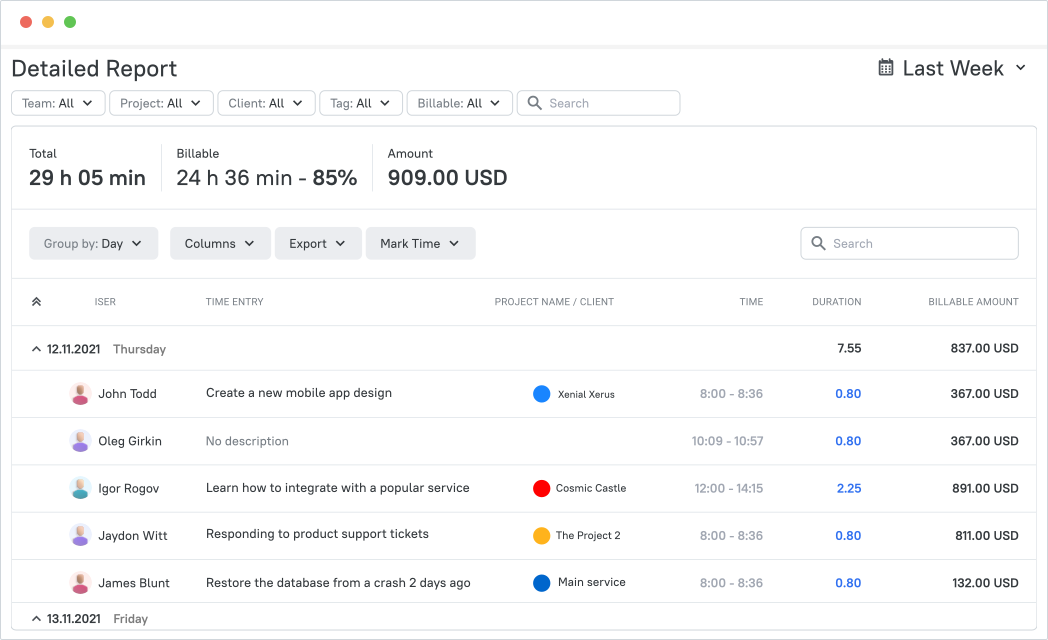
TMetric is an all-inclusive time tracking and project management solution that empowers remote teams to achieve unparalleled productivity.
With its robust feature set, TMetric streamlines workforce management, invoicing, and reporting, ensuring remote teams can operate efficiently.
TMetric Features for Remote Teams
Accurate Time Tracking
The cornerstone of remote team productivity, TMetric's time tracking functionality is unmatched. With automatic time capture, manual timers, and offline tracking, team members can effortlessly log their hours, regardless of location.
Task Management
Effective project management is critical for remote teams, and TMetric excels in this area. With intuitive task organization, assignment, and deadline setting, teams can collaborate seamlessly. Real-time progress monitoring, identification of potential roadblocks, and timely project completion are guaranteed.
Team Collaboration
TMetric fosters a collaborative environment by facilitating seamless communication and coordination among team members. Its online task management capabilities promote transparency, allowing remote managers to manage workload distribution as cohesively as possible.
Integrations
TMetric integrates flawlessly with popular project management tools such as Asana, Trello, JIRA, and Google Workspace to reduce manual data entry, ensure a smooth workflow, and increase productivity.
Reports and Analytics
It provides insightful reports and analytics, enabling data-driven decision-making. Teams can analyze performance, project timelines, and resource allocation to optimize their workflows.
By combining tracked hours, project progress, workload data, and reports, TMetric helps managers evaluate productivity based on outcomes, time, and available resources, not simply the number of hours worked. They can compare planned and actual work, identify workload imbalances, spot projects consuming more time than expected, monitor billable versus non-billable activity, and evaluate team utilization. These insights also help uncover workflow bottlenecks, improve resource allocation, and distribute remote-team capacity more effectively to meet project goals.
Invoicing and Billing
TMetric automated invoicing system, fueled by accurate time tracking, revolutionizes the billing process. With payments on time and improved cash flows, remote teams can eliminate unnecessary administrative burdens.
Offline Mode
Even without internet connectivity, TMetric allows teams to continue tracking time, ensuring uninterrupted productivity.
Vacation and Leave Tracking
TMetric provides employee time off tracking, ensuring accurate records and maintaining a healthy work-life balance.
Security and Privacy
Safeguarding sensitive data, TMetric prioritizes security and privacy with state-of-the-art encryption and access controls.
TMetric Pricing
Free Plan is ideal for individuals and small teams with basic time tracking requirements.
Remote teams with intricate needs will benefit from the Business Plan, which includes all TMetric offers for $7.50 per user/month.
JIRA for Remote Project Management
💻Project Management
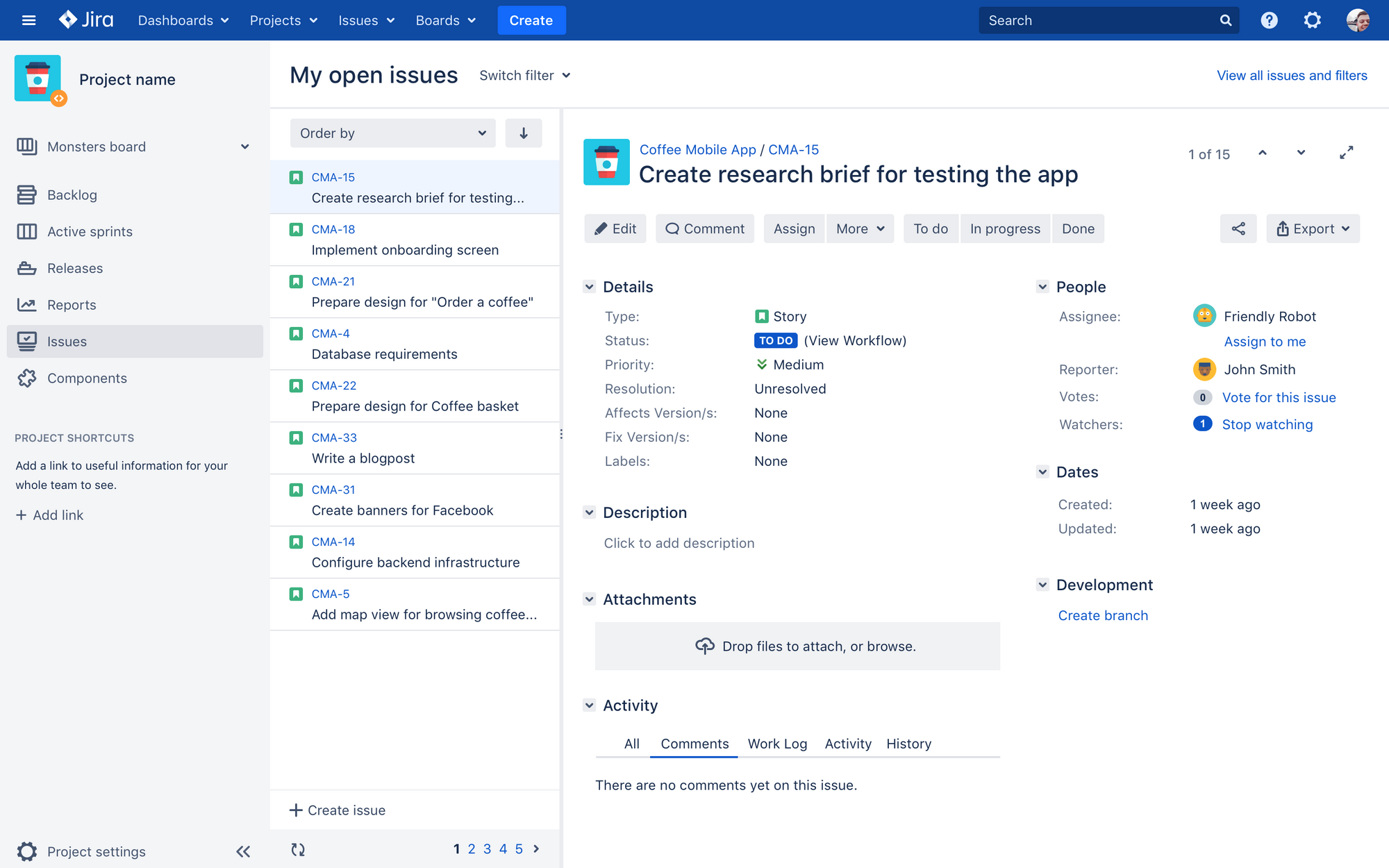
JIRA is the ultimate solution for agile teams, allowing users to streamline their workflow and deliver high-quality results every time.
JIRA Capabilities for Remote Work
Not only does JIRA support both Scrum and Kanban methodologies with its famous interactive boards that imply 100% visibility of team participation and project status, but it also offers over a dozen out-of-the-box reports to help you track progress and identify areas for improvement.
Plus, its seamless integration with other Atlassian tools like Confluence and Bitbucket means you can easily collaborate with your team and keep all your projects in one place.
JIRA Pricing
Free for up to 10 users.
On the Standard Plan, the cost is $8.15 per user per month.
Microsoft Teams for Uniting Remote Teams
🥰 Team Communication & 🖥️Screensharing
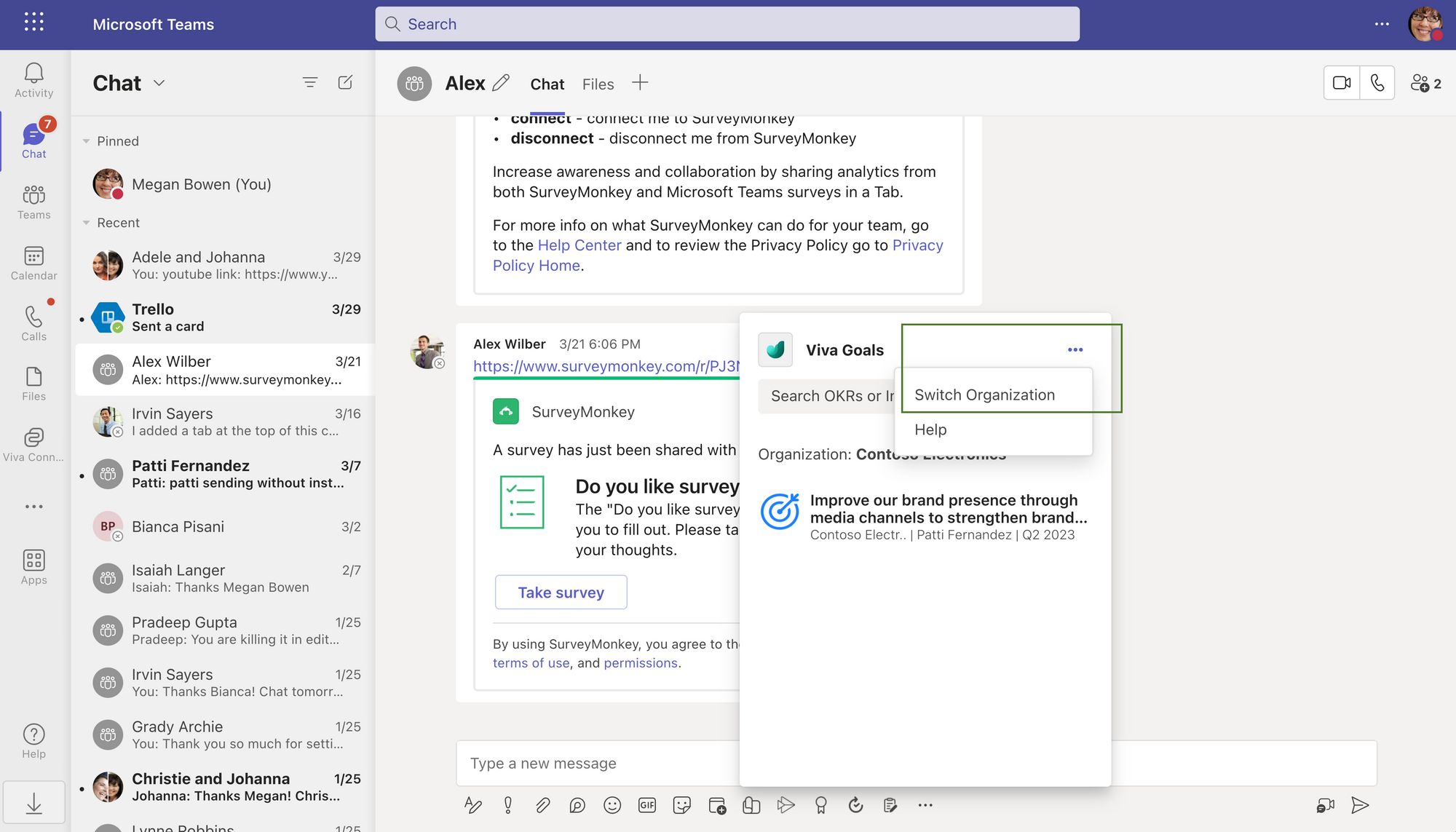
Microsoft Teams is a communication and collaboration platform offered by Microsoft as part of their Office 365 suite of productivity tools.
Microsoft Teams for Remote Work
It provides chat, video conferencing, file sharing, and integration with other Microsoft applications such as Word, Excel, and PowerPoint.
Users can create teams, organize channels for different topics or projects, and collaborate in real time.
Microsoft Teams is a powerful tool that can meet all your team communication needs.
With its intuitive interface, feature-rich environment, and a wide range of additional options for conferencing and recording, Teams makes it easy for team members to stay connected and work together effectively.
Also, users can experience lightning-fast screen sharing – the platform offers the lowest latency on the market, even at full resolutions
And let's not forget its ability to serve as a virtual water cooler, providing a space for casual conversations and team building.
Teams is a leading instrument for setting the remote environment and taking your team communication to an upper level!
Microsoft Teams Pricing
On the Microsoft Teams Essentials Plan, the cost if $4 per month per user.
1Password for Smooth Remote Teamwork
🔑 Password Management
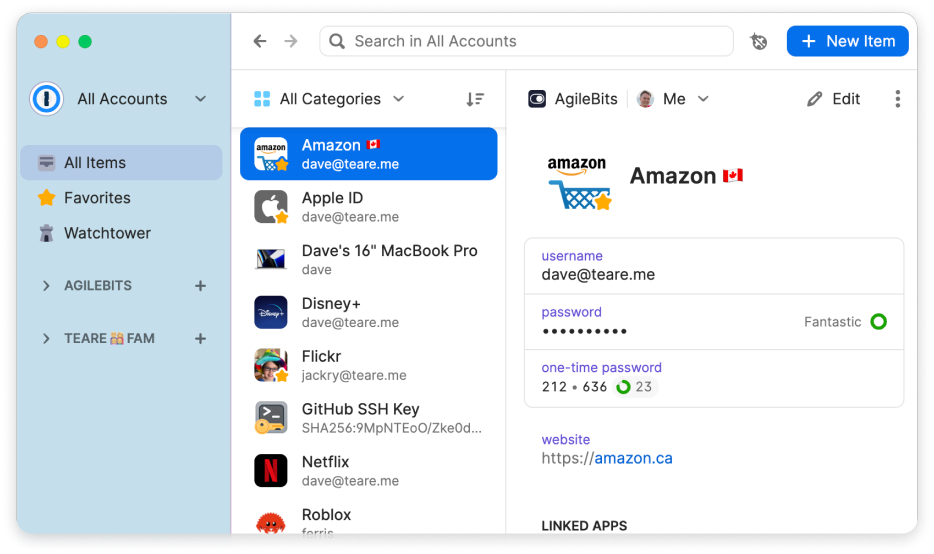
1Password is not just a password manager but also an integrated solution with your trusted security tools, allowing you to better monitor and mitigate risks like data breaches and shadow IT and ensuring no sign-in security gaps are left unchecked.
With 1Password, remote workers can efficiently and securely manage their numerous digital credentials.
1Password for Remote Work
This versatile password manager:
- stores passwords
- secure notes, credit cards, and other confidential data
- adapts seamlessly to various operating systems such as Windows, macOS, iOS, Android, and web browsers.
By utilizing robust encryption, 1Password ensures the security of user data while offering timesaving capabilities like password generation and auto-fill forms, simplifying the login process across diverse devices.
1Password Pricing
It offers a 14-day trial. On the Individual Plan, the service cost is $2.99 per month.
NordVPN for Security of Remote Work
📶VPN
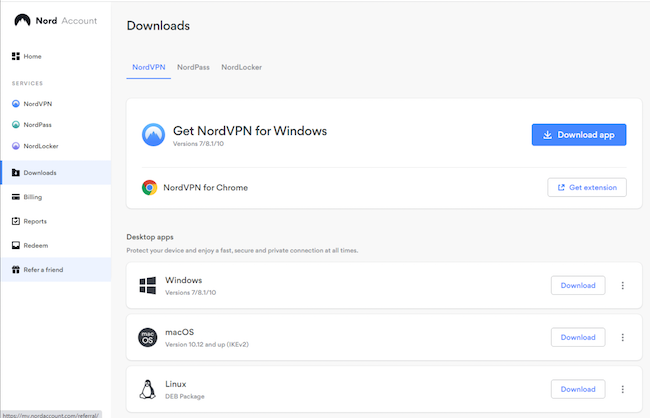
NordVPN excels in terms of security. The service uses military-grade encryption to protect user data, making it virtually impossible for hackers or snoopers to intercept and read sensitive information.
NordVPN for Remote Work
The tool is known for its vast server network. Its servers are optimized for speed and performance, ensuring users enjoy fast and lag-free browsing, streaming, and downloading.
It also offers a kill switch feature, automatically disconnecting the user from the internet if the VPN connection is lost or compromised.
Another area where NordVPN truly shines is in its ability to unlock geo-restricted content.
The service's advanced SmartPlay technology allows users to bypass geoblocks with ease.
NordVPN Pricing
NordVPN offers a generous pricing plan starting at just $3.99 monthly for a three-year subscription.
Calendly for Managing Remote Appointments
🗓️ Calendar Management
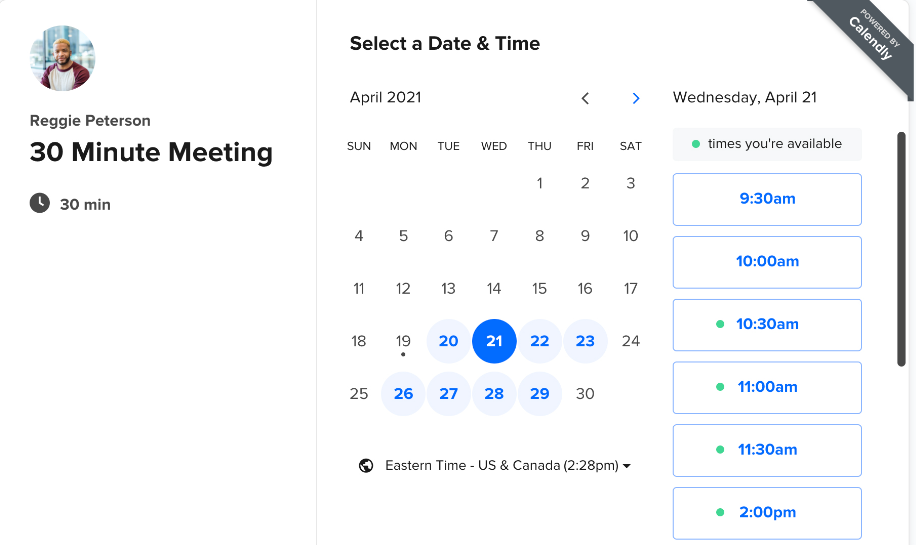
It is a sleek, user-friendly scheduling tool that will transform the way you book meetings.
Calendly Features for Remote Work
Users can easily select their availability preferences and create a personalized calendar page, complete with available time slots for others to choose from.
No more tedious email exchanges or last-minute rescheduling – just simple, friction-free planning bliss.
It can also sync with Hubspot, PayPal, and Stripe, ensuring your inclusion into complex work processes without extra effort.
Since users get a comprehensive view of their scheduling habits and can identify where to optimize their time management skills, Calendly can also be recommended as an analytics tool.
Calendly Pricing
Aside from a free plan, it offers premium options on the Standard Plan for $10 per month per user.
Workable for Remote Hiring
👋 for Streamlined Hiring
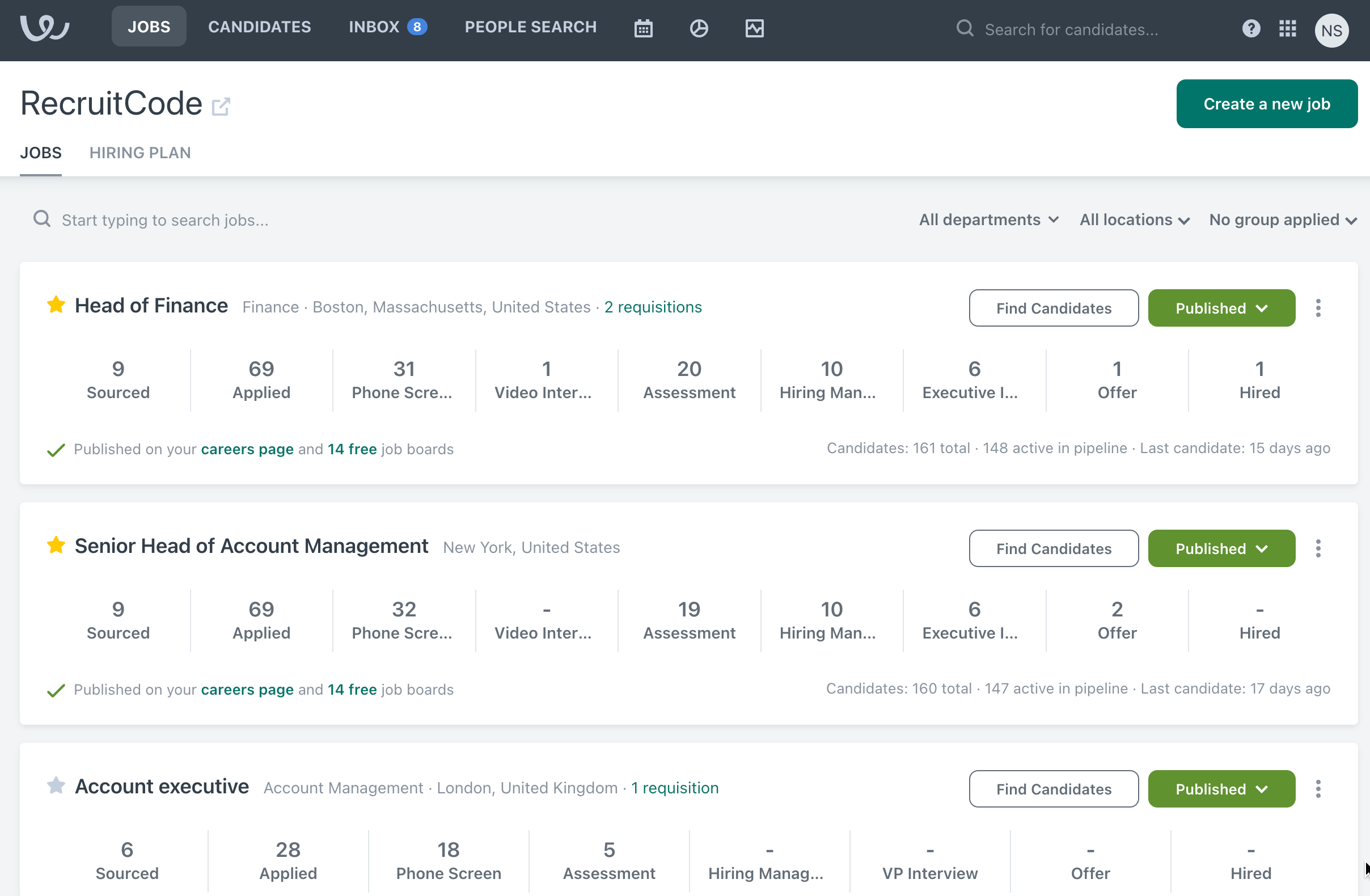
A talent acquisition software is designed to streamline the recruitment process for remote teams, offering an array of features that facilitate efficient candidate sourcing, tracking, and communication.
Workable Key Features for Remote Work
Robust Candidate Sourcing: Workable gives access to a wide range of job boards, social media platforms, and employee referral programs, along with an option to hire in local languages, making it easier to attract a diverse pool of talent.
Advanced Applicant Tracking System (ATS): It simplifies tracking and managing applicants through each stage of the hiring process, enhancing organization and efficiency.
Collaborative Hiring: Hiring teams can collaborate remotely and share feedback on candidates, guaranteeing to be a time-saver when making collective hiring decisions.
Besides, Workable offers reporting and analytics options, which provide valuable insights into the hiring process and help teams refine their strategies.
Workable Pricing
Pricing details are provided by the vendor upon request.
Rydoo for Managing Expenses Globally
💸 Expense Management
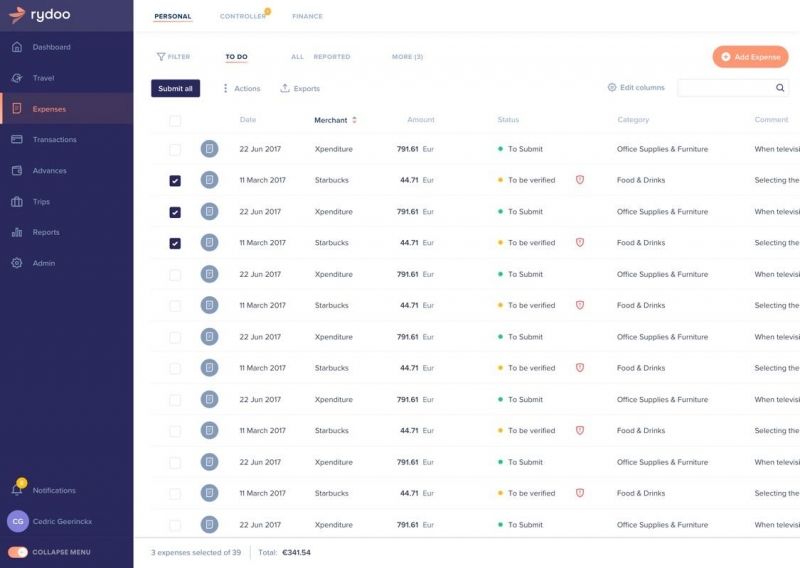
Rydoo is a cutting-edge expense management software for handling expenses and promoting financial accuracy.
Rydoo for Remote Work
With seamless reimbursement systems, Rydoo helps remote teams:
- simplify their expense management
- enhance transparency
- ensure adherence to company policies.
Its versatile capabilities include integrations, multi-country certification, and paperless expensing, complemented by convenient PDF and Excel exports for streamlined financial oversight.
It also enables remote teams to automate and optimize their financial processes.
Rydoo Pricing
On the Essentials Plan, the service cost is €8 per month.
CultureMonkey for Remote Team Engagement
✍🏻 Remote Employees Engagement
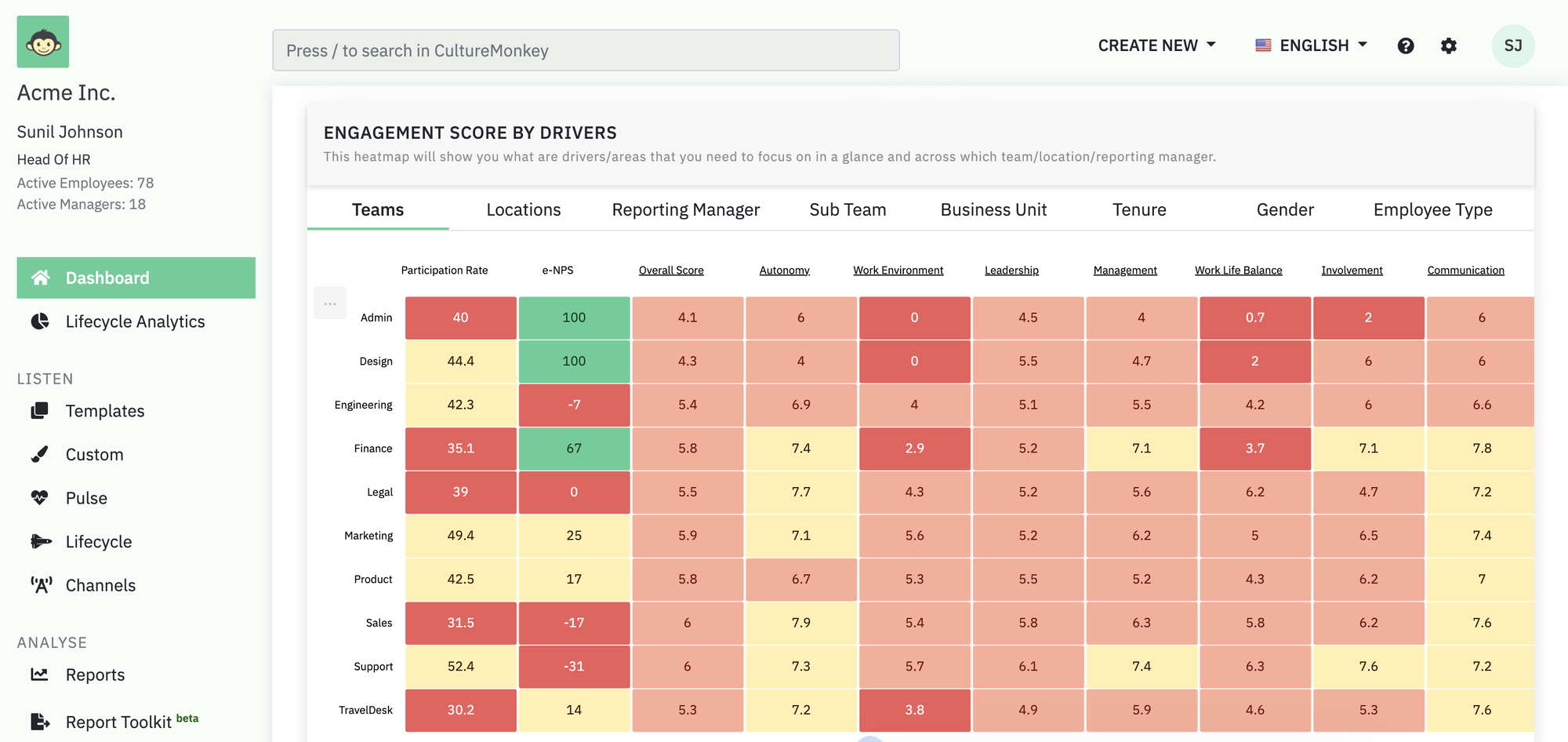
CultureMonkey helps ensure that remote teams remain engaged, motivated, and productive by fostering recognition and collaboration.
CultureMonkey for Remote Work
Virtual Town Hall Meetings: It enables organizations to host virtual town hall meetings where team members can discuss important topics and provide feedback, which encourages open communication and helps build trust among team members.
Social Sharing: Team members can share relevant content with the rest of the team, promoting knowledge sharing and collaboration.
Recognition Programs: It is designed to reward teams for a job well done, enhancing morale and reinforcing positive behaviors.
Virtual Coffee Breaks: The platform facilitates virtual coffee breaks, allowing team members to connect with each other informally.
Polls and Surveys: Organizations can use this feature to get responses from team members, helping them make informed decisions and improve their remote work processes.
CultureMonkey Pricing
Pricing details are provided by the vendor upon request.
Zendesk for Support of Remote Teamwork
⏯️ Remote Support
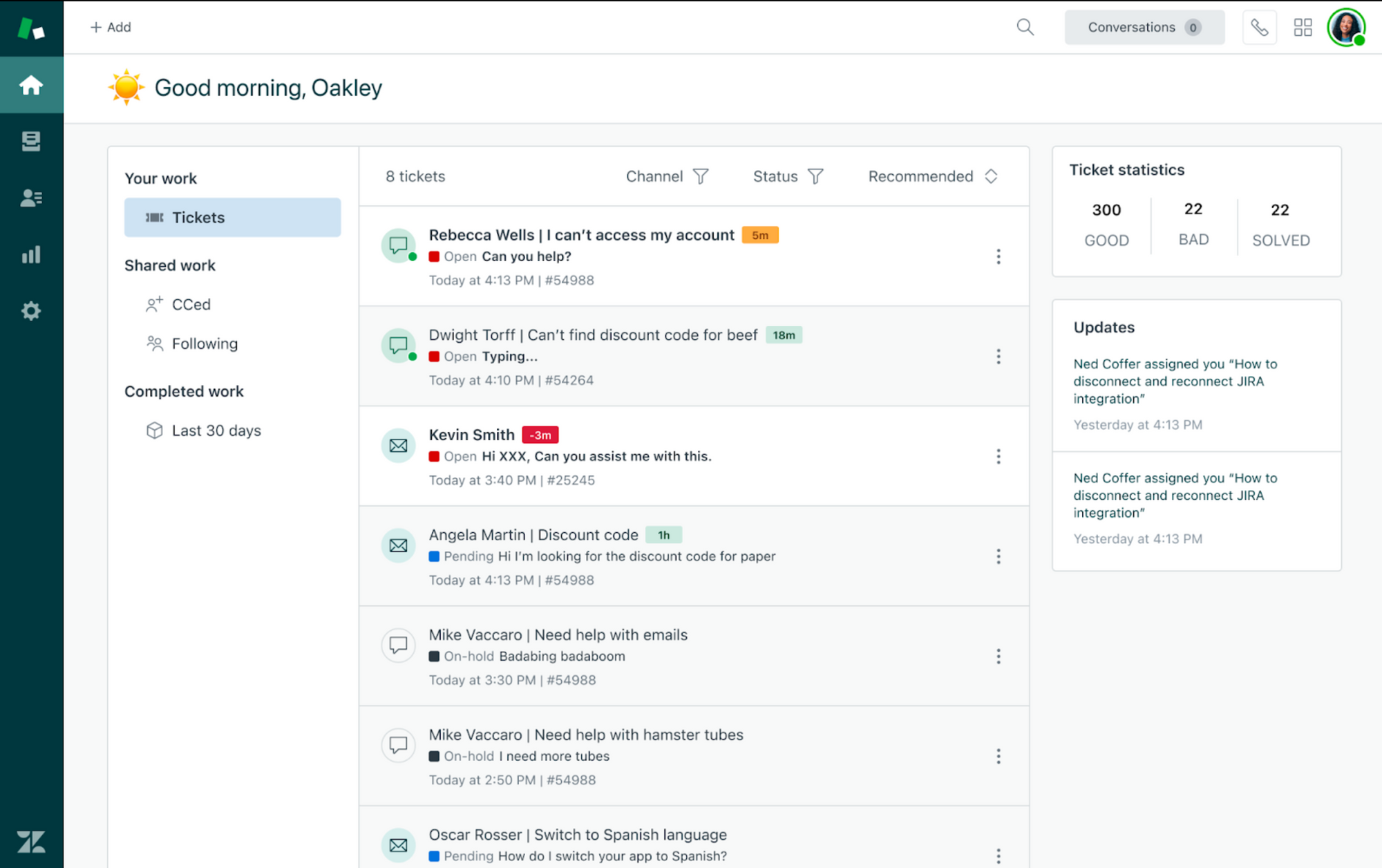
Zendesk is a powerful customer service solution that empowers remote teams to deliver exceptional customer experience.
Zendesk for Remote Work
Centralized Dashboard that provides a single platform to monitor agent performance, track tickets, and analyze key metrics
Real-time Collaboration that enables agents to collaborate seamlessly through internal chat, co-browsing, and screen recording
Task Management allows the assigning of tasks, setting of deadlines, and tracking progress to ensure efficient workflow management
Performance Reporting offers detailed insights into individual and team performance, enabling data-driven decisions
Knowledge Base enables agents to access and share information quickly, leading to faster issue resolution
Virtual Training provides comprehensive training programs for remote agents
Social Recognition fosters team spirit and motivation through peer-to-peer recognition programs.
Pricing starts at $55 per month per user on the Suite Team Plan.
Notta for Effective Remote Meeting
🖊️Note-Taking & Meeting Summary
Notta is a meeting productivity tool that helps record, transcribe, and summarize video calls on platforms like Google Meet, Microsoft Teams, and Zoom.
With this tool, team members can remain fully engaged in remote meetings rather than struggling with taking notes.
Notta Key Features for Remote Work
- Taking Automated Notes. Invite the Notta Bot to your remote meeting, which will automatically generate a transcription (with speakers differentiated).
- AI-Powered Summary. With one click, Notta will create an AI-powered meeting summary to save you hours in extracting the key points and action items.
- Seamless Sharing. Share the meeting notes easily with all stakeholders to keep every team member in remote meetings on the same page.
- System Compatibility. Notta supports Windows, macOS, Android, and iOS. It also offers a handy Chrome Extension to transcribe the audio from any webpage.
- Integrations. Notta integrates flawlessly with popular online meeting platforms like Google Meet, Microsoft Teams, and Zoom.
Notta Pricing
Notta offers a free plan with 120 minutes of transcription per month, with a maximum duration of 3 or 5 minutes per transcription.
To fully enjoy the benefits it brings for remote teams, the pro plan charges $8.25 per month.
How to Choose a Remote Team Productivity Tracking Tool
The right productivity tracking tool should help managers understand how work progresses, balance team workloads, and keep projects on track without adding unnecessary administrative overhead. When comparing options, consider the metrics each tool provides, its reporting capabilities, integrations, approach to employee monitoring, and ability to scale with your team.
Productivity Metrics
Start by identifying which aspects of productivity you need to measure. Some tools focus on time tracking and employee activity, while others emphasize task completion, project progress, workload distribution, or team utilization. Choose a solution that connects these metrics to project goals and helps you evaluate outcomes relative to the time and resources invested.
Reporting and Analytics
Look for tools that turn tracked data into actionable insights. Team-level reports should help managers compare estimated and actual time, identify productivity trends, monitor project performance, and spot workload imbalances. Clear reporting makes it easier to optimize resource allocation, address bottlenecks, and make informed decisions about upcoming projects.
Project Management Integration
Integrations with project management platforms can connect time tracking with everyday workflows and reduce manual data entry. Check compatibility with tools such as Jira, Asana, ClickUp, and Trello, depending on your team's setup. For example, TMetric integrates with Asana, Trello, and Jira, helping teams connect tracked time with project tasks and streamline reporting.
Remote Team Visibility Without Excessive Monitoring
Effective productivity tracking should provide visibility into work progress without relying solely on constant activity monitoring. Prioritize remote work monitoring software that helps managers understand project status, workload, deadlines, and time allocation rather than judging performance by keyboard activity or hours online. A balanced approach supports accountability while respecting employee autonomy and helping teams improve their workflows.
Team and Project Scalability
Choose a tool that can adapt as your remote team grows and its projects become more complex. Consider support for multiple projects, distributed teams, user permissions, team-level reporting, and changing workloads. A scalable solution makes it easier to maintain consistent tracking practices, coordinate resources across projects, and give managers the visibility they need as responsibilities evolve.
Frequently Asked Questions About Remote Team Productivity Tracking Tools
- What are the best productivity tracking tools for remote teams?
The best productivity tracking tools for remote teams depend on the metrics and workflows a business needs. TMetric is a strong option for time tracking, project monitoring, and reporting. Time Doctor and Hubstaff offer employee activity monitoring features, while ActivTrak focuses on workforce analytics. Asana and ClickUp are useful for tracking task completion and project progress.
- How can productivity tracking tools help optimize remote team output?
Productivity tracking tools help managers understand how time and resources are used across projects. By reviewing tracked hours, task progress, workloads, and reports, teams can identify bottlenecks, redistribute responsibilities, and address tasks that take longer than expected. These insights support better planning and more efficient delivery without treating longer working hours as the primary measure of productivity.
- What should managers track to measure remote team productivity?
Managers should focus on metrics that reflect both progress and resource use. Useful indicators include task completion, project milestones, time spent compared with estimates, workload distribution, team utilization, and billable versus non-billable hours. The right combination depends on project goals and team responsibilities. Reviewing these metrics together provides a more balanced view than measuring online activity or hours worked alone.
- What is the difference between time tracking and productivity tracking software?
Time tracking software records how much time employees spend on tasks, projects, or clients. Productivity tracking software takes a broader view by combining time data with metrics such as task completion, project progress, workload, and team performance. Some platforms offer both capabilities, allowing managers to understand not only how time is spent but also how effectively it supports project goals.
- Which remote productivity tools provide team performance analytics?
Several tools offer analytics for remote teams, with different areas of focus. TMetric provides time and project reports that help managers review tracked hours and resource use. ActivTrak focuses on workforce analytics, while Time Doctor and Hubstaff offer activity-related insights. Project management platforms such as Asana and ClickUp provide visibility into tasks, deadlines, and project progress.
- Can productivity tracking tools integrate with Asana, Jira, or ClickUp?
Yes, many productivity tracking tools integrate with project management platforms, although supported integrations vary by product and plan. TMetric integrates with Asana and Jira, among other tools, while ClickUp and Trello compatibility depends on the tracking solution selected. Before choosing a tool, verify whether the integration supports the workflows you need, such as syncing tasks, tracking time, or generating project reports.
- How can managers track remote employee productivity without micromanaging?
Managers can avoid micromanagement by focusing on agreed goals, completed work, project milestones, workload balance, and time allocation rather than constant activity monitoring. Productivity reports help identify obstacles and resource constraints without requiring continuous supervision. Clear expectations, regular check-ins, and transparent tracking policies allow teams to maintain accountability while preserving employee autonomy and trust.
- Are productivity tracking tools useful for measuring project profitability and resource utilization?
Yes. When a tool connects tracked time with project budgets, billable rates, and project reports, managers can compare actual effort with estimates, review billable and non-billable hours, and identify projects that consume more resources than expected. Utilization reports also help assess how team capacity is allocated. For profitability analysis, confirm that the software supports the necessary billing, cost, and reporting features.