
Top 7 Employee Vacation Tracker
Your team’s PTO isn’t going to manage itself. And no, a spreadsheet is not a sustainable strategy. If you’re done with “Who approved that?” chaos, this guide cuts through the noise, showing you the vacation trackers that keep your team running smoothly, no excuses.

For modern teams running hybrid schedules and facing tighter audits, using an employee vacation tracker is non-negotiable. Without one, managers face delays in approving time off, struggle to cover absences, and risk payroll errors.
Manual vacation tracking (using spreadsheets, email threads, etc.) scatters leave requests, approvals, and records across multiple platforms. As a result, approval messages get buried in inboxes, and overlapping leave is discovered too late. These gaps turn routine time-off requests into scheduling and payroll conflicts as teams scale.
This guide explains how employee vacation tracker software addresses these issues. It highlights which tools are best suited for different company sizes, and the common mistakes that can create ongoing PTO friction. Here are our top picks:
Why trust these software reviews
These recommendations are based on consistent evaluation criteria applied across all tools, not vendor marketing. Each employee vacation time tracker was tested against real workflows, including requesting and approving time off, preventing schedule conflicts, exporting data for payroll, and tracking leave balances.
From there, each tool was assessed on the operational details that matter in daily use. The reviews focus on PTO policy flexibility, calendar visibility, approval workflows, reporting, integrations, and how pricing scales as headcount grows. When vendors do not publish full pricing, that limitation is noted because it affects purchasing timelines and decisions.
The goal is to help you choose software that holds up under real conditions (multiple managers, overlapping leave, and edge cases), not just in a demo.
How to choose the best employee vacation tracker
Choosing the right employee vacation tracker app comes down to a few practical factors, not feature lists. The following table breaks down the key decision points and explains what to look for and why each one matters in day-to-day operations.
| Decision factor | What to look for | Why it matters |
|---|---|---|
| Team size | Simple workflows for small teams; automation for larger teams | Prevents overpaying early or breaking processes at scale |
| Team structure | Support for remote, hybrid, or shift-based teams | Ensures approvals and visibility work across time zones |
| Free vs. paid | Free for adoption; paid for reporting and controls | Avoids hitting limits when PTO impacts payroll |
| PTO policy complexity | Multiple leave types, accruals, and carryover rules | Manual tracking fails when policies get complex |
| Approval workflows | Role-based, multi-step approvals | Keeps PTO decisions consistent as teams grow |
| Integrations | Payroll, HRIS, Slack/Teams, scheduling tools | Reduces manual entry and payroll errors |
| Reporting & history | Audit-ready records and exports | Supports compliance and dispute resolution |
With the decision criteria clear, it helps to see how the top employee vacation tracker tools stack up side by side.
Employee vacation tracker comparison table 2026
The following table provides a high-level comparison of the best PTO tracking software. Use it to quickly narrow your shortlist based on team needs, then review each product in detail to understand where it performs best operationally.
| Tool | Best for |
Free plan |
PTO types supported |
Mobile access |
Approval workflow |
Starting price |
|---|---|---|---|---|---|---|
| TMetric | Best overall for time + PTO | Yes | Vacation, sick, custom | Yes | Yes | Free; paid per seat |
| Vacation Tracker | Simple PTO tracking | Yes | Vacation, sick, accruals | Yes | Yes | From $2 per user per month |
| Connecteam | Field teams and operations | Yes — small teams only | Vacation, sick | Yes | Yes | From $29 per month |
| BambooHR | Full HR suite | No | Multiple leave types | Yes | Yes | From $250 per month |
| Clockify | Time tracking + PTO | Yes | Vacation, sick, holidays | Yes | Limited | Included in Standard tier |
| LeaveBoard | Leave-focused tracking | Yes — small teams only | Vacation, sick, custom policies | Yes | Yes | $1.35 per user per month |
| Zoho People | HR + leave management | Yes — up to 5 users | Vacation, sick, custom | Yes | Yes | From $1.50 per user per month |
Now let’s move from comparison to detail and look at how each tool performs in real-world use.
List of the best employee vacation trackers for 2026
In this section, we take a closer look at the leading employee vacation tracker tools for 2026 and how they perform in day-to-day use. The first product is our top pick overall, especially for teams that want time tracking and vacation management in one place.
1. TMetric
Rating: 4.6/5
Best for: Agencies, remote teams, and service businesses that manage work hours and PTO
Pricing: Free; paid plans from ~$5–$7 per user/month
Available on: Web, iOS, Android, macOS, Windows, Linux
Why TMetric ranks #1
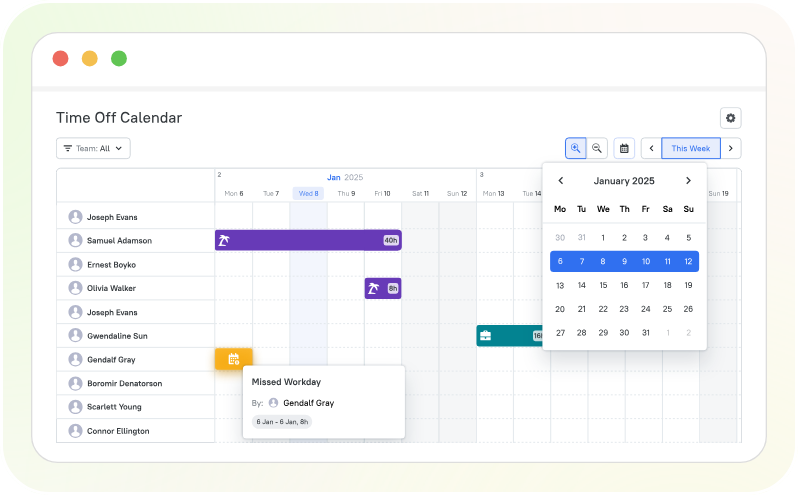
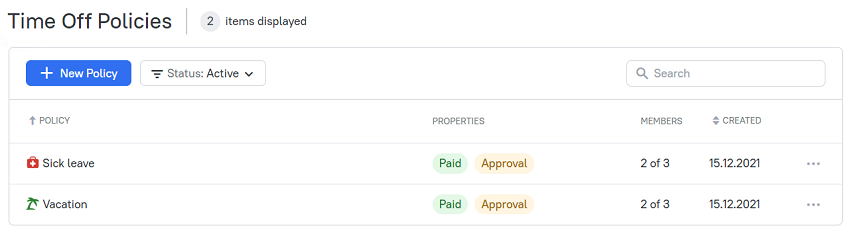
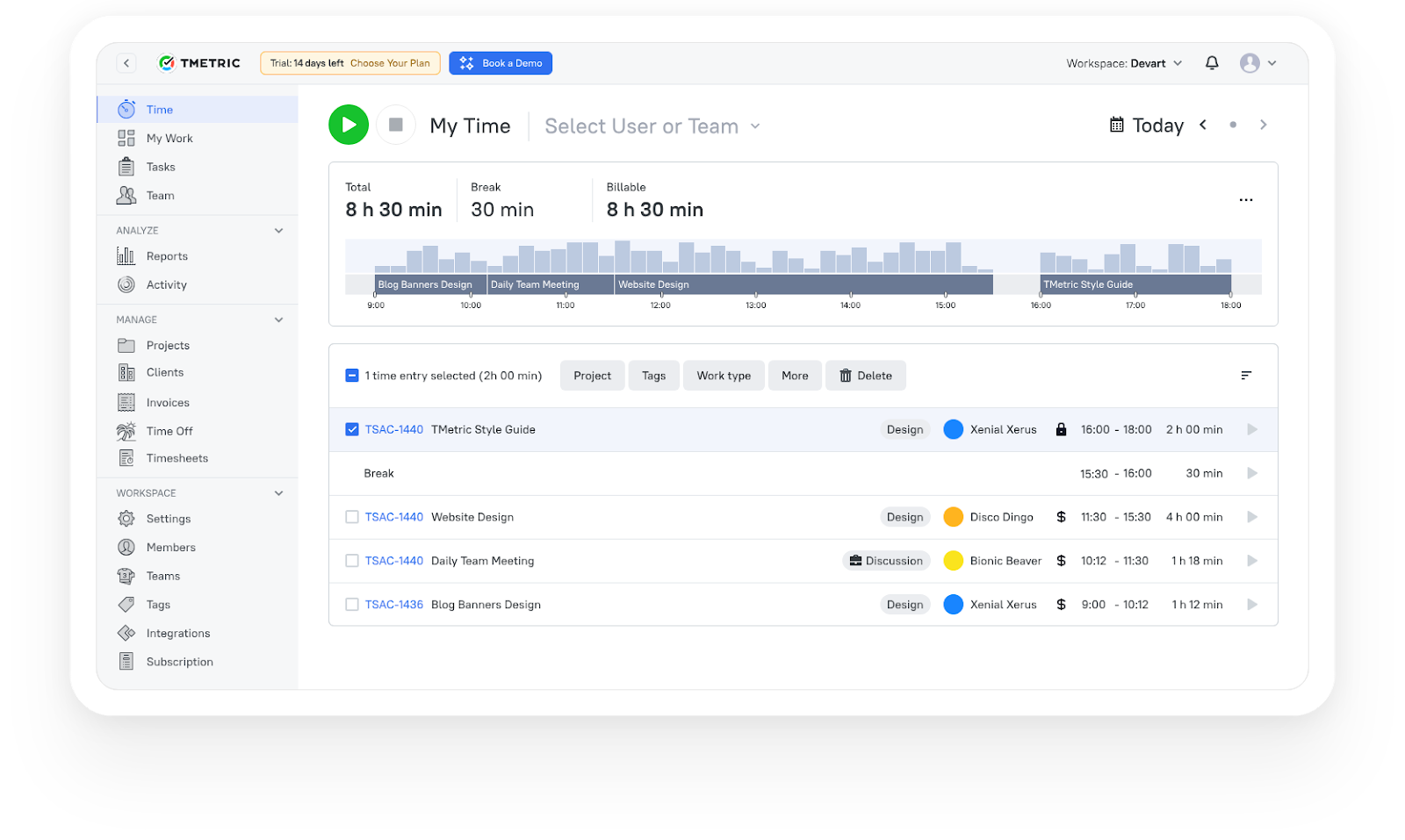
TMetric is the strongest overall choice for teams that want time tracking and employee vacation tracking in one system. Instead of managing PTO separately, approved time off is visible alongside work hours, making coverage planning, approvals, and payroll preparation more reliable.
This integrated setup reduces friction in daily operations. Managers see availability and absences in context, while employees submit vacation or sick leave requests through a clear approval workflow. Leave balances update automatically, removing manual checks and follow-ups.
Key vacation-tracking features
- Centralized PTO tracking. Vacation, sick leave, and other absence types are managed in one place. Requests, approvals, and history stay centralized for managers and payroll.
- Fast requests and approvals. Employees submit time-off requests in a few clicks. Managers get instant notifications, review availability, and approve or decline with a clear audit trail.
- Team calendar with conflict visibility. A shared calendar shows upcoming, current, and past time off. Overlaps, blackout days, and coverage gaps are visible before approvals.
- Automated PTO rules and accruals. PTO policies are set once and applied automatically. Accruals, carryover limits, eligibility rules, probation periods, and custom leave types are handled without manual tracking.
- Real-time leave balances. PTO balances update automatically after approvals. Employees and managers see used, scheduled, and remaining time off at a glance.
- Payroll- and audit-ready reporting. Approved time off aligns with timesheets and reports. Leave data can be filtered and exported for payroll or audits.
What TMetric users are saying
We are tracking time of developers and reviewing their work according to TMetric data and it really helps us to manage our team and product development. Also TMetric is part of our KPI calculation. —Ali N, CTO
"TMetric has become an essential tool for our marketing team. I love how easy it is to track time across projects, campaigns, from SEO and content creation to ad management. For us, the ability to add billable rates and set project budgets is a must and I'm glad TMetric has both options. Also, detailed reports are vital for our workflow since we can see how much time is spent for each project and task and can use this informaiton for future estimates." —Ruslan Q, Marketing Lead
"As an outsourcing company with a growing team at Intellabridge.com we needed flexibility and low cost with integration into Jira and Trello. Tmetric was the obvious solution. Because of the ease of use and ability to add browser extensions for Jira and Trello it makes it much easier to track time and invoice clients. I would highly recommend this product!" —Maria N, Managing Director
TMetric pricing overview
| Plan | Team size | Monthly (billed monthly) | Monthly (billed annually) | Key features |
|---|---|---|---|---|
| Free | Up to 2 seats | $0 | $0 | Unlimited time tracking, unlimited clients & projects, exportable reports, timer in 50+ web apps, web/mobile/desktop apps, smart time links, API access |
| Professional (Pro) | Small–mid teams | $7/user | $5.60/user | Everything in Free + billable rates & expenses, project budgets & alerts, time rounding, client invoicing, personalized timesheets, Google & Outlook calendar sync, task management, client/project/team import |
| Business | Growing teams | $9/user | $7.20/user | Everything in Pro + time off module, team timesheets, app & site monitoring, screenshot capturing, team activity tracking, real-time notifications, QuickBooks time-sync integration, advanced integrations: Jira, Redmine, ClickUp |
| Enterprise (Custom) | Large orgs | Custom | Custom | Everything in Business + customizable features & integrations, priority support, secure deployment, volume discounts for large teams |


2. Vacation Tracker
Rating: 4.4/5
Best for: Teams that want a simple, dedicated PTO tracker without a full HR suite
Price: Free; paid plans from ~$2/user/month (minimums apply)
Available on: Web, Slack, Microsoft Teams
What makes Vacation Tracker stand out
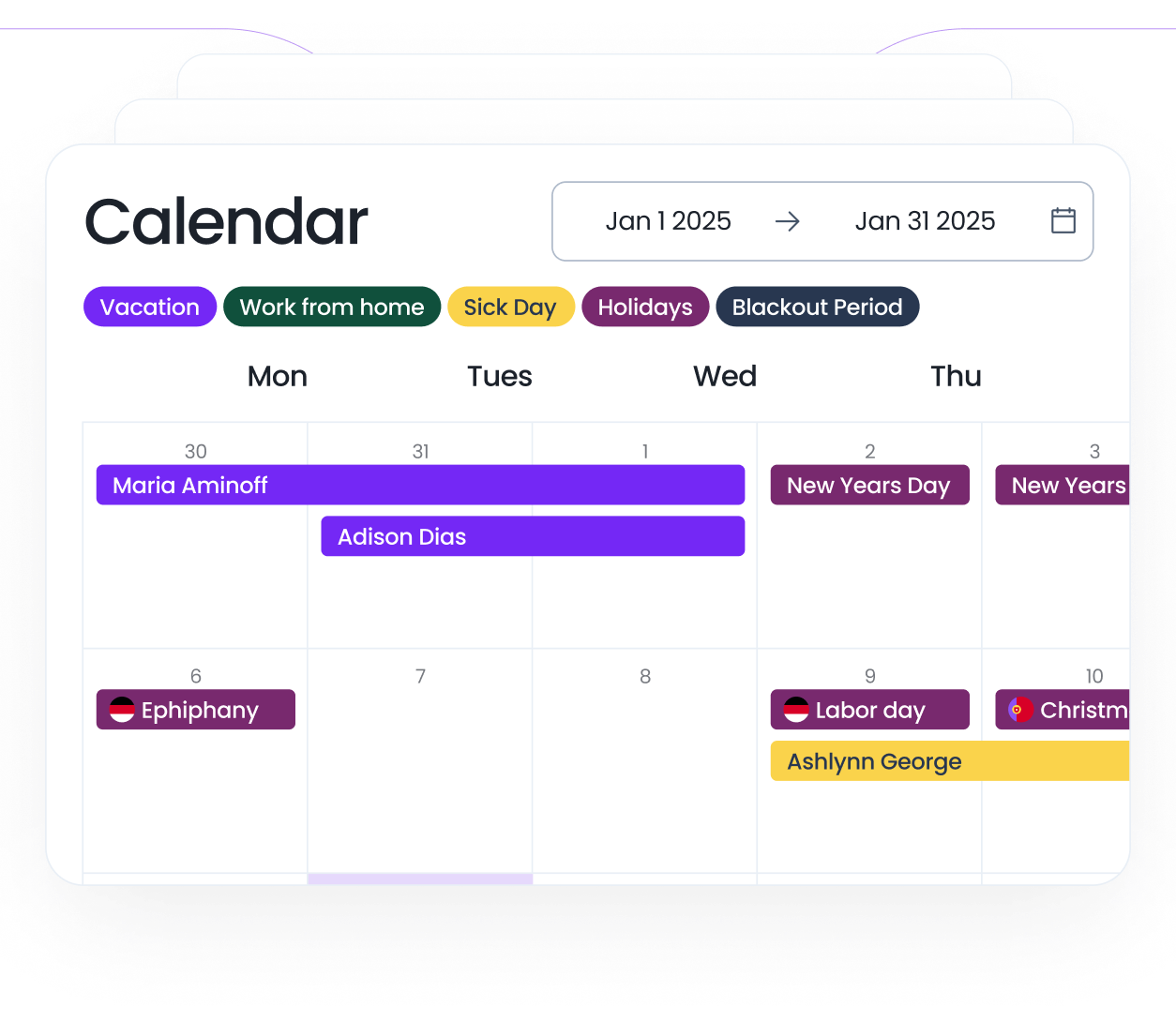
Vacation Tracker is built specifically for managing employee time off, not time tracking or HR administration. Its strength is focus. Teams use it to handle vacation, sick leave, and other absences with clear requests, approvals, and a shared team calendar, without introducing unnecessary complexity.
The tool fits especially well in Slack- or Teams-centric environments. Employees request time off directly from chat, managers approve in a few clicks, and everyone can see who’s out without leaving their daily workspace. For teams that already handle payroll and time tracking elsewhere, Vacation Tracker fills the PTO gap cleanly.
Core capabilities
3. Connecteam
Rating: 4.6/5
Best for: Field teams and operations-heavy environments
Price: From ~$29/month for up to 30 users (tiered plans)
Available on: Web, iOS, Android
What makes Connecteam stand out
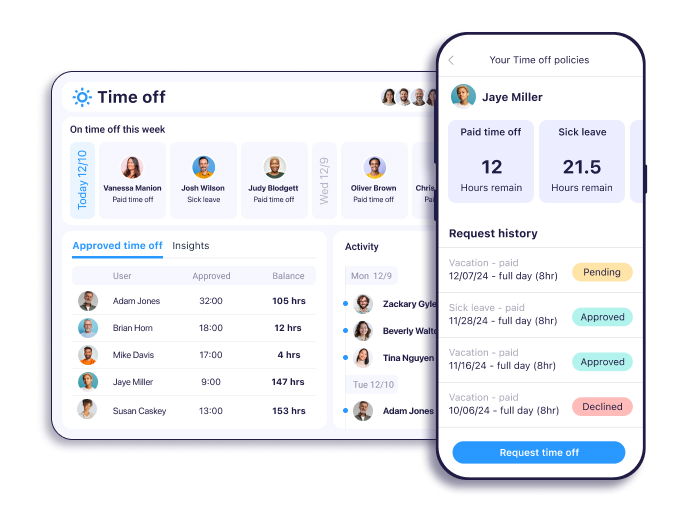
Connecteam is designed for frontline and non-desk teams where mobile access and fast approvals matter more than complex HR workflows. Time-off requests, approvals, and team visibility are built around mobile-first usage, making it easy for managers and employees to handle PTO without relying on email or desktop tools.
The platform works well in environments where teams are distributed across locations or shifts. Employees submit leave requests from their phones, managers approve quickly, and schedules stay visible across the organization. For teams that need execution speed rather than HR depth, Connecteam keeps PTO practical and accessible.
Core capabilities
4. BambooHR
Rating: 4.4/5
Best for: Companies that want PTO tracking inside a full HR system
Price: From ~$250/month for up to 25 employees (quote-based for larger teams)
Available on: Web, iOS, Android
What makes BambooHR stand out
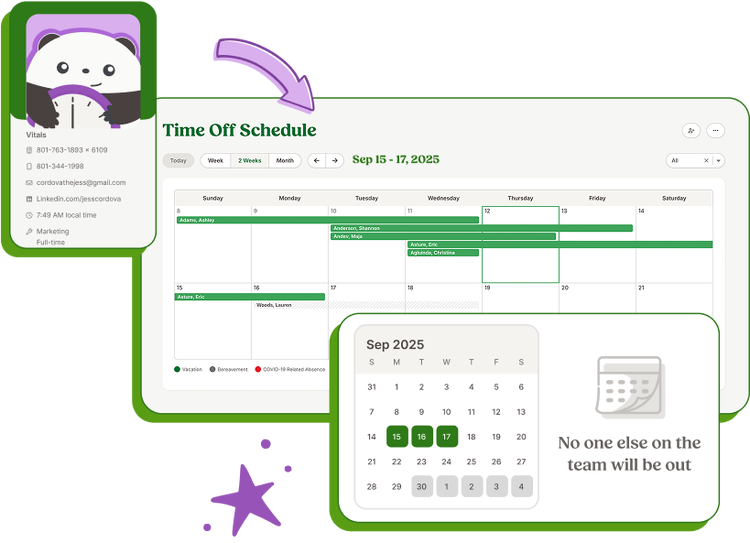
BambooHR is best suited for organizations that treat PTO tracking as part of a broader HR operating system rather than a standalone process. Time off management is tightly integrated with employee records, onboarding, benefits, and compliance workflows, making it a natural fit for teams that want all HR data centralized in one place.
Instead of optimizing for speed or simplicity, BambooHR prioritizes consistency and governance. PTO requests, approvals, and balances live inside the employee profile, which helps HR teams maintain a single source of truth as headcount grows. For companies standardizing HR processes across departments, this structure often matters more than flexibility.
Core capabilities
5. Clockify
Rating: 4.5/5
Best for: Teams that already use time tracking and need basic PTO supportPrice: Free; paid plans from ~$6.99/user/month (or ~$5.49/user/month billed annually)Available on: Web, iOS, Android, macOS, Windows, Linux
What makes Clockify stand out
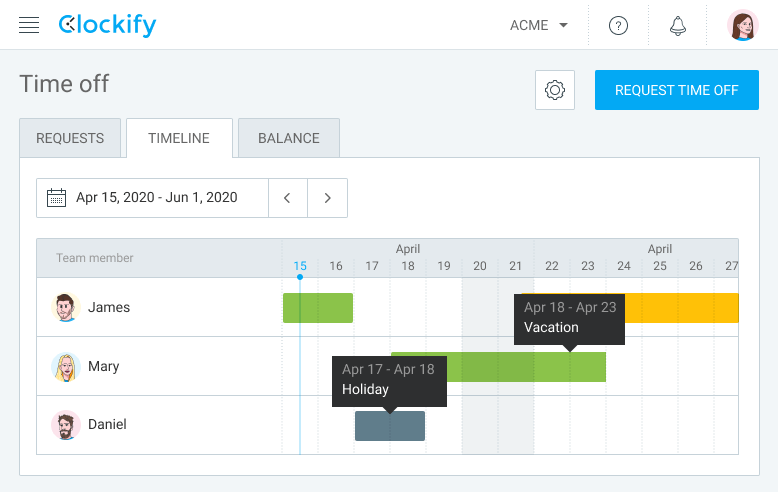
Clockify is a natural choice for teams that already rely on it for time tracking and want to layer in basic leave management. Its free plan makes it easy to roll out time tracking across a team, while paid tiers add structure for PTO without forcing a switch to a full HR system.
Time-off features are included in paid plans such as Standard, where vacation and sick leave can be tracked alongside timesheets. This setup works well for teams that view PTO as an extension of time tracking rather than a policy-heavy HR process. For organizations with simple leave rules, Clockify keeps things lightweight and familiar.
Core capabilities
Reviews
6. LeaveBoard
Rating: 4.4
Best for: Small teams that want a simple, dedicated vacation tracker
Price: ~$1.35/user/month; free for teams under 10
Available on: Web, iOS, Android
What makes LeaveBoard stand out
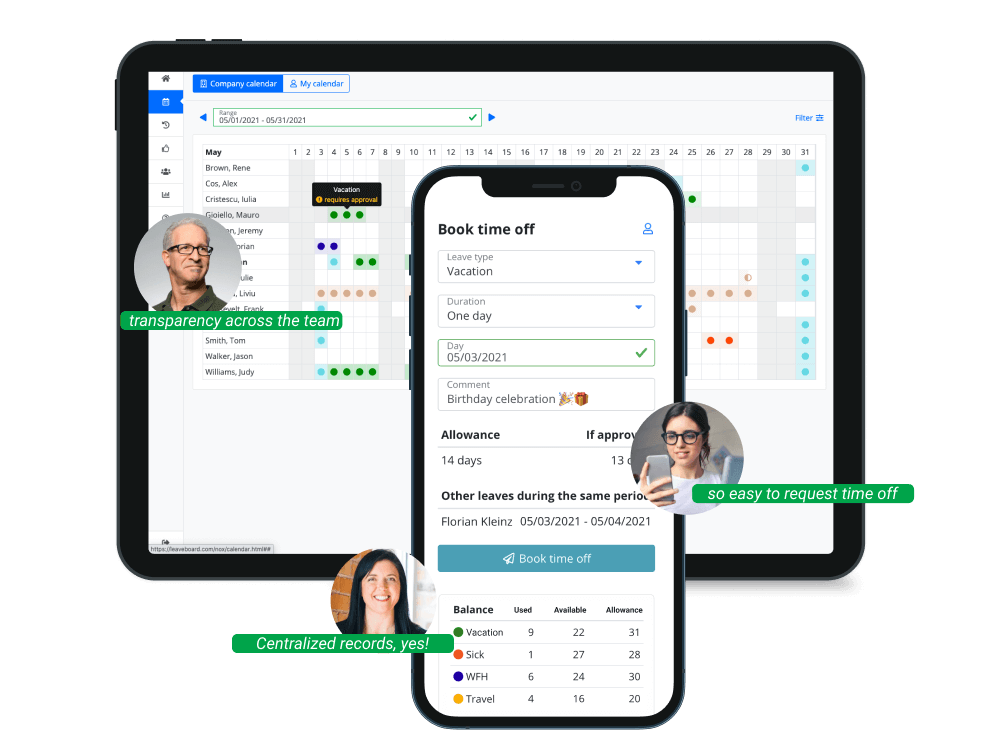
LeaveBoard is a leave-first platform built for teams that want to fix PTO tracking without adopting a full HR system. It focuses on the essentials—requests, approvals, policies, and visibility—while staying lightweight and easy to roll out.
The tool works well for small companies that need structure but don’t want HR-suite pricing or complexity. Teams can define leave policies, track balances, and approve requests in one place, making it easier to keep PTO organized as the team grows.
Core capabilities
Reviews
7. Zoho People
Rating: 4.4/5
Best for: Companies that want HR and leave management in one system, especially Zoho users
Price: Free for up to 5 users; paid plans from ~$1.50/user/month (billed annually)
Available on: Web, iOS, Android
What makes Zoho People stand out
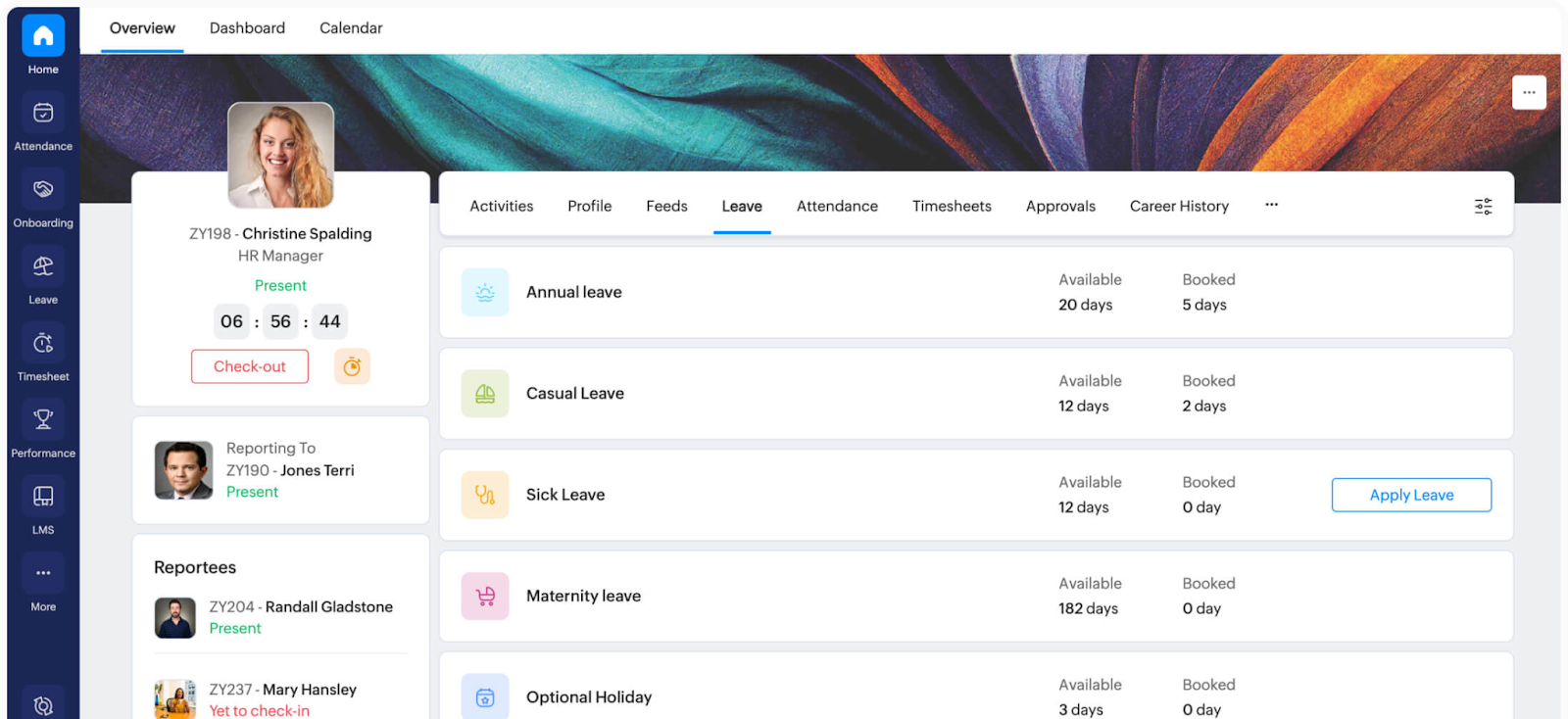
Zoho People works best for teams that want PTO tracking as part of a broader HR setup. Leave management is built into employee records, workflows, and permissions, which helps HR teams keep policies consistent and data centralized.
Its biggest advantage is ecosystem fit. For companies already using Zoho apps, time-off tracking connects naturally with the rest of the Zoho stack, reducing setup effort and integration gaps. The platform also takes a mobile-first approach, making it easy for employees to request leave and for managers to approve on the go.
Core capabilities
Common mistakes when tracking employee vacations
Most PTO failures come from the same root cause: there is no single, reliable source of truth. Once leave data is fragmented, schedule conflicts increase, payroll requires cleanup, and managers lose confidence in what is actually approved. Let’s explore how this happens.
Using Excel or Google Sheets
Spreadsheets break down quickly in real teams. They are easy to edit, duplicate, and overwrite, which makes conflicts hard to detect and audits nearly impossible. Two managers can make valid updates that contradict each other, and the problem usually surfaces only when coverage fails.
No centralized system
A shared calendar combined with email approvals is not a system. Requests get buried, approvals aren’t traceable, and ownership is unclear. Over time, new managers inherit PTO data they can’t verify or trust.
No approval workflows
Without a defined workflow, PTO turns into an informal negotiation. Teams rely on memory, chat messages, or verbal confirmation. A proper tracker provides clear status—pending, approved, rejected—and records who made the decision.
No historical records
Leave history matters for both planning and compliance. Without reliable records, teams can’t answer basic questions like what was approved last quarter or how much sick leave was used. Incomplete history also increases audit and compliance risk as organizations grow.

The Takeaway
An employee vacation tracking software should deliver three things: clear visibility into who’s off, reliable approvals, and accurate records that support payroll and planning. The right choice depends on team size and operational complexity, but tools that integrate PTO with day-to-day workflows consistently reduce friction and errors.
For teams that manage work hours and time off together, TMetric stands out as a strong all-in-one option. Its built-in Time Off module, available on the Business plan, keeps PTO aligned with timesheets, approvals, and reporting, without forcing teams into a full HR suite or opaque pricing.
3,000+ companies, teams, and individuals worldwide use TMetric to track time, manage work, and bill with confidence.
FAQ
How does an employee vacation time tracker differ from Excel or spreadsheets?
An employee vacation tracker provides structured requests, approvals, and history in one system. Unlike spreadsheets, it prevents conflicting edits, keeps an audit trail, and updates balances automatically, reducing errors and manual cleanup.
What features should employee vacation tracker software include in 2026?
In 2026, teams should expect shared visibility by default. Core features include multiple PTO types, approval workflows, real-time balances, team calendars with overlap detection, payroll-ready reports, and integrations with HR, payroll, and collaboration tools.
Can an employee vacation tracker app handle sick leave and PTO together?
Yes. Modern vacation trackers manage multiple leave types (vacation, sick leave, parental leave, unpaid leave, and custom policies) under a single system, with separate balances and rules for each.
What is the difference between a leave management system and an employee vacation tracker?
A leave management system is usually part of a broader HR suite that includes employee records and compliance workflows. An employee vacation tracker focuses specifically on time-off requests, approvals, and visibility, often with a lighter setup and lower cost.
Are employee vacation tracker apps suitable for remote and hybrid teams?
Yes. These tools are designed for distributed work. Shared calendars, time-zone-safe visibility, mobile access, and async approvals help remote and hybrid teams manage PTO without delays or confusion.
How do managers use an employee vacation tracker to avoid schedule conflicts?
Managers rely on shared calendars and overlap warnings to see who is off before approving requests. This makes coverage gaps visible early and helps teams plan workloads and staffing more effectively.
Is TMetric the best employee vacation tracker for teams that also track work hours?
For teams that track work hours and PTO together, TMetric is a strong choice. Its Time Off module keeps approved leave aligned with timesheets, availability, and reporting, reducing rework and approval delays.
Why choose TMetric as an employee vacation tracker instead of spreadsheets?
TMetric replaces spreadsheets with structured workflows. Requests and approvals are tracked, balances update automatically, and leave history stays audit-ready—eliminating version conflicts, manual calculations, and “who approved this?” uncertainty.