8 Best Employee Management Software for 2026
Efficient employee management remains a cornerstone of business success. Our guide highlights top-tier software solutions for 2026.

Most employee management systems are disconnected from how work is actually carried out day to day. This leaves managers without a clear view of employee capacity and performance, making issues harder to catch early.
Over time, this lack of visibility becomes evident in the employee experience. According to Gallup’s 2025 State of the Global Workplace report, only 21% of employees worldwide were actively engaged in their work, one of the lowest rates in over a decade. This persistent disengagement is a common signal of weakening employee management structures, where expectations and priorities lack consistency.
That’s why finding effective employee management software has become essential. Organisations need reliable tools that help balance workloads and give managers the visibility needed to address performance issues before they escalate.
This guide breaks down the employee management software solutions that stand out in 2026, based on:
- Feature depth where it matters operationally
- Usability for managers and employees
- Pricing transparency as teams scale
- Real-world fit for different team structures
What employee management software does
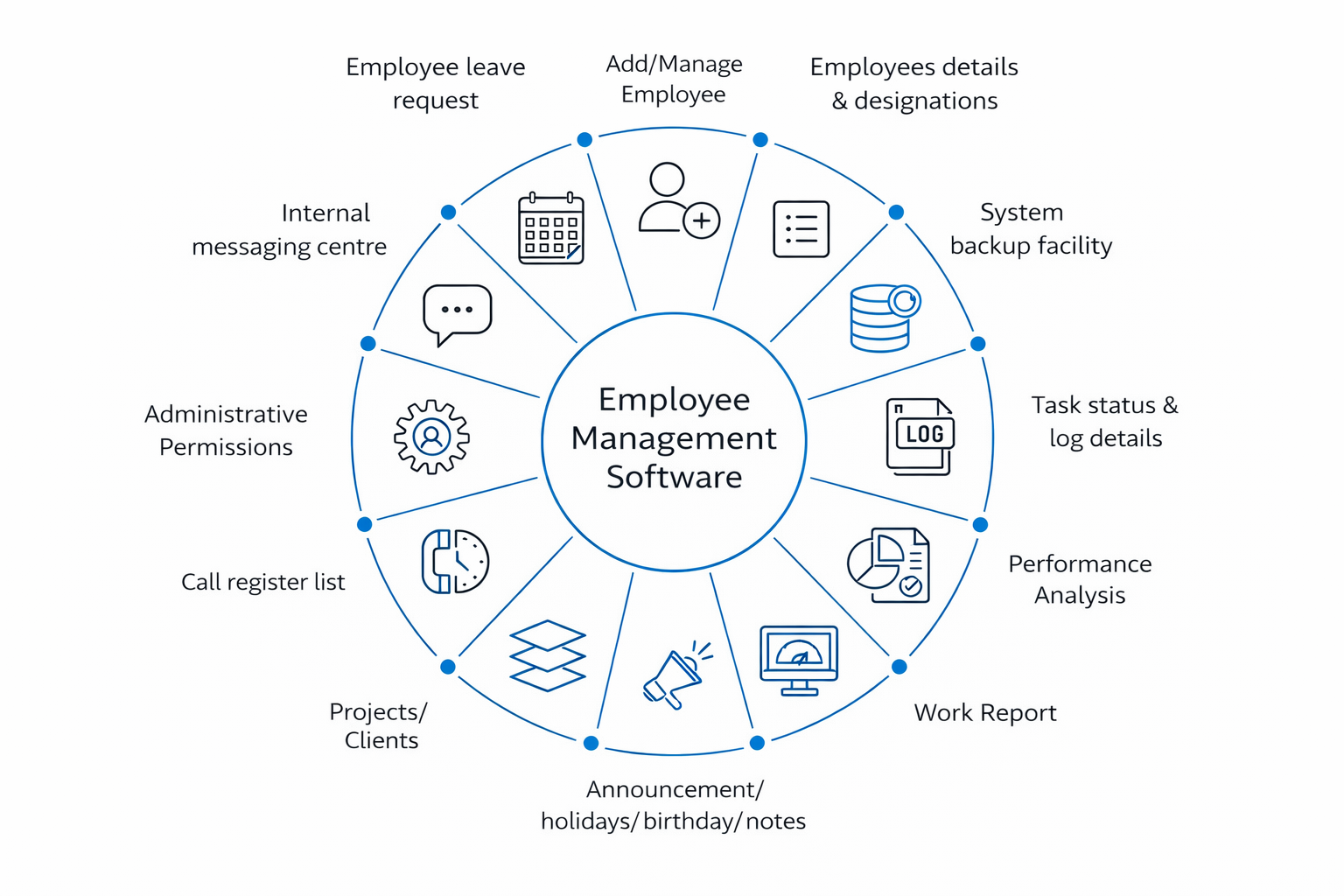
Employee management software brings the operational side of people management into one system. Instead of handling attendance, tasks, performance, and employee records across disconnected tools, it gives teams a single place to manage day-to-day work, accountability, and employee data. A modern employee management platform typically covers several core areas:
- Time and attendance. Clock-ins, timesheets, shift schedules, overtime tracking, and approval workflows that replace manual logs and spreadsheets.
- Employee data management software. Centralized employee profiles, roles, contracts, and documentation, to make it easier to maintain accurate records and reduce administrative overhead.
- Task and workflow oversight. Assignment tracking, approvals, handoffs, and status visibility that help managers see how work moves across teams and where bottlenecks form.
- Performance management. Goal tracking, reviews, and feedback loops—often delivered as part of broader employee performance management software rather than standalone tools.
- Communication and coordination. Announcements, team updates, and lightweight collaboration features, especially important in mobile employee management software environments where teams are distributed or deskless.
- Reporting and analytics. Insights into utilization, attendance patterns, workload distribution, and productivity trends that support more informed decisions.
A solid online employee management system replaces chaos with consistent records and cleaner workflows, so HR, ops, and delivery teams can make decisions from the same source of truth.
This shared visibility helps HR, operations, and delivery teams work from the same source of truth.
Why trust our employee management software reviews
Each employee management solution in this list was reviewed using a consistent, practical framework focused on real operational use. The goal was to understand how these tools perform in everyday scenarios where managers need clear visibility, reliable data, and minimal friction.
How we evaluated employee management software
We also reviewed published pricing pages, plan documentation, and trusted third-party summaries where pricing or features vary by module.
List of the best employee management software in 2026
There’s no single “best” tool for every team. Some employee management apps are HR-first (records, onboarding, performance). Others are time-first (attendance, utilization, invoicing). Others are project-first (workload, tasks, dashboards).
That said, for small and mid-size teams that need one platform to track attendance + time + workload visibility without heavy HR overhead, TMetric stands out as a practical all-in-one pick, especially for agencies, service teams, and distributed delivery.
Here are the best employee management software options to consider in 2026.
1. TMetric
🌟 4.6/5 (G2)
Best for: Small to mid-size teams, agencies, and remote or hybrid teams that need reliable attendance, working hours, and workload visibility in one system
Price: Free for up to 2 users; paid plans starting at around $5 per user/month
Available on: Web, iOS, Android, macOS, Windows, Linux, browser extensions
Why TMetric ranks first in 2026
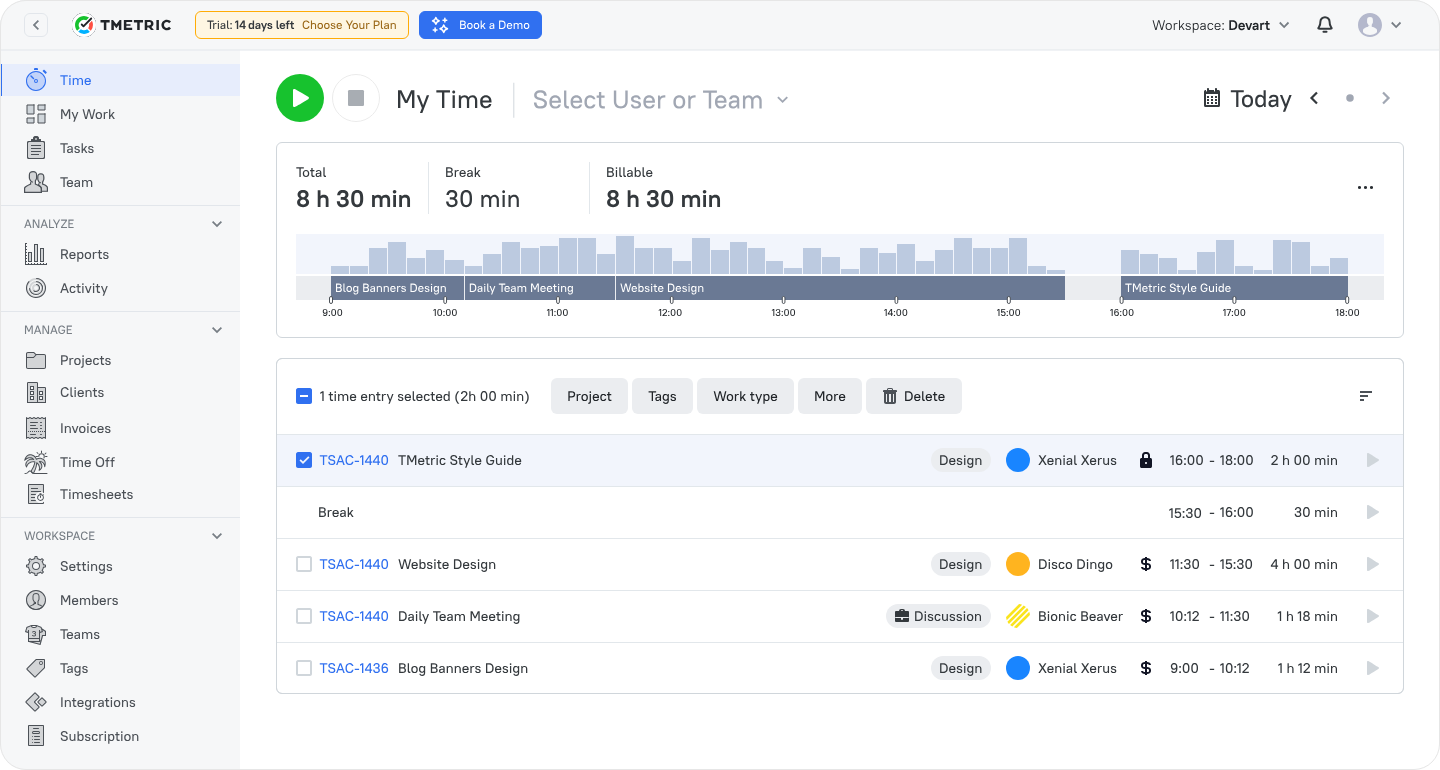
TMetric positions employee management around how work time is planned, tracked, and analyzed, rather than traditional HR administration. It brings together time tracking, attendance, task-level visibility, and productivity reporting in one platform. This makes it especially practical for teams where accurate working hours directly affect delivery, billing, or payroll.
Employees can track their workday across desktop, browser, or mobile apps, log breaks, switch tasks, and request time off without moving between systems. Managers get a clear, real-time view of attendance, availability, and workload, helping them understand who is working, how time is being spent, and where capacity issues are forming.
Also, unlike basic attendance tools, TMetric connects working hours to tasks, projects, and clients. This makes time data usable across operations, finance, and management—supporting payroll preparation, invoicing, and performance analysis with consistent, structured inputs.
Key TMetric features
- Time tracking and attendance. Employees track time manually or automatically across tasks and projects, creating accurate working-hour records that support productivity analysis and payroll preparation.
- Leave and schedule management. Custom work schedules, holidays, multiple leave types, approval workflows, and team calendars help teams coordinate availability across locations.
- Task and project visibility. Managers see how tracked time aligns with specific tasks, projects, and clients, which improves forecasting and delivery planning.
- Productivity and utilization analytics. Built-in reports highlight trends in utilization, attendance, and productivity, helping teams adjust capacity before pressure builds.
TMetric pricing overview
| Plan | Monthly | Yearly (save ~17%) | Key features included |
|---|---|---|---|
| Free | $0 | $0 | Basic time tracking, unlimited projects and clients, standard reports, desktop and mobile apps, browser extensions |
| Professional | ~$5 / user | ~$50 / user / year | Attendance tracking, billable rates, time-off management, time off, alerts, dashboards |
| Business | ~$7 / user | ~$70 / user / year | Everything in Professional + team timesheets, activity tracking, integrations |
| Enterprise | Custom | Custom | Secure deployment, custom integrations, dedicated support |
What TMetric users are saying
We are tracking time of developers and reviewing their work according to TMetric data and it really helps us to manage our team and product development. Also TMetric is part of our KPI calculation. —Ali N, CTO
"TMetric has become an essential tool for our marketing team. I love how easy it is to track time across projects, campaigns, from SEO and content creation to ad management. For us, the ability to add billable rates and set project budgets is a must and I'm glad TMetric has both options. Also, detailed reports are vital for our workflow since we can see how much time is spent for each project and task and can use this informaiton for future estimates." —Ruslan Q, Marketing Lead
"As an outsourcing company with a growing team at Intellabridge.com we needed flexibility and low cost with integration into Jira and Trello. Tmetric was the obvious solution. Because of the ease of use and ability to add browser extensions for Jira and Trello it makes it much easier to track time and invoice clients. I would highly recommend this product!" —Maria N, Managing Director
Why it’s #1
- Purpose-built for time-driven teams: TMetric focuses on attendance, working hours, tasks, and productivity, where employee management directly impacts delivery and payroll.
- Operational clarity without HR complexity: By linking time, tasks, and projects, it helps managers balance workloads and address performance issues early.
- Trusted and widely adopted: Used by thousands of businesses worldwide, TMetric supports cross-device tracking and integrates with everyday tools for project management and accounting.
2. BambooHR
🌟 4.4/5 (G2)
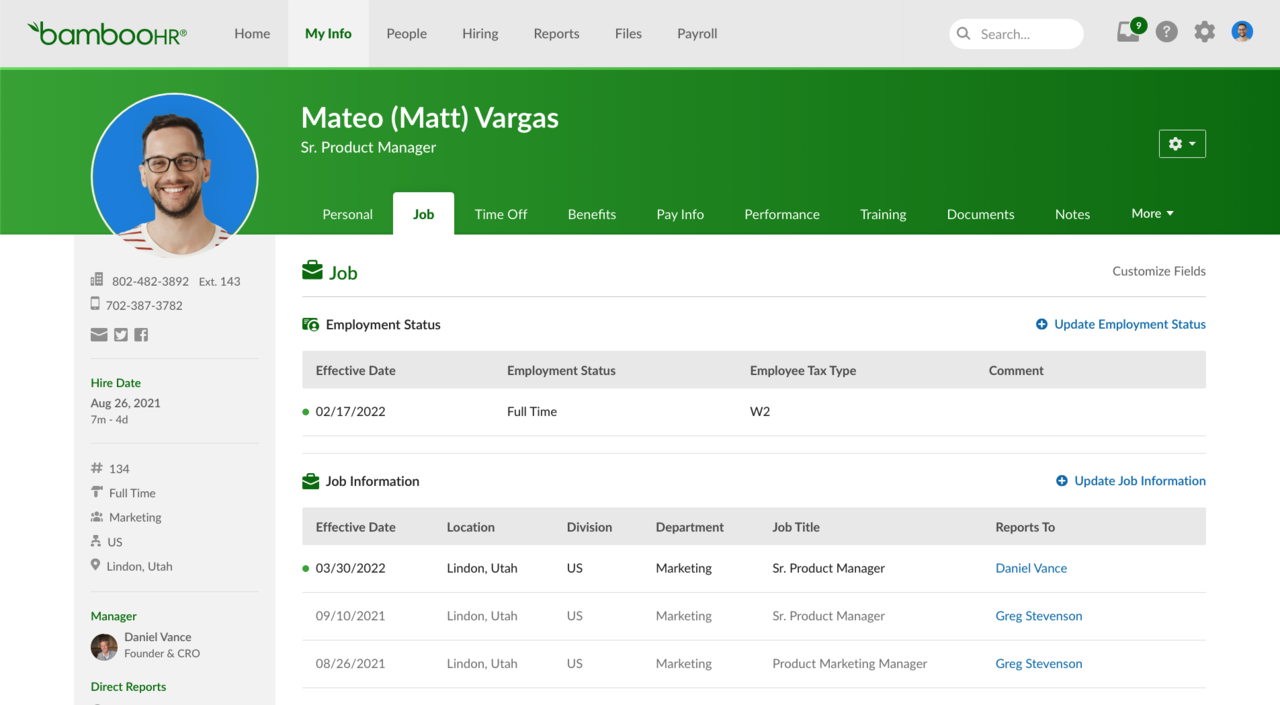
Best for: Growing teams that need a centralized HR system for employee records, onboarding, and core people operations.
Price: Sales-led; flat monthly pricing for teams up to 25 employees, per-employee pricing above that.
Available on: Web, iOS, Android.
Where BambooHR works best
BambooHR is an HR-first employee management system designed to centralize employee data and standardize people operations. It replaces spreadsheets and fragmented records with structured employee profiles, document management, and onboarding workflows.
The platform is especially effective for organizations where HR needs consistency across departments. Onboarding tasks, role changes, and employee records are managed in one place, reducing manual follow-ups as teams grow. BambooHR works best as an HR hub rather than a system for tracking daily work or project delivery.
Key features
- Centralized employee records with role-based access.
- Structured onboarding and offboarding workflows.
- Time-off and leave management with approvals.
- Performance reviews and goal tracking (plan-dependent).
- HR reporting for headcount, turnover, and compliance.
3. Rippling
🌟 4.8/5 (G2)
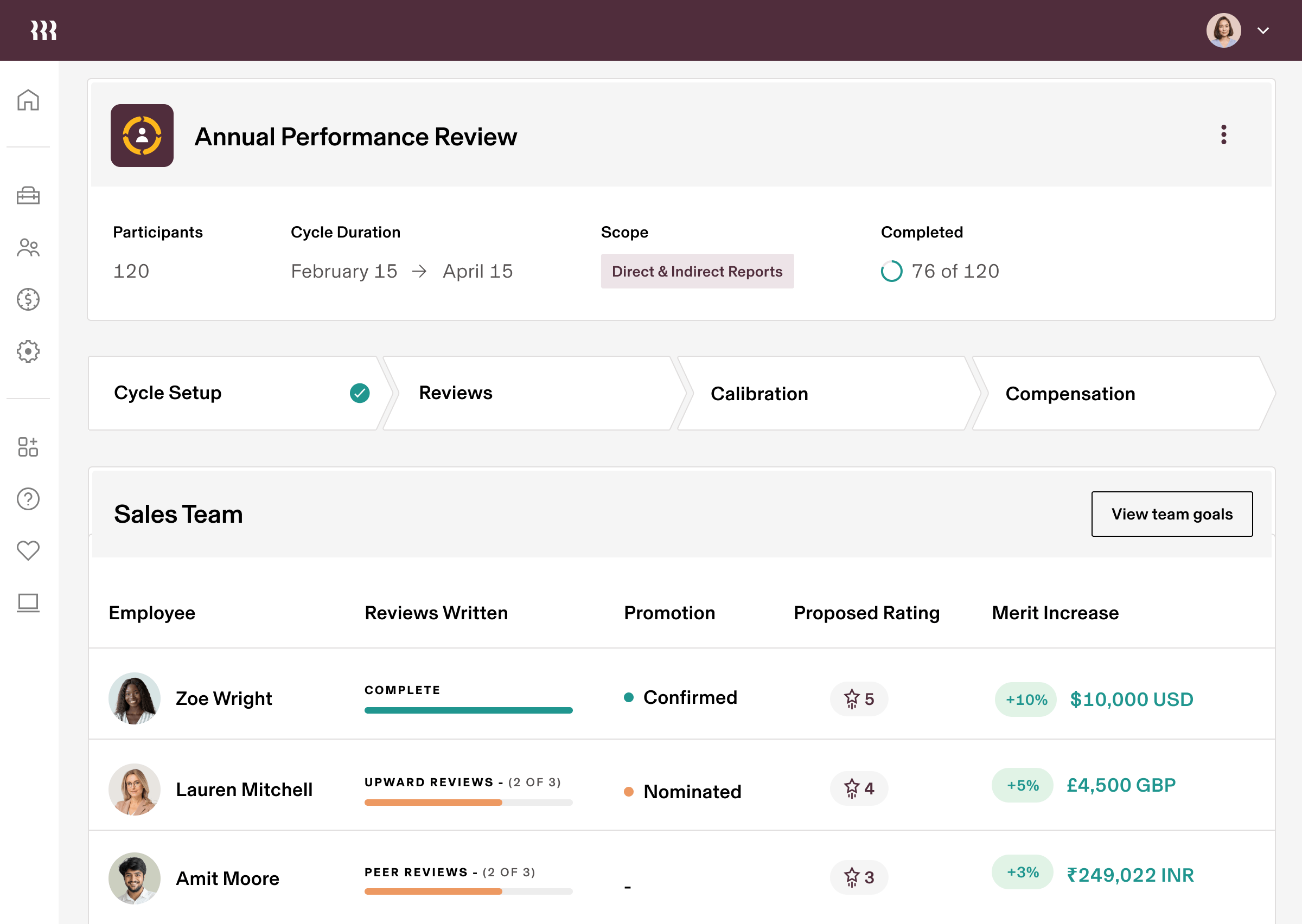
Best for: Mid-sized to large companies that want HR, payroll, and IT automation under one unified platform.
Price: Base HRIS typically starts around $8 per employee/month (plus a monthly base fee; final pricing varies by modules and needs).
Available on: Web, iOS, Android.
Where Rippling works best
Rippling combines HR, payroll, and IT operations into a single system. Employee lifecycle events (such as hiring, role changes, and offboarding) can automatically trigger payroll updates, app access, and device provisioning.
This makes Rippling especially valuable for organizations managing complex workforce operations. Instead of coordinating HR and IT tasks manually, teams can automate workflows that keep systems, access, and compliance aligned as the company grows.
Key features
- Centralized HRIS with employee lifecycle management.
- Payroll processing and tax compliance (add-on).
- Automated onboarding and offboarding workflows.
- Device and application access management.
- Workflow automation with reporting and analytics.
4. Zoho People
🌟 4.4/5 (G2)
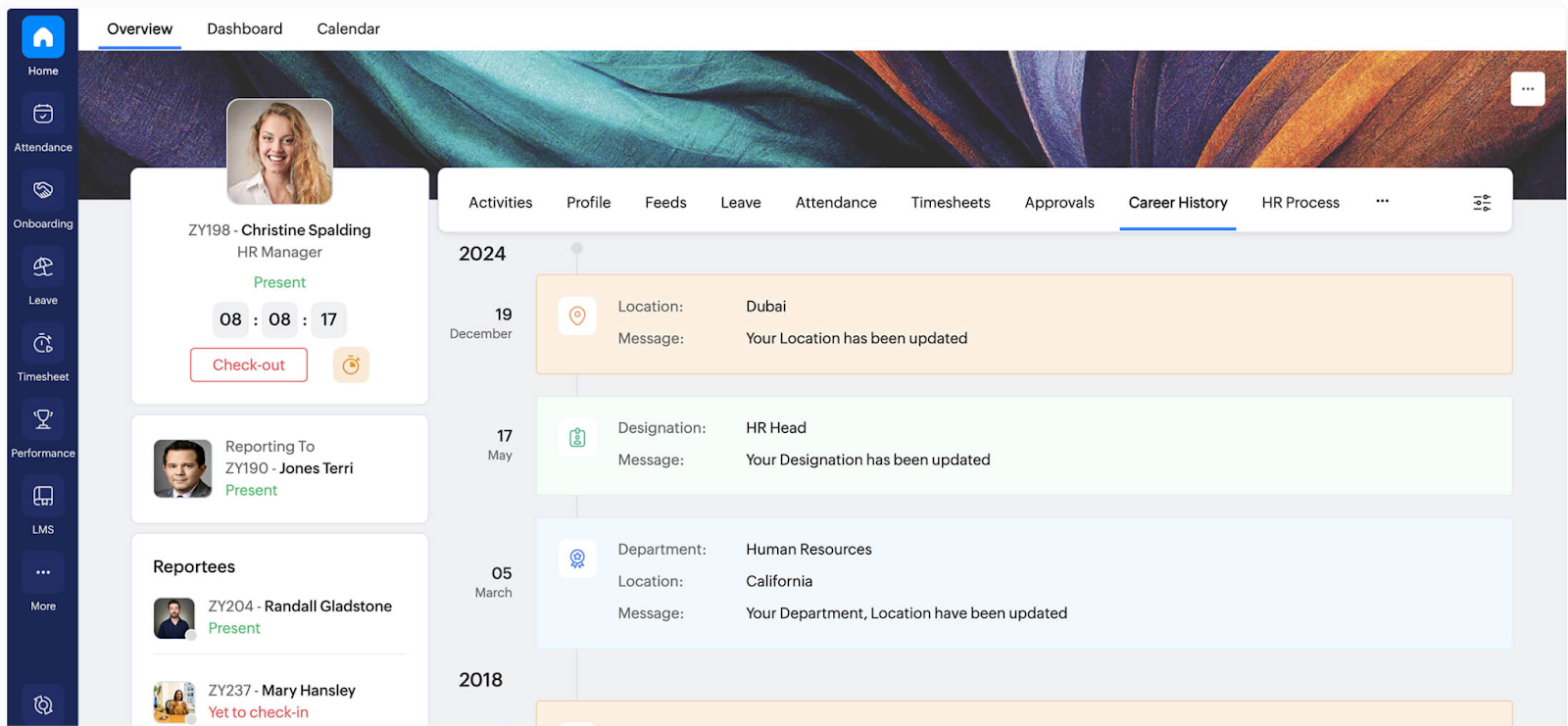
Best for: Small and mid-size businesses needing a flexible HR management system with attendance, leave, and performance tracking.
Price: Free for up to 5 users; paid plans from about $1.25–$4.50 per user/month (annually) as per published tiers.
Available on: Web, iOS, Android.
Where Zoho People works best
Zoho People is a modular HR platform that balances breadth and affordability. It covers employee records, attendance, leave, shift scheduling, and performance management without the cost or complexity of enterprise HR systems.
The platform scales gradually, allowing teams to start with basic HR workflows and expand into analytics and performance tools as needs evolve. Integration with the broader Zoho ecosystem helps organizations keep HR data connected to payroll, finance, and operations.
Key features
- Employee database and self-service portal.
- Attendance, leave, and shift management.
- Digital timesheets and time tracking.
- Performance appraisals and HR analytics.
- Integration with other Zoho applications.
5. Connecteam
🌟 4.6/5 (G2)
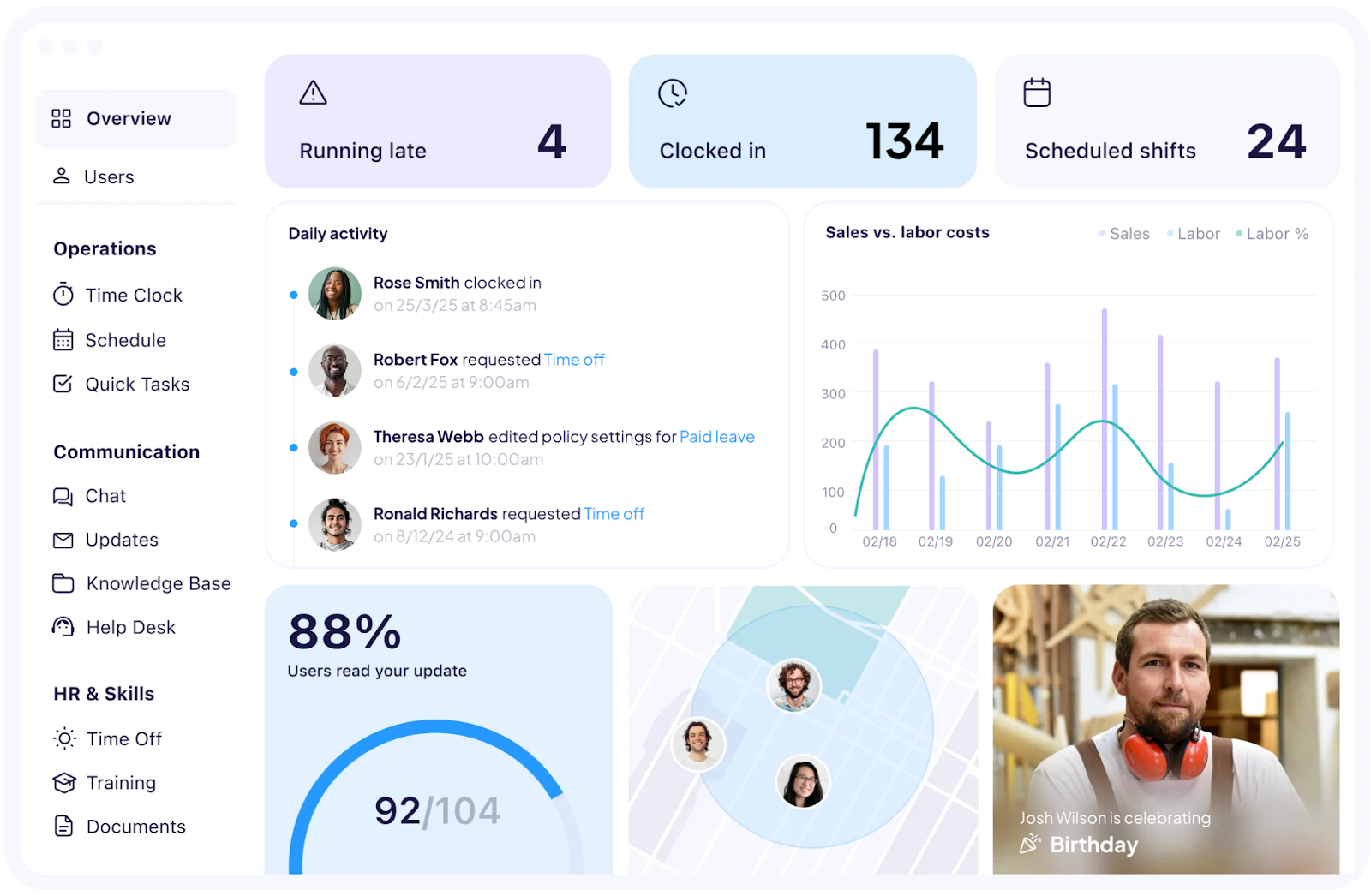
Best for: Deskless, mobile, and field teams that need scheduling, time tracking, and communication in one app.
Price: Free for up to 10 users; paid plans start around $29/month for up to 30 users (with tiered pricing per hub and additional costs for larger teams).
Available on: Web, iOS, Android.
Where Connecteam works best
Connecteam is designed specifically for teams that work away from desks. It brings scheduling, time clocks, task management, and communication into a single mobile-first app that employees can use directly from their phones.
For frontline managers, this simplifies daily coordination. Shifts, hours, tasks, and team updates live in one place, reducing reliance on texts, emails, and spreadsheets. The result is clearer oversight without building a full HR stack.
Key features
- Mobile time clock with optional GPS and geofencing.
- Drag-and-drop shift scheduling and availability tracking.
- Built-in chat, announcements, and surveys.
- Task management and digital forms.
- Basic HR and training tools.
6. ClickUp
🌟 4.7/5 (G2)
Best for: Teams that want project, task, and workload management with lightweight people visibility.
Price: Free plan available; paid plans start at around $7 per user/month (billed annually), with higher tiers adding advanced views and tools.
Available on: Web, macOS, Windows, iOS, Android.
What ClickUp work best
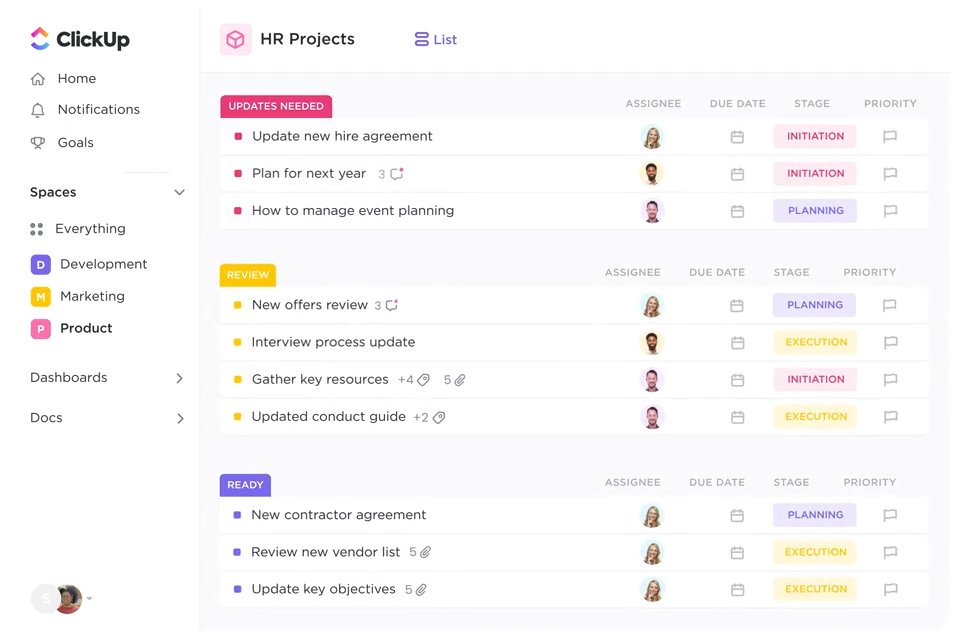
ClickUp is a work and project management platform that many teams use as a lightweight employee management layer. Instead of focusing on HR records, it provides visibility into tasks, time tracking, workloads, and delivery progress.
For organizations where performance is closely tied to project execution, ClickUp becomes the system where work is planned and tracked. HR data typically lives elsewhere, while ClickUp handles accountability and capacity visibility.
Key features
- Task and project management across multiple views.
- Built-in time tracking and timesheets.
- Workload and resource planning views.
- Custom dashboards and reporting.
- Automations and third-party integrations.
7. monday.com
🌟 4.7/5 (G2)
Best for: Teams that need flexible workflows, visual coordination, and operational visibility across functions.
Price: Free plan available; paid plans typically start around $9 per seat/month (billed annually), with higher tiers adding more automation and views.
Available on: Web, iOS, Android.
Where monday.com works best
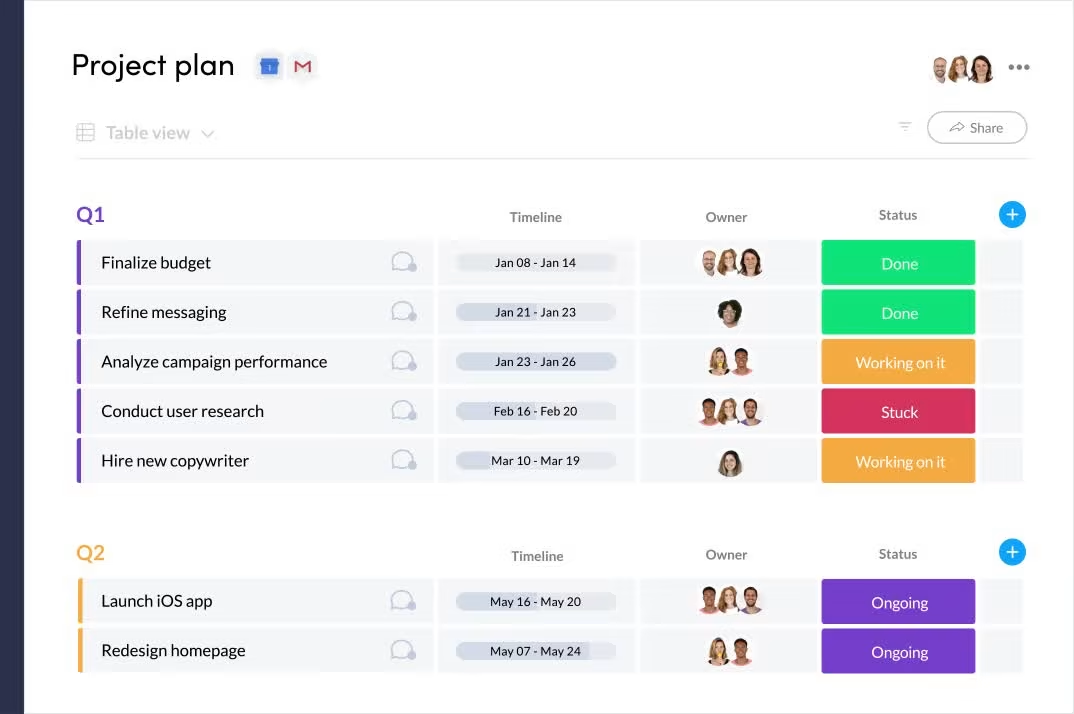
monday.com is a flexible work operating system used to build repeatable workflows and operational processes. Instead of prescribing HR functionality, it allows teams to design boards for scheduling, approvals, onboarding tasks, and recurring work.
Dashboards and automations help managers keep work visible and coordinated across teams. Monday.com is best suited for organizations whose main challenge is execution and alignment rather than employee records or compliance.
Key features
- Customizable boards and workflows.
- Dashboards for workload and progress tracking.
- Automations for approvals and recurring processes.
- Multiple operational views (calendar, timeline).
- Integrations with common collaboration tools.
8. Bitrix24
🌟 4.1/5 (G2)
Best for: Small businesses that want a broad suite of collaboration, CRM, task management, and employee tracking tools in one platform.
Price: Free plan available; paid plans typically start around $49/month for 5 users with higher tiers for larger teams and more capabilities.
Available on: Web, macOS, Windows, iOS, Android.
Where Bitrix24 works best
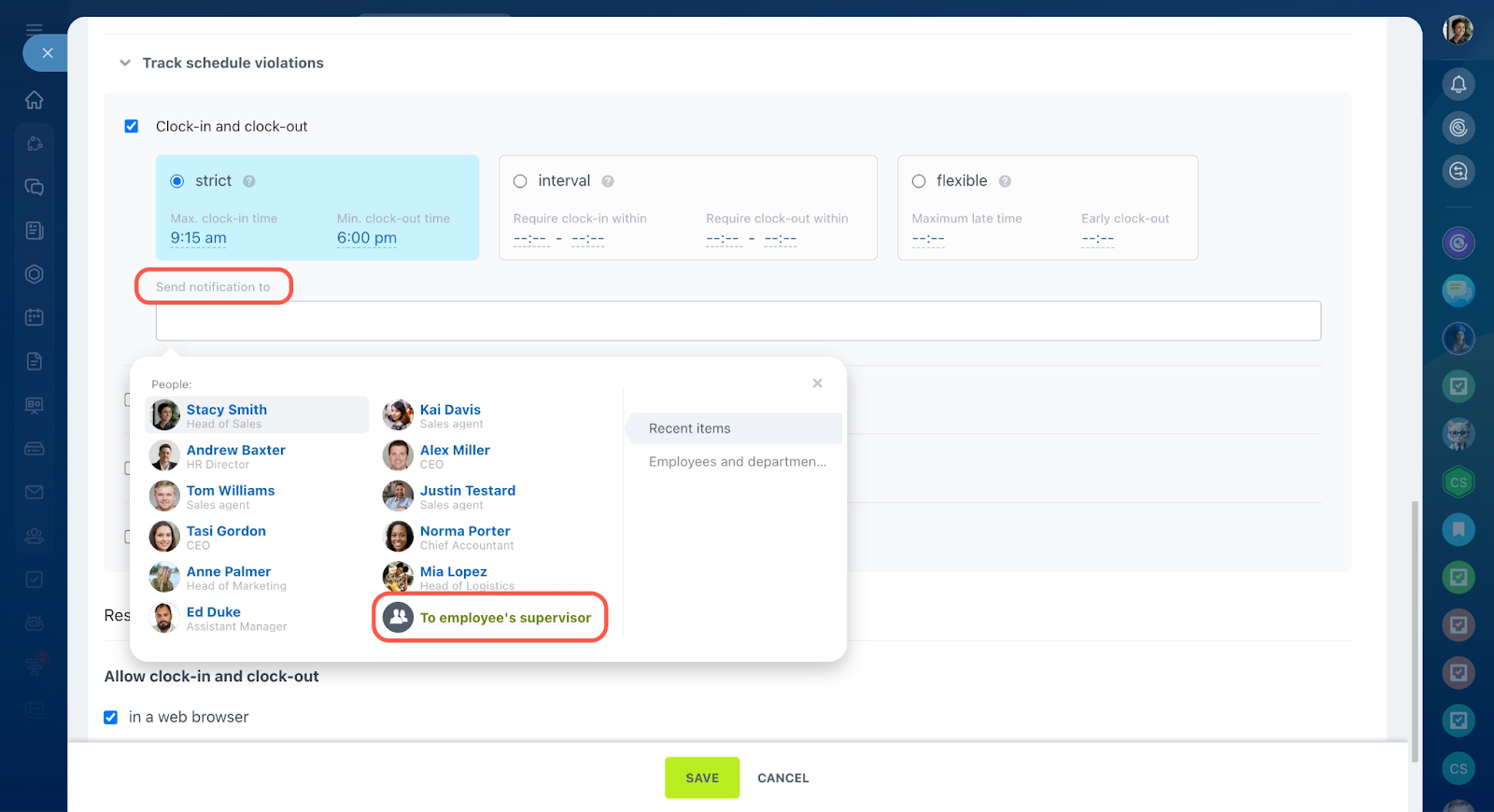
Bitrix24 is an all-in-one business platform that combines collaboration tools, task management, CRM, and basic employee oversight. Instead of specializing in HR, it focuses on keeping work, communication, and customer data in one system.
This breadth makes it attractive to small teams trying to reduce tool sprawl. However, the platform can feel heavy if only basic employee management features are needed.
Key features
- Task and project management with multiple views.
- Time tracking and workload monitoring.
- Employee directory and internal communication.
- CRM and document sharing.
- Organization-level pricing options.
Top employee management software at a glance
How to choose the right employee management software
Choosing the right employee management platform is less about feature volume and more about fit. The best tool aligns with how your team actually operates day to day—not how software vendors describe “ideal” workflows.
1. Start with team size and structure
Team size directly affects complexity, permissions, and overhead.
- Small teams (10–50 employees): Prioritize fast setup, transparent pricing, and core functionality such as attendance, time tracking, and basic performance visibility. Look for small business employee management software that minimizes administrative effort.
- Scaling teams (50–300 employees): Stronger role permissions, reporting, and process consistency become critical as more managers and departments get involved.
- Enterprise organizations: Governance, auditability, security controls, and deep integrations matter more than speed of setup.
2. Factor in remote vs. onsite work
Remote and hybrid teams require more deliberate structure. Informal coordination is weaker, and without consistent tracking, it becomes difficult to spot workload imbalances or productivity issues early. Clear workflows and shared visibility are far more important in distributed environments.
 Alla Chernets
3. Validate integrations early
Before committing, confirm that the platform fits your existing ecosystem. Common requirements include integrations with Jira, QuickBooks, Slack, payroll systems, or identity and device management tools. Integration gaps often surface after rollout, when they’re hardest to fix.
A quick decision guide
- Need effortless time, attendance, and budgeting visibility? → TMetric
- Want structured HR records + onboarding? → BambooHR or Zoho People
- Looking for HR + IT lifecycle automation? → Rippling
- Considering mobile tools for deskless teams? → Connecteam
- Need project and people oversight in one workspace? → ClickUp or monday.com
- Want an all-in-one suite with organization-level pricing? → Bitrix24
The Takeaway
The best employee management software does more than organize people—it reduces ambiguity in how work is planned, tracked, and delivered. With global engagement remaining low and operational pressure increasing, teams benefit most from systems that replace manual processes with consistent visibility and execution.
For organizations prioritizing workforce visibility (across time, attendance, utilization, and reporting), TMetric stands out as a practical choice in 2026. It offers small and mid-size teams an employee management solution grounded in day-to-day operations, not just HR administration.