
Best Productivity Tools for Virtual Assistants in 2026
If it’s not captured, it’s not real. Most VA chaos isn’t workload, it’s scattered work. These productivity tools turn messages into trackable tasks, turn effort into billable clarity, and turn “Where are we on this?” into a dashboard.

Most virtual assistants don’t lose time because they’re inefficient. They lose time because work is scattered. A single day can involve jumping between calendars, messages, emails, task lists, shared docs, passwords, and client systems. That constant switching breaks focus and drains time.
The numbers back this up. Research from Microsoft shows that knowledge workers are interrupted roughly every 2 minutes by meetings, emails, or notifications.
This is where productivity and employee time tracking software start to matter. They give virtual assistants a clear way to capture requests, organize tasks, and track time, so work doesn’t disappear across inboxes and chat threads.
In this guide, we’ll help you build a reliable “VA operating system” using the tools that consistently reduce friction across time tracking, task management, communication, automation, documentation, and client operations.
Why productivity tools matter for virtual assistants
Productivity tools matter for virtual assistants because managing work manually takes more time than doing it. Research from Asana and Microsoft shows this clearly. A large part of the workday is lost to coordination, status updates, duplicated effort, and interruptions rather than execution.
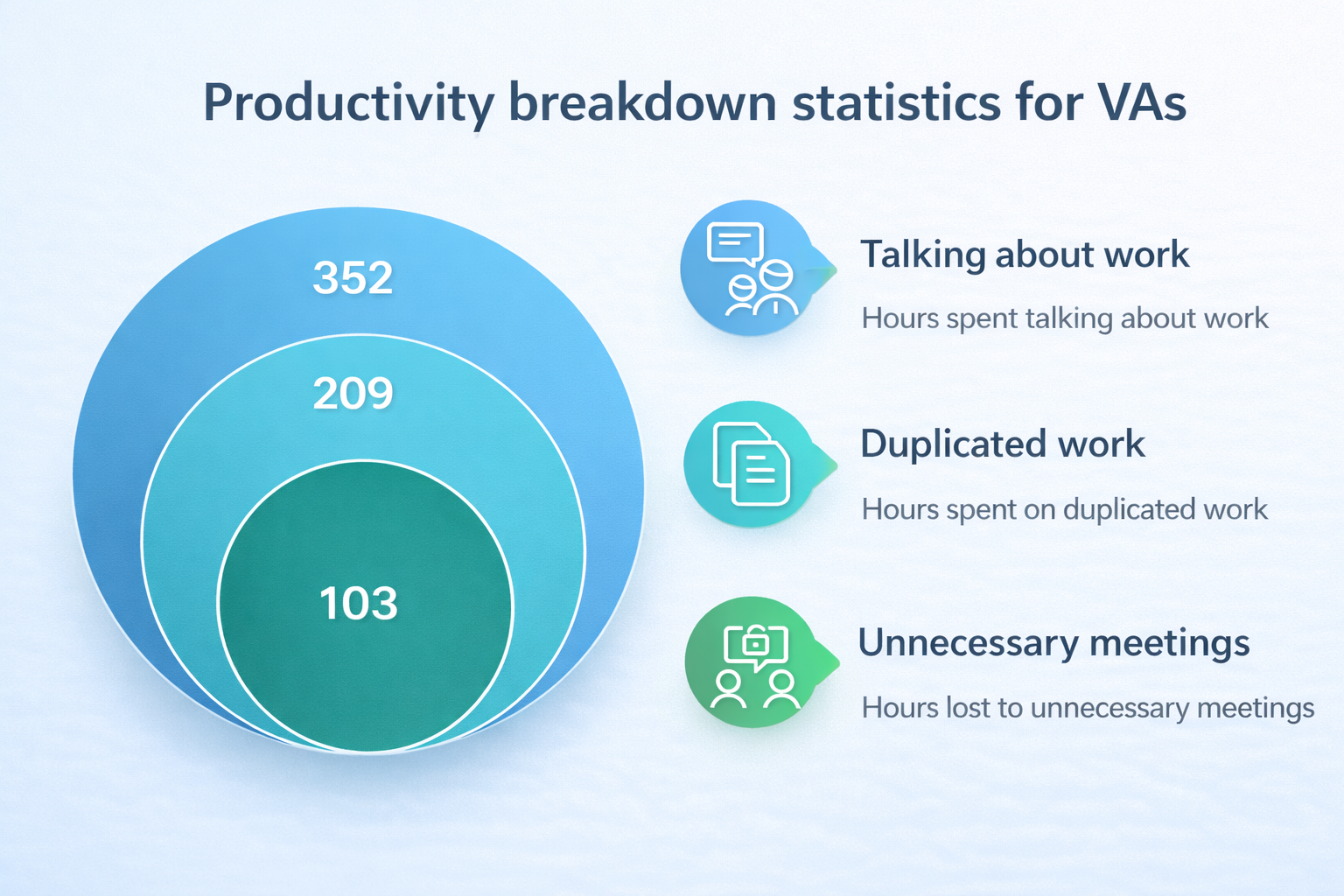
The following table shows where that time goes and how productivity tools reduce this overhead.
These figures show how productivity is lost when work is clearly captured and tracked. The fix is finding specialized solutions to close these gaps. The next section explains how the tools recommended in this guide were evaluated, and why some stacks work better for virtual assistants than others.
 Alla Chernets
Why trust our software reviews
A tool only qualifies as virtual assistant software if it performs reliably under real working conditions. That means handling multiple clients, unpredictable requests, and constant context switching without adding friction to daily work.
Each tool in this guide was evaluated using a consistent set of criteria focused on practical impact:
- Usability under load: How well the tool performs during busy, multi-client workdays.
- Automation depth: The extent to which repetitive tasks can be reduced.
- Productivity impact: Whether the tool reduces coordination effort.
- Communication fit: How well the tool supports clear handoffs and shared visibility.
- Pricing clarity: How transparent and predictable the pricing model is.
- Platform support: Availability and reliability across web, desktop, and mobile.
- Reputation signals: Consistency of documentation, updates, and user feedback.
List of the best productivity tools for virtual assistants
This section brings together productivity tools that virtual assistants rely on to manage daily work across clients. The list covers the core areas where tools make the biggest difference: time tracking, task management, communication, documentation, scheduling, CRM, and security.
TMetric leads the list because clear time data underpins everything else—prioritization, billing accuracy, scope control, and consistent delivery. Without time clarity, even well-organized task systems tend to break down.
TMetric
🌟 4.6/5 (G2)
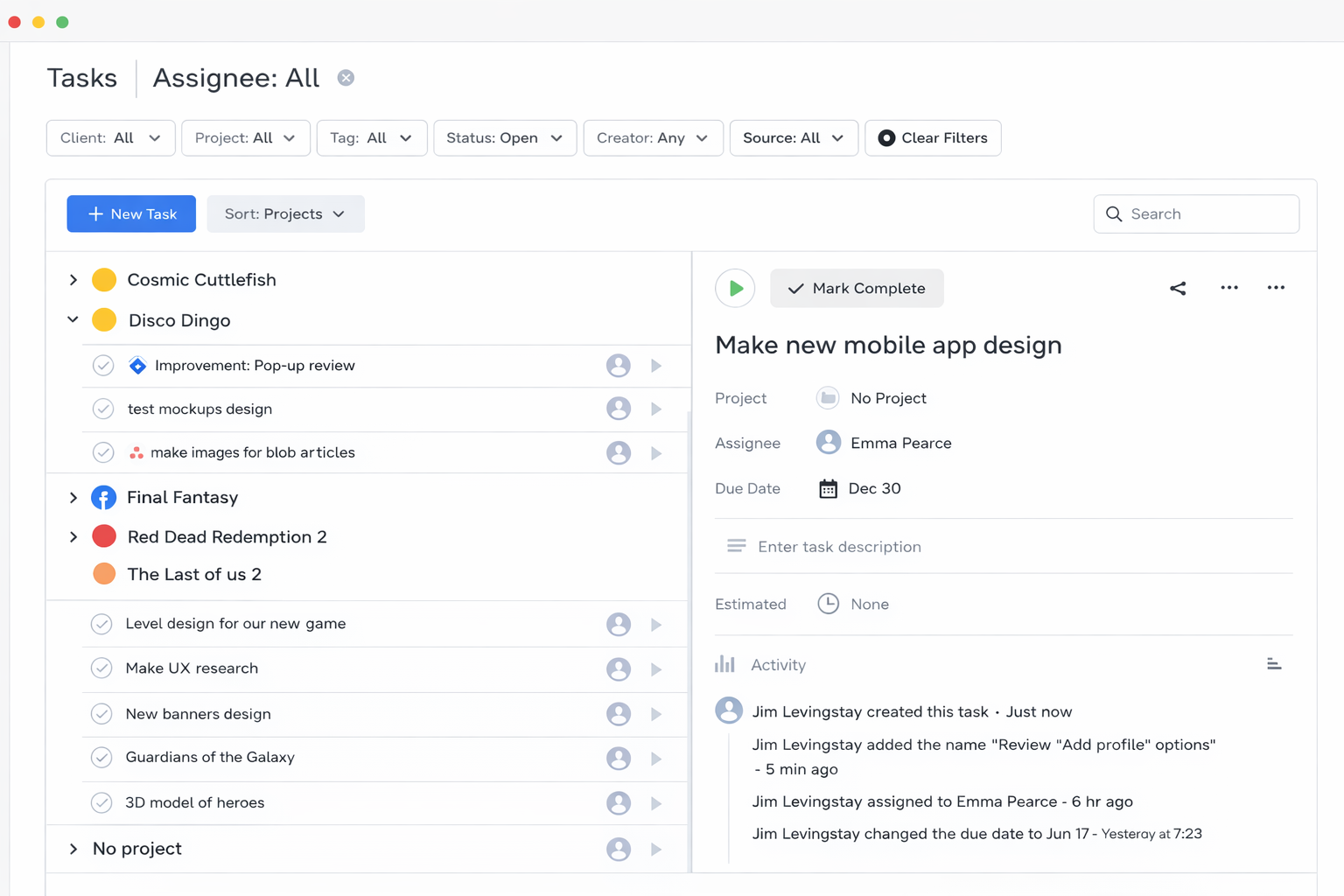
Best for: Virtual assistants, agencies, and service-driven teams that need clear visibility into working hours, task progress, and productivity signals across clients
Price: Free for up to 2 users; paid plans starting at around $5 per user/month
Available on: Web, iOS, Android, macOS, Windows, Linux, browser extensions
Why TMetric ranks first in 2026
TMetric ranks first because it treats productivity as a measurable, observable process rather than a subjective assessment. Instead of focusing on HR administration, it centers on how time, activity, and task progress connect across daily work. This makes it especially relevant for virtual assistants, where delivery quality depends on visibility rather than physical presence.
Beyond time tracking, TMetric provides productivity signals such as activity levels, idle time detection, app usage, website visits, and optional screenshot capture. These features give teams a fuller picture of work patterns and engagement, helping identify bottlenecks, distractions, or uneven workloads. Used appropriately, they support transparency and delivery consistency rather than micromanagement.
Usage insight: TMetric connects with 50+ work tools, including Jira, Notion, Microsoft Outlook, Todoist, and ClickUp. This allows time tracking to happen inside existing task and project workflows instead of in a separate system.
Key TMetric features
- Task-level time tracking: Time is tracked against specific tasks and projects, creating accurate records for reporting, billing, and delivery planning.
- Productivity dashboards: Real-time dashboards show active and idle time, activity levels, and consolidated productivity summaries.
- App usage and activity monitoring: Optional tracking of applications, websites, and screenshots provides visibility for progress reviews, security checks, and accountability where required.
- Project and workload oversight: Managers monitor progress, deadlines, and team capacity, helping balance workloads and keep projects within scope and budget.
 Alla Chernets
How TMetric compares to basic time trackers
Editor’s insight: Productivity tracking works best when it explains patterns, not when it polices behavior. Tools like TMetric add value by combining time data with activity context and task progress.
TMetric pricing overview
Why Tmetric is #1
- Time-first approach to productivity. TMetric treats time as the core signal behind delivery, workload, and accountability, which aligns naturally with how virtual assistants manage client work.
- Clear operational picture. By combining time data, task context, and activity insights, it gives teams a practical view of progress and capacity without relying on constant updates.
- Proven fit for service-based work. Adoption across agencies and project-driven teams shows the platform works in environments where accuracy, reporting, and consistency matter.
What TMetric users are saying
We are tracking time of developers and reviewing their work according to TMetric data and it really helps us to manage our team and product development. Also TMetric is part of our KPI calculation. —Ali N, CTO
"TMetric has become an essential tool for our marketing team. I love how easy it is to track time across projects, campaigns, from SEO and content creation to ad management. For us, the ability to add billable rates and set project budgets is a must and I'm glad TMetric has both options. Also, detailed reports are vital for our workflow since we can see how much time is spent for each project and task and can use this informaiton for future estimates." —Ruslan Q, Marketing Lead
"As an outsourcing company with a growing team at Intellabridge.com we needed flexibility and low cost with integration into Jira and Trello. Tmetric was the obvious solution. Because of the ease of use and ability to add browser extensions for Jira and Trello it makes it much easier to track time and invoice clients. I would highly recommend this product!" —Maria N, Managing Director
2. Trello (Visual task organization)
🌟 4.4/5 (G2)
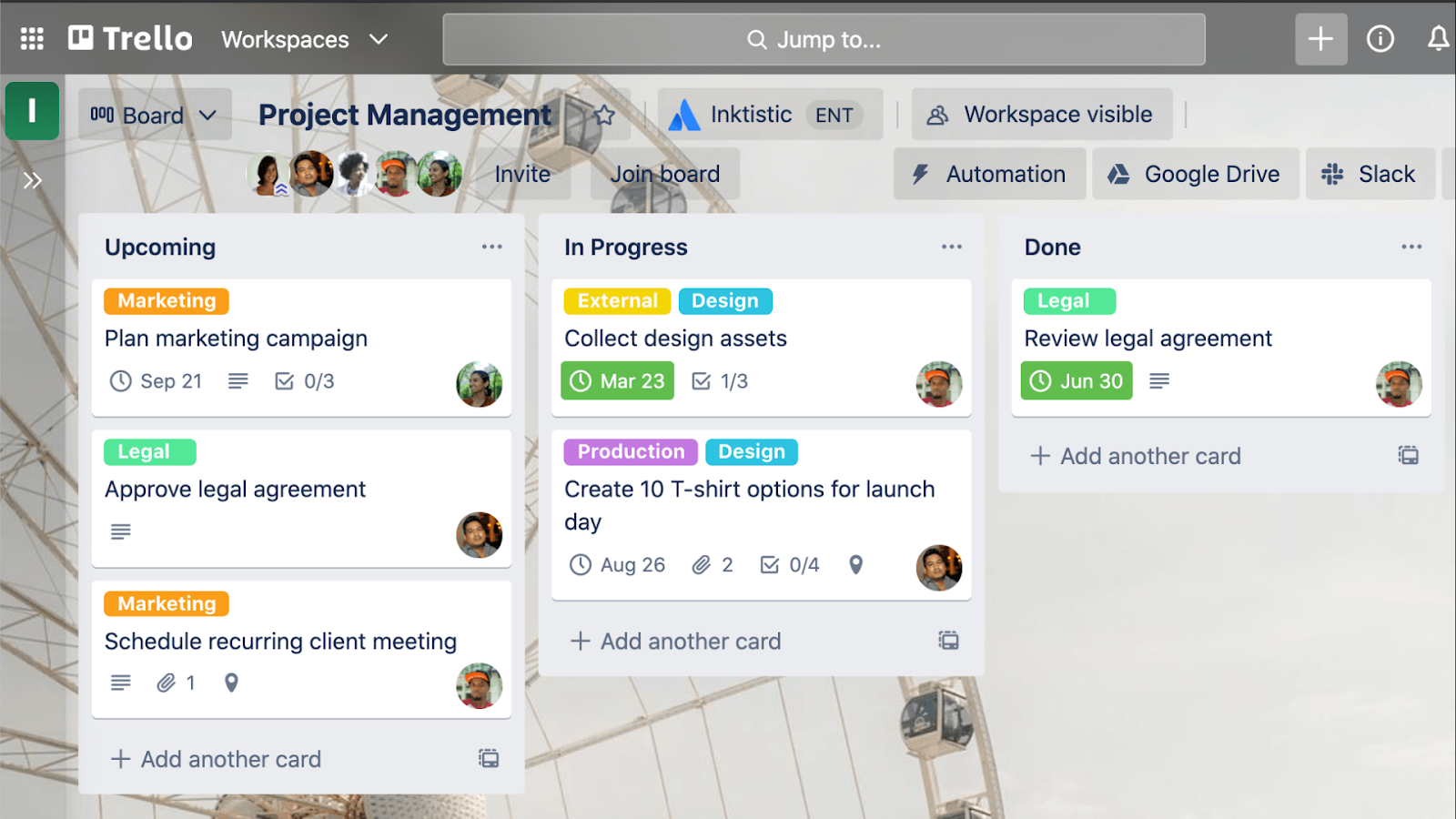
Trello is a lightweight Kanban-style task manager built for visual organization. It suits virtual assistants who need a simple way to track tasks across clients without complex setup. Boards, lists, and cards make it easy to see what’s incoming, in progress, waiting on feedback, or complete. Trello excels at task clarity but offers limited insight into effort, capacity, or workload, which is why it pairs best with time-tracking tools rather than replacing them.
Trello at a glance
3. Asana (Project and workflow management)
🌟 4.4/5 (G2)
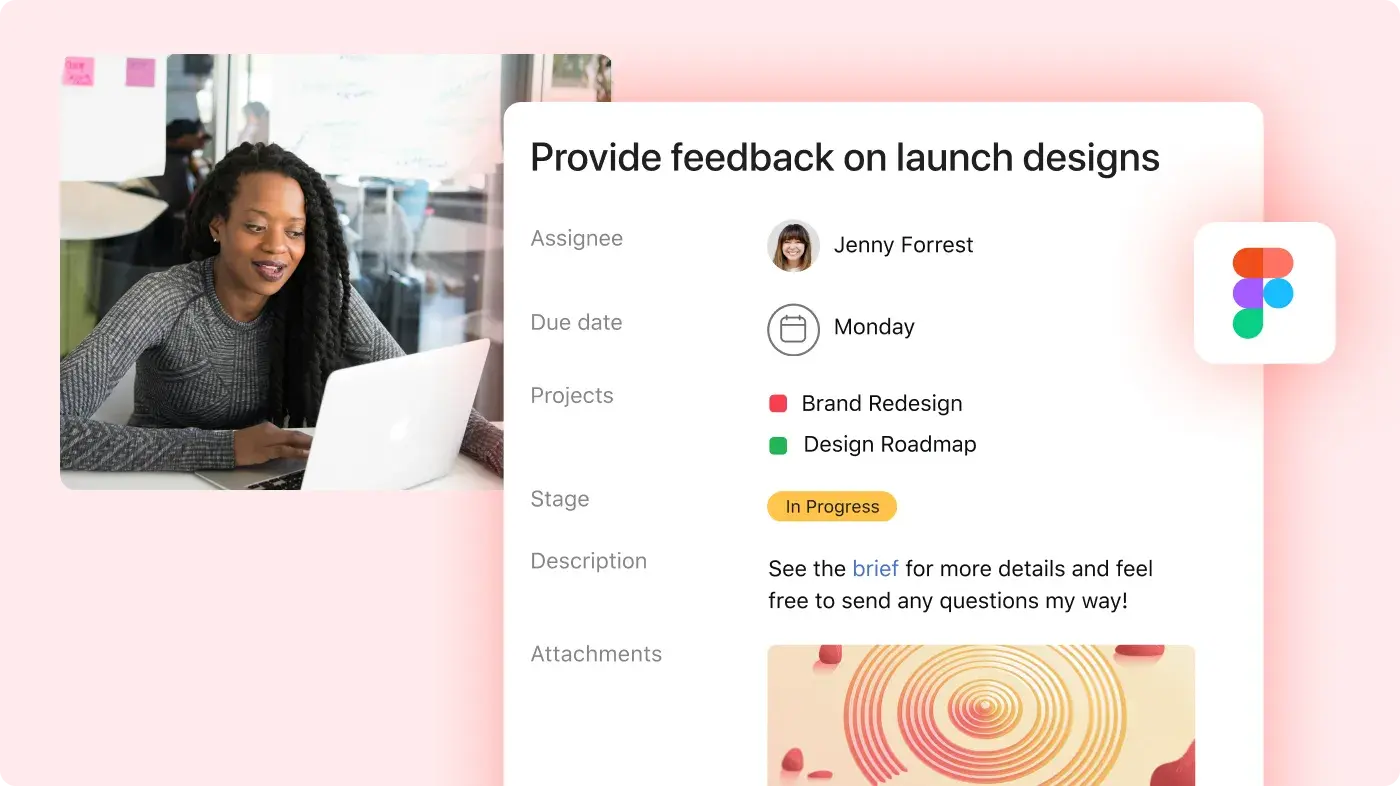
Asana is a structured project and workflow management tool designed for coordinating work across teams, timelines, and dependencies. It works well for virtual assistants supporting managers or departments with defined processes and deadlines. Tasks can be grouped into projects, linked through dependencies, and tracked across timelines or workload views. Asana provides strong execution control, but it does not show how much time work takes, making it most effective when paired with time-tracking tools.
Asana at a glance
What Asana users are saying
4. ClickUp (All-in-one workspace)
🌟 4.7/5 (G2)
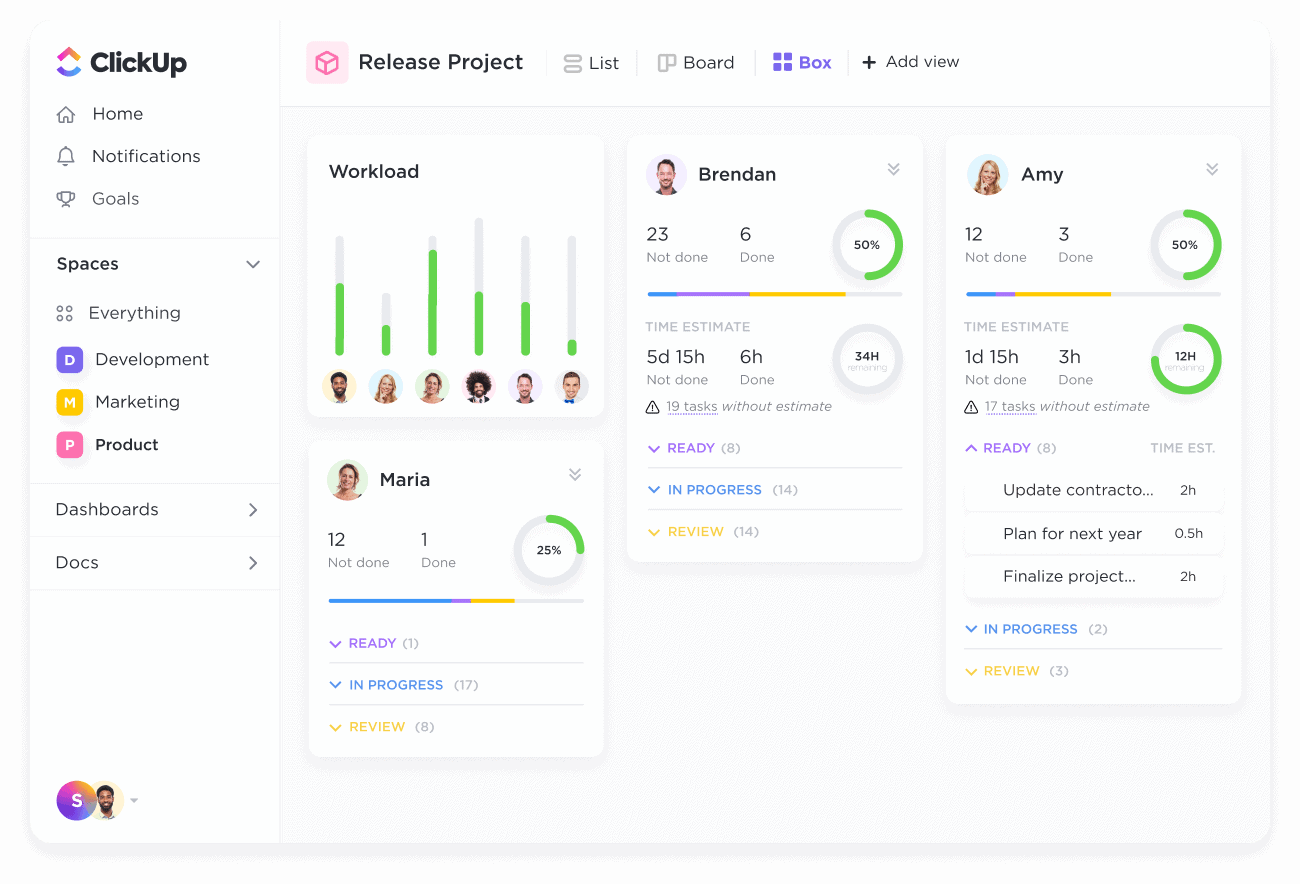
ClickUp aims to replace multiple productivity tools with a single workspace by combining tasks, documents, dashboards, and automation. It fits virtual assistants who support complex clients or agencies and want to reduce tool sprawl. When workflows are well defined, ClickUp can centralize tasks, SOPs, and reporting in one place. However, without clear structure and templates, the platform can become cluttered, so it delivers the most value with disciplined upfront setup.
ClickUp at a glance
5. Slack (Communication and coordination)
🌟 4.5/5 (G2)
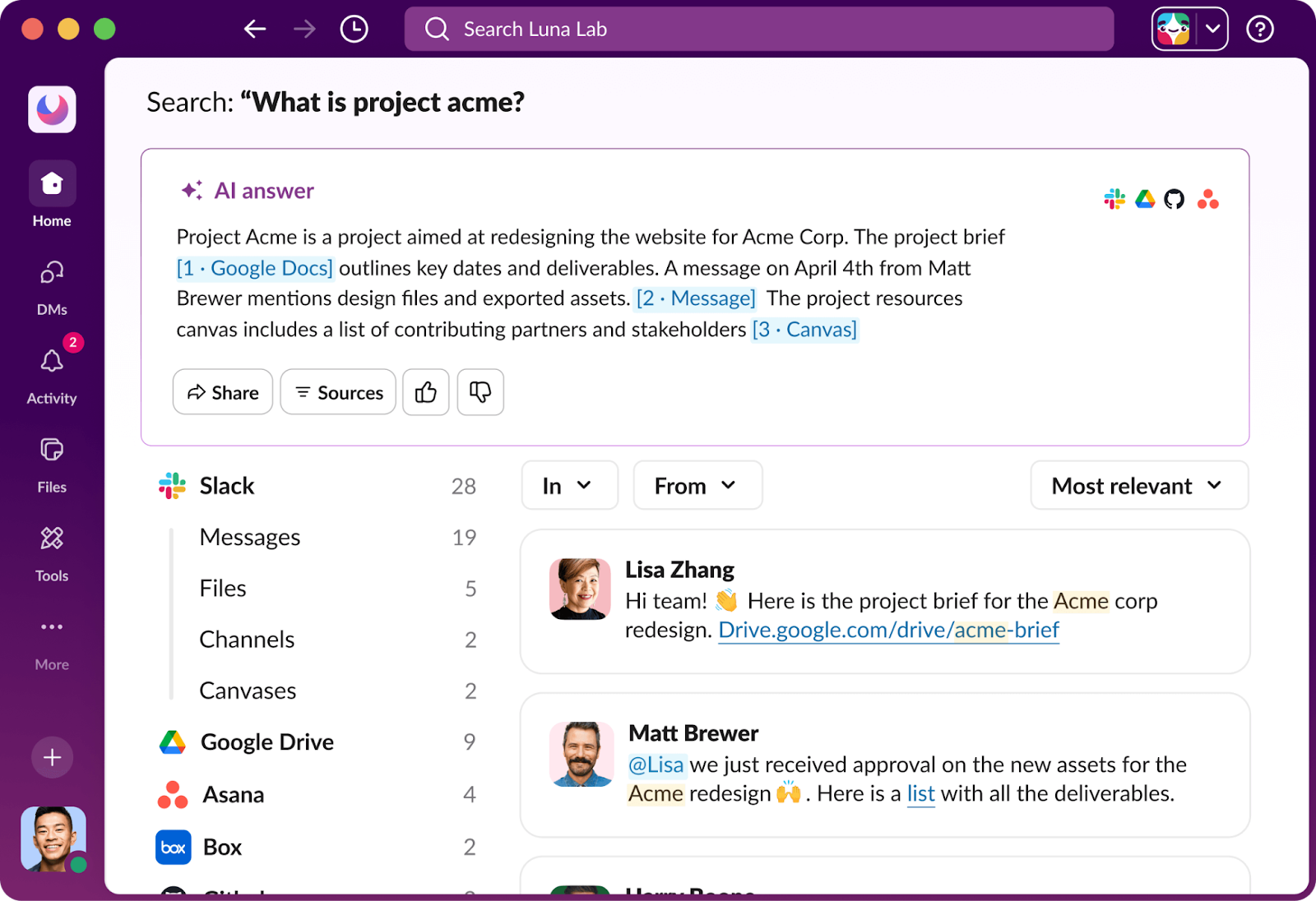
Slack is a real-time messaging platform designed to centralize conversations that would otherwise live across email and ad-hoc chat tools. It works well for virtual assistants supporting fast-moving teams who need searchable, transparent communication. Channels and threads keep discussions organized by client or project, reducing email overload. Slack’s limitation is execution tracking, requests can disappear quickly, so it works best as a communication layer paired with task and time-management tools.
Slack at a glance
6. Google Workspace (Docs + collaboration + email)
🌟 5/5 (G2)
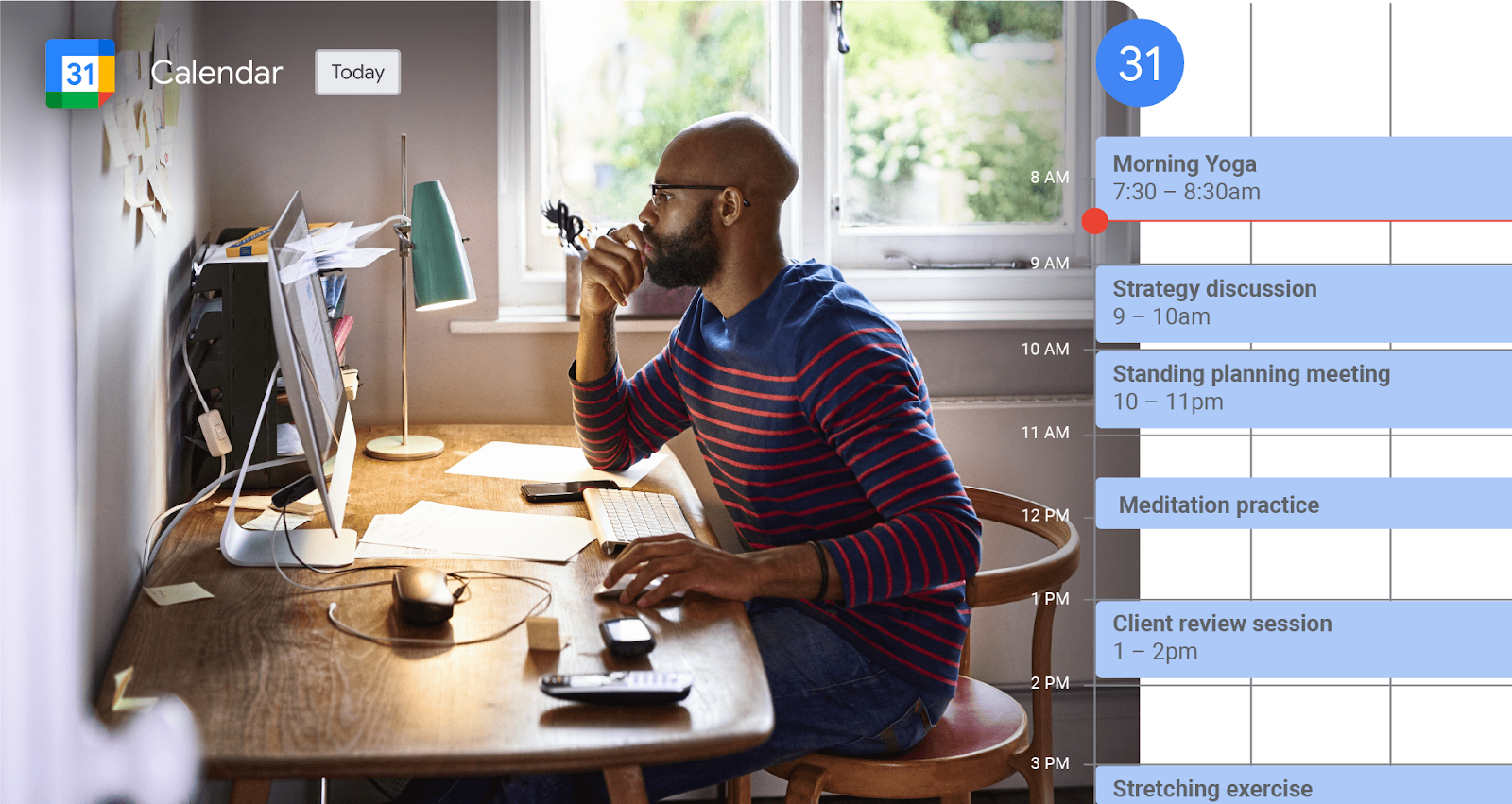
Google Workspace combines email, calendars, documents, spreadsheets, and file storage into a single collaboration platform. It’s foundational for virtual assistants who share files, schedules, and reports with multiple clients. Real-time editing, shared folders, and familiar tools make collaboration easy across organizations. Where Google Workspace stops short is workflow control. Tasks, priorities, and execution still need structure elsewhere, which is why it works best alongside dedicated task and time-management tools.
Google Workspace at a glance
7. Notion (Knowledge base + client operations)
🌟 4.6/5 (G2)
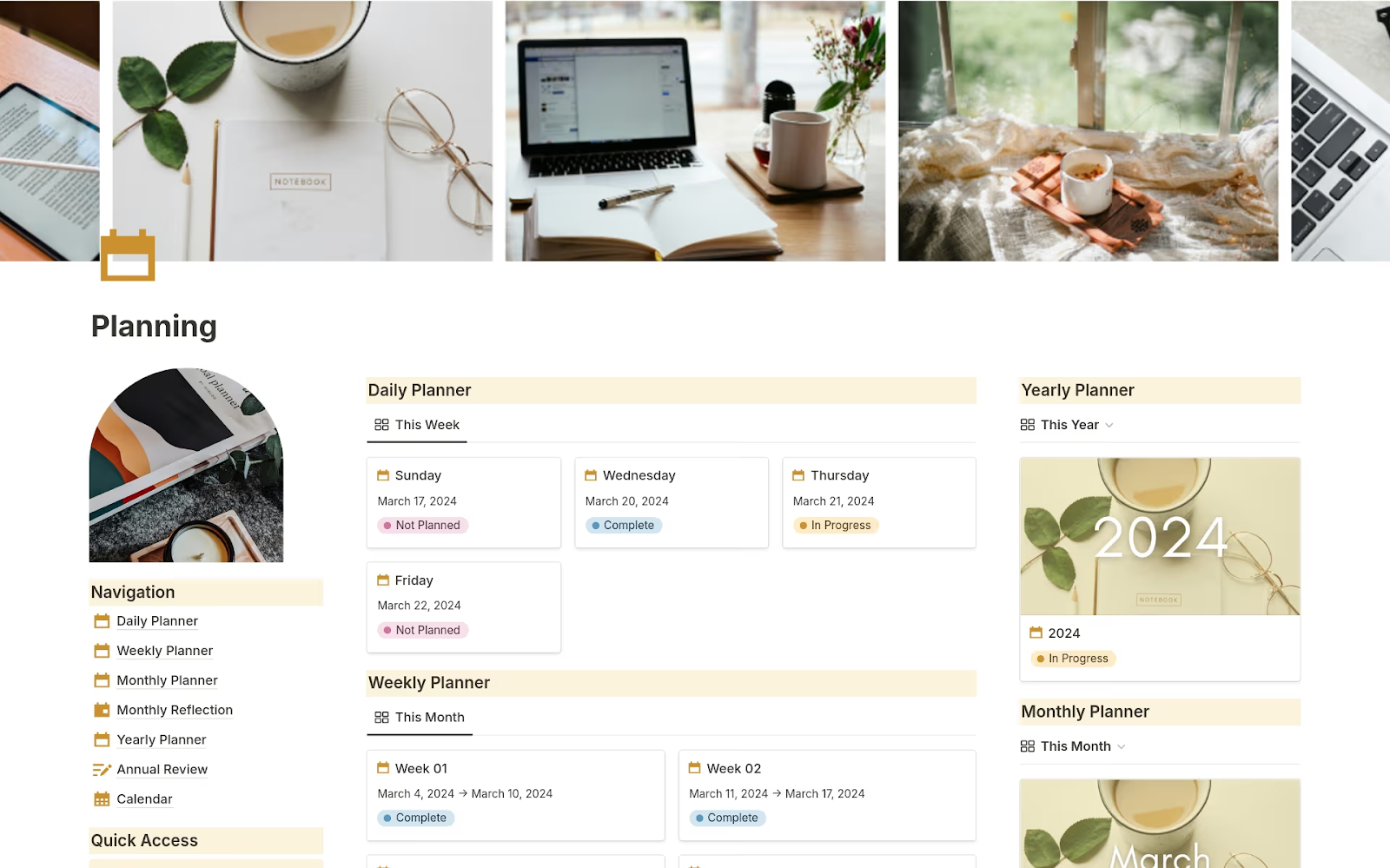
Notion is a flexible workspace used to organize documentation, processes, and structured information. It suits virtual assistants who manage repeatable workflows, client knowledge, and internal systems that need consistency. Pages, databases, and templates help centralize SOPs, onboarding steps, and client preferences, reducing repeated explanations. Notion is less suited for real-time coordination or workload tracking, so it works best as a documentation layer alongside task and time-tracking tools.
Notion at a glance
8. HubSpot CRM (Client and lead management)
🌟 4.4/5 (G2)
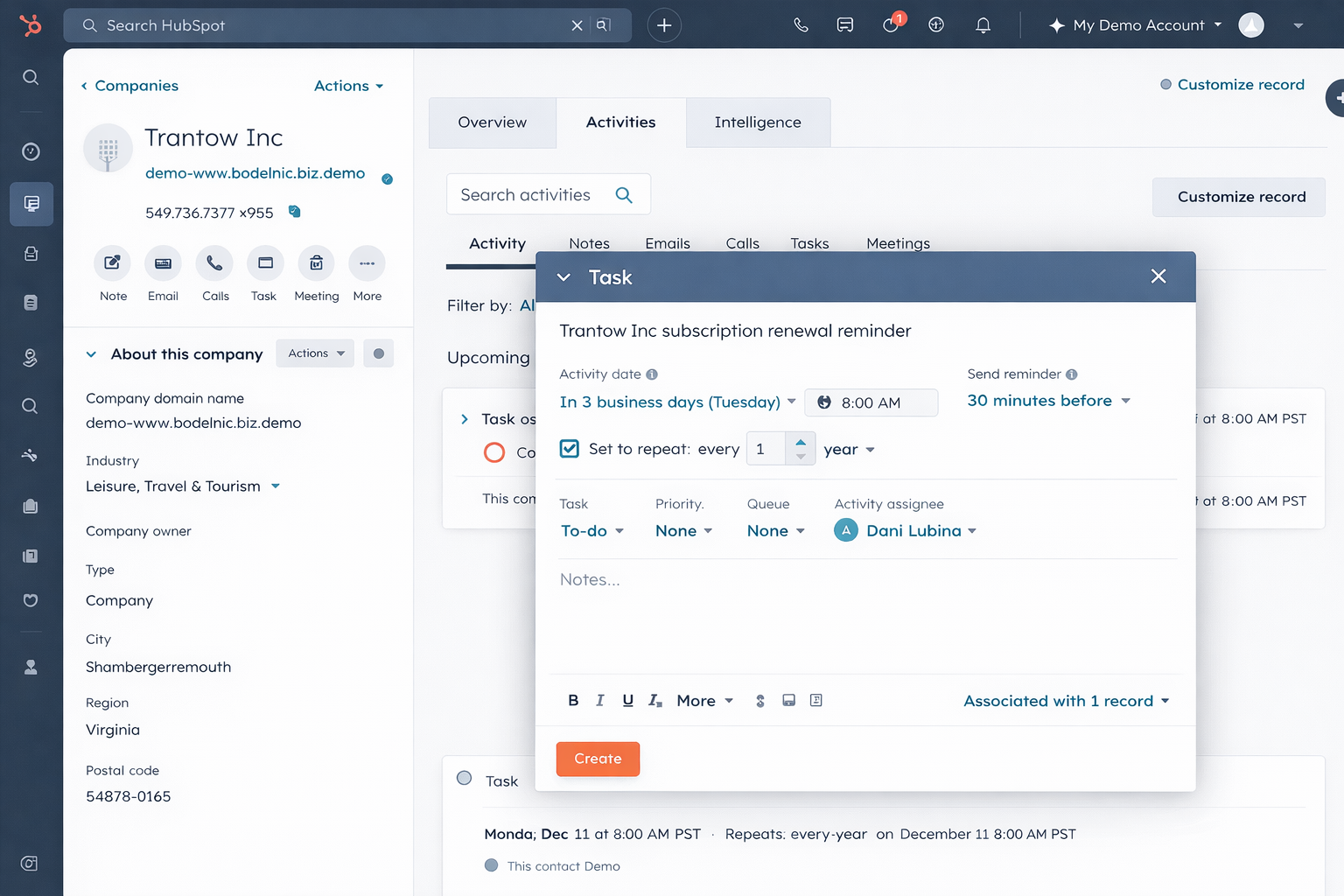
HubSpot is a CRM platform built to track contacts, deals, and client interactions. It works best for virtual assistants involved in sales support, onboarding, or account management where follow-ups matter. Pipelines, contact histories, and reminders provide clear visibility into what’s happened and what’s next. HubSpot does not replace task or time management tools, so it’s most effective when client tracking is a defined responsibility and execution happens elsewhere.
HubSpot CRM at a glance
9. Calendly (Scheduling automation)
🌟 4.7/5 (G2)
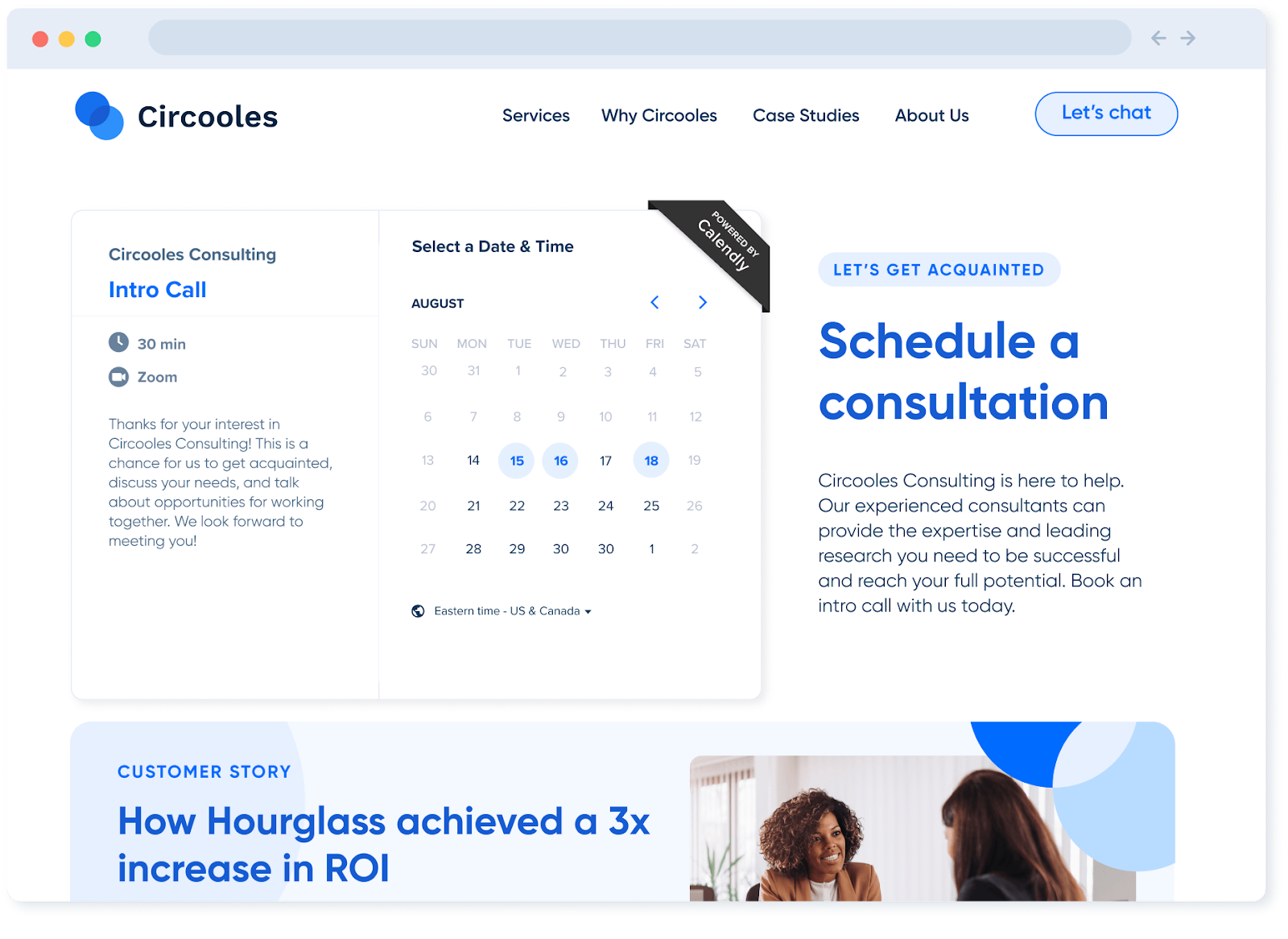
Calendly is a scheduling automation tool designed to eliminate back-and-forth when booking meetings. It works well for virtual assistants who manage calendars, coordinate calls, or schedule interviews and check-ins. Availability rules, buffers, and calendar syncing keep schedules accurate while protecting focus time. Calendly’s scope is limited to scheduling (it does not manage preparation or follow-ups) so it pairs best with task, CRM, or project management tools.
Calendly at a glance
LastPass (Password management)
🌟 4.4/5 (G2)
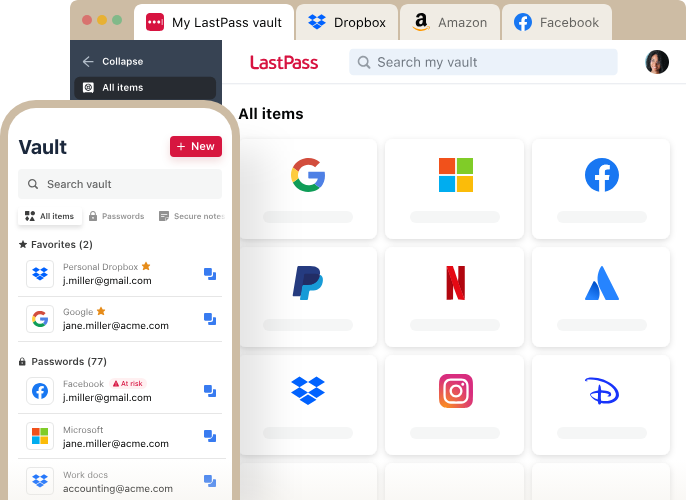
LastPass is a password management tool that securely stores and shares login credentials. It’s essential for virtual assistants who access multiple client systems without handling passwords through insecure channels. Encrypted vaults and permission-based sharing reduce access friction and security risk. LastPass does not support task execution or communication; its role is operational hygiene, making it a supporting layer alongside tools that manage work, time, and delivery.
LastPass at a glance
Comparison table: Top productivity tools for virtual assistants
How to choose the right productivity tool for a virtual assistant
The right productivity tool depends on where work breaks down first. Start by identifying the biggest source of friction, then add tools only where they remove recurring problems. Most virtual assistants do not need a single “all-in-one” solution, but a virtual assistant platform built from tools that work well together.
- Need clear time, scope, and client reporting? → TMetric
- Drowning in scheduling back-and-forth? → Calendly
- Requests scattered across chat and email? → Slack + a task tool
- Want simple, visual task tracking? → Trello
- Supporting structured teams with deadlines? → Asana
- Trying to reduce tool sprawl? → ClickUp
- Repeating the same work across clients? → Notion + Google Workspace
- Managing leads, follow-ups, or pipelines? → HubSpot
- Handling shared credentials for clients? → LastPass
The Takeaway
Virtual assistant productivity is a system problem, not a speed problem. Time is lost when work is scattered, ownership is unclear, and effort can’t be traced to outcomes. The right tools bring structure by turning requests into visible work, reducing coordination overhead, and protecting focus in an environment shaped by constant interruptions.
A strong 2026 setup relies on a small, connected tool stack: clear task capture, structured communication, reliable documentation, and accurate time data. When time is linked to tasks and clients, priorities stay grounded and reporting stays clean. This is where tools like TMetric add real value, providing the visibility that keeps delivery, scope, and client expectations aligned.