
Linear Project Management Guide: Features, Workflow, and Benefits
The hidden cost of software development is the constant disruption of updating tasks. Linear aims to keep developers focused by replacing heavy databases with instant response times and automatic status updates. Here is how the data and mechanics behind this method work.


Most project management tools were built for managers, not the people doing the work. Linear flips that. Since launching in 2019, it has grown to serve over 20,000 companies, including OpenAI, Vercel, and Ramp, and hit $100M in annual revenue in 2025. With 45% of Y Combinator companies choosing it as their default issue tracker, this solution has become the benchmark for what using Linear for project management should feel like: fast, structured, and out of the way.
Here is what this solution actually does. Read on to see whether it fits your team.
What is Linear project management?
At its core, Linear project management is a workflow methodology built around the Linear platform. The name is not incidental: the tool enforces a structured, forward-moving approach to issue tracking that resists the configuration sprawl that tends to slow teams down over time.
The Linear method centers on three principles: speed, clarity, and execution. Every design decision in the platform (from the local-first sync engine to the keyboard-driven command menu) serves those principles. Engineering and product teams get a workspace that turns abstract roadmaps into structured, actionable items without requiring a project management specialist to maintain it.
By contrast with tools built for organizational reporting, the primary objective here is to keep individual contributors moving. Teams adopting the Linear method consistently cite reduced context-switching and faster triage as the most immediate gains.
How Linear differs from traditional project management tools
Speed is the most obvious differentiator, but it goes deeper than interface feel. Linear uses a local-first architecture that stores your active issue database in the browser and syncs changes to the cloud in the background. The result is
The result: sub-50ms response times for most actions, compared to 800ms–3,000ms for Jira depending on workspace size. For developers interacting with their issue tracker 50+ times a day, that gap compounds quickly.
The table below captures how Linear stacks up against Jira, Asana, and Trello across the dimensions that matter most to engineering-led teams.
| Criteria | Linear | Jira | Asana | Trello |
|---|---|---|---|---|
| Core Philosophy | Built around a fast, structured Linear methodology project management approach focused on execution | Enterprise-grade issue tracking with high configurability | General business task and project coordination | Visual Kanban-style task tracking |
| Speed & Performance | Sub-50ms response times; local-first architecture syncs changes in background | 800ms–3,000ms latency depending on workspace size | Moderate speed depending on workspace size | Fast for small boards, less scalable for complex workflows |
| User Interface | Minimalist, keyboard-first interface | Feature-rich but often complex and layered | User-friendly but includes many UI elements | Simple board-based layout |
| Target Audience | Engineering teams, product teams, startups | Enterprise development teams, IT departments | Marketing, operations, cross-functional teams | Small teams, simple workflows |
| Workflow Structure | Structured around cycles, issues, and roadmaps for Linear projects | Highly customizable workflows and issue types | Task lists, timelines, and automation rules | Boards, cards, and lists |
| Agile & Sprint Support | Native sprint cycles and backlog management | Advanced Agile tools and Scrum/Kanban boards | Basic timeline and workload views | Kanban-focused; limited sprint planning |
| Automation & Integrations | Deep GitHub/GitLab integration, automated status updates | Extensive 6,000+ app marketplace | Strong automation with rules and integrations | Basic automation (Butler feature) |
| Best Use Case | Product development and structured Linear planning | Large-scale enterprise projects | Cross-department collaboration | Lightweight task tracking |
How Linear project management works
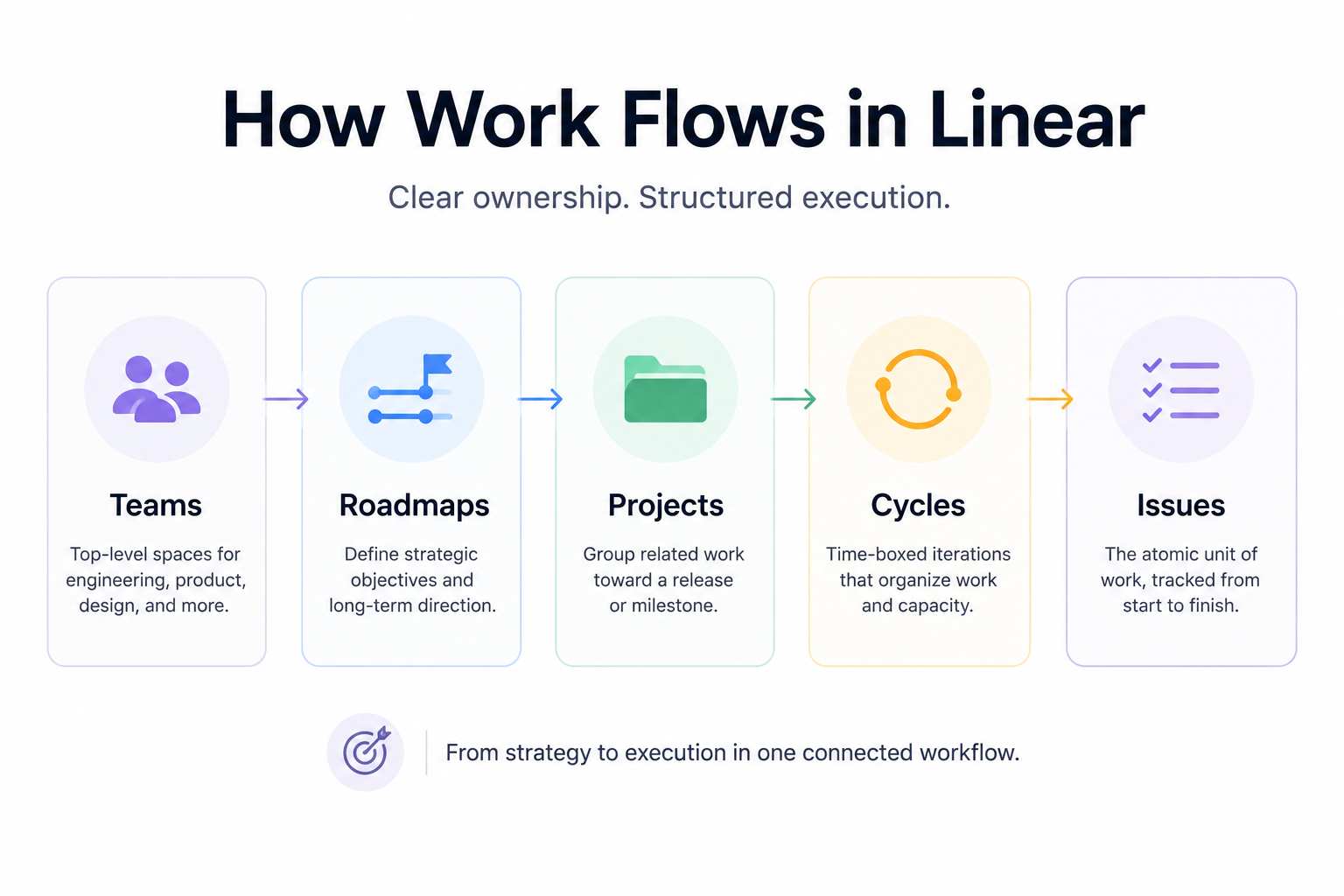
Linear organizes work across five distinct layers (Teams, Roadmaps, Projects, Cycles, and Issues) each of which maps directly to how product and engineering teams already think about their work. The sections below walk through how those layers connect in practice.
Core structure of Linear projects
Linear projects group related issues toward a specific feature release or milestone. They sit one level below roadmaps and one level above cycles, which means you can trace any individual task directly back to a strategic objective, without maintaining a separate spreadsheet to do it.
The architecture is intentionally Linear: Roadmap → Projects → Cycles → Issues. Teams act as the top-level organizational unit, with engineering, product, and design each getting their own dedicated space. Inside those teams, issues (the atomic unit of work) carry markdown descriptions, priority levels, and sub-tasks. Grouping those issues into time-boxed Cycles, Linear's version of sprints, produces automated Linear plans that surface team velocity without any manual charting.
Linear task management and issue tracking
Logging an issue in Linear takes under a second. The interface is lightweight enough to stay out of the way: instant entry fields, automated templates, and a command menu that handles most actions without a mouse.
Progress tracking is largely automatic once Git is connected. When a developer creates a branch containing a task ID, Linear links it immediately. When the pull request merges, the issue closes. That handoff, from code editor to issue tracker and back, is where Linear task management earns its keep. Priorities follow a five-tier system (No Priority through Urgent), keeping contributors focused on what matters without requiring daily standups to realign.
Linear planning and workflow organization
Sprint planning in Linear requires almost no setup. When a new cycle starts, incomplete items from the previous cycle carry over automatically based on team capacity. Linear plans adapt to real velocity data rather than optimistic estimates, a meaningful difference when deadlines are real.
Roadmap planning connects project scopes to broader organizational timelines. Native timeline views let managers spot dependencies and predict completion dates from actual historical data. That connection between strategy and execution is what makes Linear planning a genuinely useful workflow layer rather than a reporting afterthought.
Key features of Linear project management software
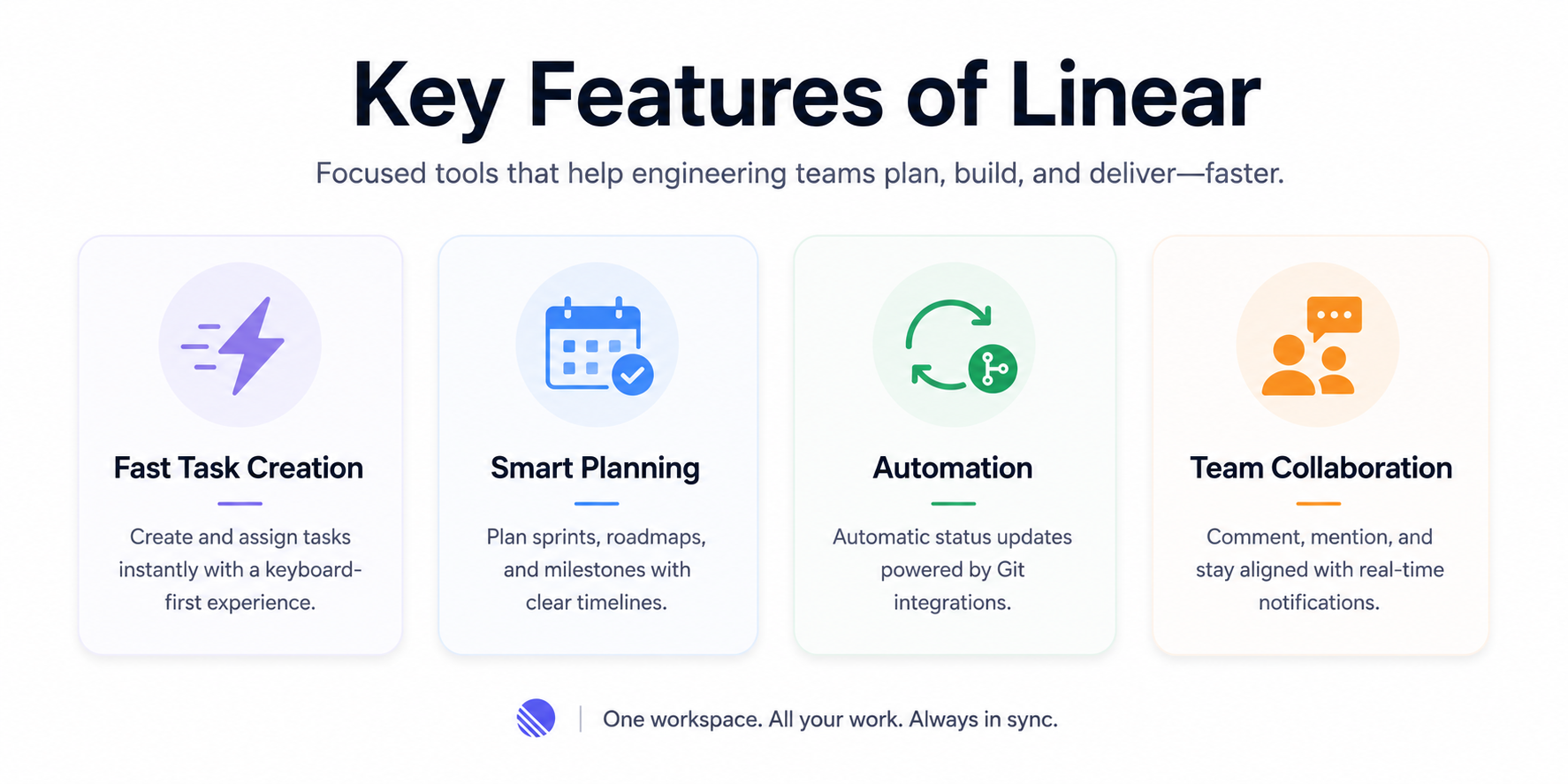
The feature set is deliberately focused. Rather than offering every possible configuration, Linear ships a curated toolset built around the things engineering teams need most: fast issue creation, reliable scheduling, automated status updates, and clean collaboration tooling.
| Feature category | Capability | Description | Business value |
|---|---|---|---|
| Fast Task Creation |
Quick task creation | Users can create and assign Linear tasks instantly using a responsive interface built for speed. | Reduces delays in task assignment and helps teams start work immediately. |
| Fast Task Creation |
Keyboard shortcuts and command menu |
Keyboard-driven workflows let users create, edit, and update tasks without touching the mouse. | Cuts time spent navigating and keeps developers in flow. |
| Fast Task Creation |
Instant updates and real-time sync |
Task status, assignments, and changes propagate instantly across the workspace via a local-first sync engine. | Ensures all team members work from a single, accurate source of truth. |
| Linear Scheduling Software |
Sprint scheduling and cycle planning |
Teams organize work into structured sprints using Linear scheduling software, with automatic carry-over of incomplete items. | Predictable delivery cadence without manual sprint setup. |
| Linear Scheduling Software |
Project timelines and roadmap planning |
Native timeline visualizations connect strategic roadmaps to active Linear projects. | Improves visibility and long-term planning accuracy. |
| Linear Scheduling Software |
Milestone tracking | Define milestones and track progress against critical delivery dates. | Keeps key project phases on schedule. |
| Automation & Optimization |
Automatic status updates | Status changes trigger automatically from Git events — branch creation, pull requests, merges. | Eliminates manual tracking overhead. |
| Automation & Optimization |
GitHub, GitLab, Sentry integrations |
Two-way sync connects project documentation directly to the codebase. | Project management happens as a natural byproduct of development. |
| Collaboration | Comments, mentions, and alerts |
Team members discuss tasks in-context; real-time notifications keep everyone aligned. | Reduces context-switching and keeps communication close to the work. |
| Collaboration | Shared visibility | All members see project progress and timelines in a single workspace. | Improves accountability and removes information silos. |
Benefits of Linear project management
The advantages teams report after switching to Linear tend to cluster around three areas: time savings on administrative work, cleaner visibility into project state, and a tool that developers actually want to open. The subsections below unpack each of those.
Faster project execution
A 14-month study tracking 47,000 issues across 12 engineering teams found that migrating to Linear reduced average issue tracking time per engineer by 35%, roughly 6.2 hours saved per developer per week. That is not a marginal improvement; it is a shift in how much of the week gets spent on coordination versus actual building.
The keyboard-first command interface (Cmd/Ctrl + K) is a big part of why. Updating, reassigning, and filtering issues takes seconds rather than minutes. Combined with automated status updates triggered by Git events, teams eliminate most of the manual tracking overhead that tends to accumulate over time.
Improved workflow clarity and organization
Linear's opinionated structure is a feature, not a limitation. Instead of giving teams an infinite canvas to configure however they like, it enforces proven patterns: backlogs, active cycles, and completed archives. That structure prevents the kind of unmanaged project debt that tends to build up when anyone can reorganize anything.
Burn-down charts, scope predictions, and progress summaries are generated automatically from daily activity. Product owners get early warning on scope creep without waiting for a weekly status update.
Better productivity and focus
The interface is built to stay out of the way. Engineers see only the issues relevant to their current work. Keyboard shortcuts handle triage, status changes, and backlog management in a few keystrokes. The design philosophy draws more from code editors than from enterprise databases: which is not an accident, given that Linear was founded by former engineers at Airbnb, Coinbase, and Uber.
The knock-on effect is less cognitive fatigue. When managing work does not feel like a second job, engineers spend more time in the flow state that produces good software.
Strong support for product and engineering teams
Linear product management capabilities connect engineering execution to product strategy in real time. The two-way integrations with GitHub, GitLab, and Sentry mean that project documentation and the codebase stay synchronized automatically, no one has to manually close a ticket because a PR merged.
That appeal translates into real adoption: 66% of top AI startups now use Linear as their primary issue tracker, a figure that reflects how deeply the tool has embedded itself in modern product engineering culture.
How to get started with Linear
Getting a workspace up and running takes less than an hour. The steps below reflect the standard onboarding path for a product or engineering team moving from another tool.
- Create your workspace: Sign up at Linear.app with your organization's domain to establish a shared company environment.
- Configure teams: Set up functional groups (engineering, product, design) so each department has its own space and backlog.
- Initialize Linear projects: Create projects with clear objectives, target dates, and named leads.
- Add your backlog: Input existing issues using markdown descriptions, priority tags, and labels for context.
- Assign owners: Give every active issue a clear owner to establish accountability from day one.
- Launch your first cycle: Set a cadence (two-week sprints are the default), pull high-priority items in, and start.
Takeaway: Is Linear the right tool for your team?
Linear is a strong fit for software startups, engineering-led organizations, and product teams that prioritize velocity over configurability. If the current tool feels like overhead (if developers are updating boards because they have to rather than because it helps) Linear is worth a serious look.
That said, it is not a universal fit. Organizations that need highly customized workflows, deep cross-department non-technical tooling, or extensive audit reporting may find the structured layout limiting. For teams focused primarily on shipping software, the Linear method delivers faster deployment and less administrative friction. Pairing it with dedicated time tracking software helps complete the picture by monitoring how effort is distributed across active Linear projects.
Frequently Asked Questions
What is Linear project management?
Linear project management is a workflow methodology built around the Linear platform. It prioritizes speed, a minimalist interface, and automated sync structures to help engineering and product teams track issues, run sprints, and ship features with minimal administrative overhead.
How does Linear task management work?
Issues are created instantly via a keyboard-driven interface, assigned priority tiers, and then updated automatically as developers interact with GitHub or GitLab. The system closes issues when pull requests merge, so tracking happens as a byproduct of development rather than a separate task.
Is Linear good for product management?
Yes. Linear product management gives PMs real-time roadmap views, milestone tracking, cycle analytics, and direct links between strategic goals and the engineering issues that deliver them.
What types of teams should use Linear?
Engineering teams, product groups, and fast-moving technical startups are the primary audience. Teams practicing agile or looking to formalize Linear planning without the overhead of enterprise tooling tend to see the strongest results. Non-technical or cross-functional teams with complex custom workflow needs may find better fit elsewhere.