
5 Best Remote Workforce Management Software in 2026
When your team is everywhere, visibility becomes your biggest advantage. Compare the best remote workforce management software for time tracking, attendance, productivity, reporting, and payroll to see which platform matches your team's needs.

Remote work is no longer the exception. According to Gallup, 79% of remote-capable US employees now work either hybrid (52%) or fully remotely (27%). But as teams become more distributed, managers lose the visibility that comes naturally in an office. The best remote workforce management software helps fill that gap with time tracking, attendance, reporting, payroll and project visibility.
In this guide, we compare the best remote workforce management software for teams in 2026. We explain which platforms are best for remote-first businesses, and global employers.
Our top picks
- TMetric
- Hubstaff
- Time Doctor
- ActivTrak
- Insightful
Why trust our review
We didn’t compare these tools by feature count, but by remote team use case. A platform with 200 features is useless if none of them answer the question your managers actually ask on Monday morning .
We evaluated each tool on time tracking, attendance, scheduling, reporting, workload visibility, payroll, billing, integrations, productivity insights, and ease of use. We then compared those findings to the realities of different types of teams: small teams, agencies, remote-first companies, field teams, global employers and HR departments.
What is remote workforce management software?
Remote workforce management software helps businesses manage employees or contractors who work outside a central office. It replaces the informal oversight an office provides for free with recorded data: hours worked, attendance, workload, output, cost, and compliance.
This category is intentionally general. Depending on the product it can include time tracking software, attendance records, productivity and activity analytics, scheduling and shift planning, HR records and payroll, leave management, project and task visibility and client billing.
What makes the best remote workforce management software?
The top remote workforce management software isn't the one with the most features. It's the one that solves the problems your managers deal with every day. Here are a few areas worth paying attention to.
Time and attendance tracking
It all starts with accurate time and attendance data. Find team time tracking software for remote teams, that has both manual and automatic tracking, offline support, work schedules and idle detection. If your team spans time zones, holiday calendars and clear availability go a long way to making it easier to see who's working without chasing updates.
Productivity and activity visibility
Activity data should help managers spot workload issues, not monitor every click. Good tools highlight activity trends, app usage and focus time so you can identify bottlenecks and overloaded employees. Just as important, they should let you control how much data is collected.
Workload and project visibility
In most remote teams the biggest problem is that managers can’t see who is overloaded, or which projects are drifting. Capacity planning, project progress and estimated vs actual hours help you catch problems before deadlines are missed.
Payroll, billing and cost control
Tracked hours should flow straight into payroll, invoices or project budgets. Look for billable rates, labour costs, payroll-ready reports, budget tracking and invoicing. If you manage international employees, global payroll support becomes even more important.
Reporting
Good reports help you make decisions, not just collect data. Timesheets, attendance, billable hours, project budgets, utilisation and long-term trends should all be easy to find and export.
Integrations
The best platforms for remote workforce management fit into the tools your team already uses. Integrations with project management software, communication tools, accounting platforms and HR systems reduce manual work and improve adoption.
Privacy and employee trust
Even the best remote workforce management platforms will fail if employees don't trust it. Choose tools with transparent data collection, flexible privacy settings and clear employee policies. Technology matters, but how you introduce it often matters more.
Quick comparison table: Best remote workforce management tools
Use this table to narrow your shortlist. Compare the tools by your team's biggest need, not by feature count.
Time & | Productivity |
|---|---|
5 Best remote workforce management software for 2026
Here are our top picks for the best workforce management software for remote teams in 2026. We explain who each tool is for, where it stands out and its biggest limitation.
1. TMetric
Rating: 4.6/5 (G2)
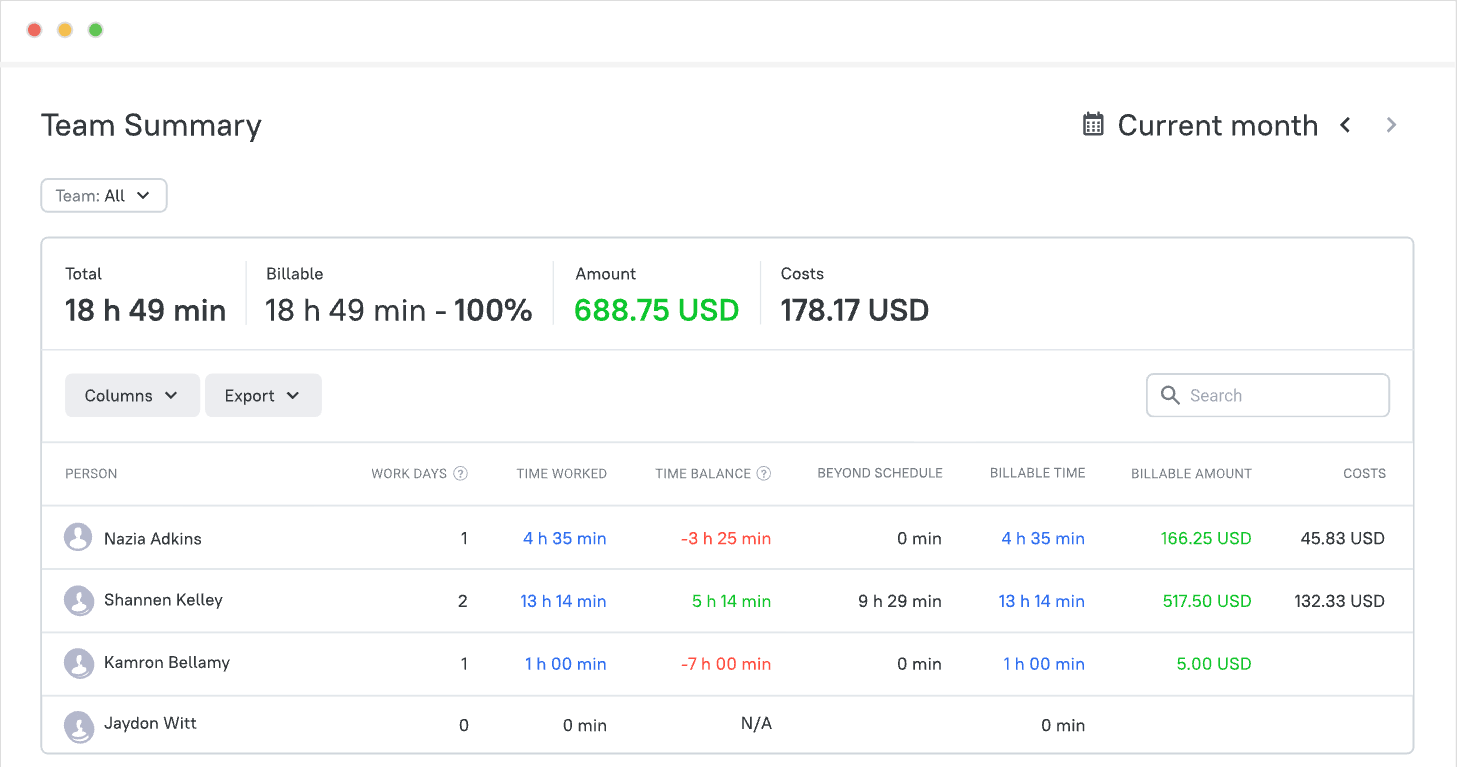
TMetric is a good fit for remote teams that need more than a basic time tracker. It combines time and attendance tracking with project budgets, billable rates, activity monitoring, team timesheets, Time Off and payroll-ready reports. Agencies, consultancies and other project-based businesses will get the most value because tracked hours flow directly into billing, budgeting and payroll.
Paid plans start at $5.60 per user/month for Professional and $7.20 per user/month for Business when billed annually ($7 and $9 per user/month billed monthly). Enterprise pricing is available on request.
Reviews
2. Hubstaff
Rating: 4.4/5 (G2)
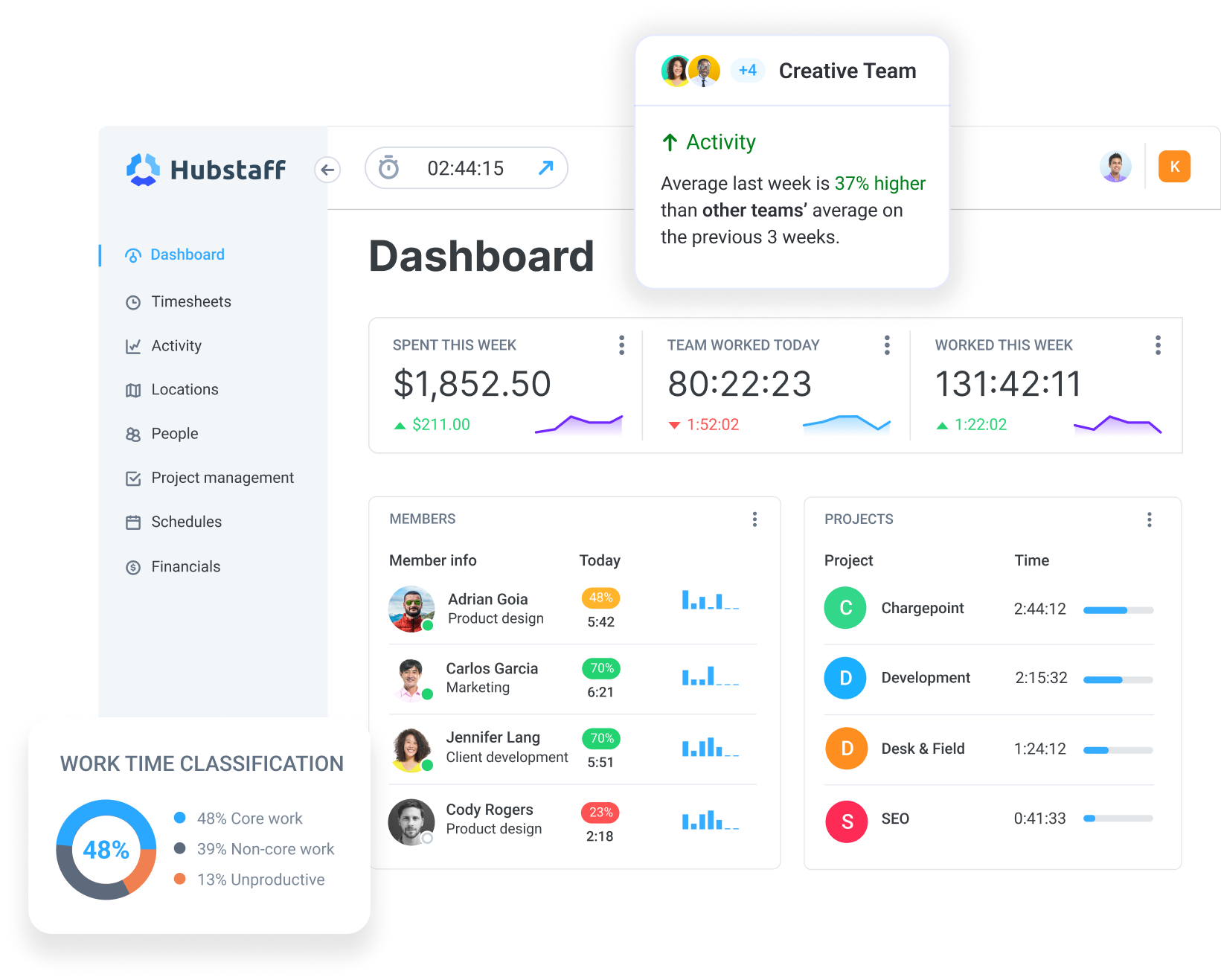
Hubstaff is the closest thing on this list to a unified dashboard for remote, hybrid and field teams, all at once. It includes time tracking and activity levels, optional screenshots, app and URL logs, GPS location, scheduling and automated payments. That’s where it really stands out from the crowd, with native, not add-on, GPS and geofencing for field service, logistics and delivery teams.
On annual billing, Starter starts at $4.99 per seat/month, Grow at $7.50, Team at $10, and Enterprise at $25.
Reviews
3. Time Doctor
Rating: 4.4/5 (G2)
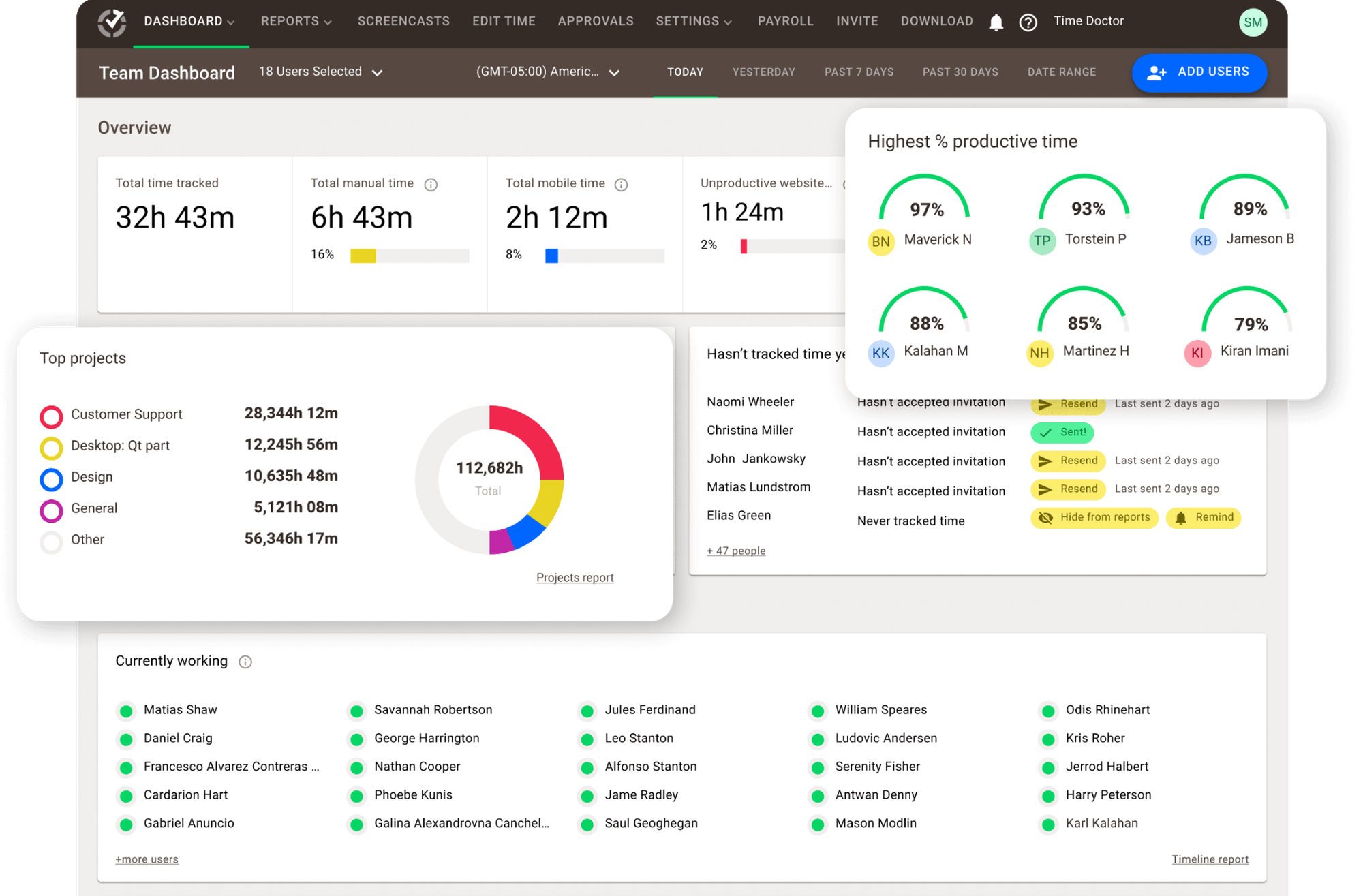
Time Doctor is for distributed teams that want workforce analytics, not a timer. It tracks time, screenshots, app and web usage, and idle time, and converts this data into productivity and attendance reports managers can use. It is most at home with outsourcing providers, support organisations and BPOs and this is reflected in its monitoring defaults which are more aggressive than most of the tools here
On annual billing, Basic is $6.67 per user/month, Standard is $11.67, and Premium is $16.70.
Monthly billing costs $8, $14, and $20 respectively.
Reviews
4. ActivTrak
Rating: 4.3/5 (G2)
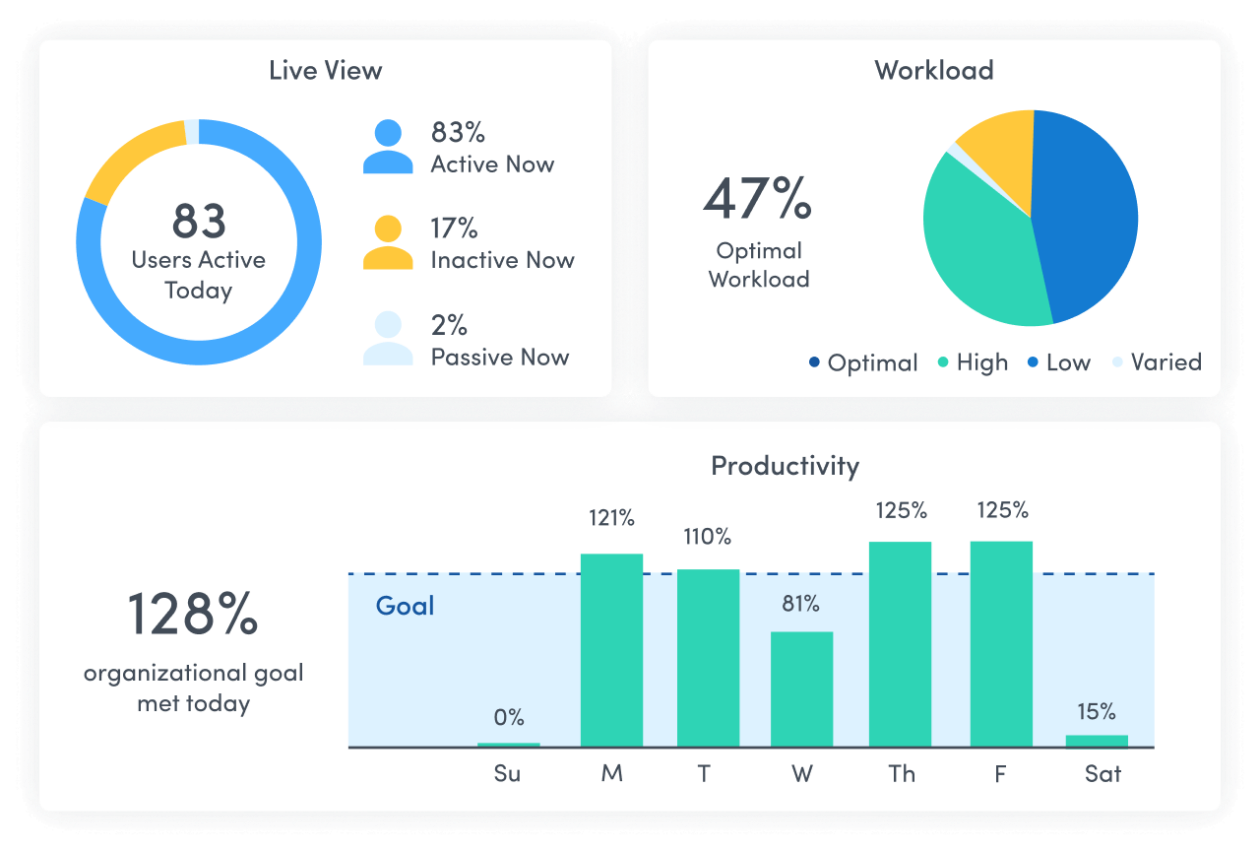
ActivTrak is a workforce analytics company and not a surveillance company and that really comes through in the product. It shows how work is being done across hybrid and remote teams and highlights utilisation, focus, engagement and burnout risk in dashboards designed for operations and HR leaders. There is no invoicing, no client billing. The output is decisions on staffing levels, workload and hybrid policy.
Essentials starts at around $10 per user/month on annual billing, with a five-user minimum.
Reviews
5. Insightful
Rating: 4.6/5 (G2)
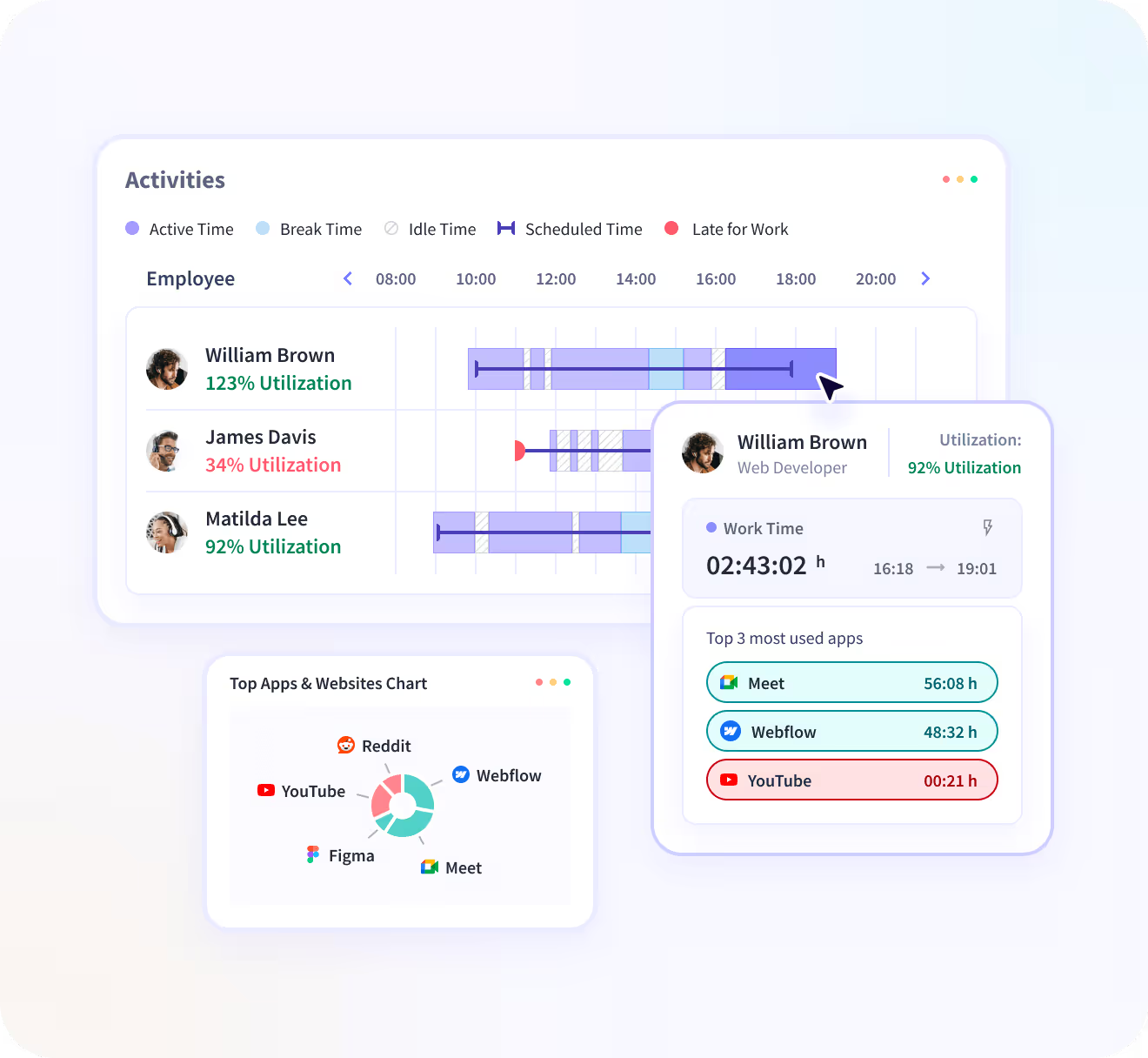
Insightful is in the middle of monitoring and analytics and is cheaper than either of its neighbours. It tracks time, attendance, apps, websites, and screenshots and layers productivity trend analysis and workload insights over 24 months of retained data. If you want analytics depth but don’t have an enterprise contract, teams often compare it to ActivTrak.
Reviews
How to choose the best remote workforce management software
Start with the right kind of software, not the product. Most bad purchases occur due to the wrong category bought by businesses. A team that needs payroll-ready timesheets buys monitoring software, or a team struggling with workloads buys a project management tool when it really needs workforce analytics.
Define your biggest problem
Decide what you're trying to fix before comparing features. Whether it's time tracking, attendance, payroll, project visibility, workload planning or productivity, your biggest challenge should narrow your shortlist.
Buy the reports you'll actually use
Don't pay for data nobody looks at. Focus on the reports your managers use every week, whether that's timesheets, attendance, payroll, project costs, productivity trends or workload dashboards.
Don't ignore employee trust
Tracking works best when employees understand what's being collected and why. Be transparent, collect only the data you need and use it to improve planning and workloads, not to micromanage people.
Check integrations first
A tool that doesn't fit your existing workflow quickly becomes another admin task. Make sure it integrates with the software your team already uses, such as Slack, Microsoft Teams, Jira, GitHub, QuickBooks or your HR system.
Run a pilot before rolling it out
Test the software with one team before deploying it company-wide. A one-month pilot will tell you far more about adoption, reporting and usability than any sales demo.
Common mistakes when choosing remote workforce management software
Most buying mistakes happen because teams choose software before deciding what they're trying to manage. Watch out for these common pitfalls:
- Buying employee monitoring software when all you need is time tracking.
- Choosing project management software instead of payroll-ready timesheets.
- Ignoring employee privacy and failing to explain how tracking works.
- Tracking too many metrics without a clear business goal.
- Forgetting to check web, desktop and mobile support.
- Overlooking integrations with your existing payroll and project tools.
- Rolling the software out company-wide without a pilot.
- Comparing headline prices instead of total cost.
Conclusion
The best remote workforce management software is the one that solves your biggest problem. If you need time tracking and attendance, look at TMetric or Hubstaff. For productivity analytics, consider ActivTrak, Insightful or Time Doctor. Deel is built for global payroll and compliance, BambooHR for HR management, while Asana and ClickUp are better suited to project coordination.
Before you buy, define the problem you're trying to solve, shortlist two or three tools, and test them with one team. A short pilot will tell you far more than any feature comparison.
If you're looking for one platform to manage remote time, attendance, productivity, projects and reporting, try TMetric. Its free plan and 14-day trial make it easy to see if it fits your team.
FAQ
What is remote workforce management software used for?
Remote workforce management software helps businesses manage employees and contractors working outside a central office. Depending on the platform, it can track time and attendance, monitor productivity, manage workloads, run payroll, handle leave and HR tasks, and report on project costs and progress.
What is the difference between remote workforce management and employee monitoring?
Employee monitoring is just one part of remote workforce management. Monitoring tracks activity such as app usage or screenshots, while workforce management also covers time, attendance, workloads, payroll, leave, reporting and project visibility.
Which software is best for tracking remote employee time?
TMetric and Hubstaff are the best tools for remote workforce management. TMetric is better suited to agencies and project-based teams, while Hubstaff stands out for field teams with built-in GPS and geofencing.
Can remote workforce management software help with payroll?
Yes. Time tracking tools such as TMetric, Hubstaff and Time Doctor generate payroll-ready reports, while platforms like BambooHR and Deel handle payroll, tax compliance and HR administration.
Is TMetric good for remote workforce management?
Yes, if your focus is time tracking, attendance, projects and reporting. TMetric is one of the best remote workforce management software examples that combines time tracking, activity monitoring, project budgets, billable rates, Time Off and payroll-ready reports in one platform, making it a strong fit for agencies and project-based teams.