
Multi-Currency Support is Now Available in TMetric
This TMetric update introduces multi-currency support, allowing you to monitor your company's overall profitability in a single currency across projects. You can also archive inactive clients and automate the sending of recurring invoices to save time and simplify billing.

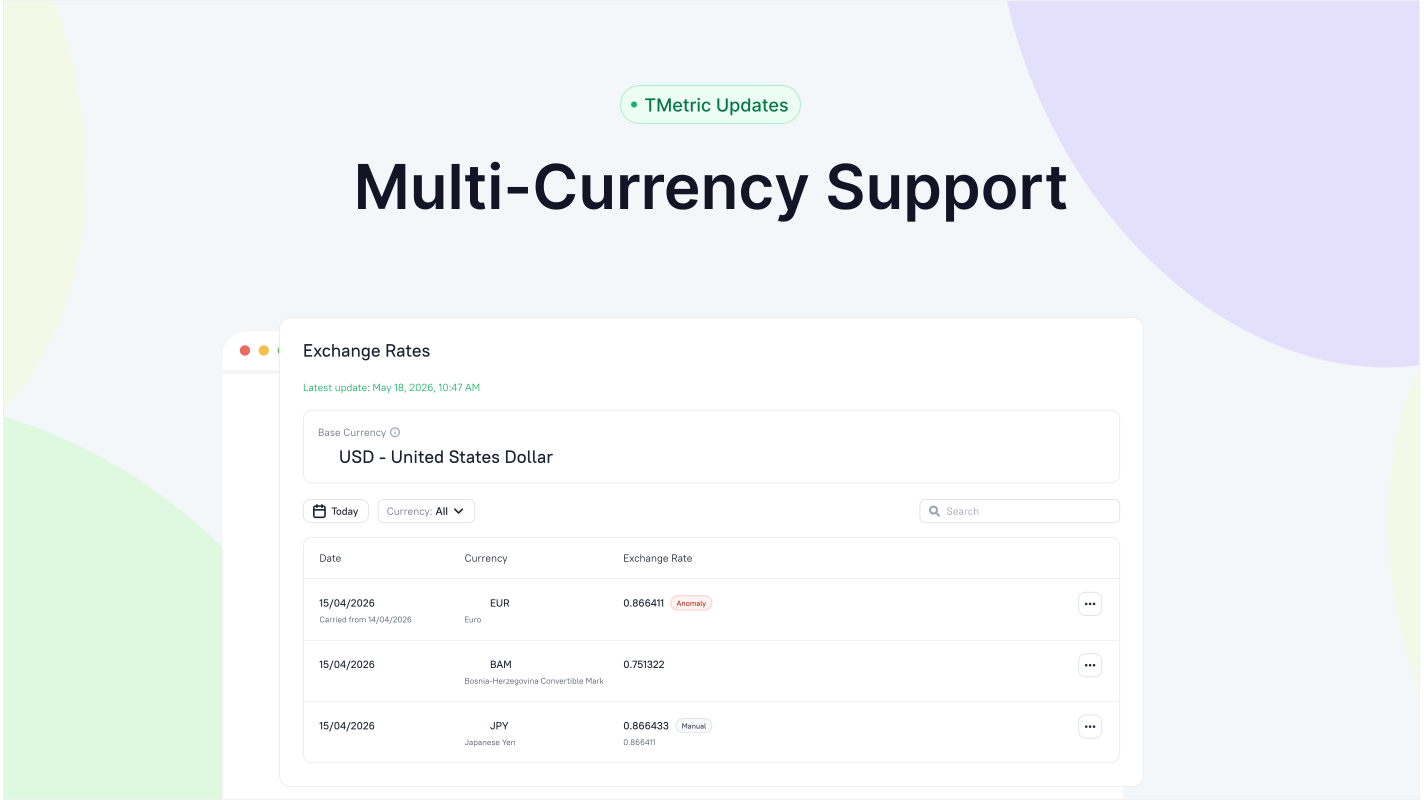
In this release, we introduce support for multiple currencies in TMetric, making it possible to track company-wide profitability in one currency, regardless of the currencies used across your projects. We've also added the ability to archive clients you no longer work with and automatically send recurring invoices.
Multiple Currencies
The multi-currency feature may be particularly valuable for outsourcing companies, international teams, and agencies that work with clients and employees across different countries and currencies. It's available to a workspace owner and an admin with extended permissions on the Business plan.
In TMetric, you can use different currencies. There is a base workspace currency used to store member cost rates, the default billable rate, and most financial calculations in reports. Projects can have different currencies, and invoices can be issued in multiple currencies.
To address potential issues when working with multiple currencies and ensure more accurate calculations, we've created the Exchange Rates page. TMetric automatically converts currencies using historical daily exchange rates obtained from central banks or manually configured on the Exchange Rates page.
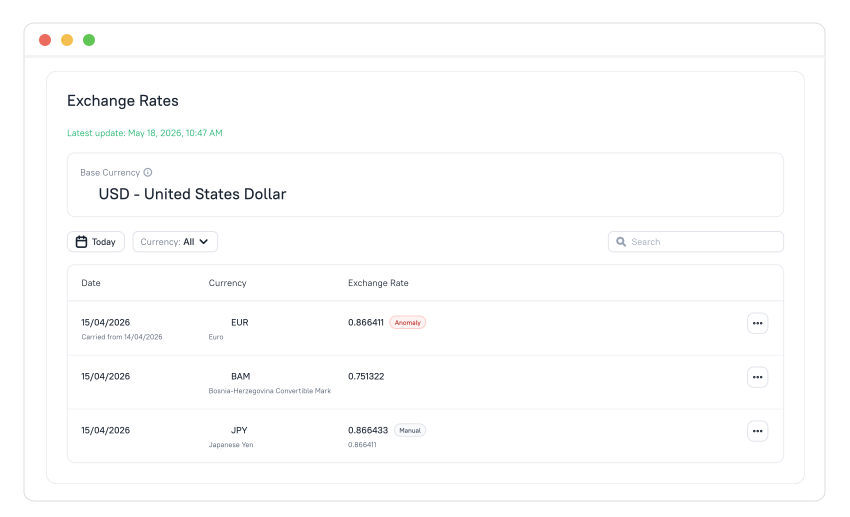
You can access the Exchange Rates page from the left sidebar. It lists all currencies used in the workspace, including the base currency. Rates are shown against the workspace base currency, as cross rates calculated through the anchor currency.
You can edit any exchange rate, view its history, or revert it to auto (restore the automatic exchange rate provided by the rate provider) using the actions menu for each rate.
To set an exchange rate manually:
- Go to the Exchange Rates page and find the rate you need in the list.
- Click the actions menu button and select Edit Rate.
- In the dialog that opens, click the Add manually button, and enter the desired exchange rate.
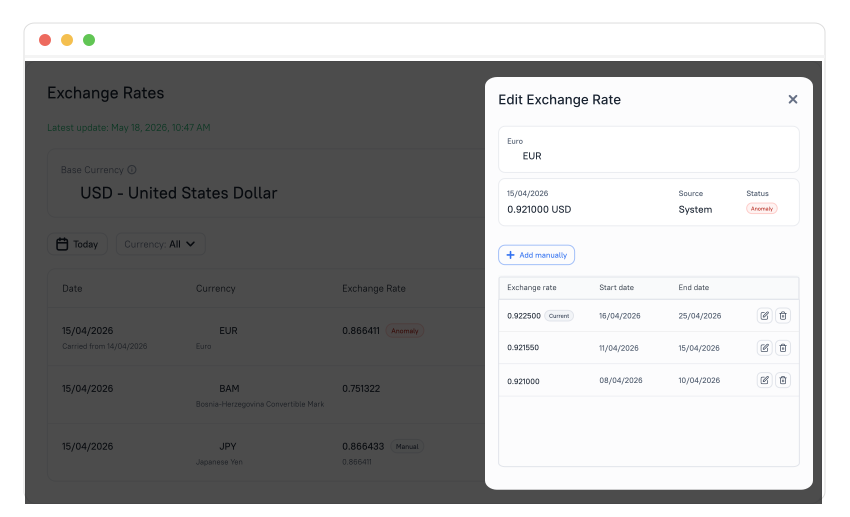
- Set the start and end dates for the rate and click the checkmark icon.
- The rate appears on the Exchange Rates page with the Manual label next to it.
Manage multiple currencies in TMetric with ease and get accurate financial calculations to avoid any discrepancies.
Client Archiving
TMetric now allows you to move inactive clients to the archive without deleting their records, keeping your client list tidy while preserving historical data for future reference. And we’ve slightly changed the look of the Clients page.
To archive a client, do the following:
- Go to the Clients page.
- Find the client you need in the list and click the client's actions menu.
- Select Archive from the menu and confirm the action.
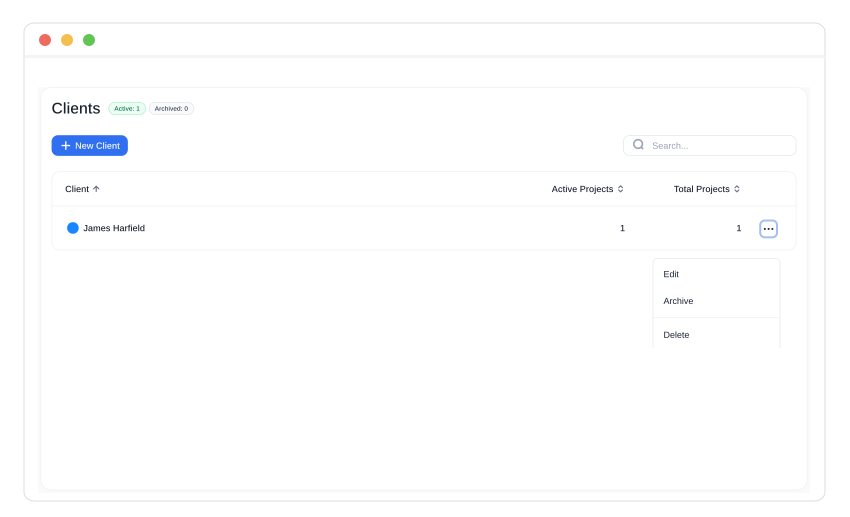
You can also archive any client from the Edit Client page by clicking the Actions menu in the top-right corner.
Archived clients remain visible in the client list when Show Archived is enabled, in the Client field of linked Archived and Done projects, and in report filters if they have at least one Done project. You can still edit archived clients, except for their contacts, and unarchive them at any time.
Automatic Sending of Recurring Invoices
Now, recurring invoices can be sent to clients automatically according to a predefined schedule, without requiring you to send each invoice manually.
The Automatically send this invoice option is available for free-form recurring invoices and recurring invoices for tracked time and expenses when no project is selected. You can disable this option for any invoice at any time.
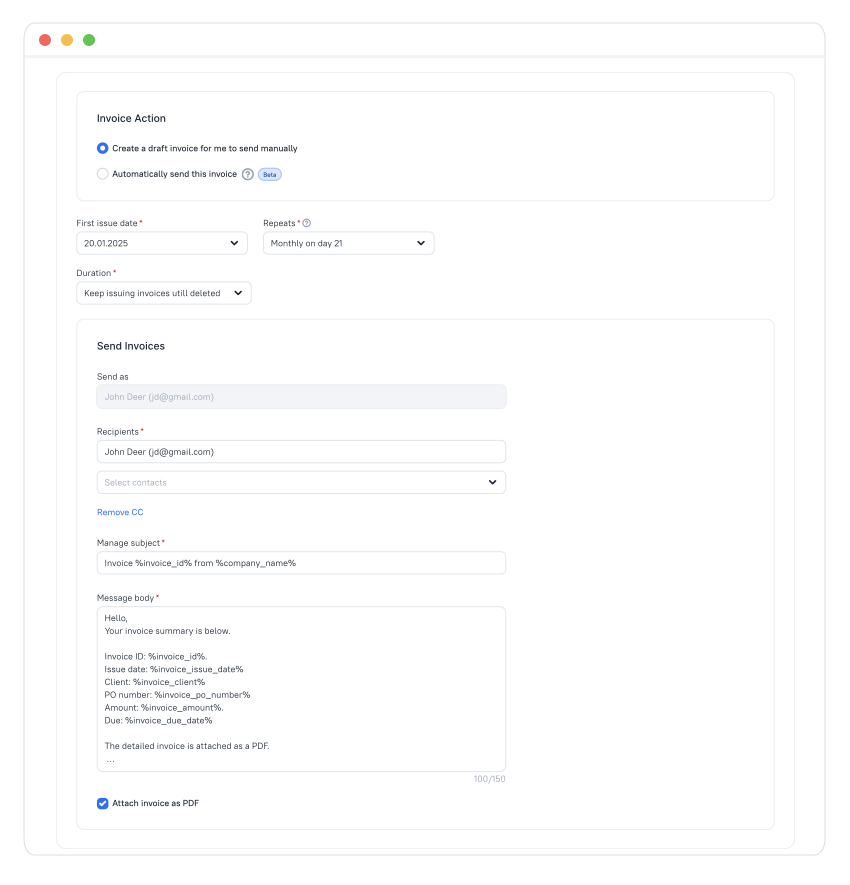
Auto-sending recurring invoices saves time, prevents missed invoices, simplifies billing, and helps clients receive invoices on time, potentially speeding up payments.
Other Features
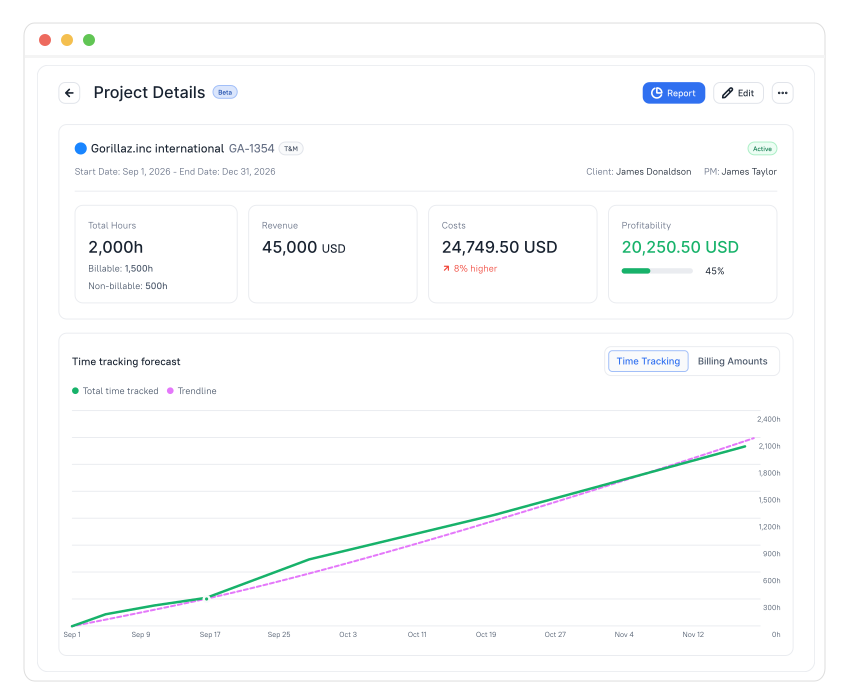
Enhanced Project Details Page
We've redesigned the Project Details page, rearranged the metric cards, and added a new card for projects without a budget: Total Time/Total Hours. It displays the total time logged for a project, and its name depends on the workspace's time format setting.
About TMetric
TMetric is a time tracking web app for companies that track project profitability and optimize workflow. Great control over time intervals and project budgets, flexible billable rates, crystal clear reporting, transparent team monitoring, and lots of integrations, all wrapped up into a light interface. Calculation on how much time is spent on certain projects, clients, and tasks in an instant.