
Top 5 Time Tracking Tools for Designers in 2026
Creative work is easy to estimate and surprisingly difficult to measure. The right time tracking tool can reveal where projects lose time, improve client billing, and make future estimates far more accurate. Read the article to discover the top 5 tools worth considering.

Design work rarely follows a straight path. Projects move through concepts, revisions, client feedback, meetings, and approvals, making time harder to track than a simple checklist of tasks. That has a real cost: 41% of freelancers lose income because of poor time-tracking habits, according to TimeChamp.
In this guide, we cover the best time tracking software for designers in 2026 and tell you which ones are best for freelancers, agencies, and creative teams.
Our top picks:
Why Designers Need
Specialized Time Tracking Software
The nature of design work creates a few challenges that standard timesheets don't always handle well.
Creative work is not linear
Most designers don’t spend eight straight hours on one project. The day usually gets broken up by revisions, feedback, meetings, messages, admin work, and random client requests. By Friday, trying to remember where all the hours went becomes a mess.
Tracking shouldn't break focus
Design work already needs enough concentration on its own. If tracking time feels annoying, people stop doing it properly. That’s why lightweight timers, browser extensions, and automatic tracking features tend to work better for creative teams.
Better tracking means better billing
Bad time tracking usually leads to underbilling. Small tasks, revisions, and quick client requests start disappearing from invoices even though they still take time. Better tracking makes it easier to see which projects are profitable and which ones quietly eat up hours.
5 Best Time Tracking Software for Designers in 2026
Here is an in-depth review of the six best time tracking tools for designers in 2026. They all have a different combination of tracking, billing, reporting, and team management features, suited to different kinds of creative work.
1. TMetric
Rating: 4.6/5 (G2)
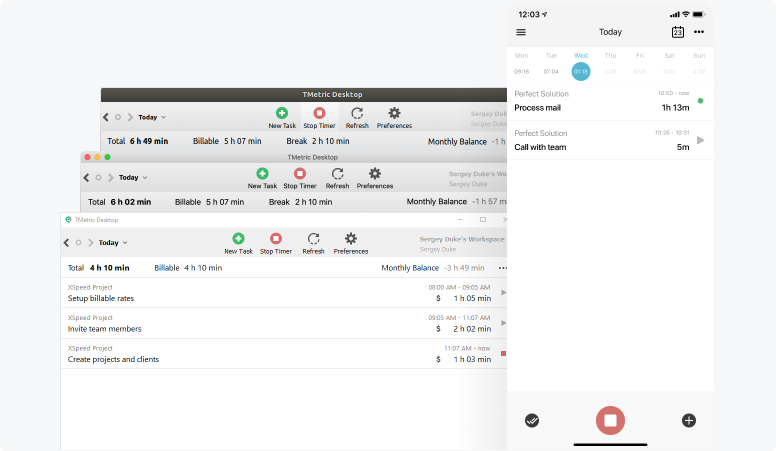
TMetric, a Timely alternative, is a time tracking tool aimed at freelancers, agencies, and creative teams. Besides tracking hours, it also covers budgeting, invoicing, workload management, and reporting, which helps teams keep projects under control and avoid billing mistakes.
Tool overview
| Attribute | Details |
|---|---|
| Company | Devart |
| Core functionality | Time tracking, budgeting, invoicing, reporting, task management |
| Integrations | Asana, Trello, Jira, GitHub, Bitbucket, QuickBooks, Google Calendar, and more |
| Platforms | Web, Windows, macOS, Linux, iOS, Android |
| Browser extensions | Chrome, Firefox, Edge, Safari, Opera |
| Tracking methods | Timer tracking, manual time entry, idle detection |
| Reporting | Project reports, workload tracking, billable vs. non-billable reporting |
Paid plans start at $5.83 per user per month.
What users say
2. Hubstaff
Rating: 4.4/5 (G2)
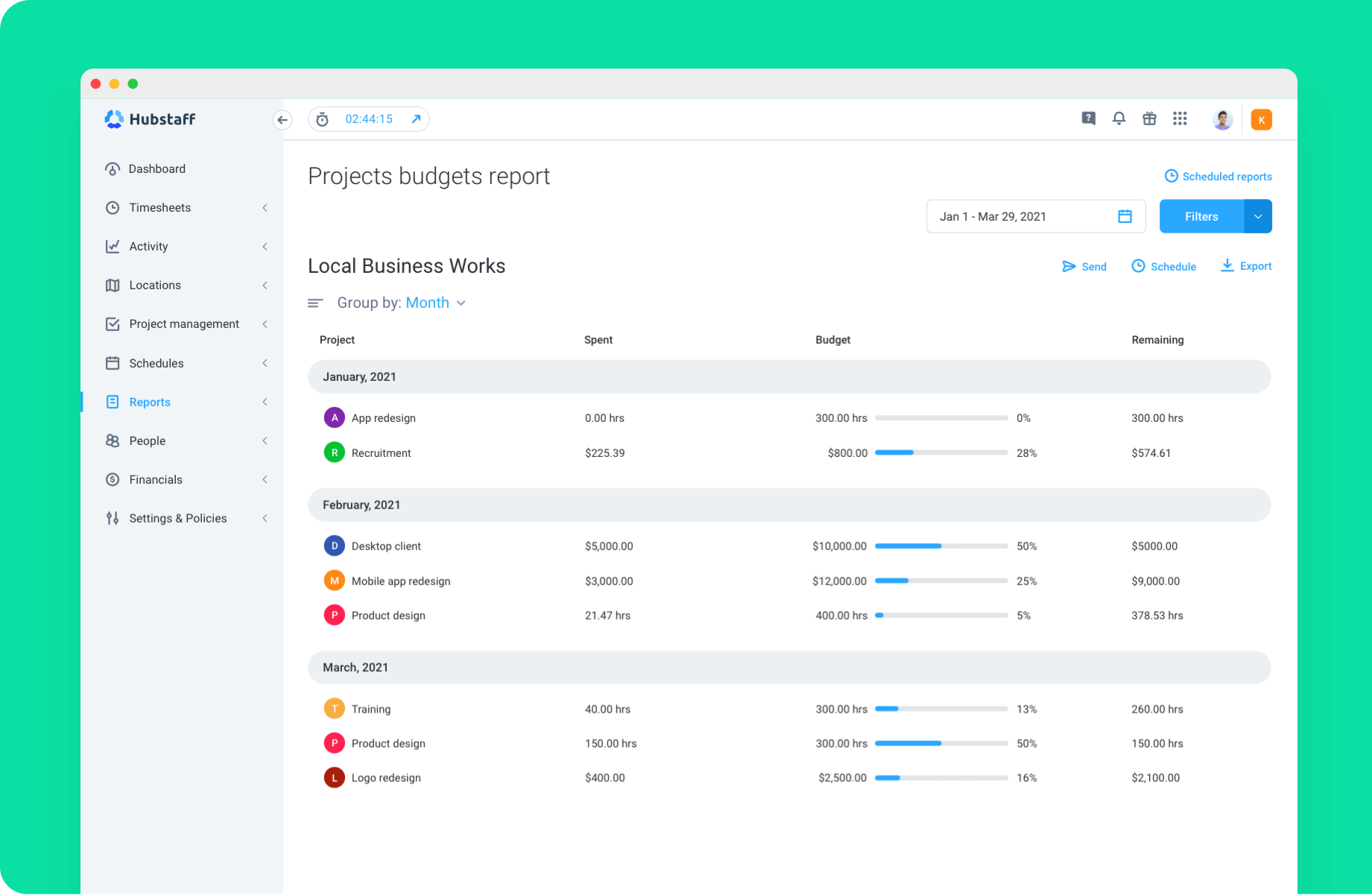
Hubstaff, a Timely alternative, is a time tracking tool used by a lot of agencies and remote teams. Along with tracking hours, it also covers things like project budgets, invoicing, reporting, payroll, and optional employee monitoring features.
Tool overview
| Attribute | Details |
|---|---|
| Company | Hubstaff |
| Core functionality | Time tracking, project management, budgeting, invoicing, payroll, reporting |
| Integrations | Asana, Jira, Trello, ClickUp, Basecamp, and 30+ other integrations |
| Platforms | Web, Windows, macOS, Linux, iOS, Android |
| Tracking methods | Automatic time tracking, manual timesheets, optional screen capture |
| Reporting | Time reports, project profitability insights, workload and cost tracking |
Paid plans start at $4.99 per user per month.
What users say
3. Harvest
Rating: 4.3/5 (G2)
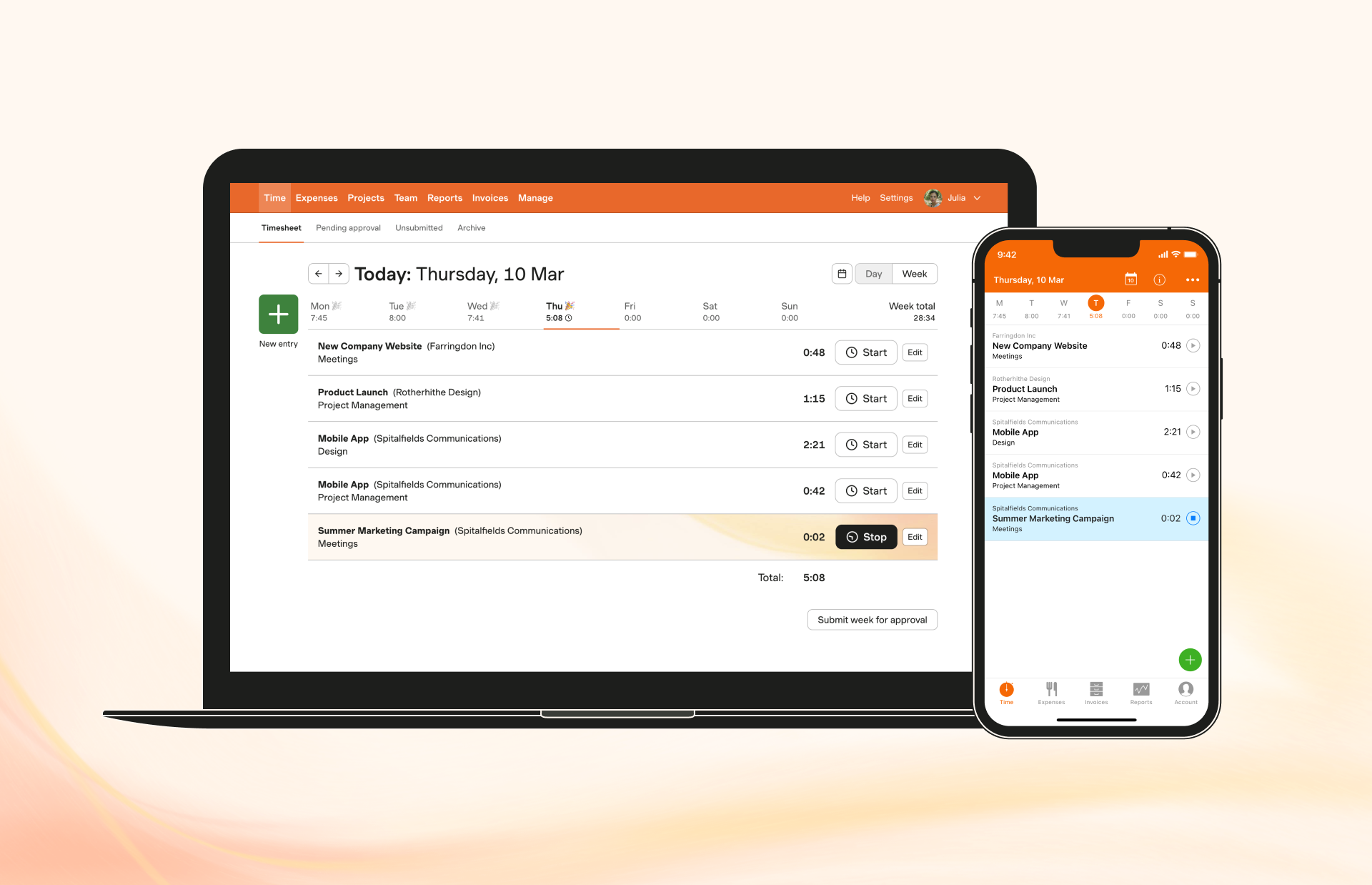
Harvest is a time tracking and invoicing tool built for freelancers, agencies, and creative teams. It focuses on the basics: tracking hours, seeing where time is going, and turning that time into invoices clients can pay online. For designers juggling multiple clients or billing hourly, Harvest keeps the admin side of work fairly simple.
Tool overview
| Attribute | Details |
|---|---|
| Company | Harvest |
| Core functionality | Time tracking, invoicing, reporting, budgeting |
| Integrations | Asana, Basecamp, Trello, Slack, Stripe, PayPal, and many others |
| Platforms | Web, Windows, macOS, iOS, Android |
| Tracking methods | Timer tracking, manual time entry, reminders |
| Reporting | Time reports, project insights, budget tracking, team capacity visibility |
Paid plans start at $9 per user per month, with a 30-day free trial.
What users say
4. Toggl Track
Rating: 4.6/5 (G2)
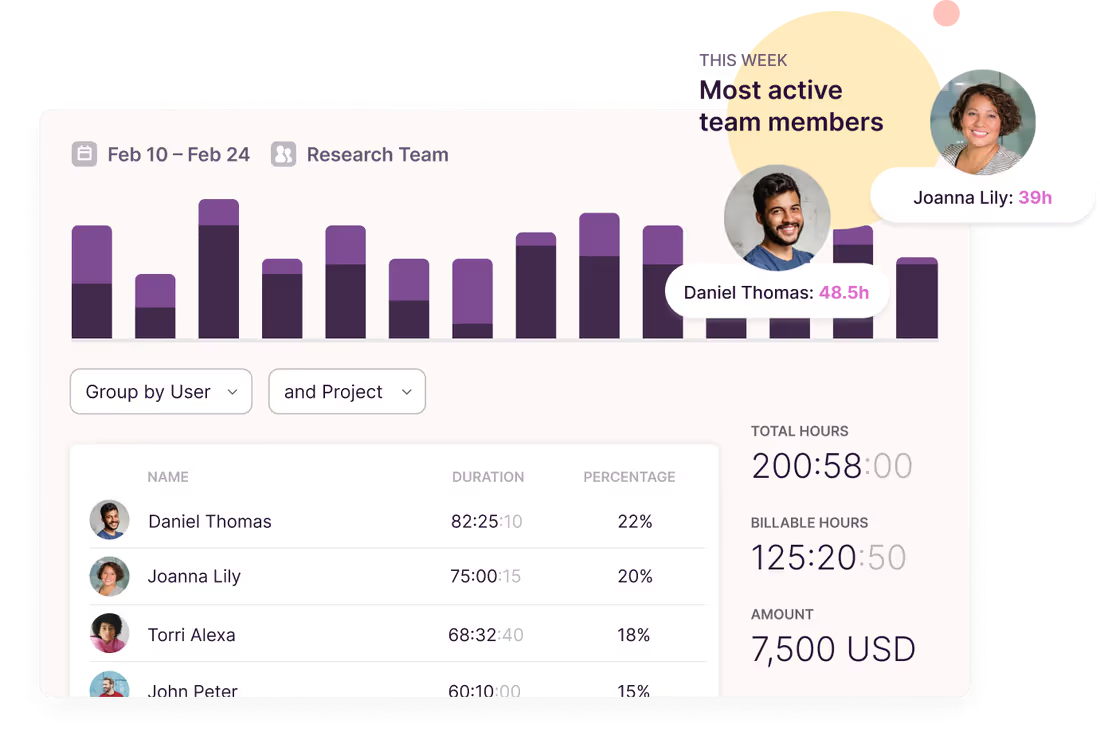
Toggl Track is one of the simpler time tracking tools out there. Designers and freelancers mostly use it to track billable hours and see how time is being spent across projects without dealing with a lot of extra admin work.
Tool overview
| Attribute | Details |
|---|---|
| Company | Toggl |
| Core functionality | Time tracking, reporting, project budgeting, billable hour tracking |
| Integrations | Asana, ClickUp, Basecamp, Google Calendar, Trello, Todoist, Zapier, Xero, and more |
| Platforms | Web, Windows, macOS, Linux, iOS, Android |
| Browser extensions | Chrome, Firefox |
| Tracking methods | Timer tracking, manual time entry, web, desktop, and mobile tracking |
| Reporting | Time reports, budget tracking, project performance insights |
Paid plans start at $9 per user per month, with a 30-day free trial.
What users say
5. QuickBooks Time
Rating: 4.5/5 (G2)
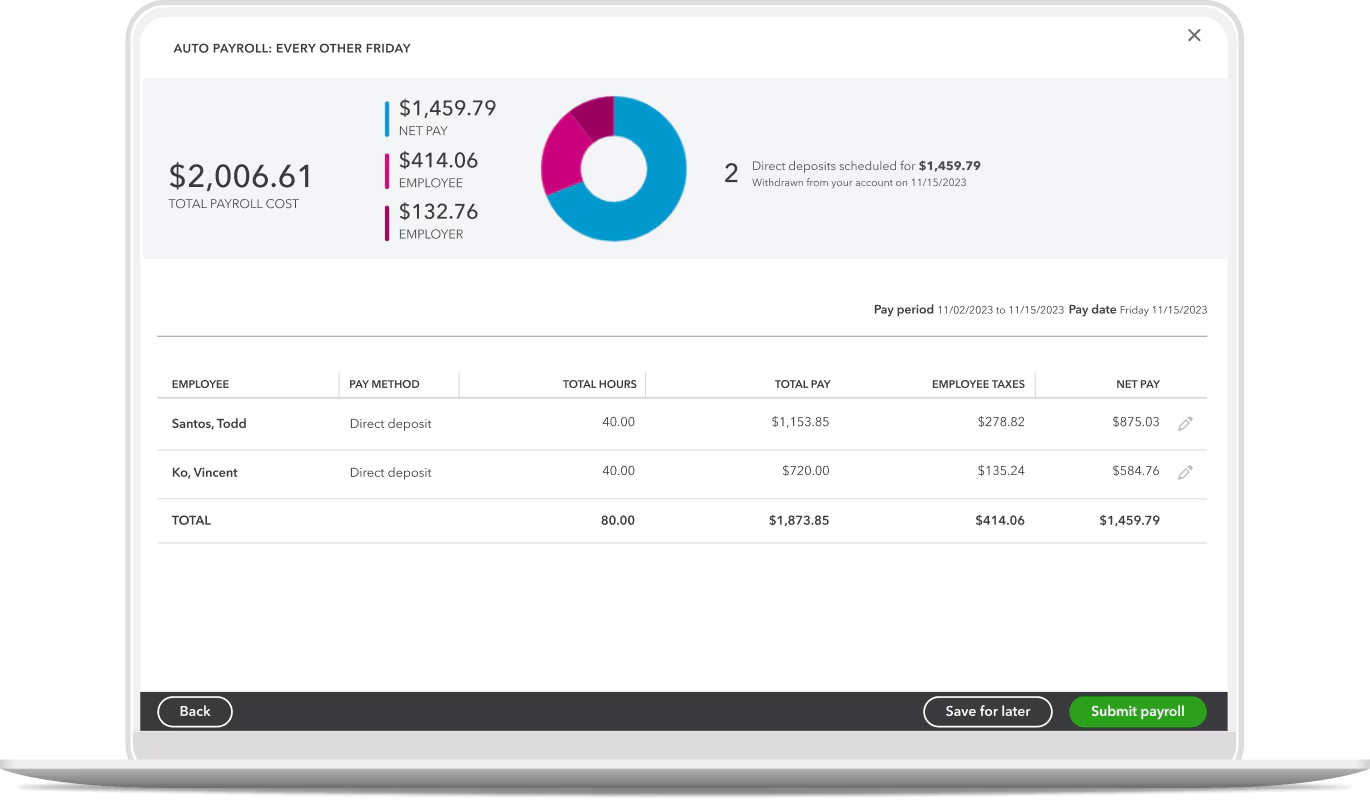
QuickBooks Time works best for teams already inside the QuickBooks ecosystem. Besides tracking hours, it also handles scheduling, payroll syncing, reporting, and project tracking, which makes it easier to manage larger teams without jumping between too many tools.
Tool overview
| Attribute | Details |
|---|---|
| Company | Intuit |
| Core functionality | Time tracking, scheduling, payroll sync, project tracking, reporting |
| Integrations | QuickBooks ecosystem and supported third-party accounting and payroll tools |
| Platforms | Web, mobile app, Time Kiosk |
| Tracking methods | Timesheets, mobile tracking, GPS tracking, geofencing |
| Reporting | Real-time reports by client, project, date, and team member |
Paid plans start at $8 per user per month. A base fee applies.
What users say
How to Choose the Best Time Tracking Tool
The best tool depends on how you work, bill clients, and manage projects.
Match the tool to your workflow
Freelancers generally want something simple. Agencies often require additional reporting, budgeting, and team visibility. Which tool is right really depends on how complex is your workflow.
Focus on the features that matter most
Some teams care most about accurate hour billing. Others care more about budget, work, or reports. Begin with the problem that the tool is supposed to solve first.
Check integrations and device support
Choose a tool that works with the apps you already use, such as Asana, Jira, Notion, or Slack. Also make sure it supports the devices your team works from, whether that's desktop, web, or mobile.
Try it before you commit
Most tools for designer time tracking offer a free plan or trial. Run a real project through the software and see whether tracking feels natural. If it creates extra work, your team probably won't use it consistently.
Tips for Implementing Time Tracking in a Design Workflow
Getting people to track time consistently is often harder than choosing the tool itself. A few simple habits can make the process much easier.
Use clear project categories
Break work into categories such as concepts, revisions, client meetings, and production. Clear categories make reports easier to understand and help identify where time is being spent.
Separate billable and non-billable work
Track client work separately from internal meetings, admin tasks, and business development. This gives a more accurate view of project profitability and team utilization.
Review reports regularly
A quick weekly review can reveal projects that are running over budget, tasks taking longer than expected, and opportunities to improve future estimates.
Keep it simple
The easier time tracking is, the more likely people are to use it. Use timers, browser extensions, and automation where possible, and avoid creating extra admin work.
The Takeaway
The right time tracking software for designers mostly comes down to how you manage work day to day. Some designers just want a lightweight timer like Toggl Track, while agencies usually need more visibility into budgets, workloads, and reporting.
TMetric probably gives the best overall balance for most teams. It covers time tracking, invoicing, reporting, budgeting, and project visibility without feeling overly heavy or complicated.
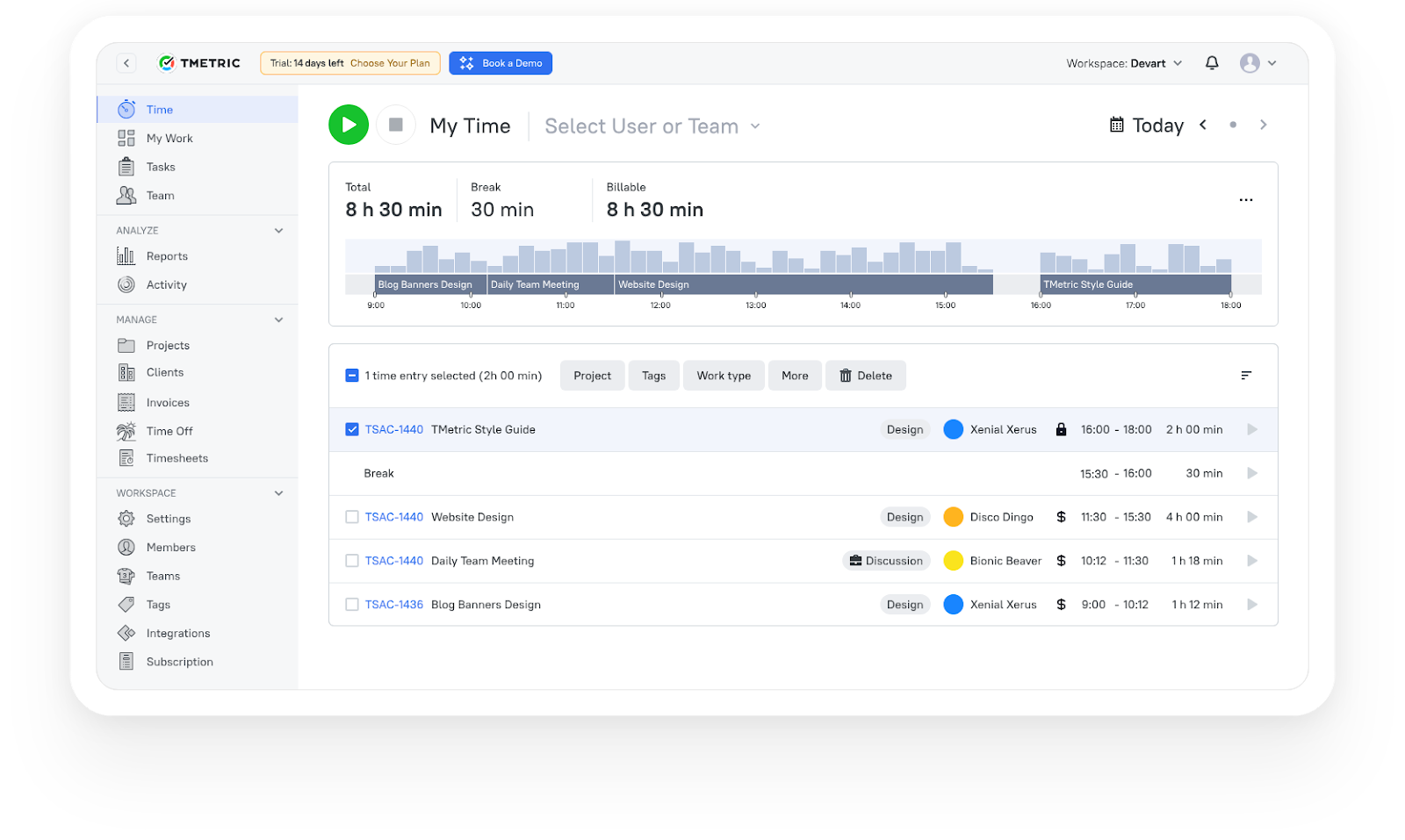
3,000+ companies, teams, and individuals worldwide use TMetric to track time, manage work, and bill with confidence.
FAQ
Do designers need automatic or manual time tracking?
Both can work. Automatic tracking helps capture time as you work, while manual entry is useful for adding or adjusting time later. Most tools support both options.
Can time tracking apps help with client billing?
Yes. Most time tracking tools let you log billable hours, apply hourly rates, and turn tracked time into invoices, which saves a lot of manual work during billing.
What is the best time tracking software for web designers?
A lot of freelance web designers use tools like TMetric, Harvest, or Toggl Track because they’re simple to run day to day and handle things like billable hours, reporting, and client projects without much setup.
What is the best time tracking software for graphic designers?
Graphic designers usually need something lightweight that makes it easy to jump between projects and track billable time without interrupting the creative flow. Tools like TMetric and Harvest are popular for that reason.
How does TMetric help designers track billable hours?
TMetric lets designers separate billable and non-billable work, track project budgets, set hourly rates, and generate invoices from logged time instead of doing everything manually.