
How to Use TMetric in a Creative Marketing Agency
If its not captured, it didn't happen. Agencies that skip tracking lose margins. Find out how TMetric connects work to value and delivers transparent, client-ready insights fast!


Marketing agencies run on two currencies, time and trust. In today's AI era, both are under significant pressure. Teams work across distributed setups, clients expect clearer ROI, and 60% of employees’ time still disappears into coordination: status checks, chasing updates, rebuilding context, and fixing avoidable errors.
To get ahead of this, time tracking for marketing agencies can’t look like traditional timesheets. It has to function as a delivery system: protecting billable hours, keeping projects on budget, and turning daily activity into reporting clients actually trust.
This guide breaks down how to set up and use TMetric for real agency workflows: content, design, PPC, social, and account management.
Why marketing agencies need time tracking in 2026
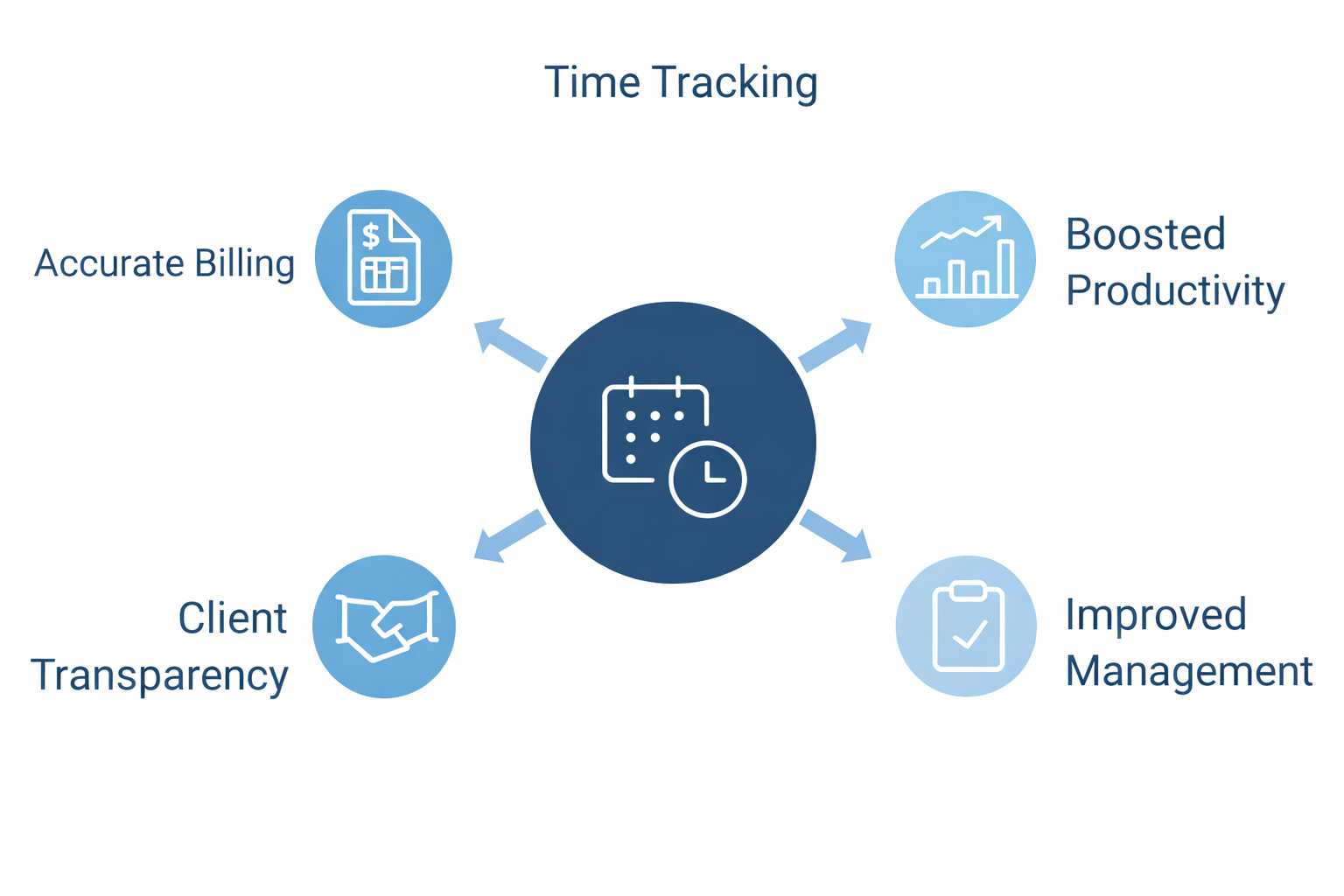
Several structural shifts make time tracking non-optional for marketing agencies. Here is how:
- Work is increasingly fragmented. Knowledge workers spend much of their day coordinating across tools rather than doing focused work, with overhead that can consume up to 60% of the workday. As projects span more systems and handoffs, visibility into time quickly erodes.
- Remote and hybrid teams are now standard. Distributed delivery models are no longer an exception in agency work. When teams operate across locations and time zones, informal oversight breaks down. Shared visibility into workload, progress, and effort becomes essential to keep projects predictable and teams aligned.
- Inaccuracy has a measurable cost. Deltek highlights research showing that inaccurate time tracking can cost professional services firms $60,000 or more per employee per year, through missed billing, rework, and margin erosion. At scale, those losses compound quickly.
- Billable hours leak quietly. According to AgencyAnalytics’ 2025 benchmarks, 42% of agencies reclaimed 5–10 billable hours per week after tightening their time-tracking practices. That gap rarely comes from dramatic errors; it comes from small misses, unclear scopes, and work logged too late or not at all.
 Alla Chernets
How TMetric supports creative agency workflows
As an agency time tracking tool, TMetric provides a way to control delivery at the level where problems typically begin: daily work. By tying time tracking directly to projects and billing logic, effort stays visible during delivery, supporting workflow optimization for marketing teams.
Let’s explore how this works in practice.
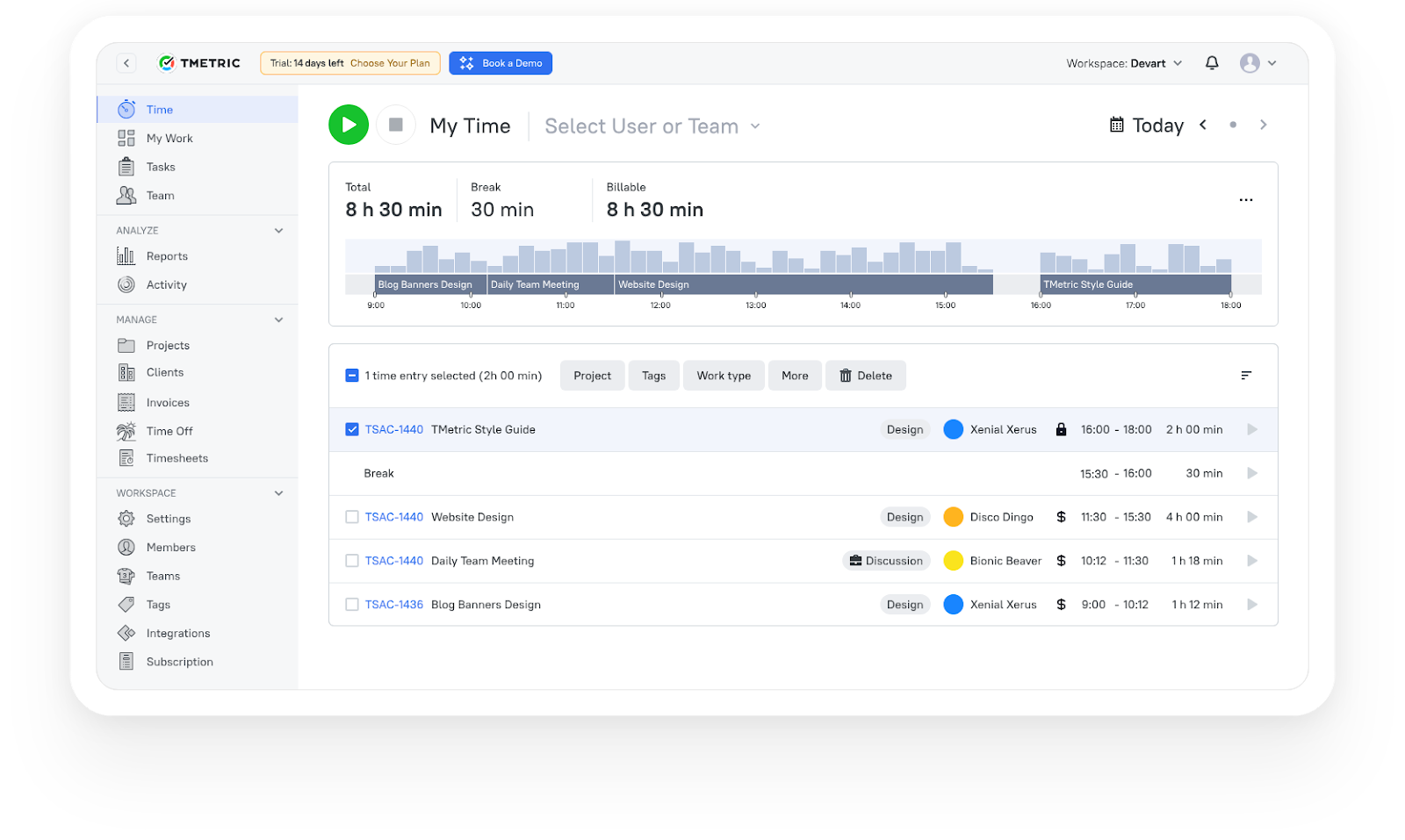
3,000+ companies, teams, and individuals worldwide use TMetric to track time, manage work, and bill with confidence.
Tracking billable and non-billable work
Agency profitability depends on accurate billable hours tracking: knowing which work generates revenue and which work supports it. When that distinction is loose or inconsistently applied, margins erode quietly.
TMetric addresses this by making the billable vs. non-billable split part of the tracking workflow itself, not something fixed later in reporting. Every time entry is explicitly classified at the task or project level, typically into the two clear categories.
| Category | Type of work | Examples |
|---|---|---|
| Billable | Work directly tied to client revenue |
• Client delivery (design, content, development, PPC execution) • Client meetings explicitly included in scope • Contracted strategy and planning work |
| Non-billable (necessary) | Work required to support delivery, but not sold to clients |
• Pre-sales calls and proposals • Internal reviews and quality assurance • Training, tooling, admin, and internal meetings |
This separation answers questions agencies routinely struggle to answer accurately:
- Which accounts consume more effort than they justify?
- Where is over-servicing becoming structural rather than occasional?
- Are strategy and revision cycles priced in line with reality?
Practical rule: maintain a default non-billable internal project (for example, Internal Ops). This keeps overhead out of client work and prevents administrative time from distorting project profitability.
 Marina Timchenko
Managing multiple client projects efficiently
Creative agencies don’t run single projects. They run portfolios: retainers, campaigns, sprints, and a steady stream of ad-hoc requests. Without a clear structure, those layers collapse into noise, and tracking becomes retrospective instead of operational.
In TMetric, efficient project management starts with a simple, enforced hierarchy shown in the table.
| Category | Type of work | Examples |
|---|---|---|
| Billable | Work directly tied to client revenue |
• Client delivery (design, content, development, PPC execution) • Client meetings explicitly included in scope • Contracted strategy and planning work |
| Non-billable (necessary) | Work required to support delivery, but not sold to clients |
• Pre-sales calls and proposals • Internal reviews and quality assurance • Training, tooling, admin, and internal meetings |
This structure does two things immediately.
First, it makes project budget tracking possible. When time is separated by client, project, and phase, overruns become visible while work is still ongoing, not after margins are already lost.
Second, it makes reporting intelligible. Clients don’t care about internal task names or tool-specific workflows. They understand phases. Reporting time by delivery stage keeps conversations focused on progress and value, not internal complexity.
The rule is simple: if work can’t be clearly placed in this structure, it can’t be managed, priced, or explained reliably.
What TMetric users are saying
We are tracking time of developers and reviewing their work according to TMetric data and it really helps us to manage our team and product development. Also TMetric is part of our KPI calculation. —Ali N, CTO
"TMetric has become an essential tool for our marketing team. I love how easy it is to track time across projects, campaigns, from SEO and content creation to ad management. For us, the ability to add billable rates and set project budgets is a must and I'm glad TMetric has both options. Also, detailed reports are vital for our workflow since we can see how much time is spent for each project and task and can use this informaiton for future estimates." —Ruslan Q, Marketing Lead
"As an outsourcing company with a growing team at Intellabridge.com we needed flexibility and low cost with integration into Jira and Trello. Tmetric was the obvious solution. Because of the ease of use and ability to add browser extensions for Jira and Trello it makes it much easier to track time and invoice clients. I would highly recommend this product!" —Maria N, Managing Director
Using reports for client transparency
Clients are paying for progress, outcomes, and predictability, not time logs. TMetric reports support this by structuring time data around delivery rather than raw entries, answering three questions clearly:
- What was done
- Why it mattered
- How much effort compared to the plan
In TMetric, the most effective reporting approach is a monthly report structured around time and delivery, not individual entries:
- Group time by delivery phase: Report effort at the phase level (strategy, production, revisions, reporting) so time maps directly to how the work was scoped and sold.
- Flag deviations from plan: Call out where effort exceeded or shifted from the original scope and state the reason plainly.
- Tie effort to outputs: Anchor time to tangible results: campaigns launched, assets delivered, pages published, reports shipped.
This approach keeps reporting grounded in delivery rather than administration. It also makes conversations predictable: scope changes are visible, trade-offs are explicit, and surprises are reduced.
Industry benchmarks consistently show that clear, consistent reporting strengthens client retention. Reporting plays a direct role in building trust and sustaining long-term client relationships.


Automating billing and invoicing
Client billing and invoicing break down when agencies rely on memory instead of recorded data. By the end of the month, teams are forced to piece together what was done, which blurs scope and turns invoices into disputes.
TMetric avoids that failure mode by tying billing directly to tracked, approved time. When time is logged correctly during delivery, invoicing becomes a mechanical step, not a clean-up exercise.
A disciplined agency billing workflow looks like this:
- Set rates at the role level. Role-based rates scale cleanly and reflect how agencies actually price work. Person-based rates introduce noise and complexity.
- Mark billable work at the source. Tasks intended to be billed should be billable by default. Billing decisions made at entry time prevent disputes later.
- Approve time before it reaches finance. Project managers or account leads review and approve time while the context is still fresh.
- Generate invoices from approved entries. Invoices should reflect validated delivery, not assumptions or recollections.
Integrations for a smooth agency workflow
Most agency work already lives in project tools such as Asana, Trello, and Jira. Time tracking only works when it attaches to that reality, not when it sits in a separate system that teams have to remember to visit.
TMetric integrates with common project management tools so time can be logged directly against the work being done. A practical agency setup looks like this:
- Asana or Trello for planning-heavy teams. Track time directly against tasks to capture effort where coordination already happens.
- Jira for dev-heavy agencies. Map tickets to clients and projects so technical work rolls up cleanly into delivery and billing views.
- Strict naming conventions across tools. Enforce one structure for clients and projects. Variations like “Client A – Retainer” and “Retainer – Client A” create reporting noise and undermine accuracy.
Integrations are not about convenience. They remove friction. When time tracking happens inside existing workflows, entries are logged earlier, missed less often, and reflect reality instead of reconstruction.
Example use cases for creative teams
What “good tracking” looks like depends on the role. Each function produces different outputs, and time needs to be captured at the level where work actually happens.
| Team / role | What to track | Why it matters |
|---|---|---|
| Content |
• Track by content type (blog posts, landing pages, email sequences). • Separate research, writing, and editing. |
Exposes where production time is actually spent and where assumptions about “writing time” break down. |
| Design |
• Track by asset type (ads, social packs, brand refreshes, UI screens). • Log revision cycles separately. |
Reveals where the margin erodes, especially through uncontrolled revisions. |
| PPC |
• Separate build, optimization, and reporting work. • Track client approval delays as non-billable. |
Distinguishes execution effort from external blockers and supports cleaner QBR conversations. |
| Social media | Distinguish content creation, scheduling, and community management. | Makes the full scope of social delivery visible and prevents “just posting” from being underpriced. |
 Marina Timchenko
TMetric vs other time tracking tools
TMetric competes in a crowded time-tracking category, but the difference between tools is not whether they can record hours. The real difference is how they balance tracking, reporting, billing, and team oversight in day-to-day agency work. Some tools prioritize invoicing, others focus on analytics or monitoring.
Here are some of the tools agencies compare with TMetric, and where each one focuses:
- Harvest: Commonly used for straightforward time tracking paired with invoicing and payments. It fits agencies that want a simple billing flow, but it offers limited depth for workflow-level analysis.
- Toggl Track: Emphasizes reporting and visibility into time usage, with growing support for profitability views. It works well for analysis-heavy teams but requires discipline to keep data clean.
- Clockify: Broad, flexible time tracking with invoicing, add-ons, and reporting options. Its breadth makes it adaptable, though structure and consistency depend heavily on how teams configure it.
- Hubstaff: Leans toward monitoring through activity tracking and screenshots. This suits certain operational models but can be a cultural mismatch for creative teams focused on trust and autonomy.
All these tools emphasize billing, reporting, or oversight. However, TMetric stands out because it enforces structure during daily work, not after, so time data stays accurate, comparable, and usable across clients, projects, and teams.
Takeaway
Time tracking only works when it reflects how agencies actually deliver work. When tracking is delayed, fragmented, or treated as a finance-only task, it turns into noise and undermines trust, internally and with clients.
Used correctly, TMetric supports a different outcome. It helps agencies separate billable from non-billable effort, keep projects structured as portfolios rather than chaos, and turn time data into reporting and billing that clients can understand and rely on.
The goal isn’t to track more. It’s to see work clearly while it’s happening, price it realistically, and report on it without friction. Agencies that get this right don’t just protect margins—they deliver with confidence.
FAQ
Why do marketing agencies really need time tracking more than ever?
Because agency work is messy. Teams juggle many tools, clients, and deadlines. At the end of the day, a lot of time gets lost in messages, meetings, and back-and-forth. Good time tracking helps agencies see where time actually goes, protect billable hours, and avoid underpricing work.
How does TMetric actually help my team day to day?
It lets your team track time right inside the tools they already use (like Asana, Trello, or Jira). That means less “remembering to log hours” and more accurate data about what people are really working on.
Will clients actually care about our time tracking?
Yes, but not in a “timesheet police” way. TMetric helps you turn hours into clear reports that show progress, results, and effort in a way clients understand. This builds trust instead of confusion.
What’s the smartest way to organize projects in TMetric?
Keep it simple:
Client → Project → Phase → Task.
This makes it easy to spot overruns early, keep budgets on track, and explain work clearly to clients.
How does TMetric make billing easier?
When your team tracks time properly as they work, invoicing becomes automatic instead of stressful. You just approve the hours and generate the invoice. That means no guessing, no disputes, no end-of-month panic.