
Hybrid Work Schedule Examples for 2026: Models & Tools
Gallup says 53% of remote-capable employees now work hybrid. Stanford found resignations dropped 33% where it's done right. The model is settled. The schedule isn't. Read on to get hybrid right the first time.


Hybrid work isn't an experiment anymore. Gallup's latest workforce data shows that 53% of remote-capable U.S. employees now work hybrid schedules, and 88% of employers offer at least some form of hybrid arrangement. The model has settled. The question for most teams in 2026 isn't whether to go hybrid, it's which hybrid work schedule actually fits how their team operates.
This article breaks down the most common hybrid work schedules, explains how each one works, and gives you a clear framework for choosing the right model for your team.
What Is a Hybrid Work Schedule?
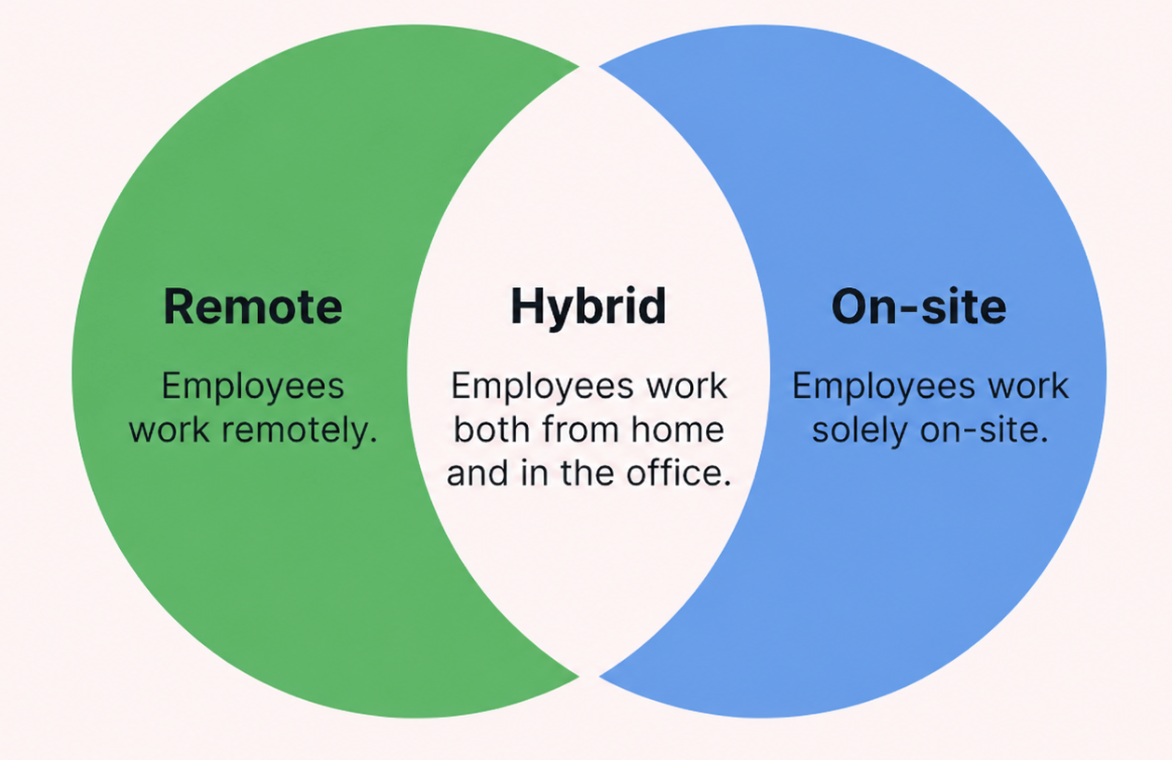
A hybrid work schedule is a structured schedule where an employee splits their time working from home and working at the office. It's not all remote, it's not all onsite. It's mid-range, and gives the flexibility of working remotely with the collaboration benefits of working in person.
The key components of a hybrid work schedule typically include:
- Remote Work Days. Designated days (or time blocks) that are worked from home or another off-site location
- Office days. Required or preferred in-office days often associated with team meetings, collaborative jobs or company culture events
- Flexible or fixed scheduling. Some hybrid arrangements give employees the option of which days to go into the office, and others set company-wide or team-by-team days.
- Company policy or Employee autonomy. How much control employees have over their schedule and what guardrails the organization sets
The key distinction from fully remote or fully onsite work is intentionality. A hybrid work schedule isn't "sometimes come in, sometimes don't." It's a structured arrangement designed to balance flexibility with collaboration. Teams that treat it casually tend to run into coordination problems. Teams with a clear hybrid work policy tend to see stronger engagement and better results.
Why Hybrid Work Schedules Are the Standard in 2026
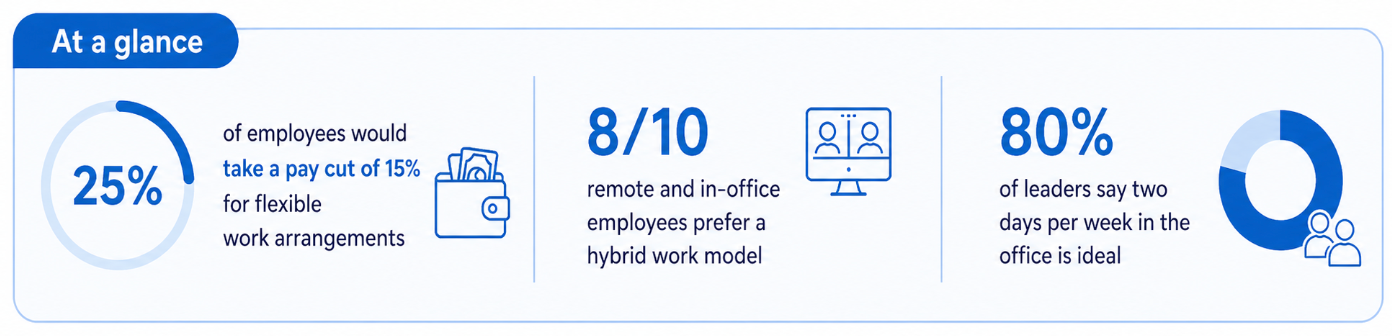
Hybrid work has become the default because it works for nearly everyone involved. The data on hybrid work schedule benefits is consistent across employers, employees, and business operations.
| Category | Key Hybrid Work Schedule Benefits |
Impact |
|---|---|---|
| Employees | Better work-life balance, reduced commuting, greater autonomy | Higher engagement and job satisfaction |
| Employers | Improved productivity, higher retention, reduced office costs | Lower turnover and stronger performance |
| Business Operations |
Better workforce planning, improved efficiency, optimized office space | Smarter resource management and cost optimization |
Cisco's 2025 research found that 69% of employers reported improved employee retention after introducing hybrid policies. A Stanford-led randomized controlled trial found no productivity loss among hybrid workers, and resignations dropped by 33%. And 84% of employees say they get more done working hybrid or remote. The evidence isn't debatable at this point.
For teams, the right hybrid work schedule creates structure without sacrificing flexibility. For individuals, it protects focused work time. For companies, it reduces overhead while keeping teams connected. But the benefits only land if the schedule is right for your team.
Most Common Hybrid Work Schedule Examples
There isn't one universal hybrid work schedule. Different teams, different industries, and different working styles call for different models. Here are the seven most common hybrid work schedule examples used by companies in 2026.
3 Days Office, 2 Days Remote (3/2 Hybrid Model)
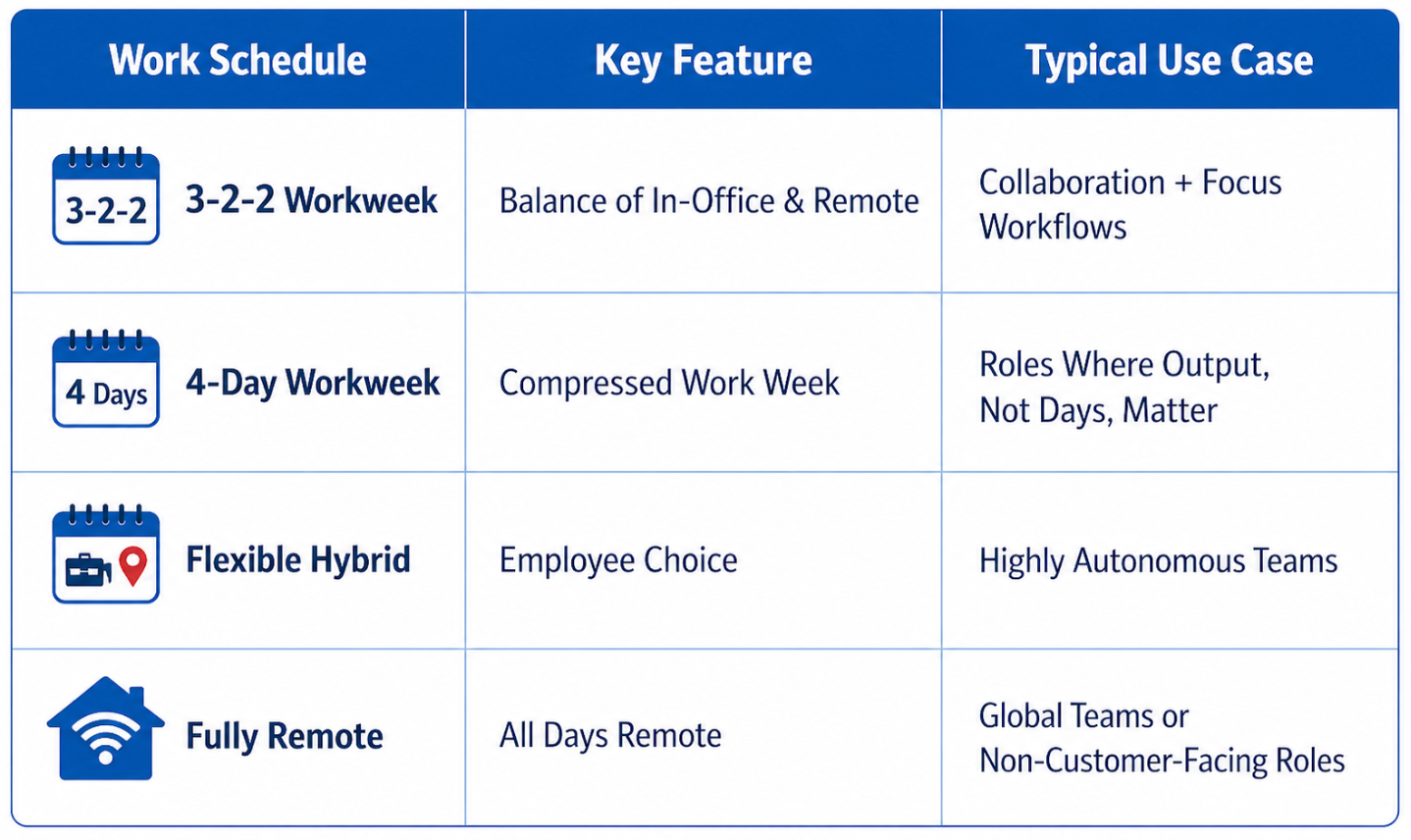
The 3/2 model is one of the most widely adopted hybrid work schedules, particularly among mid-size companies and enterprise teams that want consistent in-person collaboration without eliminating flexibility entirely.
A typical weekly structure looks like this:
- Monday: Office
- Tuesday: Office
- Wednesday: Office
- Thursday: Remote
- Friday: Remote
Some teams stagger this so different members have different remote days, which keeps office capacity manageable. Others run it as a fixed company-wide schedule for simplicity.
This model works well for teams that rely on daily stand-ups, client-facing roles that benefit from in-person visibility, and organizations making the transition from fully onsite to hybrid.
2 Days Office, 3 Days Remote (2/3 Hybrid Model)
The 2/3 model is popular with knowledge workers, developers and creative teams. Employees will work three days out of the home or other remote location, and two days in the office to collaborate and align as teams.
And Gallup's 2025 data indicates satisfaction is highest when employees are in the office two or three days a week, making this the model that most resembles the “hybrid sweet spot” that the OECD has identified. It protects deep work time but keeps teams connected on a regular basis.
This model is often used by tech companies, agencies, and professional services firms. It is known to score high on employee satisfaction and Presence is less important than output.
Alternating Weeks Hybrid Schedule
The alternating weeks model takes a different approach. Rather than splitting days within a week, teams rotate between full office weeks and full remote weeks.
- Week 1: Full in-office schedule
- Week 2: Fully remote
This works particularly well for teams doing deep, focused work that benefits from uninterrupted blocks of time. Writers, researchers, engineers, and analysts often prefer this structure because it removes the context-switching that comes with daily or mid-week transitions between locations.
It also simplifies scheduling. When the whole team knows they're in-office this week, coordination is automatic. When they're remote, everyone adjusts accordingly. The downside is that it requires strong asynchronous communication habits during remote weeks.
Fixed Hybrid Office Schedule
In a fixed hybrid office schedule, the company (or department) sets specific days for everyone to be in the office. Individual employees don't choose their schedule, the policy is set top-down.
A common example:
- Tuesday, Wednesday, Thursday: In-office
- Monday, Friday: Remote
This model works well for organizations that need predictable collaboration windows. When everyone knows Tuesday through Thursday are office days, it's easier to schedule team meetings, client calls, and collaborative work sessions without the back-and-forth of individual calendars.
It's also the easiest model to enforce consistently, which is why larger organizations and more structured teams tend to gravitate toward it. The trade-off is less individual flexibility.
Fully Flexible Hybrid Work Model
In a fully flexible hybrid model, employees choose which days they come into the office. There's no fixed schedule imposed by the company. The only requirement is showing up for certain anchor events, for example team days, all-hands meetings, or client sessions, when everyone needs to be physically present.
This approach requires a high level of trust and a strong team culture. Without clear communication norms and shared coordination tools, it can lead to ghost offices on some days and overcrowded spaces on others.
Fully flexible hybrid models work best in mature teams with experienced individuals who can manage their own schedules, and in companies that have invested in the right tools to keep distributed teams aligned. It's one of the most appealing models to employees but one of the harder ones to manage well.
Team-Based Hybrid Work Arrangement
In a team-based hybrid arrangement, each department or team sets its own schedule rather than following a company-wide policy. The marketing team might come in Mondays and Thursdays. Engineering might prefer Tuesdays and Wednesdays. Operations might anchor to a different set of days.
This model makes sense for larger organizations where different departments have genuinely different collaboration needs. It gives team leads ownership over their schedules and avoids forcing a one-size-fits-all policy on teams with different workflows.
The risk is coordination friction across departments. If marketing is remote on Thursdays and sales is in the office, cross-functional meetings require more planning. Clear company-level communication about each team's anchor days helps manage this.
Role-Based Hybrid Work Schedule
Role-based hybrid scheduling ties in-office requirements to the nature of someone's job, not to a fixed calendar. People in roles that require heavy collaboration, client interaction, or team leadership tend to come in more often. Roles focused on independent output come in less.
A typical role-based structure might look like:
- Managers and team leads: 3-4 days in-office for team visibility and leadership presence
- Developers and analysts: 1-2 days in-office for focused, heads-down work with minimal interruption
- Sales and client-facing roles: In-office or on-site based on client schedules and deals in play
This model is particularly useful for organizations where roles vary significantly in terms of collaboration intensity. It aligns schedule structure with actual job requirements, rather than applying a blanket policy across everyone.
Hybrid Work vs Remote Work vs Office Work
Understanding how hybrid work compares to other work models helps you make a more informed scheduling decision for your team.
| Work Model |
Definition | Work Location |
Schedule Flexibility |
Best For | Challenges |
|---|---|---|---|---|---|
| Hybrid Work |
Employees split time between remote and in-office based on a defined hybrid work arrangement | Office and remote combined | Medium to high | Most modern organizations, SaaS companies, corporate teams | Requires coordination, clear hybrid work schedule policy, and scheduling tools |
| Fully Remote |
Employees work entirely from home or another remote location without regular office attendance | Remote only | Very high | Distributed teams, global companies, remote-first startups | Reduced in-person collaboration, potential communication gaps, isolation risks |
| Fully Onsite |
Employees work from a physical office during standard business hours, five days a week | Office only | Low | Manufacturing, healthcare, operations roles requiring physical presence | Limited flexibility, commuting requirements, lower employee autonomy |
How to Choose the Best Hybrid Work Schedule for Your Company
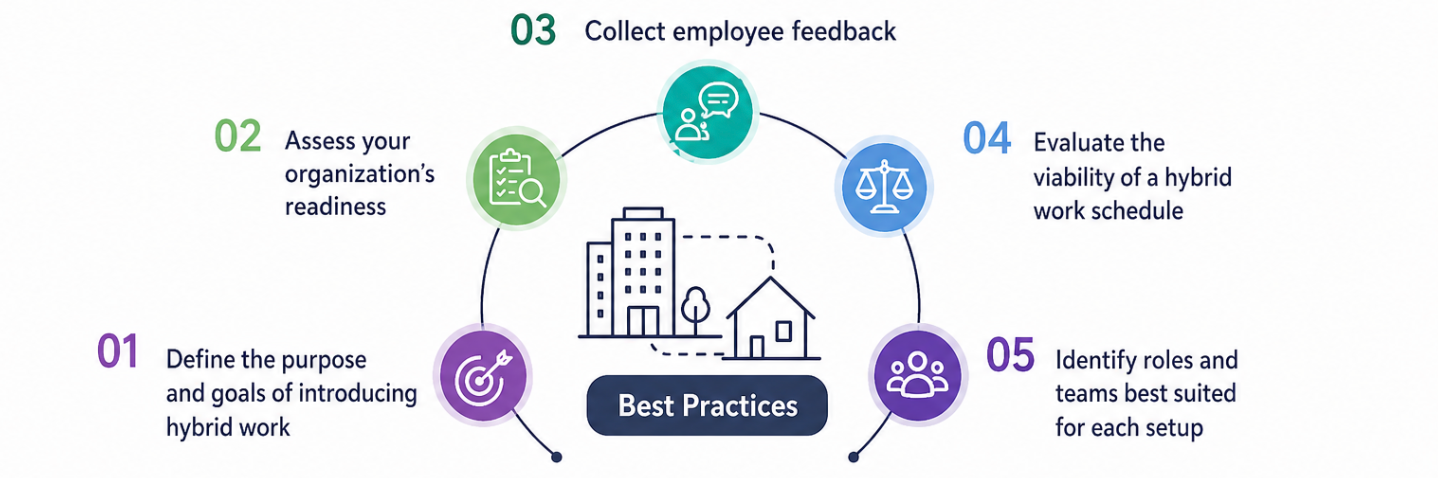
There's no universal answer to the best hybrid work schedule. What works for a 20-person tech startup won't necessarily work for a 500-person financial services firm. The right choice depends on a handful of concrete factors.
Company size plays a significant role. Smaller teams can often manage with a flexible model since coordination is easier. Larger organizations usually benefit from fixed or team-based schedules that reduce the cognitive overhead of scheduling across dozens of calendars.
Industry and role requirements matter too. Client-facing roles, team leads, and functions that depend on in-person relationship-building typically need more office time. Developers, writers, analysts, and other output-driven roles can often be more remote-heavy without any negative impact on performance.
Team collaboration intensity is another key variable. If your team runs daily stand-ups, relies on whiteboard sessions, or has deliverables that depend on real-time input from multiple people, you need more shared in-office days. If your team works mostly async and collaborates through documents and tools, fewer office days may actually improve output.
Employee preferences deserve a real seat at the table, not just lip service. Gallup data shows that six in ten remote-capable employees say they're extremely likely to begin job-searching if their employer eliminates remote flexibility entirely. Schedule decisions made without input from the people doing the work tend to backfire.
Finally, think about what you're trying to protect. If the priority is deep focused work, lean toward more remote time with deliberate anchor days. If the priority is culture and team cohesion, schedule more shared office days around collaborative work rather than individual tasks.
Hybrid Work Software and Tools to Manage Hybrid Teams
Having the right hybrid work schedule is only half the challenge. Managing a distributed team, tracking who's working when, and keeping hours, projects, and accountability in sync requires the right hybrid work tools. Here are the categories that matter, and what to look for when choosing software for remote and hybrid teams.
Time Tracking Software
Time tracking is the operational backbone of any hybrid work arrangement. When your team isn't all in one room, you need a reliable way to know how hours are being spent — on which projects, by which people, across how many days.
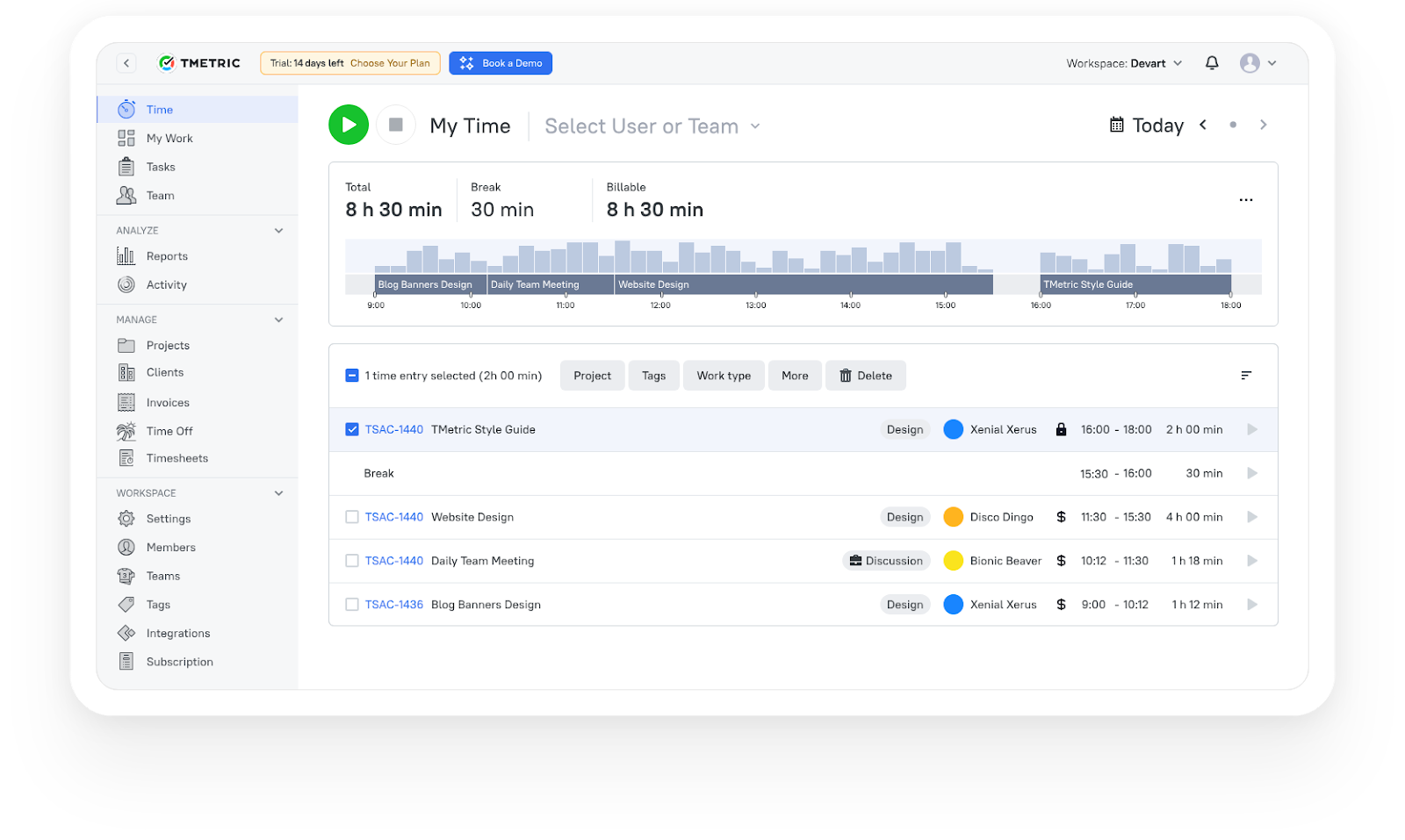
TMetric is built specifically for this. It's a time tracking software that works across web, desktop, and mobile, with a browser extension that lets team members track time directly inside 50+ tools they already use — including Jira, Asana, Trello, GitHub, Slack, and Notion. For hybrid teams, that means no extra apps to open, no separate timesheets to fill in. Tracking happens inside the workflow.
TMetric also handles team timesheets with approval workflows, project budget tracking, billable rate management, and detailed productivity reports. Managers get a real-time view of how the team is spending time without needing to micromanage. Team members get clear accountability for their hours without the friction of manual processes.
The Time Off module is useful for hybrid teams managing PTO and leave across distributed schedules. Calendar sync with Google Calendar and Outlook keeps availability transparent across the team.
 Linda Förster Project manager at Medudy
Scheduling and Desk Booking Tools
Desk booking and office scheduling tools help hybrid teams coordinate who's in the office on which days, preventing overcrowding and ensuring the right people are physically present on collaboration-heavy days. Tools in this category include Envoy, OfficeSpace, and Robin — worth evaluating based on your office size and team structure.
Communication and Collaboration Platforms
Async communication tools are critical for hybrid teams. Slack, Microsoft Teams, and Notion keep everyone connected regardless of location. The key is establishing clear norms around response times, async documentation, and when to escalate to a synchronous call. The tools themselves don't solve coordination problems — the team culture and hybrid work schedule policy do.
Project Management Software
Tools like Jira, Asana, Linear, and ClickUp give hybrid teams shared visibility into what's being worked on, who's responsible, and what's blocked. For a hybrid arrangement to work without daily in-person check-ins, everyone needs to see project status in one place. TMetric integrates with most of these tools, so tracked time connects directly to tasks and project budgets without any manual export.
Choosing the Right Hybrid Work Schedule in 2026
Hybrid work is the standard, not the experiment. More than half of remote-capable employees work hybrid schedules, and the companies offering genuine flexibility are seeing better retention, stronger productivity, and more engaged teams.
But the hybrid model isn't self-managing. The specific schedule matters. The 3/2 model and fixed office schedule work well for teams that need consistent face time. The 2/3 model and fully flexible arrangements suit autonomous, output-driven roles. Team-based and role-based models serve larger organizations where one-size-fits-all policies create more friction than they solve.
Whatever model you choose, it needs to be backed by a clear hybrid work schedule policy and the right tools to support it. Teams that run hybrid effectively treat scheduling and time tracking as infrastructure — not afterthoughts.
If your team is ready to take scheduling and time accountability seriously, try TMetric for free, no credit card required, 14-day full-feature trial.
3,000+ companies, teams, and individuals worldwide use TMetric to track time, manage work, and bill with confidence.