
8 Best Time Tracking Apps for Freelancers
Studies show freelancers undercharge by as much as 20% because of inaccurate time records. A reliable time tracking app closes that gap, but not every tool is built for how freelancers actually work. This guide cuts through the noise and compares the seven best options available in 2026.

Freelancing gives you freedom, but it comes with a catch: every unbilled minute is money you'll never recover. Whether you're juggling three clients or managing a distributed team of contractors, a reliable time tracking app is the difference between knowing your numbers and guessing at them. This guide covers the seven best time tracking apps for freelancers in 2026, comparing features, pricing, and real-world fit so you can choose the right tool for how you actually work.
Compare:
Why trust our software reviews
A lot of time tracking apps look great on a pricing page, but day-to-day use is usually where problems start showing up. Some have messy reporting. Others make invoicing harder than it should be. And sometimes the interface itself just slows work down when you’re switching between clients and projects all day.
That’s why we tested these seven tools based on the things freelancers actually deal with every week: how accurate the reporting is, whether invoicing and rate management are easy to handle, how well the app connects with tools like Jira, Asana, Trello, QuickBooks, and Slack, and whether the interface stays simple enough to use without getting in the way.
We also paid attention to pricing because unclear limits and hidden costs become frustrating very quickly once work starts scaling.
Comparison table: Best time tracking apps for freelancers at a glance
The table below gives a quick overview of all seven tools, making it easier to narrow down which platforms are worth exploring in detail.
Why freelancers need a time tracking app
A stopwatch records time. The best time tracking app for freelancers does far more, it connects hours to clients, tasks, rates, invoices, and reports. That turns raw time into data you can actually run a business on.
Stop losing billable hours
Missed entries add up fast. Time trackers for freelancers capture time as it happens, via automatic timers or quick manual entry, so nothing slips through at billing time.
Turn tracked time into clearer invoices
The best freelance time tracking app will automatically generate invoices from the time tracked, apply your rates, and organize entries by project and client.
Find the clients and projects that are worth your time
Best time tracking tools for freelancers will generate reports on the project level so you can see your effective hourly rate per client and decide where to put money or reprice.
Key features to look for in the best time tracking app for freelancers
The best time tracking tools for freelancers share a core set of capabilities that make daily billing, reporting, and client management simpler.
Manual and automatic time entry
A good time tracker for freelancers supports both real-time timers and after-the-fact manual entry. Idle detection is a bonus, it flags inactive periods so you never overbill a client.
Billable rates, invoicing, and payment workflow
The best freelance time tracking app lets you define multiple billing rates per client or project. It also automatically turns tracked time into professional invoices.
Client visibility, reporting, profitability
The top time tracking tool for freelancers turns raw entries into insights. These may include billable vs. non-billable breakdowns, budget status, and per-client profitability that you can show clients.
Integration with project, accounting and calendar tools
The best time tracking tools for freelancers work in tools you already use. Look for native integrations to tools like Jira, Asana, Trello, QuickBooks, and Google Calendar.
Cross-platform access
The best time trackers for freelancers run on web, desktop, and mobile. Browser extensions that embed timers inside your project tools keep tracking effortless throughout the day.
8 Best Time Tracking Apps for Freelancers
The following tools represent the most widely used time tracking apps available for freelancers today. Each platform stands out for specific strengths — whether that's payroll-ready reporting, passive tracking, invoicing, or seamless project management integration.
1. TMetric
Rating: 4.6/5 (G2)
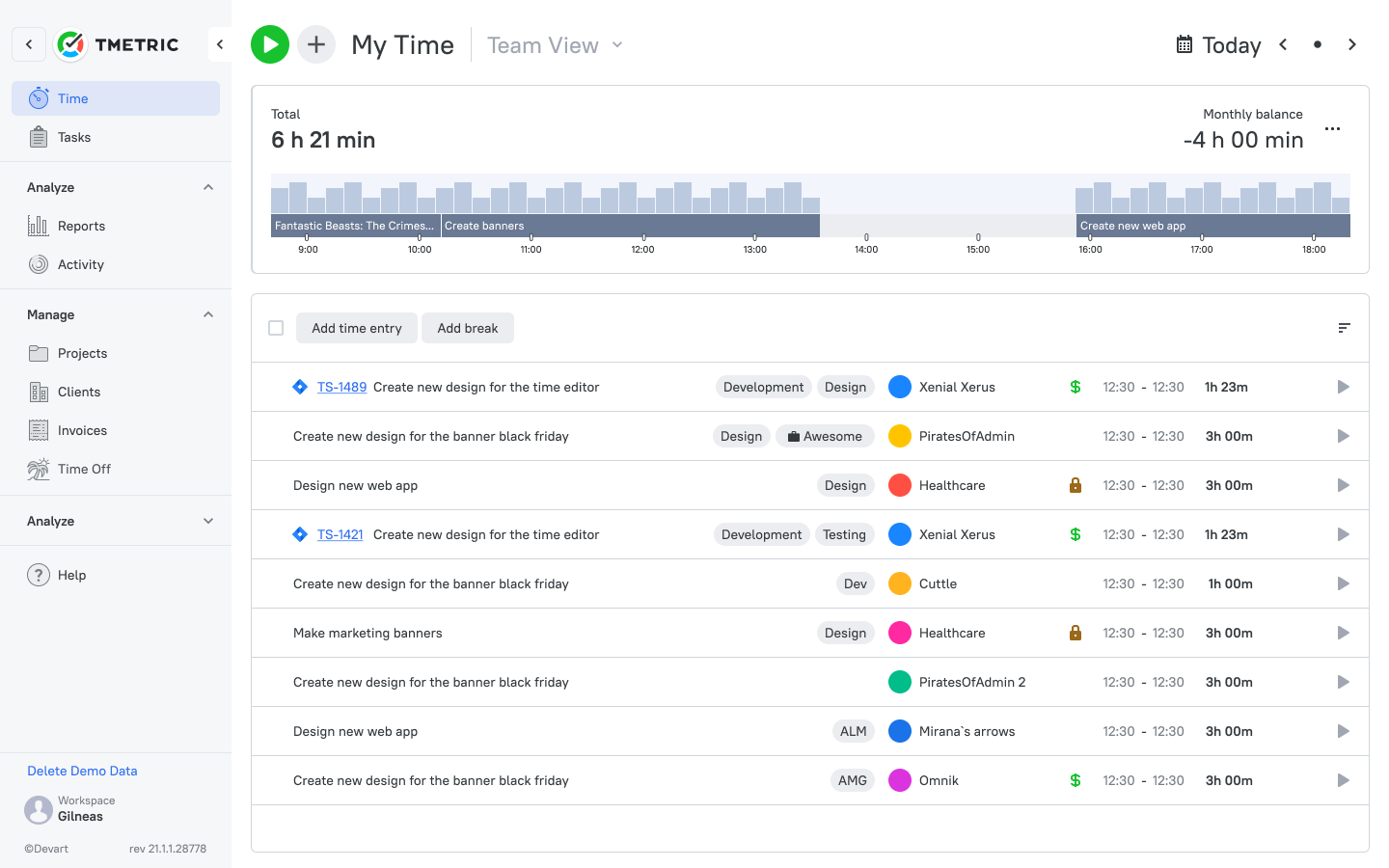
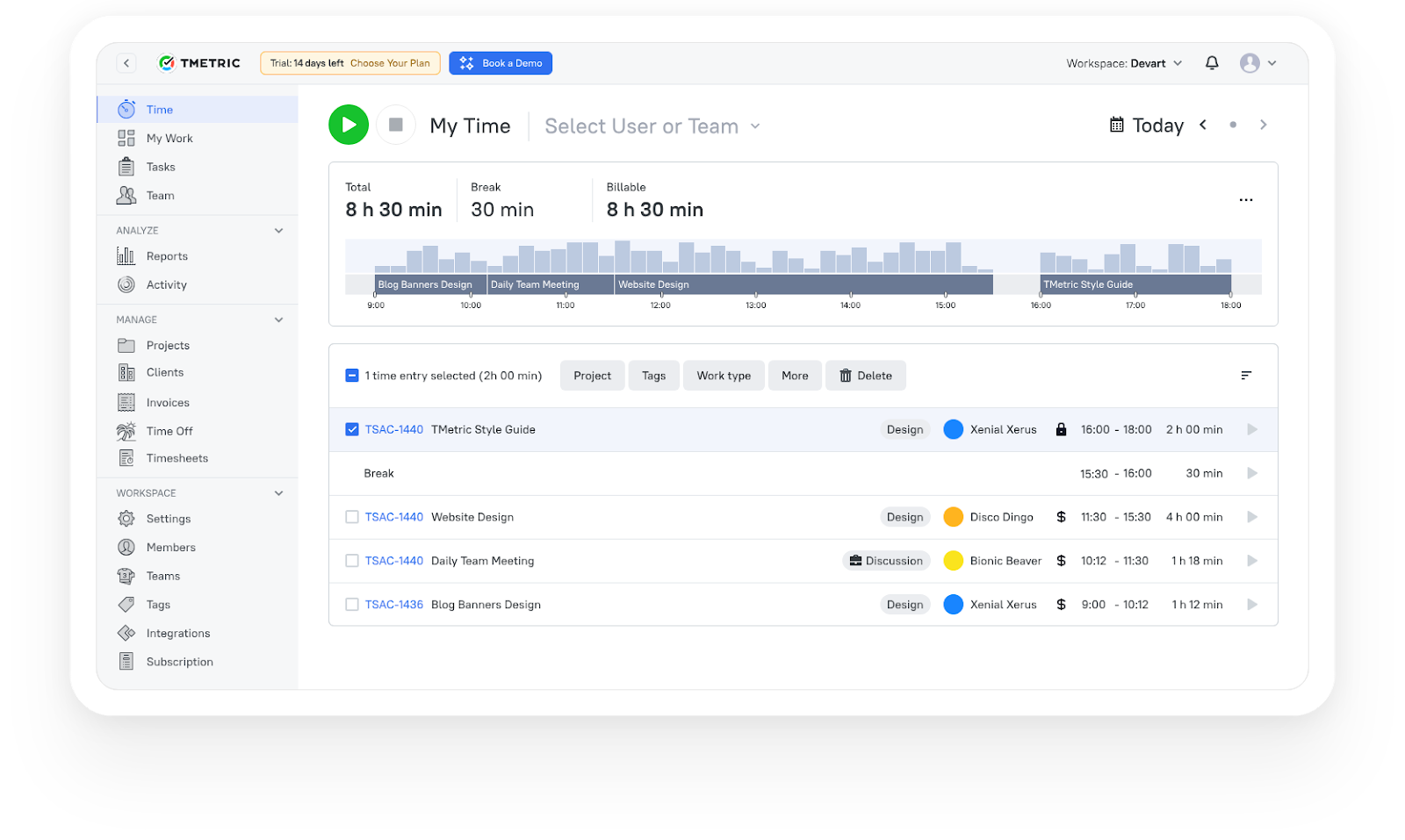
TMetric, a ClickUp alternative, is a time tracking app for freelancers, teams and agencies. It combines accurate timers with project budgeting, invoicing and payroll ready reporting in one interface. With more than 50 integrations and multi-platform support it is one of the most complete solutions for freelancers who need more than just a timer.
| Attribute | Details |
|---|---|
| Company | Devart |
| Core functionality | Time tracking, project management, payroll-ready reporting, invoicing |
| Integrations | Jira, Asana, Trello, GitLab, GitHub, Redmine, QuickBooks, Zapier, Slack, and 40+ more |
| Platforms | Web, Windows, macOS, Linux, iOS, Android |
| Browser extensions | Chrome, Firefox, Edge, Safari, Opera |
| Tracking methods | Automatic timer, manual time entry, idle detection |
| Reporting | Project reports, team productivity dashboards, billable vs. non-billable tracking |
Professional plan starts at $5.83 per user per month. Enterprise pricing available for larger teams.
Reviews
2. Toggl Track
Rating: 4.7/5 (Capterra)
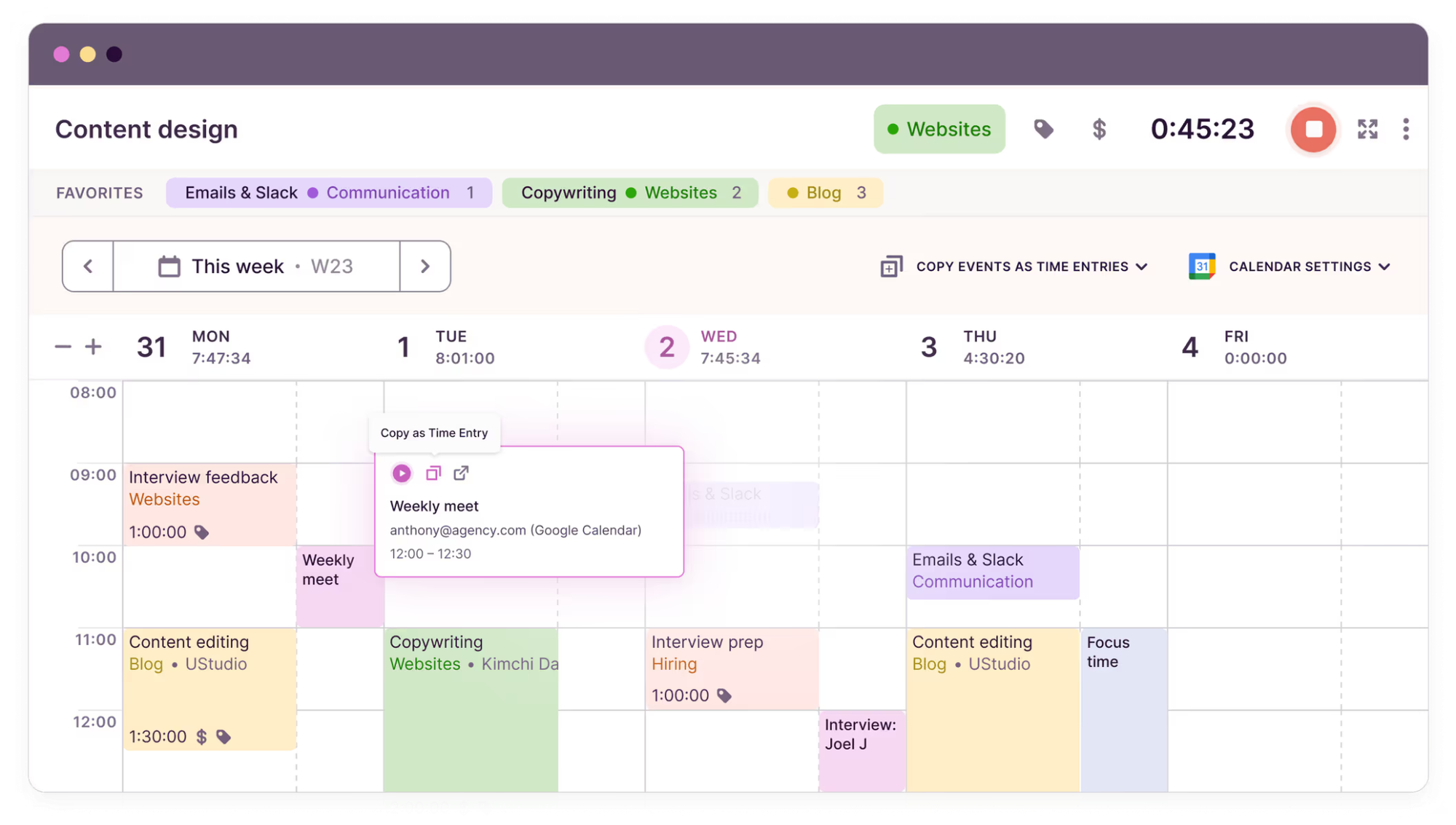
Toggl Track, a ClickUp alternative, is a flexible time tracker and a market leader for years. It’s one-click start and clean design make it easy to get started. What sets Toggl apart is its freeform time entry system, which lets freelancers enter time as they go, or after the fact, without any friction.
| Attribute | Details |
|---|---|
| Company | Toggl |
| Core functionality | Time tracking, project reporting, client management |
| Integrations | Jira, Asana, Slack, Trello, GitHub, Google Calendar, and more via API |
| Platforms | Web, Windows, macOS, Linux, iOS, Android |
| Browser extensions | Chrome, Firefox, Safari, Opera, Edge — latest two versions |
| Tracking methods | Automatic timer, manual entry, offline tracking with sync |
| Reporting | Time reports, project dashboards, team productivity insights |
Reviews
3. Harvest
Rating: 4.6/5 (Capterra)
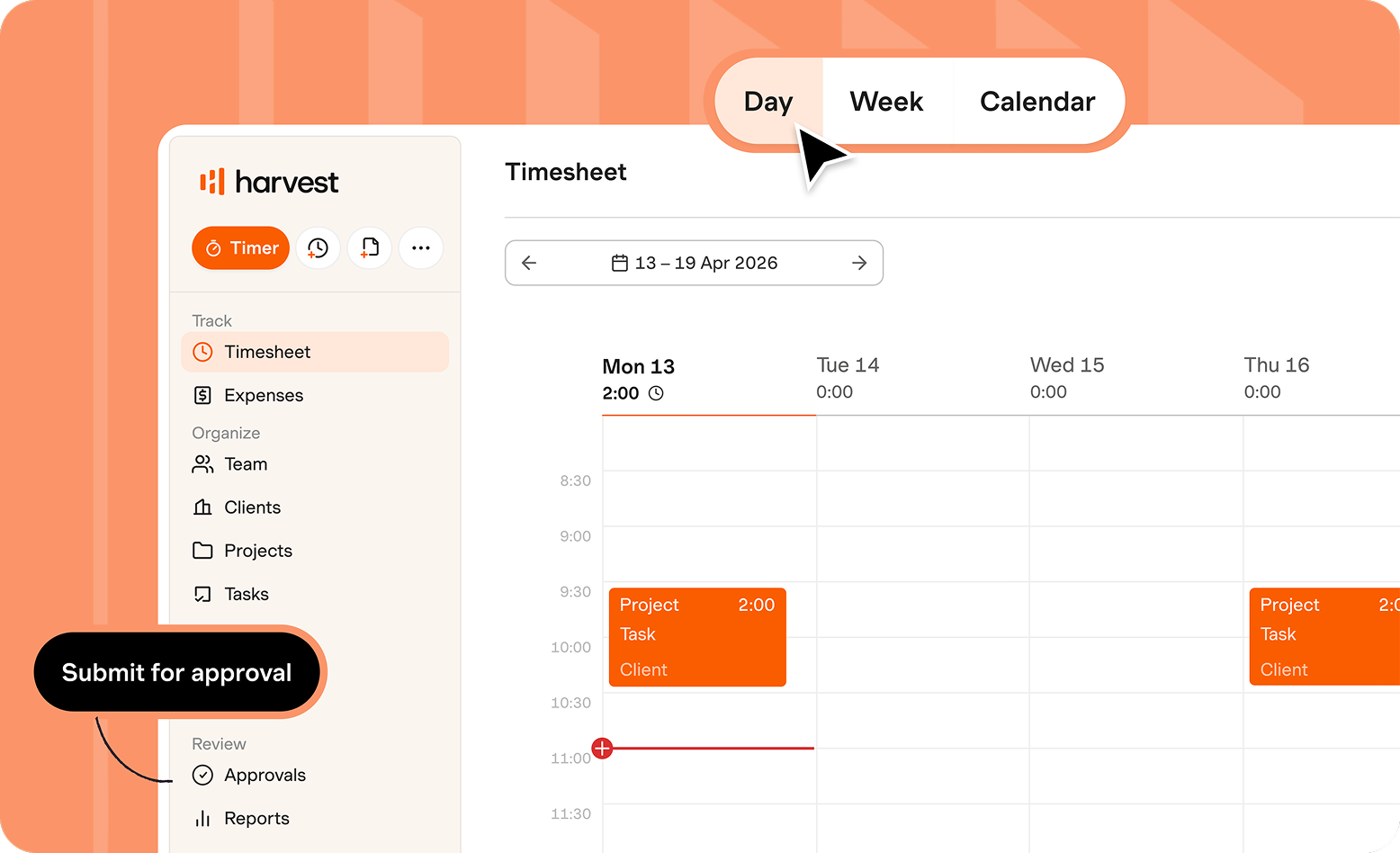
Harvest is an application for tracking time and creating invoices, aimed at freelancers and service businesses who bill hourly. The expense tracking along with time is what sets it apart and gives freelancers the complete picture of project costs. It seamlessly integrates with Stripe and QuickBooks, making the billing cycle more seamless end-to-end.
| Attribute | Details |
|---|---|
| Company | Harvest |
| Core functionality | Time tracking, invoicing, expense tracking, project budgeting |
| Integrations | QuickBooks, Stripe, PayPal, Asana, Trello, Slack, Basecamp, and more |
| Platforms | Web, macOS, iOS, Android |
| Tracking methods | Automatic timer, manual entry |
| Reporting | Project reports, budget tracking, billable time analysis, expense summaries |
Reviews
4. Clockify
Rating: 4.8/5 (Capterra)
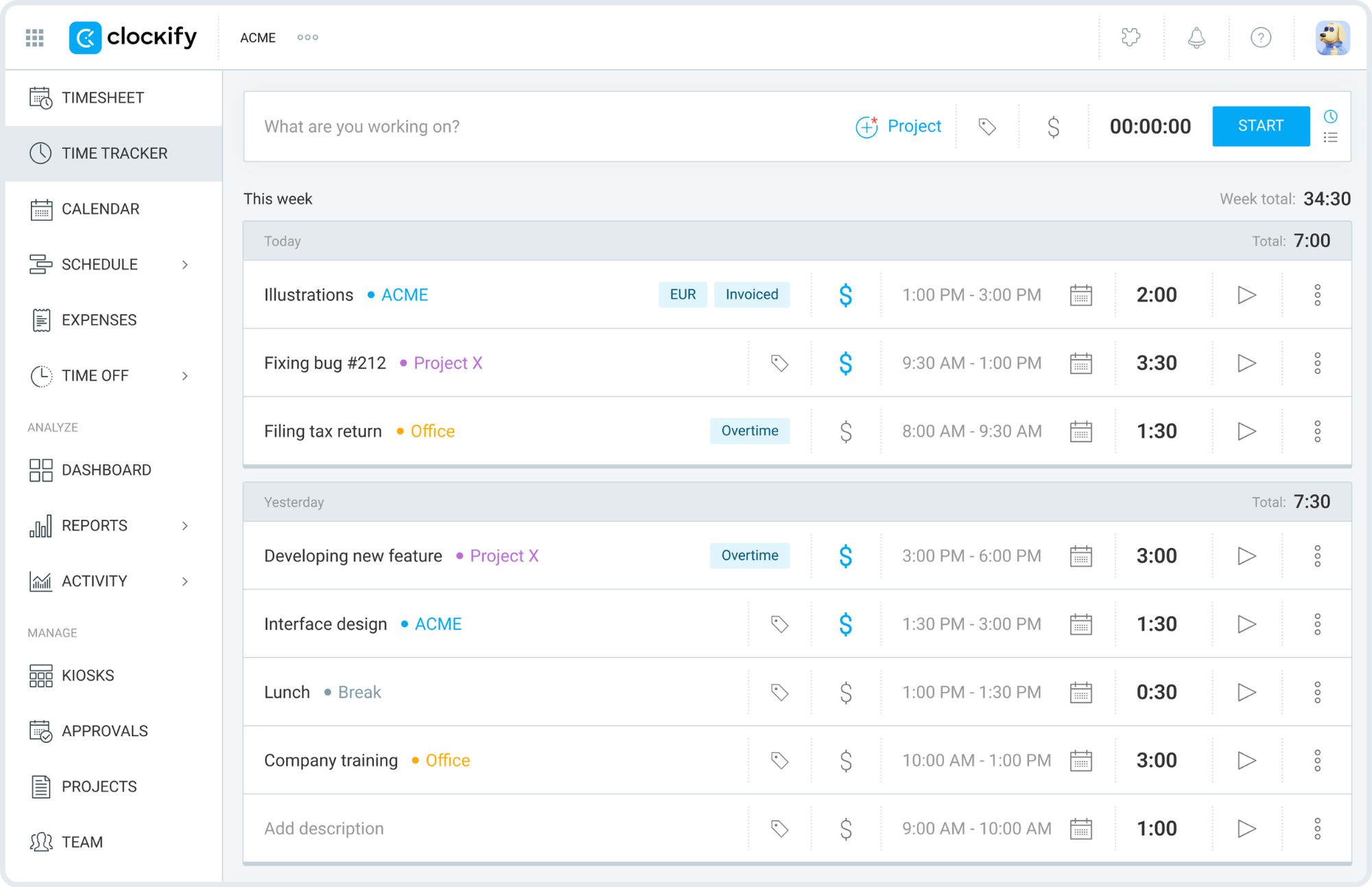
Clockify is one of the most popular time tracking tools out there, and that's mostly because its free plan allows unlimited users without a time limit. That kind of cost-effectiveness and wide range of features makes it a popular option for budget-conscious freelancers who need project tracking, visual reports, and flexible time entry without a monthly contract.
| Attribute | Details |
|---|---|
| Company | CAKE.com |
| Core functionality | Time tracking, timesheets, project tracking, team management |
| Integrations | Trello, Asana, Jira, QuickBooks, Slack, GitHub, and more |
| Platforms | Web, Windows, macOS, Linux, iOS, Android |
| Tracking methods | Automatic timer, manual entry, kiosk tracking |
| Reporting | Time reports, team dashboards, project time analysis, visual breakdowns |
Reviews
5. RescueTime
Rating: 4.6/5 (Capterra)
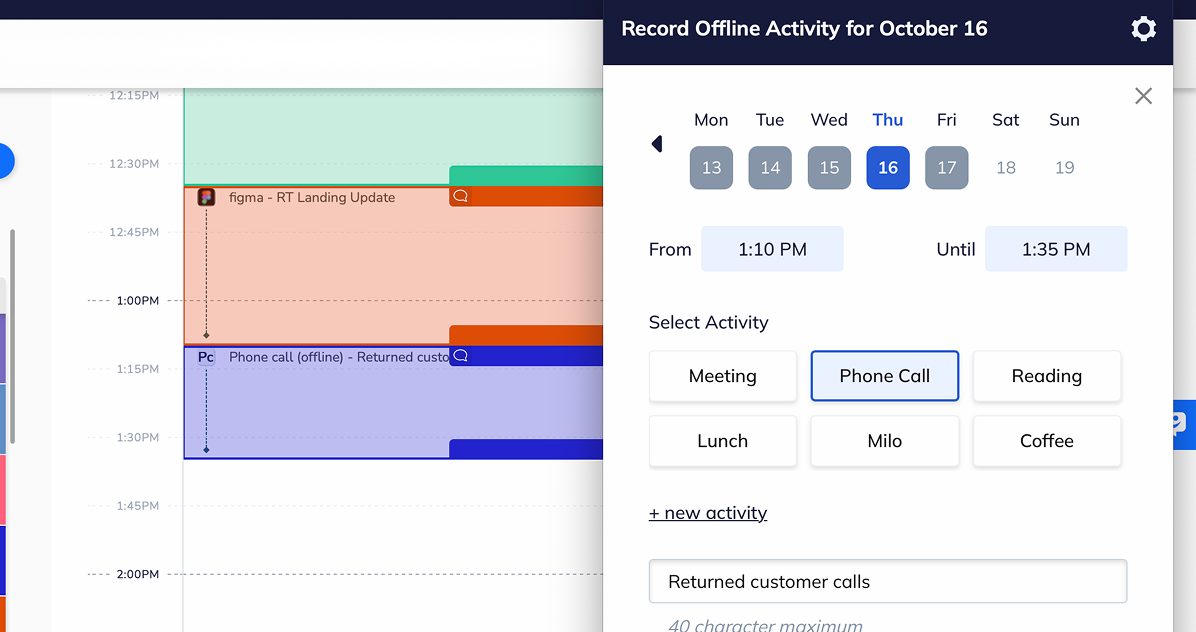
RescueTime does time tracking a little differently, it runs completely in the background, automatically tracking time spent in apps and websites with zero manual input. The key features are productivity scoring and Focus Mode, which give freelancers real data about their work habits, not just a record of billable hours.
| Attribute | Details |
|---|---|
| Company | RescueTime Inc. |
| Core functionality | Automatic productivity tracking, focus tools, time analytics |
| Integrations | Chrome, Firefox, Edge extensions; API for custom integrations |
| Platforms | Web, Windows, macOS, Linux, iOS, Android |
| Tracking methods | Automatic background tracking by app and website |
| Reporting | Productivity scores, visual time distribution reports, focus session logs |
Reviews
6. Hubstaff
Rating: 4.7/5 (Capterra)
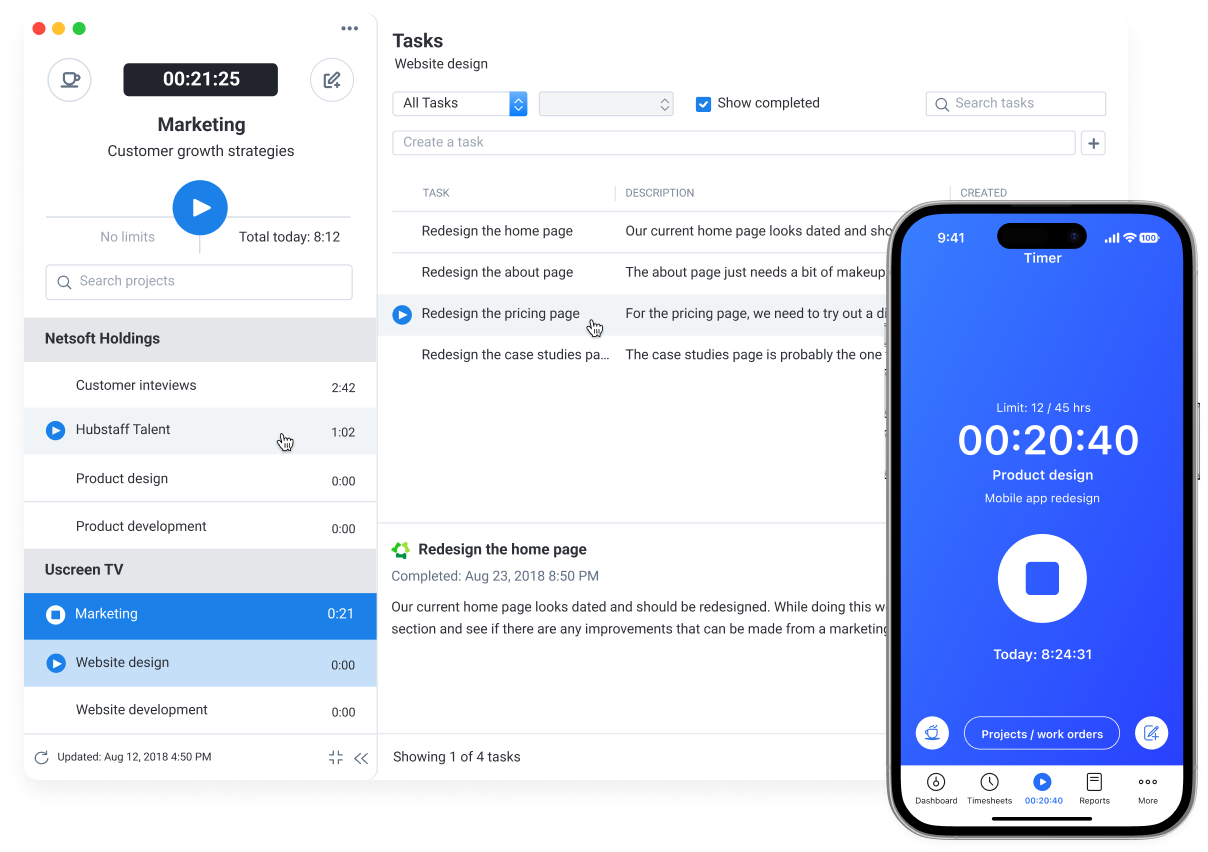
Hubstaff is a time tracking platform designed for freelancers who manage remote teams or need to demonstrate detailed activity data to clients. It stands out through GPS tracking, offline time capture, and a customisable dashboard that brings project budgets, invoicing, and team activity into one place with minimal setup.
| Attribute | Details |
|---|---|
| Company | Hubstaff |
| Core functionality | Time tracking, GPS tracking, invoicing, project management, activity monitoring |
| Integrations | Jira, Asana, Trello, QuickBooks, PayPal, Freshbooks, and more |
| Platforms | Web, Windows, macOS, Linux, iOS, Android |
| Tracking methods | Automatic timer, manual entry, offline mode with sync |
| Reporting | Activity reports, project budget tracking, invoicing summaries |
Reviews
7. TimeCamp
Rating: 4.7/5 (Capterra)
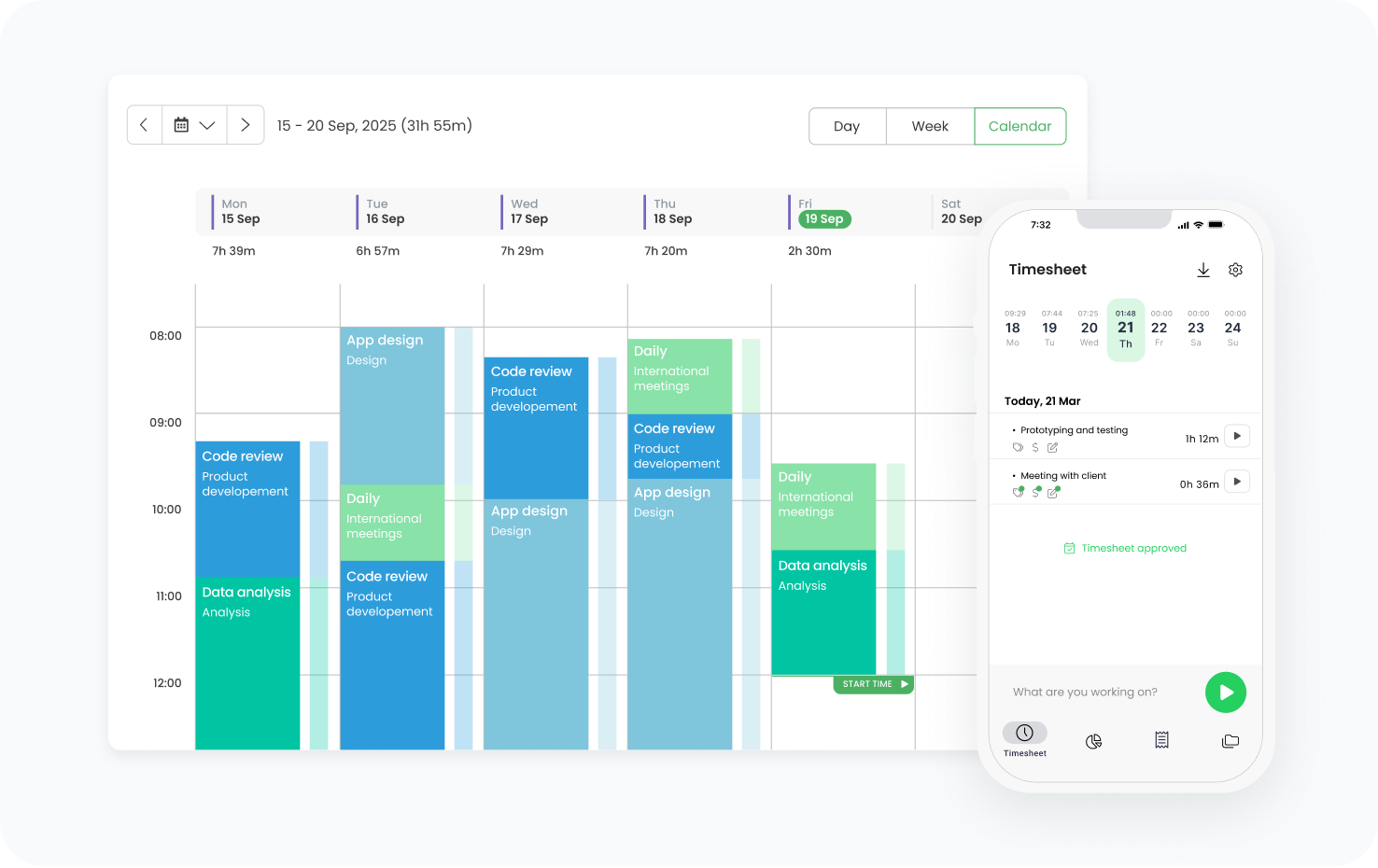
TimeCamp is a fully automatic time tracking tool that logs billable hours without requiring manual timers. It distinguishes itself through keyword-based tracking, which automatically assigns time to projects based on document and window titles. With 100+ integrations and one of the lowest entry-level price points on this list, it suits freelancers who want tracking to run itself.
| Attribute | Details |
|---|---|
| Company | TimeCamp |
| Core functionality | Automatic time tracking, invoicing, productivity analysis, client management |
| Integrations | Asana, Trello, Jira, and 100+ apps via native integrations |
| Platforms | Web, Windows, macOS, Linux, iOS, Android |
| Browser extensions | Chrome, Edge |
| Tracking methods | Automated tracking by app and keyword, manual entry |
| Reporting | Productivity metrics, profitability reports, invoice-ready timesheets |
Reviews
8. Tivazo
Rating: 4.5/5 (User Reviews)
Tivazo is a modern time tracking and workforce productivity platform designed for freelancers, remote teams, and growing businesses. It combines automatic time tracking, employee monitoring, productivity insights, and detailed reporting in a clean, easy-to-use interface. With features like live screenshots, activity monitoring, and performance analytics, Tivazo helps freelancers stay accountable while improving project visibility and billing accuracy.
| Attribute | Details |
|---|---|
| Company | Tivazo |
| Core functionality | Time tracking, productivity monitoring, employee analytics, reporting |
| Integrations | Project management and productivity tool integrations |
| Platforms | Web, Windows, macOS |
| Browser extensions | Chrome |
| Tracking methods | Manual tracking, automatic tracking, activity monitoring |
| Reporting | Productivity reports, performance insights, timesheets, activity tracking |
Who needs the best time tracking apps?
Almost every type of freelancer can benefit from time tracking, but the reasons differ. A solo consultant might need it to protect billable hours, while a freelancer managing a small team may rely on it to keep project costs under control. The best app to track work hours depends on how work is organised and how income is generated.
Solo freelancers and consultants
For independent professionals, time tracking is mostly about protecting billable hours. When you are handling several clients at once, missed entries can easily mean lost income. Tools like Toggl Track and TMetric keep things simple while making it easy to turn tracked hours into accurate invoices.
Freelancers managing remote teams
When you bring contractors or collaborators into your workflow, you need visibility across more than just your own hours. Platforms like Hubstaff and TMetric offer team dashboards, workload monitoring, and shared project reporting that solo tools can't match.
Project-based and agency freelancers
Agencies and project-heavy freelancers rely on billable hours. If time is not tracked consistently, project margins can slip fast. Time tracking tools help you see exactly how much time goes into each client engagement and spot budget overruns before they become a problem.
Productivity-focused freelancers
Some freelancers do not need billing features at all. They need to understand where their time actually goes. Tools like RescueTime track automatically in the background and give honest data on how work hours are being spent without requiring any manual input.
How to choose the best time tracking app for freelancers
Choosing a time tracking tool starts with one question: what decision do you want the data to support? Billing, productivity, project budgeting, and payroll all call for different features.
Define your primary goal
Start with why you need time tracking. Freelancers focused on client billing should prioritise invoicing and rate management. Those looking to improve productivity will get more from automatic tracking and analytics tools.
Consider your workflow complexity
A single freelancer with two clients can use almost any tool effectively. If you manage multiple projects, contractors, or clients simultaneously, look for role-based permissions, project dashboards, and structured reporting.
Evaluate reporting depth
Strong tools turn raw time entries into insights. Look for reports that show billable vs. non-billable hours, project budget status, overtime trends, and how time is distributed across clients.
Review integrations
Time tracking works best when it connects to the tools you already use. Check for compatibility with your project management platform, accounting software, and communication tools before committing to a plan.
Compare long-term costs
Free plans are a good way to test, but growing freelance businesses should check how pricing scales. Some platforms are generous on the free tier but expensive once you need advanced features or add users.
The Takeaway
Time tracking has become a practical necessity for freelancers managing multiple clients, billing by the hour, and trying to understand where their most productive time actually goes. The best time tracking apps help you record work hours accurately, generate invoices without manual effort, and build a clearer picture of your project profitability.
Each tool on this list has its strengths. TimeCamp and RescueTime lead on passive, automatic tracking. Harvest and Clockify are strong choices for invoicing and budget transparency. Hubstaff works best when you need team visibility alongside your own tracking.
TMetric stands out as the most balanced option for freelancers who need more than a simple timer. With time tracking, invoicing, project budgeting, reporting, and 50+ integrations all in one platform, it covers the full range of what a serious freelance operation requires. The free plan makes it easy to start, and the Professional plan keeps costs manageable as your work scales.
Before settling on a platform, it's worth trying two or three options through their free plans or trials. That makes it easier to see which tool actually fits your workflow rather than just looks good in a feature list.
3,000+ companies, teams, and individuals worldwide use TMetric to track time, manage work, and bill with confidence.
FAQ
Are there free time tracking apps for freelancers?
Yes. TMetric, Toggl Track, Clockify, Hubstaff and TimeCamp all offer free plans. Clockify is the most generous with no time limit and unlimited users. TMetric Free tier has core tracking and integrations. Most free plans limit advanced features, so check before you commit.
What features should freelancers look for in a time tracking app?
The best time tracking tools for freelancers have accurate timers, billing support and clear reporting. Manual and automatic time tracking Multiple billing rates Create invoices Track project budgets Integrations with Jira, Asana or QuickBooks.
Can time tracking apps turn hours into invoices?
Yes. The best time tracking app for freelancers will create invoices directly from tracked time, applying your rates automatically. TMetric, Harvest and TimeCamp all do this. Some also integrate with Stripe or PayPal so clients can pay right from the invoice.
Which time tracking app is best for multiple clients and projects?
TMetric is a good option for a best freelance time tracking app to manage multiple clients. It includes project dashboards, client segmentation and billable vs. non-billable breakdowns. Harvest and Clockify also do multi-client setups well.
Can freelancers use time tracking apps on mobile and desktop?
Yes. The best time trackers for freelancers (TMetric, Toggl Track, Clockify, Hubstaff, and TimeCamp) all support web, desktop, and mobile apps, plus browser extensions for tools like Jira and Asana.
Is TMetric a good choice for freelancers who bill clients?
Yes. As a best time tracker for freelancers that handles billing, TMetric supports multiple rates per client and project, auto-generates invoices from tracked time, and exports payroll-ready reports. The Professional plan starts at $7 per user per month.
Which app is best for freelancers who want automatic time tracking?
TimeCamp and RescueTime lead on automatic tracking. Both are strong time tracking tools for freelancers who want zero manual input, TimeCamp uses keyword detection to assign time to projects, while RescueTime classifies activity by app and website in the background.