
New Project Details Page
Meet the latest TMetric release with a new Project Details page, giving you a complete overview of each project in one place. We've also redesigned the main Projects page, adding more useful information for managers.

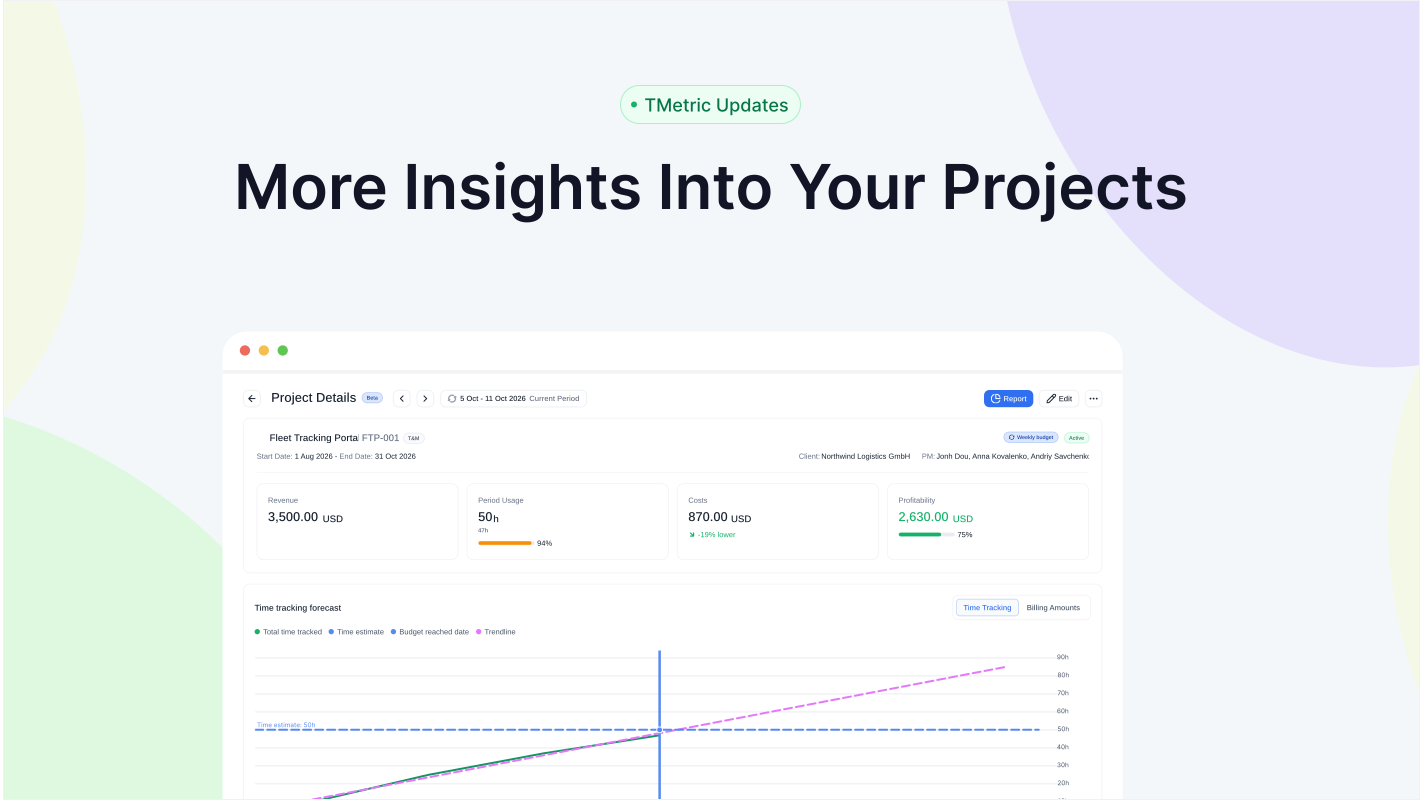
We're happy to roll out the new TMetric release with features that enhance project management. On the new Project Details page, managers can get a complete overview of a project in one place. Plus, we've redesigned the Projects page to provide managers with useful information to organize and manage their projects with ease.
Project Details Page
The new Project Details page gives you a complete overview of a project, including financial information and trend lines to help you better track and manage its progress. It's currently available in beta.
To access the Project Details page for any project, do the following:
- Go to the Projects page.
- Find the project you need in the list and click it.
- The Project Details page opens, showing the project summary.
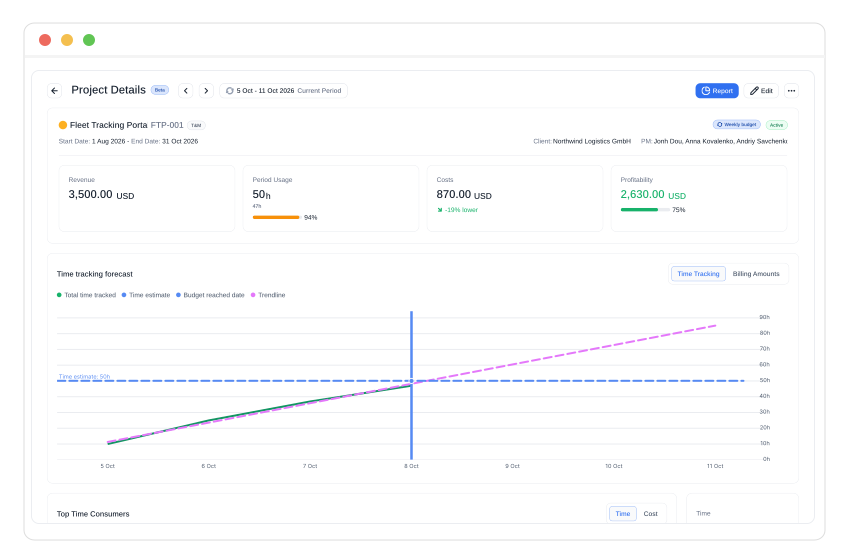
The page shows essential project information at a glance: its name, client, billing type, budget recurrence, project period, project manager, and status. You can also manage the project directly from this page, with options to edit, duplicate, or delete it, and view additional information in the Projects Summary report by clicking the Report link.
The metric cards on this page show the project’s revenue, budget total or period usage, costs, and profit. The chart visually displays time-tracking data or billing amounts to help forecast future time and costs. So, you can easily make informed decisions for the project's success.
You will also find informational cards for the top consumers, allowing you to quickly identify the tasks, activities, or resources that consume the most time and cost.
Other Enhancements
Improved Projects page
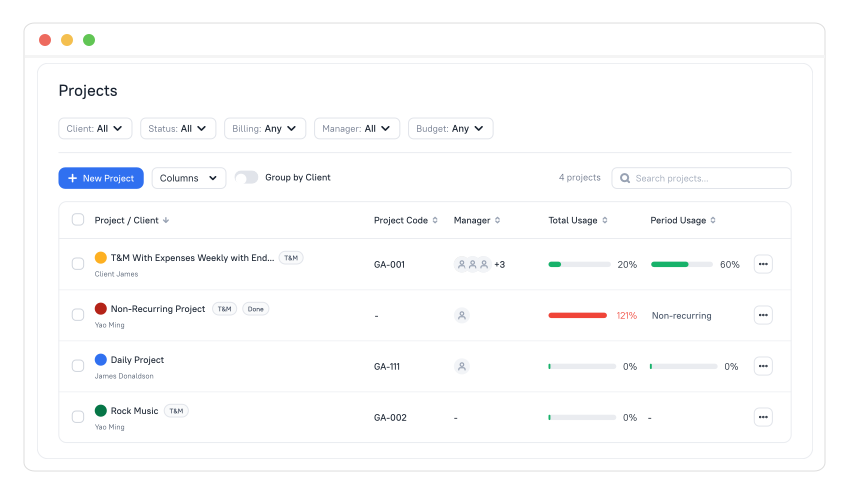
We've updated the project table view and column names to provide a clearer and more intuitive overview of projects in TMetric. You can use the Columns filter to customize the table view.
Timesheet Pages Redesign
We've also redesigned the Team Timesheets and My Timesheets pages, making it easier to filter and group data. Members can organize their own timesheets, while Admins and Team Leads can manage data for others using the new filters and grouping options.
About TMetric
TMetric is a time tracking web app for both freelancers and big companies. Great control over time intervals and project budgets, flexible billable rates, crystal clear reporting, transparent team monitoring, and lots of integrations, all wrapped up into a light interface. Calculation on how much time is spent on certain projects, clients, and tasks in an instant.