
5 Best Android Time Tracking Apps
“Good enough” Android time tracking gets expensive faster than most teams realize. Missed timers, weak syncing, and messy reports quietly turn into lost hours, billing gaps, and broken workflows over time. These 5 apps were built to keep mobile tracking reliable when real work starts moving fast.

In 2026, Android users need a time tracker that works the way they do: fast, on the go, and accurate enough to build billing and payroll around. The problem? Many apps look fine on desktop but feel limited on mobile, lacking invoicing, GPS, or solid reporting once you leave the browser.
This article highlights the 5 best apps that skip those limits. Whether tracking hours, site visits, or projects, these apps simplify mobile workflows.
Our top picks:
Why Trust This Review
Most mobile time tracking solution reviews focus on feature lists. This one focuses on what happens after the app is installed on an actual Android phone.
Each tool was evaluated around real mobile workflow friction: timer speed, offline reliability, syncing quality, reporting depth, invoicing support, GPS functionality, integration flexibility, and day-to-day usability across freelancers, teams, and field operations.
Some apps are better for billing. Others are stronger for GPS tracking, automation, or project-heavy workflows. The goal here is simpler: help you find the right Android time tracker faster, based on how your work actually happens.
What Makes the Best Time Tracking App for Android
Choosing the best time tracking app for Android depends on how you work. A freelancer billing clients needs something different from a field team managing shifts across multiple locations. The features below usually determine whether an app becomes part of your workflow or gets abandoned after a week.
Fast mobile logging
Speed matters on mobile. If starting or stopping a timer takes too many taps, entries get missed during meetings, travel, or field work. The best apps launch quickly, make edits easy, and let you switch projects without opening a desktop dashboard.
Automatic or background tracking
Some users prefer manual timers. Others want to have tracking in the background by activity, app usage or location detection. What is right depends on how much your workflow benefits from automation or direct control. Now, whether you want to automate or take over, depends on what your workflow would benefit more.
Reports, timesheets, and visibility
Tracked hours are only valuable if you can make use of the data later. Good Android time tracker applications produce crisp reports, timesheets you can export, and summaries ready for clients directly from your mobile device. This helps teams manage billing, payroll, and project visibility more efficiently.
Billable hours and invoicing
Billing features save freelancers, consultants and agencies time every month. Some of the best features include billable rates, invoice generation, and integrations with other apps like QuickBooks and Xero for even smoother accounting workflows.
 Dmytro Sidenko
Projects and integrations
Time tracking becomes most effective when it connects to your larger workflow. Powerful apps integrate with tools like Jira, Asana, Trello, Slack, and ClickUp, so teams aren’t left to reconcile time data on their own.
5 Best Time Tracking Apps for Android
Here’s a breakdown of the 5 best Android time tracking apps in 2026, shortlisted for how well they handle real mobile workflows. Some focus on billing and invoicing, others on GPS tracking, automation, or project-heavy teams. The goal is simple: help you find the right fit faster.
1. TMetric
⭐ 4.6/5 (G2)
Best for: Service teams, Agencies, freelancers, and teams managing billable projects
Pricing: Free plan available; paid plans start at $5.83 per user/month
Available on: Web, iOS, Android, macOS, Windows, and Linux
Why TMetric ranks #1
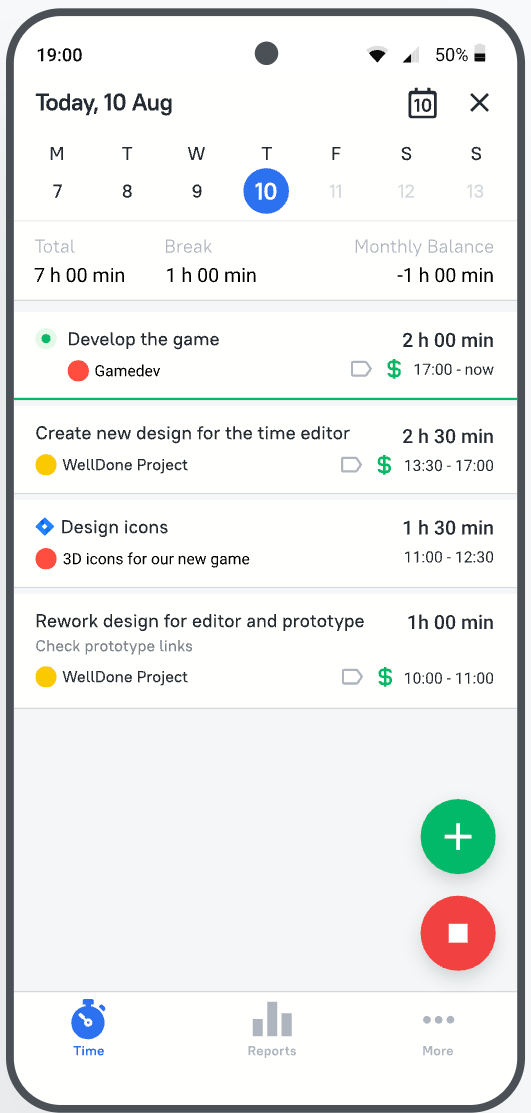
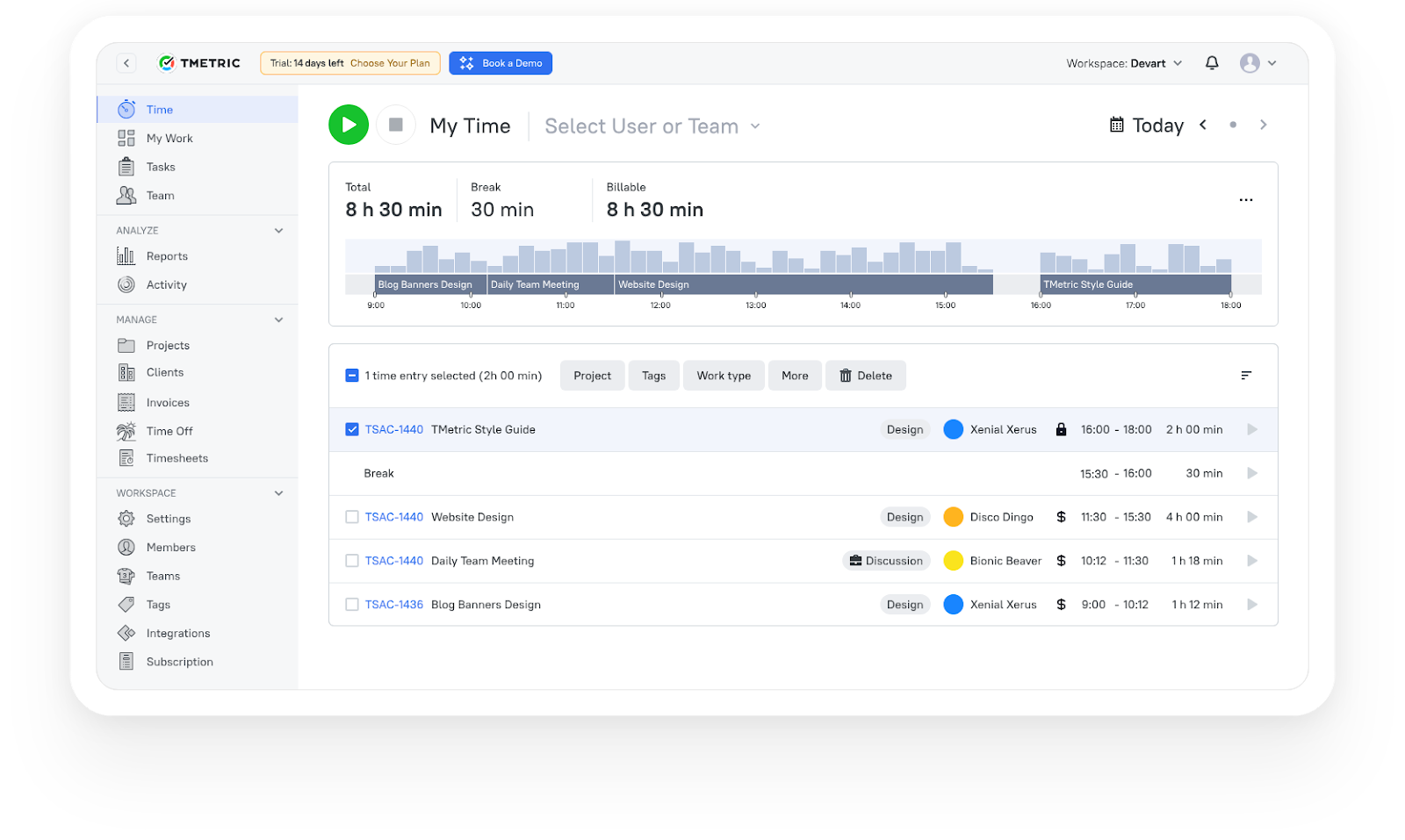
TMetric makes it easy for teams to track billable work without the admin overhead of logging time. Time is tracked from the moment it’s logged on projects, clients, and tasks, making reporting, budgeting, invoicing, and payroll easier down the line. Managers can see workloads and project costs, and team members can easily track hours from Android without breaking their workflow.
Product overview
What TMetric users are saying
We are tracking time of developers and reviewing their work according to TMetric data and it really helps us to manage our team and product development. Also TMetric is part of our KPI calculation. —Ali N, CTO
"TMetric has become an essential tool for our marketing team. I love how easy it is to track time across projects, campaigns, from SEO and content creation to ad management. For us, the ability to add billable rates and set project budgets is a must and I'm glad TMetric has both options. Also, detailed reports are vital for our workflow since we can see how much time is spent for each project and task and can use this informaiton for future estimates." —Ruslan Q, Marketing Lead
"As an outsourcing company with a growing team at Intellabridge.com we needed flexibility and low cost with integration into Jira and Trello. Tmetric was the obvious solution. Because of the ease of use and ability to add browser extensions for Jira and Trello it makes it much easier to track time and invoice clients. I would highly recommend this product!" —Maria N, Managing Director
2. Toggl Track
⭐ 4.6/5 (G2)
Best for: Freelancers and small teams that need fast, lightweight time tracking
Pricing: Free plan available; paid plans start at $9 per user/month
Available on: Web, iOS, Android, macOS, Windows, and Linux
Why teams choose Toggl Track
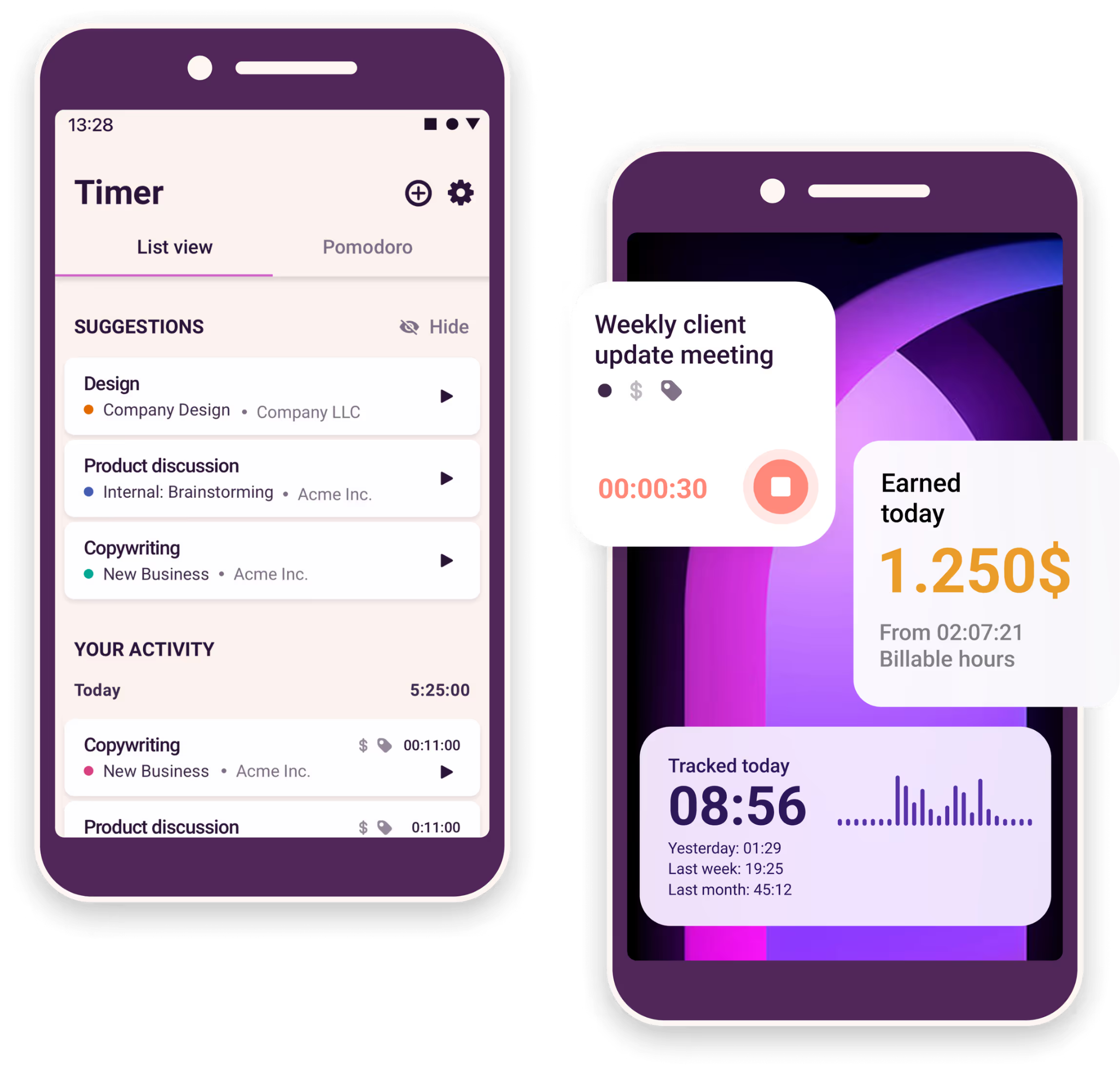
Toggl Track is all about being simple. Designed for quick time logging, quick switching between projects and little setup, the Android app is a great fit for freelancers and small teams who want reliable tracking but don’t want the admin hassle. Calendar sync, shortcuts, widgets, and smart suggestions are some of the features that help cut down on friction all day long.
Product overview
What users say
3. Hubstaff
⭐ 4.4/5 (G2)
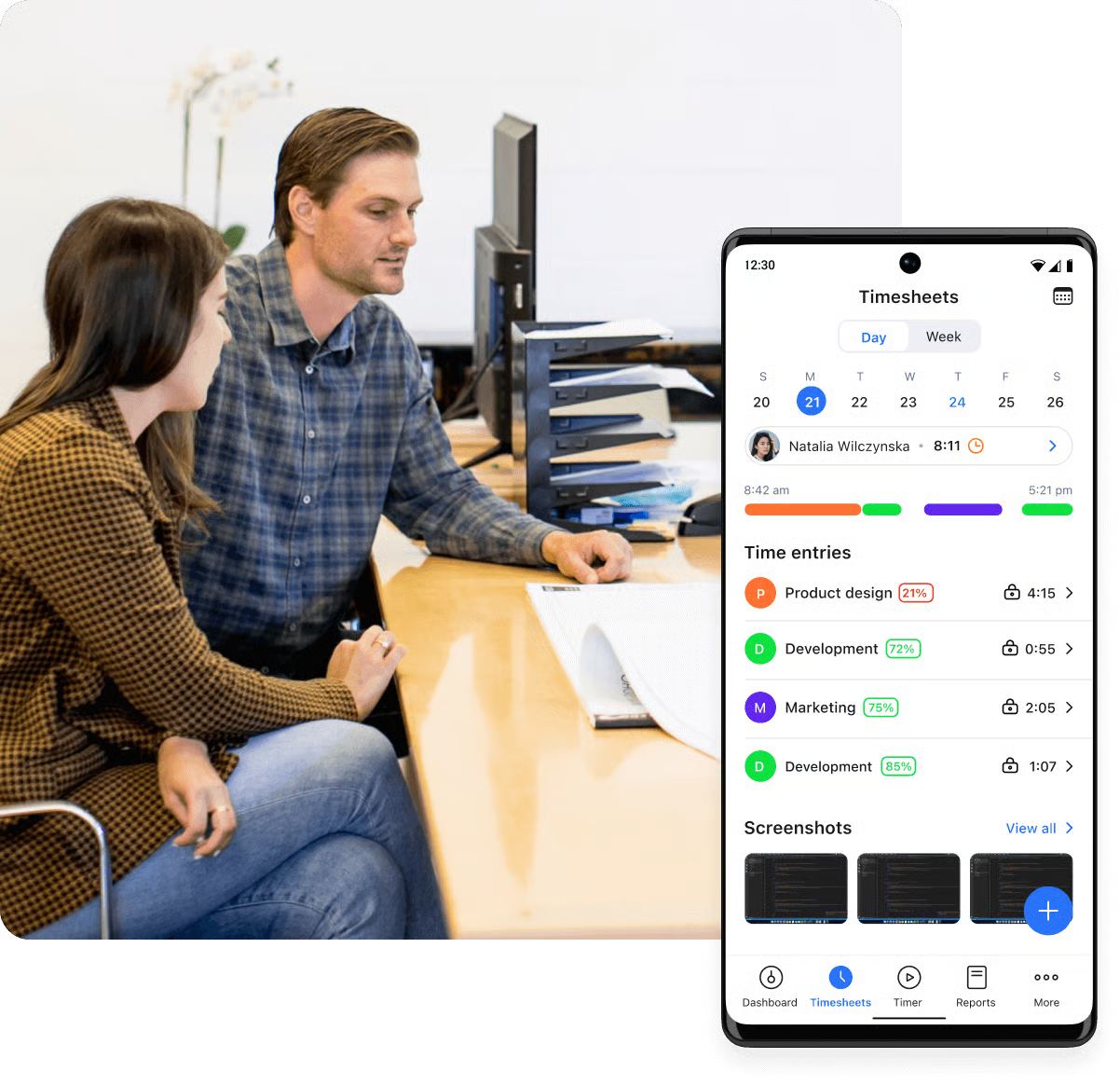
Best for: Field teams, mobile crews, and businesses that need GPS tracking
Pricing: Free trial available; paid plans start at $4.99 per user/month
Available on: Web, iOS, Android, macOS, Windows, and Linux
Why teams choose Hubstaff
Hubstaff is built for businesses that manage people across job sites, routes, and field operations. GPS tracking, geofencing, and automatic clock-ins help teams track where work happens, not just how long it takes. The Android app runs quietly in the background, making it useful for construction crews, field service teams, delivery businesses, and mobile workforces.
Product overview
What users say
4. Harvest
⭐ 4.3/5 (G2)
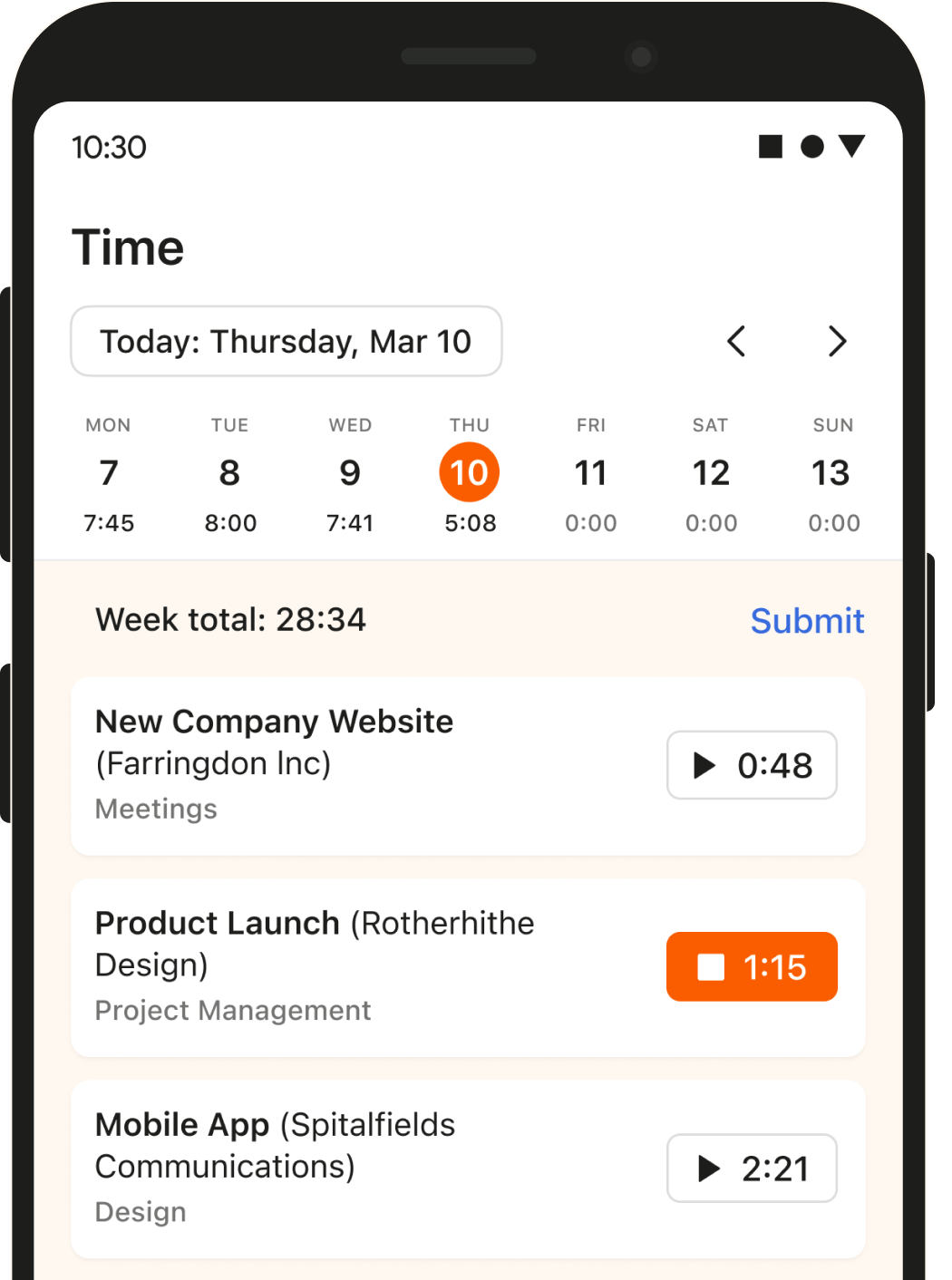
Best for: Agencies, consultants, and service businesses that bill clients regularly
Pricing: Free plan available; paid plans start at $9 per user/month
Available on: Web, iOS, Android, macOS, and Windows
Why teams choose it
Harvest is built for teams that regularly bill clients and need time tracking tied directly to invoicing, budgeting, and accounting. Agencies and consultants benefit from how easily tracked hours flow into invoices, expenses, and financial reporting. The Android app keeps time logging simple while giving teams quick access to budgets, billable work, and project visibility on the go.
Product overview
What users say
5. Clockify
⭐ 4.5/5 (G2)
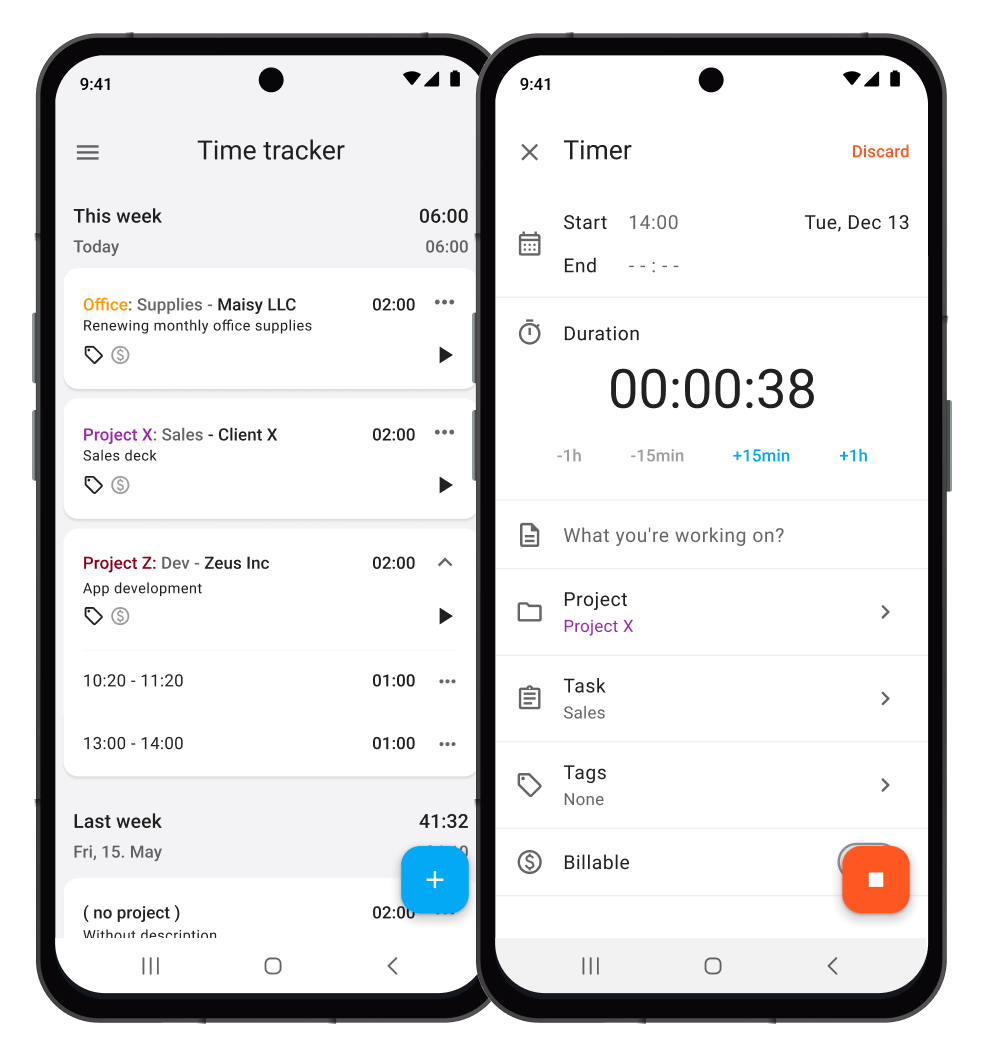
Best for: Growing teams that need free time tracking for unlimited users
Pricing: Free plan available; paid plans start at $4.99 per user/month
Available on: Web, iOS, Android, macOS, Windows, and Linux
Why teams choose Clockify
Clockify is one of the best android apps to track time at scale without getting forced into expensive per-user pricing early. The free plan includes unlimited users and projects, which makes it popular with startups, agencies, and operations teams that need solid tracking without stretching the budget. The Android app keeps things simple and works well for everyday team use.
Product overview
What users say
How to Choose The Right Android Time Tracking App for Your Workflow
The best Android time trackers are built for different workflows. The right choice depends on how your team works and which features matter most day to day.
Match the tool to the workflow
Freelancers and agencies usually need invoicing and billable rates, making TMetric, Harvest, or Paymo stronger fits. Field teams benefit more from GPS tracking and geofencing, where Hubstaff stands out. Teams already working in Jira or Asana may prefer Everhour’s tighter integrations.
Prioritize the right features
Some teams care most about billing. Others need payroll accuracy, approvals, budgeting, or project visibility. Focus on the features that solve your real workflow problems instead of chasing the longest feature list.
 Alla Chernets
Test the Android experience
Even the best Android tracker only works if people actually use it. Check how quickly timers start, how reliable syncing feels, and whether the app works smoothly on mobile. Small frustrations usually turn into missing time entries later.
Plan for growth
Free plans work well early on, but growing teams usually need approvals, reporting, invoicing, or GPS tracking later. Before committing, look at how pricing scales as your team grows.
The Takeaway
The best Android time tracking app depends on how your team works. Toggl Track and Clockify are strong for simple daily tracking, Hubstaff stands out for GPS-based field teams, while Harvest and Paymo fit agencies that bill clients regularly.
If you need a more balanced all-rounder, TMetric is the strongest option in this list. It combines Android tracking, reporting, billable hours, budgeting, invoicing, and team workflows without becoming overly complex.
3,000+ companies, teams, and individuals worldwide use TMetric to track time, manage work, and bill with confidence.
FAQ
Are there free time tracking apps for Android?
Yes. Clockify, TMetric, Toggl Track, TimeCamp, and Paymo all offer free Android plans. Clockify stands out for unlimited users and projects, while TMetric’s free plan supports up to two users with reporting and API access.
Do Android time tracking apps work offline?
Some do. TMetric and Hubstaff both support offline tracking, then sync entries automatically once the connection returns.
Is TMetric good for billable work and teams?
TMetric is a good match for freelancers, agencies, and growing teams because it unites billable tracking, reporting, invoicing, approvals, and project budgeting in a single platform.
What is the best Android time tracker for freelancers?
TMetric, Harvest and Paymo are good options for freelancers as they offer a mix of tracking and invoicing features. If you invoice elsewhere, Toggl Track is a good choice.