
Best Paymo Alternative: TMetric vs Paymo Comparison
The question isn't whether Paymo is a good platform. The question is whether your team needs project management or better time visibility. Read the article for a side-by-side comparison of Paymo and TMetric and find out which tool is better aligned with your workflow.


Today, Paymo is trusted by over 100,000 independent professionals and small teams worldwide. However, even within such a large user base, teams sometimes outgrow a tool or seek a simpler fit.
One of the most well-known Paymo alternatives is TMetric. TMetric focuses on making time tracking and profitability central, rather than project management. This guide will compare Paymo and TMetric side-by-side, so you can decide which fits your team’s needs best.
Why teams search for a Paymo alternative
The most common trigger is a mismatch between what the tool offers and what the team actually needs. Paymo is built around project management first, with time tracking, invoicing, and resource scheduling integrated into that workflow. For teams whose work centers on time data rather than project planning, that depth can feel like overhead.
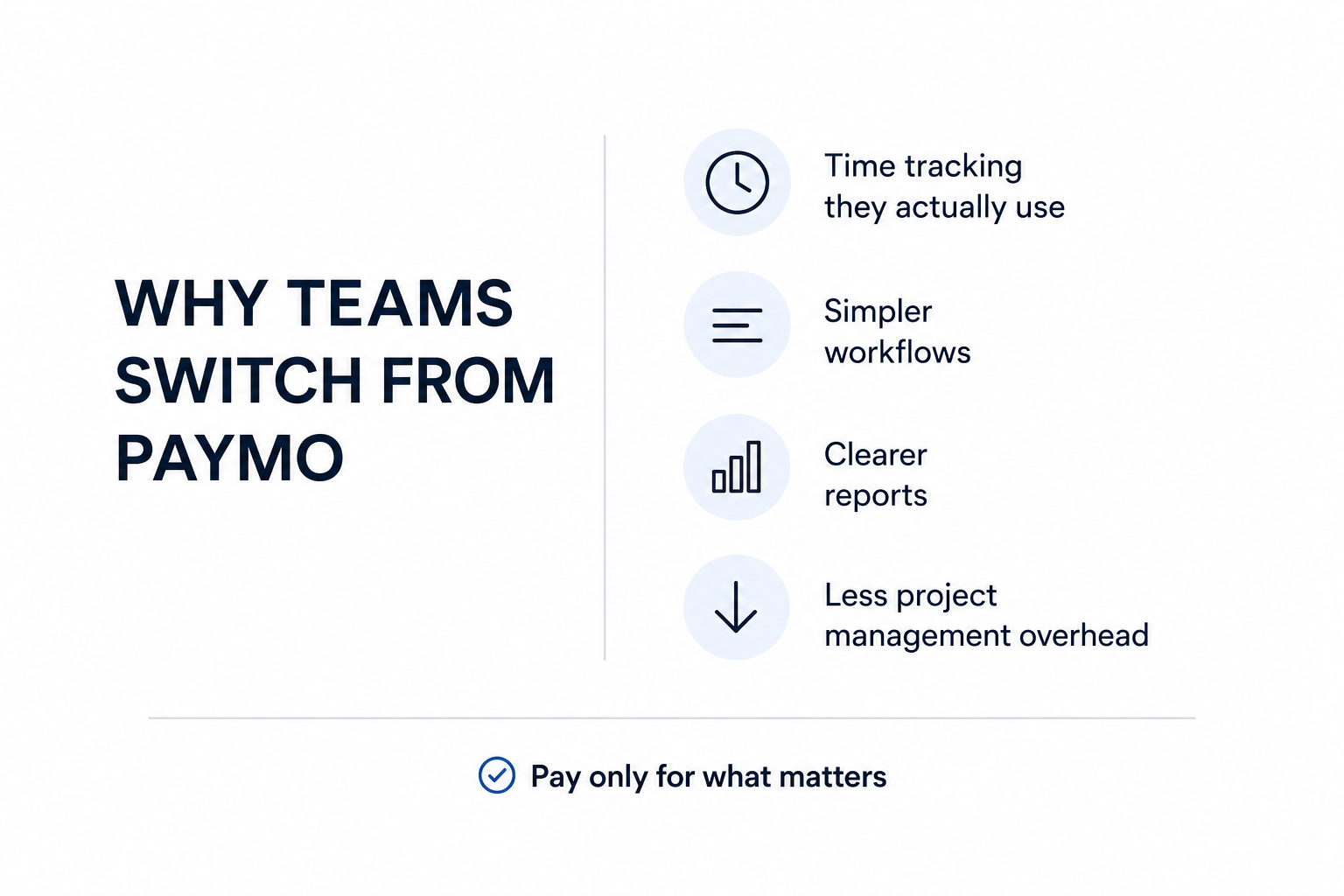
Two distinct buyer profiles emerge in this search. The first is a team that has grown beyond Paymo and needs broader operational visibility, cross-functional planning, or richer analytics. The second, and arguably more common, is a team that never needed all of Paymo's PM features to begin with. They want reliable time tracking, clean timesheets, straightforward billing support, and reports they can actually use. A heavier platform is not an upgrade for them.
The cost structure matters here too. Paymo's entry plan starts at around $5.95 per user per month billed annually, which is reasonable. But if a team is paying for Gantt charts, resource scheduling, and task workflows they don't use, that math starts to look different.
When Paymo is no longer the right fit
A Paymo app often becomes harder to justify when project management is no longer the center of the workflow. You may have outgrown the platform if:
- Projects already live in Jira, Asana, or ClickUp.
- Timesheets matter more than project schedules.
- Teams duplicate work across multiple tools.
- Payroll and billing reports take extra effort.
- Adoption is slow because the platform feels too complex.
- You need faster rollout with less training.
In these situations, a dedicated time-tracking platform can be easier to adopt and maintain.
When switching from Paymo is unnecessary
Not every team that considers alternatives should actually switch. Paymo is a strong fit for small teams and agencies that genuinely want project management, time tracking, invoicing, and resource scheduling in one place. If those features form your core workflow, Paymo's integrated approach saves you from stitching together multiple tools.
Paymo also supports project profitability tracking, which is useful for agencies that need to connect billable hours directly to project margins. If that workflow is central to how you run the business, a time tracking-only platform will leave gaps. Evaluate whether you use the PM layer before assuming you need something different.
Before diving deeper, let’s see where the two platforms differ at a high level. The comparison below covers the features and capabilities that usually influence the buying decision.
TMetric vs Paymo at a glance
The biggest difference comes down to focus. TMetric is designed around time tracking, billing, and team visibility, while Paymo time tracking combines those capabilities with project planning and resource management.
If you're deciding between the two, start with the comparison below. It highlights the features that usually have the biggest impact on day-to-day use.
| Feature | TMetric | Paymo |
|---|---|---|
| Best for | Service businesses, consultants, remote teams | Agencies and project-based teams |
| Primary focus | Time tracking, billing, budgeting, team visibility | Project management with built-in time tracking |
| Free plan | Yes — up to 2 users | Yes — free account available |
| Billable rates | Yes | Yes |
| Invoicing | Yes | Yes |
| Timesheet approvals | Higher-tier plans | Higher-tier plans |
| Time off management | Yes | Yes |
| Project budgets | Budget tracking and alerts | Budget monitoring and project planning |
| Profitability tracking | Project costs and margins | Project and client profitability |
| Task management | Basic task management | Advanced task and project management |
| Gantt charts | No | Yes |
| Team scheduling | No | Yes |
| Client collaboration | Not a primary feature | Guest portal, comments, file proofing |
| Integrations | 50+ integrations | Integrations and API available |
| Mobile apps | iOS and Android | iOS and Android |
| Free trial | 14 days, no credit card | 15 days, no credit card |
At a high level, the table shows that Paymo competitors like TMetric lean toward teams that already have a project management system and need better visibility into time, costs, and utilization.
How to Track Expenses in TMetric
Paymo, on the other hand, makes more sense for teams that want project planning, scheduling, time tracking, and invoicing bundled into a single platform.
To understand why teams choose one platform over the other, it's worth looking at what each product is fundamentally designed to do.
TMetric vs Paymo: Core positioning difference
Both tools track time, manage projects, and support billing. The real difference is what they're trying to optimize.
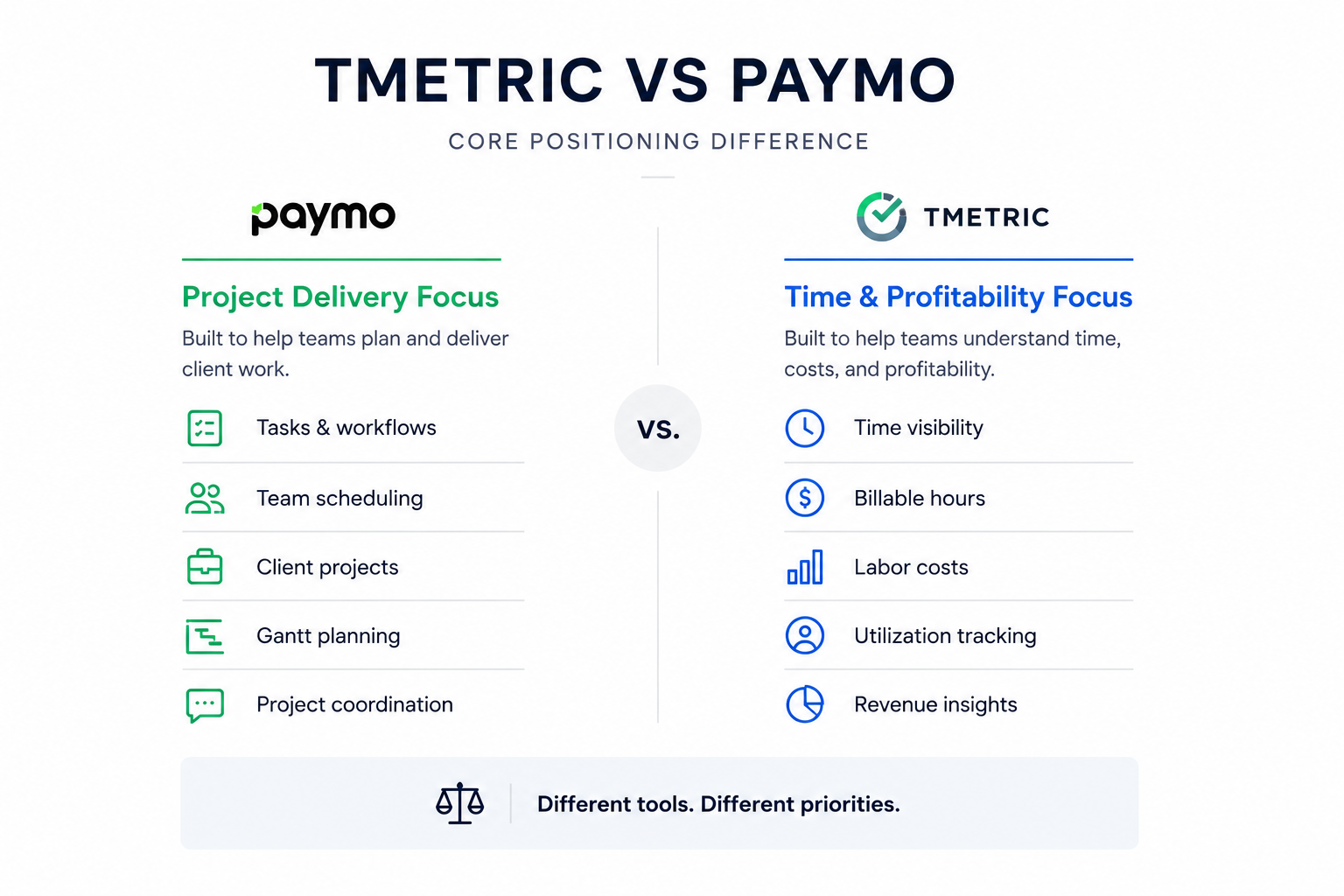
Paymo is designed to help teams plan and deliver client work. TMetric is designed to help teams understand where time goes, what it costs, and whether it's profitable. That may sound subtle, but it shapes almost every part of the user experience.
Paymo's angle: Project delivery and client work management
Paymo is built around running projects from start to finish. Task management, Gantt charts, team scheduling, client collaboration, invoicing, and profitability reporting all live in the same platform. Time tracking is tightly connected to the project workflow, so hours logged against tasks automatically feed into budgets, reports, and invoices.
That approach works particularly well for agencies and service businesses managing multiple client projects at once. Everyone works from the same system, making it easier to coordinate deadlines, workloads, approvals, and billing.
The trade-off is that teams looking primarily for time tracking often end up adopting a much larger project management framework than they actually need.
TMetric's angle: Time visibility and profitability control
TMetric, a dedicated time tracking software, starts from a different question: where is the team's time going, and is that time generating revenue?
TMetric's messaging focuses heavily on the financial impact of missed time entries and billing errors. The company claims service teams can lose up to 20% of billable time through tracking gaps and invoicing mistakes, which helps explain its emphasis on automated tracking, billing workflows, and profitability reporting.
Instead of replacing existing project management software, TMetric integrates with more than 50 tools, including Jira, Asana, GitHub, QuickBooks, and Slack. That allows teams to keep their current workflows while gaining better visibility into utilization, labour costs, and billable work.
For larger service teams, that distinction matters. A handful of missed hours each week may not seem significant, but across dozens of employees it can quickly become hundreds of unbilled hours each month. That's often the point where organizations begin treating time management and project management as separate operational functions rather than forcing both into the same tool.
Once you understand that difference in focus, it becomes much easier to see which teams are likely to benefit most from TMetric and which are usually better served by Paymo.
Who should choose TMetric instead of Paymo
TMetric is a stronger fit for teams that see time tracking as an operational system rather than a project management feature.
The clearest sign is that project planning already happens somewhere else. If your team manages work in Jira, Asana, ClickUp, GitHub, or another PM tool, adding a second project management platform often creates more administration than value. In that situation, the priority shifts from planning work to understanding where time goes, what it costs, and what can actually be billed.
TMetric also makes sense for organizations that need clean timesheets, budget visibility, attendance tracking, and invoice-ready reporting without rolling out a full project management workspace. The platform is built around tracking hours, controlling costs, and turning time data into financial insights rather than managing project schedules.
Best-fit teams for TMetric
TMetric is typically the better choice for:
- Agencies that need billable-hour tracking without complex project planning.
- Consultancies where revenue depends directly on recorded time.
- IT and development teams already working in Jira, GitHub, or similar tools.
- Support and operations teams that need attendance, timesheets, and time-off tracking in one place.
- Remote teams that need visibility into utilization across distributed staff.
- Managers and finance leads focused on labor costs, billable hours, and budget control rather than task scheduling.
The common theme across these teams is simple: they already know how work gets managed. What they need is a clearer picture of hours worked, project costs, team utilization, and profitability. That's where TMetric's approach tends to provide more value than a project-management-first platform.
Final verdict: Is TMetric the best Paymo alternative?
For many teams, yes. But only if the challenge you're trying to solve is time management rather than project management.
Paymo is at its best when projects are the centre of the business. It gives teams a single place to plan work, manage schedules, collaborate, track time, invoice clients, and monitor profitability. If your team actively uses those capabilities, replacing it with a dedicated time-tracking platform may mean giving up functionality you rely on every day.
TMetric makes more sense when project management already happens elsewhere and the bigger question is operational visibility. How much time is being spent? Which projects are profitable? Are billable hours being captured? Where are budgets slipping? Those are the questions the platform is designed to answer.
So the decision comes down to what sits at the centre of your workflow. If it's projects, Paymo remains a strong choice. If it's time, costs, utilization, and profitability, TMetric is likely the better fit.
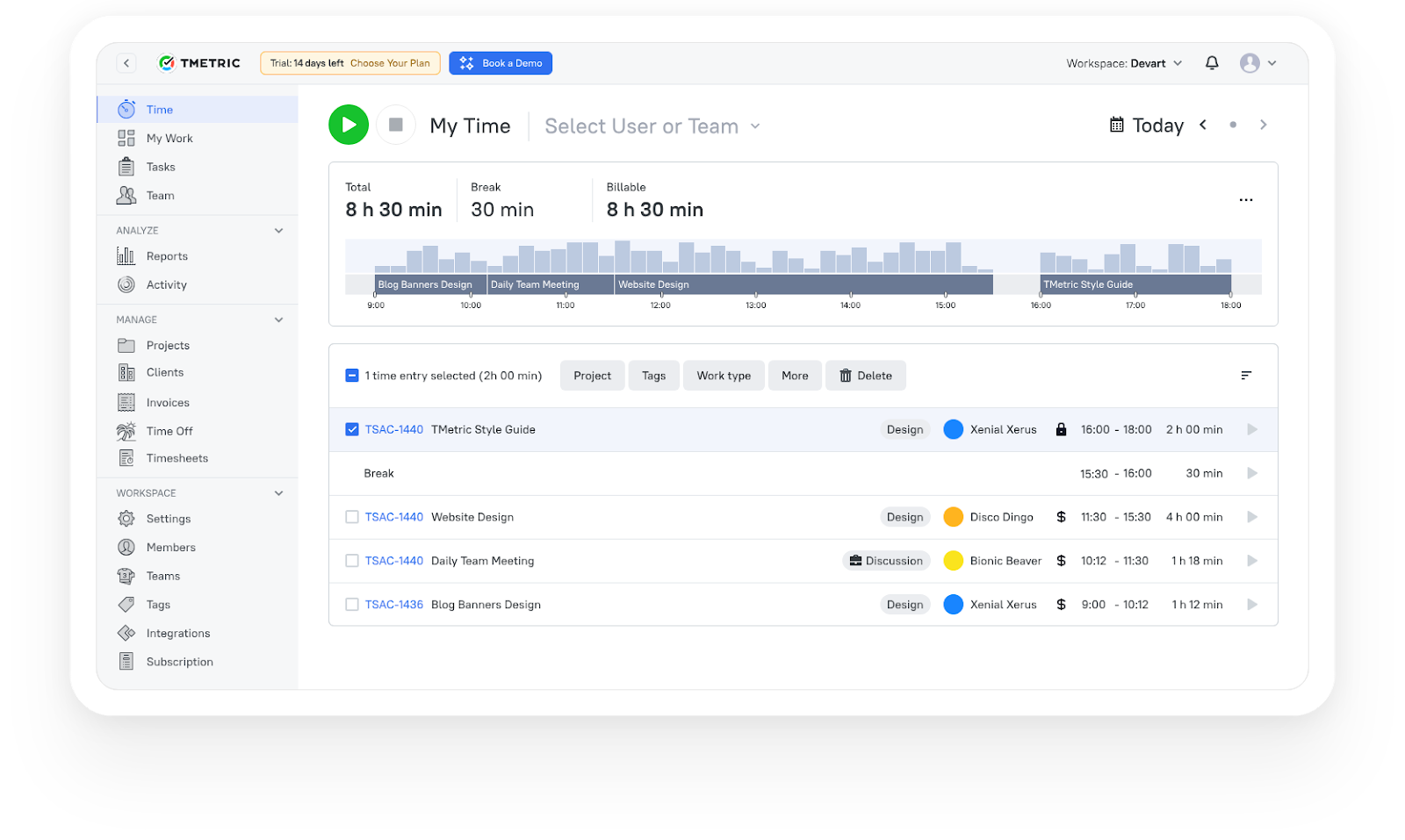
3,000+ companies, teams, and individuals worldwide use TMetric to track time, manage work, and bill with confidence.
Frequently asked questions
Is TMetric cheaper than Paymo?
It depends on the plan and team size. TMetric offers a free plan for up to two seats, and paid plans start at the Professional tier, which includes billable rates, invoicing, and timesheets. Paymo's paid plans start at $5.95 per user per month billed annually for its Starter plan. The most accurate comparison is to match the specific features your team needs across both pricing pages, since the plans are structured differently. TMetric pricing is available at tmetric.com/pricing.
Does TMetric have invoicing support?
Yes. TMetric includes client invoicing on its Professional plan and above. You can create invoices directly from tracked billable hours, set billable rates per project or team member, and export invoice-ready data. It's not a standalone accounting tool, but it covers the billing workflow for most service teams without needing a separate invoicing app.
Can TMetric replace Paymo for small businesses?
For small businesses whose primary need is time tracking and billing, yes. TMetric handles the full time tracking, timesheet, and invoicing workflow. If a small business also relies on Paymo for Gantt charts, resource scheduling, and complex project planning, TMetric won't replace that layer. But for businesses that use a separate PM tool and need time tracking and billing alongside it, TMetric is a direct and often simpler replacement.
What is the best Paymo alternative for teams focused on billable hours?
TMetric is purpose-built for this use case. It captures billable hours across clients and projects, supports multiple billable rate structures, generates invoices from tracked time, and produces reports that feed directly into payroll or client billing. The Business plan adds team timesheet approvals and QuickBooks time-sync for teams that need payroll integration.