
TMetric Invoice Integration with Xero
The main feature of this release is the integration of TMetric invoices with Xero accounting software, allowing you to send invoices and keep invoice data consistent between both systems. The release also introduces project duplication and a redesigned Integrations page.

Today, we are excited to introduce a new invoice integration between TMetric time tracker and Xero accounting software. You can now send invoices from TMetric to Xero and sync invoice data between the systems. We’ve also added the ability to duplicate projects and updated the Integrations page.
Copying invoices to Xero
TMetric is a time tracking and productivity tool that helps freelancers, teams, and businesses track work hours, manage projects, and create invoices.
Xero is cloud-based accounting software designed for small businesses, freelancers, and accountants to manage finances online.
Now, it's possible to create invoices in TMetric and copy them to Xero for accounting purposes.
How It Works
To copy invoices from TMetric to Xero, you need just a couple of minutes and a few simple steps:
- On the Integrations page, click the Connect button for the Xero integration.
- Select your Xero organization and click the Allow access button.
- The Invoice Synchronization option is enabled by default.
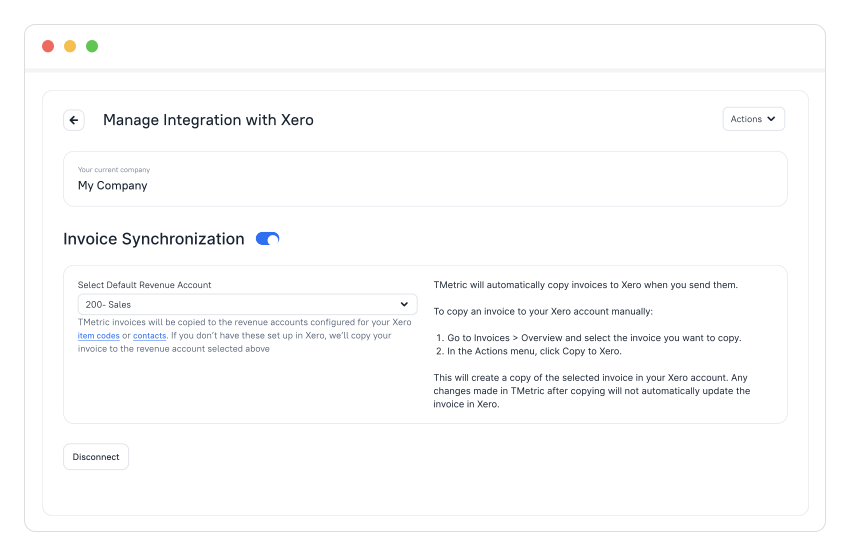
- Go to the Invoices page and open the invoice you want to copy to Xero.
- Click the overflow menu icon, select Copy to Xero, and your invoice will appear in Xero.
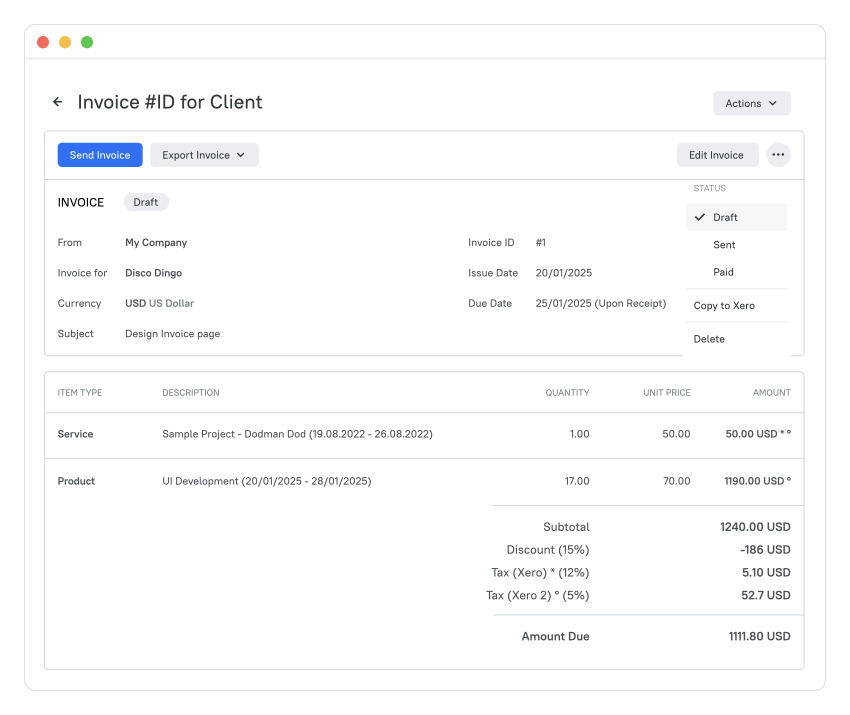
Integrating TMetric invoices with Xero helps automate billing, reduce manual data entry, and keep your financial records accurate and consistently updated.
Choose TMetric as your Xero invoice software and forget about manual data entry. Learn more about copying invoices to Xero in our documentation.
Duplicating projects
We’ve added the ability to duplicate projects in TMetric, making it easier to reuse existing setups and quickly create new ones without configuring everything from scratch.
To duplicate a specific project
- Go to the Projects page.
- Click the project name in the list to open it.
- On the Edit Project page, click the Actions menu in the top right corner.
- Select Duplicate Project from the drop-down list.
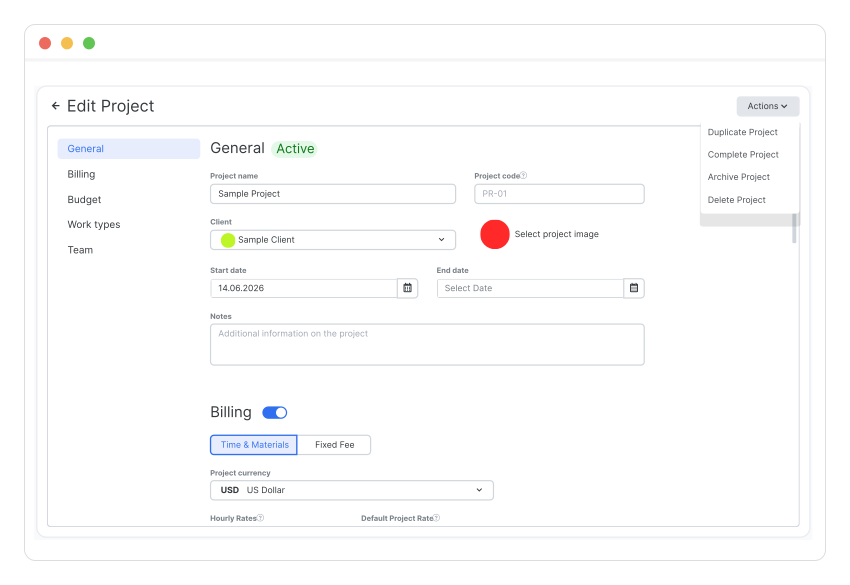
- The duplicated project will appear in the Projects list.
You can also duplicate a project on the Projects page by clicking the overflow menu button next to the project name and selecting Duplicate from the drop-down list.
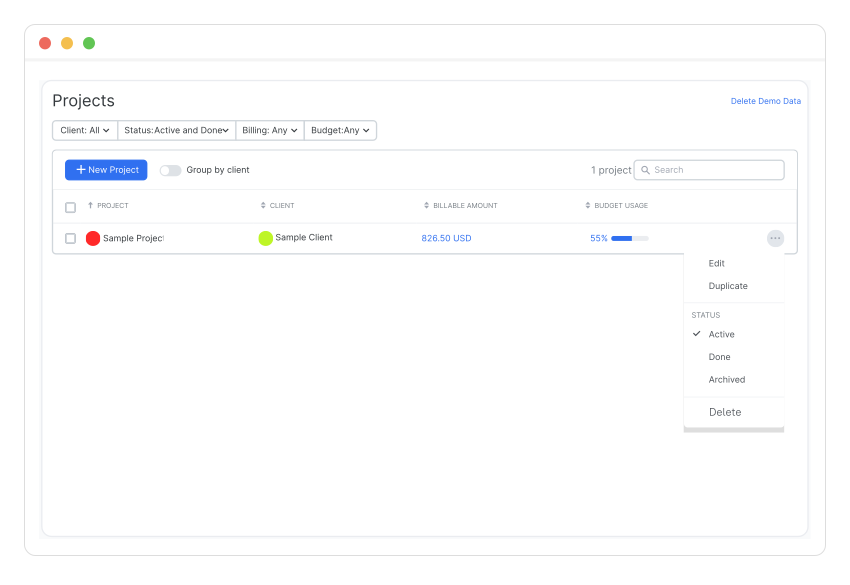
This new option speeds up setup for teams, supports project cloning for reuse or testing, and improves user experience by reducing clicks and repetitive work.
Other Features
Integrations page redesign
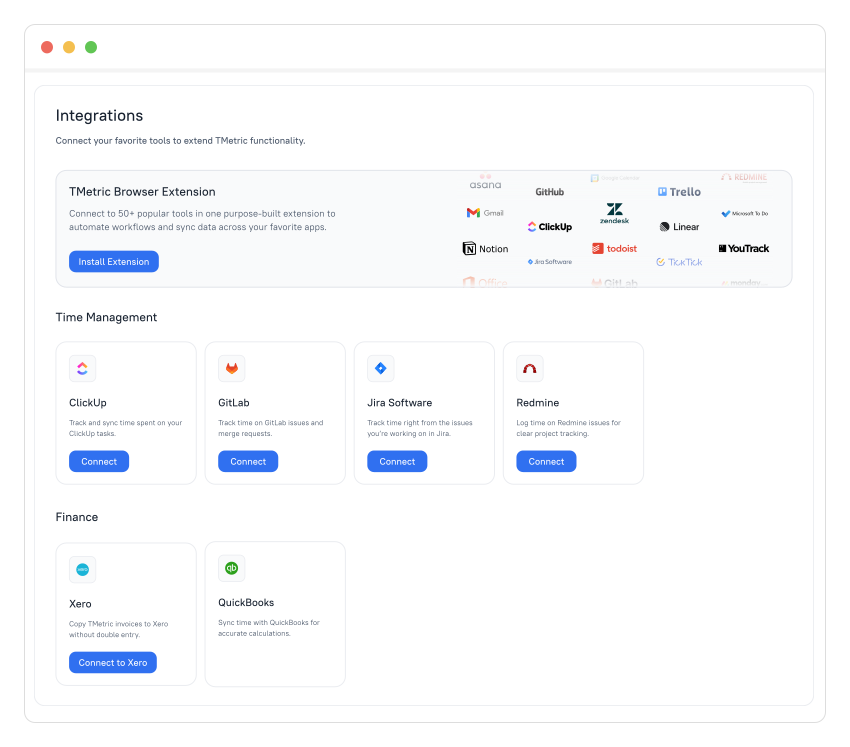
The Integrations page of the TMetric web app features a new, improved interface for conveniently managing integrations. You can install and connect the TMetric extension directly from this page. All available integrations are displayed here.
Displaying expenses in reports
In this release, we’ve added expenses to reports so they are included in report calculations. We’ve also slightly updated the report view by adding new columns and renaming existing ones to reflect expenses.
About TMetric
TMetric is a time tracking web app for companies that track project profitability and optimize workflow. Great control over time intervals and project budgets, flexible billable rates, crystal clear reporting, transparent team monitoring, and lots of integrations, all wrapped up into a light interface. Calculation on how much time is spent on certain projects, clients, and tasks in an instant.