
5 Best Time and Expense Tracking Software for 2026
You can track every hour and still lose money. The best time and expense tracking software connects work, expenses, budgets, and billing, making it easier to understand project costs and profitability. Compare five leading platforms.

Tracking time is easy, but understanding what that time actually costs your business is much harder. Hours, expenses, invoices, and project budgets often live in separate systems, making it difficult to see where money is really going. Fortunately, the best time and expense tracking software brings everything together.
This guide compares the best time and expense tracking systems for freelancers, agencies, consultants, and project-based businesses.
Compare:
- TMetric
- Harvest
- BigTime
- FreshBooks
- Paymo
Why trust our review
We compared the best time and expense tracking software by real business workflows, not by feature count. Instead of looking for one tool that does everything, we evaluated which platforms work best for different teams and billing models.
Each product was assessed on the areas that matter most in day-to-day operations:
The goal isn't to crown one universal winner. It's to help you choose the best software for time and expense tracking based on how your business tracks time, manages expenses, and bills clients.
What are time and expense tracking systems?
Time and expense tracking systems help businesses record work hours, track project expenses, and turn that information into invoices, reports, payroll records, or budget insights. Most include:
- Time tracking and timesheets
- Expense tracking
- Billable and non-billable hours
- Project budgets
- Client billing
- Reporting
Some time and expense tracking apps focus on billable work and invoicing, while others are built around expense management or accounting. The best choice depends on how your business tracks work and manages costs.
Understanding that difference makes it much easier to shortlist the right product.
What makes the best time and expense tracking software?
The best time and expense tracking software depends on how your business works. Some teams need simple billable time tracking, while others need project budgets, expense approvals, invoicing, and profitability reporting.
Here are the features worth comparing.
Accurate time tracking
Time tracking should be quick and reliable. Look for web and mobile apps, manual time entry, timesheets, and offline support so employees can record time wherever they work.
Expense tracking
The best time and expense tracking apps make it easy to record expenses, attach receipts, and assign costs to projects or clients. Approval workflows are a useful bonus for larger teams.
Project budgets
Project budgets help you compare estimated costs with actual time and expenses, making it easier to spot projects that are running over budget.
Reports and approvals
Timesheets, project costs, profitability, and expense reports should be easy to generate. If tracked data affects payroll or billing, approval workflows become just as important.
Billing and integrations
Services companies should be able to turn approved time and expenses into invoices. Integration with accounting and payroll software reduces manual work.
Pricing and scalability
Choose software that matches your current workflow and future growth. If core features are locked behind higher tiers, cheapest isn’t always best value.
5 Best Time and Expense Tracking Software for 2026
Every tool has different strengths. Here's where each time tracking software performs best and who it's most suited for.
1. TMetric
Rating: 4.6/5 (G2)
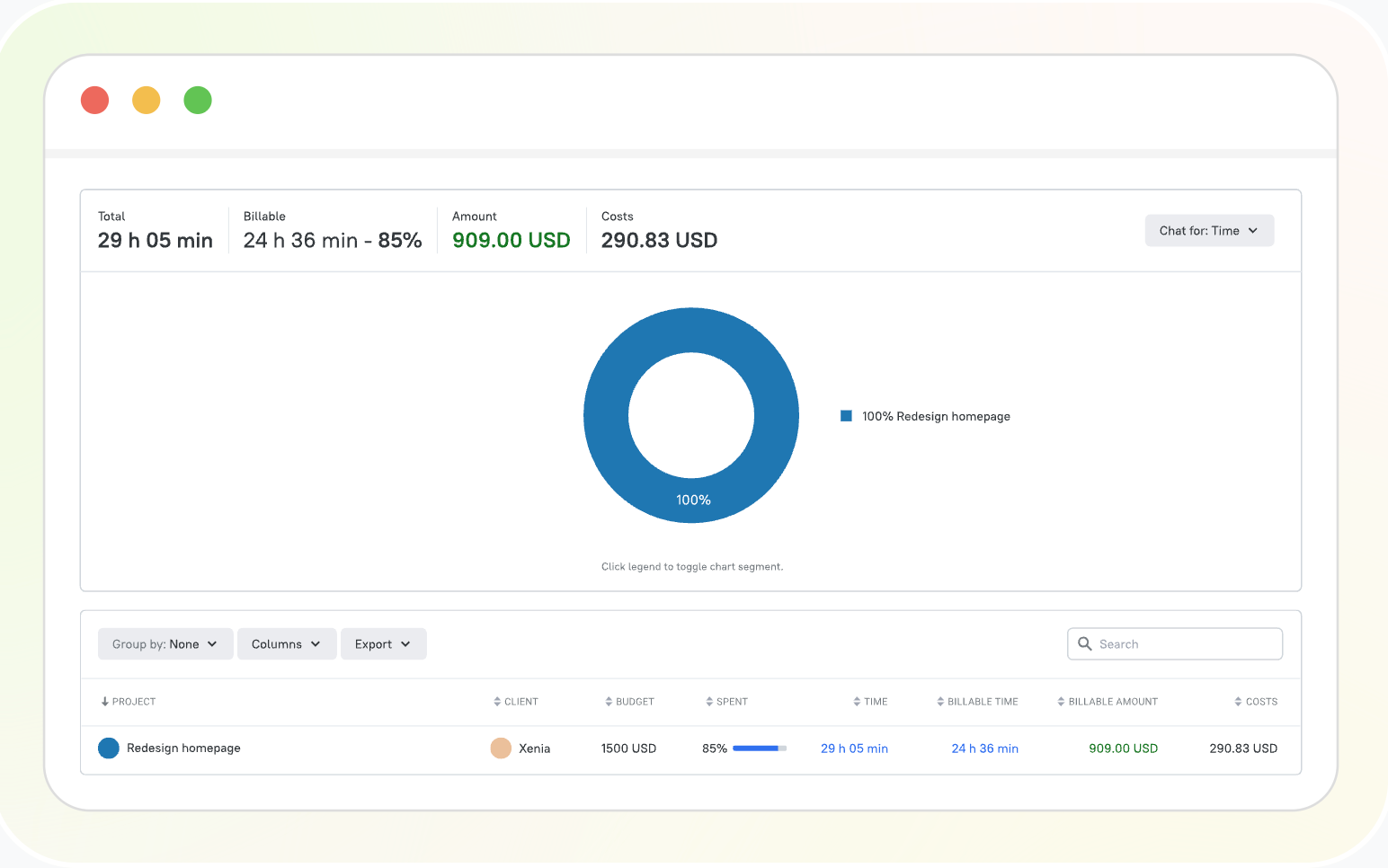
TMetric is time and expense tracking software that helps businesses to track work hours, project costs, and billable time in one place. It combines time tracking, expense tracking, project budgets, invoicing, reporting, and payroll-ready timesheets, making it a good fit for agencies, consultants, software teams, and other service businesses.
Paid plans start at $7 per user per month for Professional and $9 per user per month for Business, both billed annually.
User review
2. Harvest
Rating: 4.3/5 (G2)
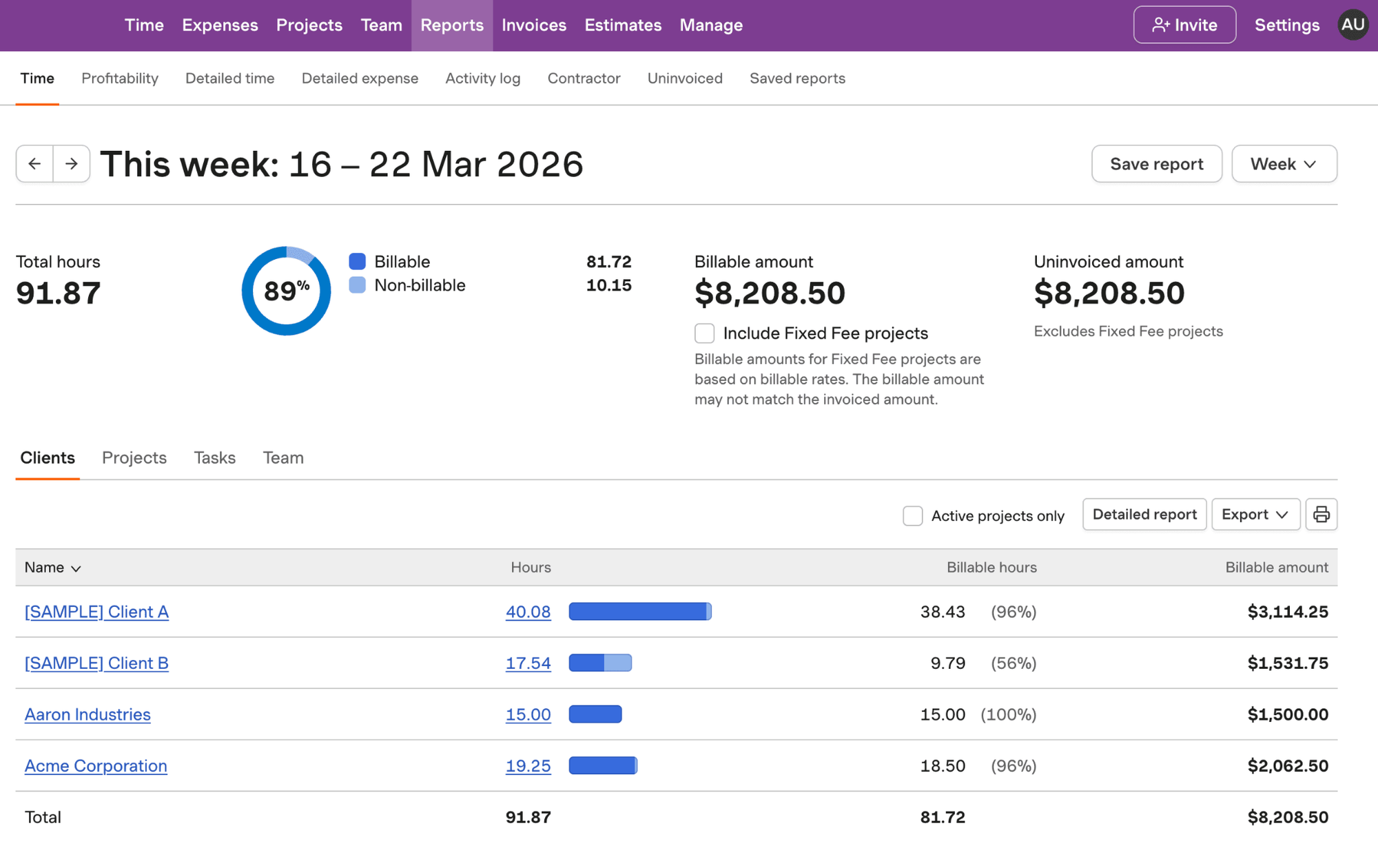
Harvest is built for agencies, consultants, freelancers, and other service businesses. It combines time tracking, expense tracking, invoicing, project budgets, and reporting in a simple platform that's easy to get started with.
Its strength is helping teams track billable work, manage project budgets, and turn tracked time and expenses into client invoices.
Paid plans start at $9 per seat per month, billed annually, with higher tiers for larger teams.
User review
3. BigTime
Rating: 4.5/5 (G2)
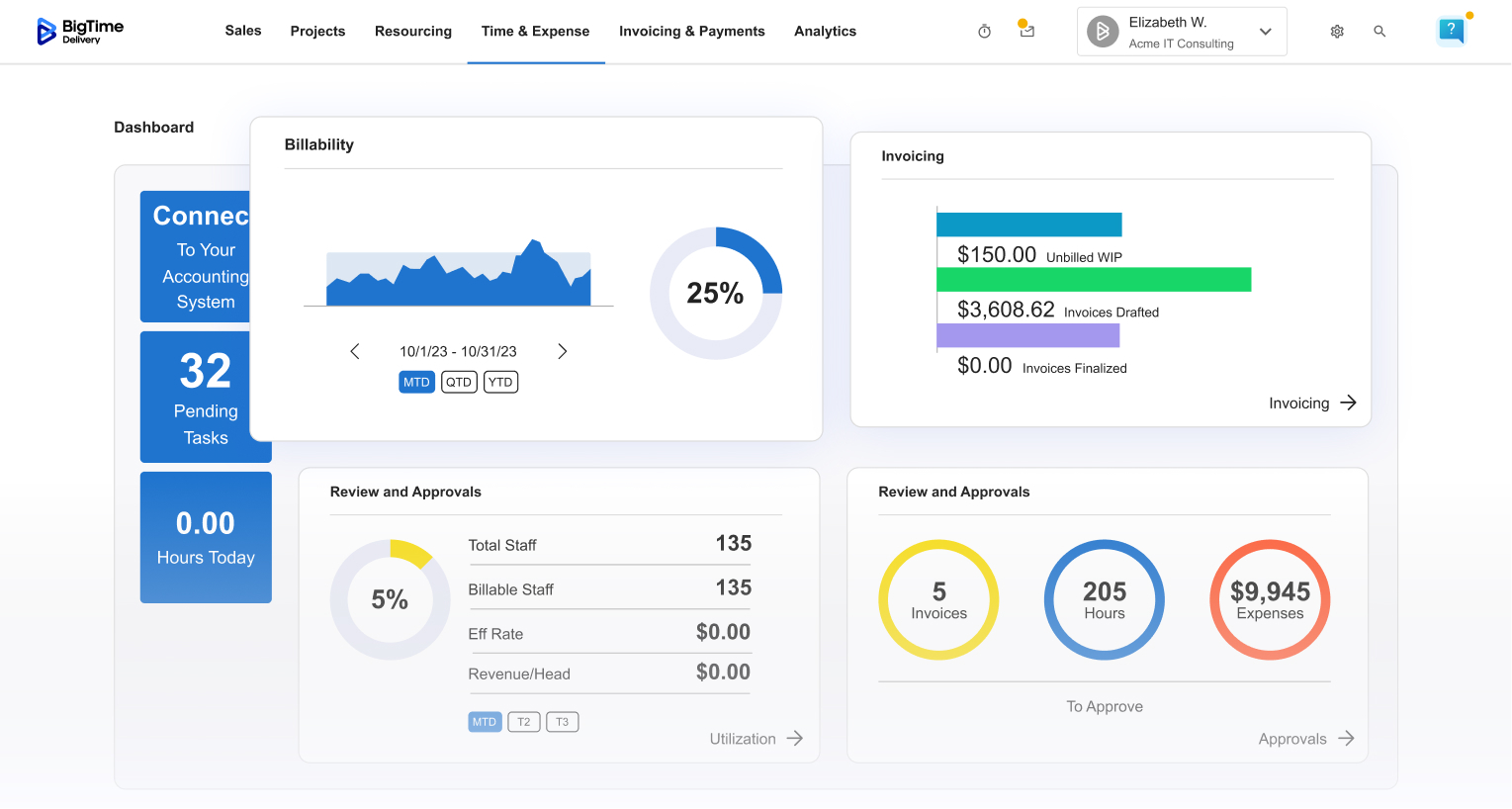
BigTime is a time and expense tracking system built for professional services firms. It combines time tracking, expense management, resource planning, project budgets, invoicing, and reporting in one platform, making it a good fit for consultants, accountants, architects, engineers, and IT services firms.
User review
4. FreshBooks
Rating: 4.5/5 (G2)
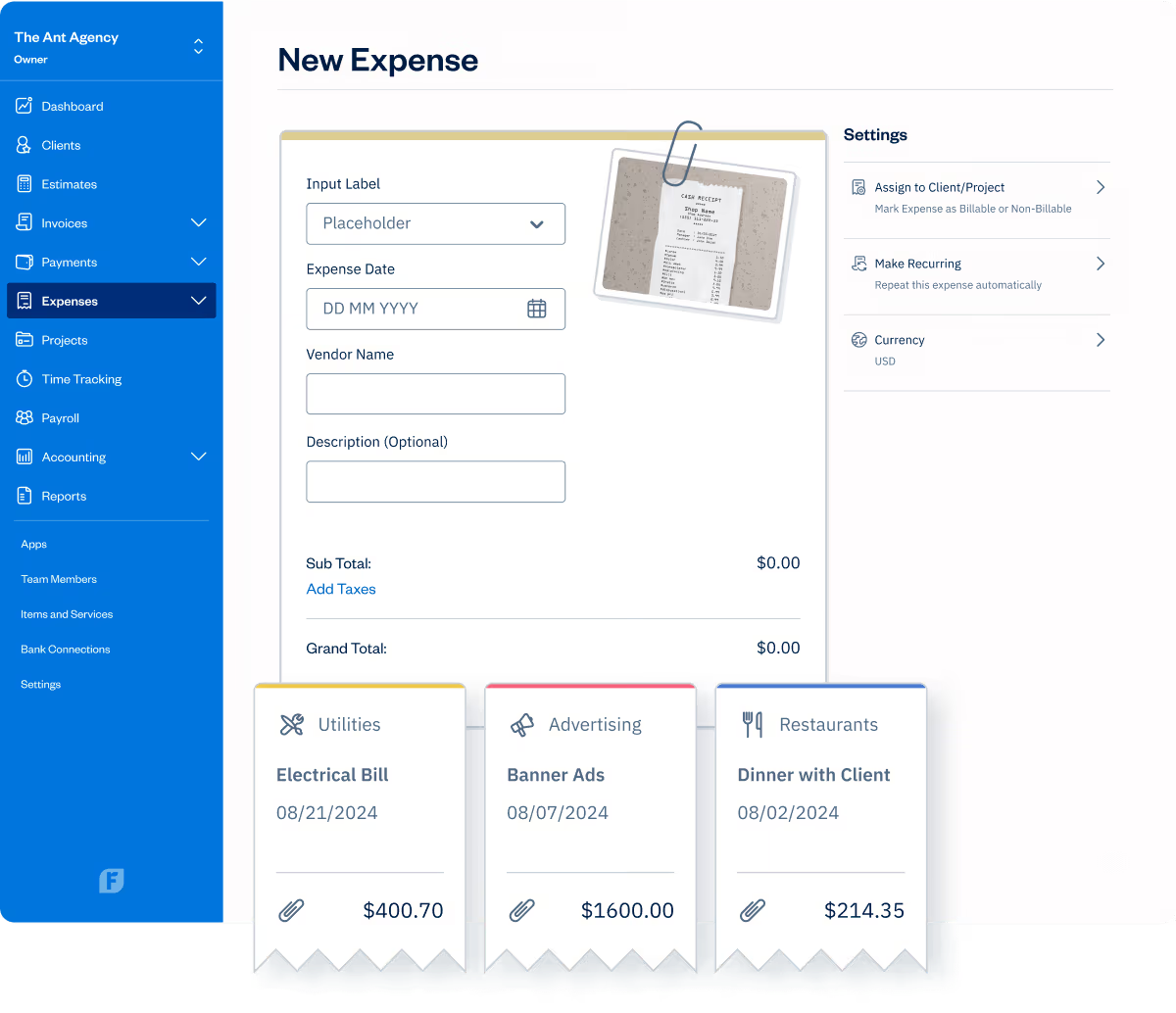
FreshBooks is an accounting platform with built-in time and expense tracking for freelancers and small businesses. It combines time tracking, expense management, invoicing, payments, and accounting in one place, making it easy to track billable work, manage receipts, and invoice clients without juggling multiple tools.
User review
5. Paymo
Rating: 4.7/5 (G2)
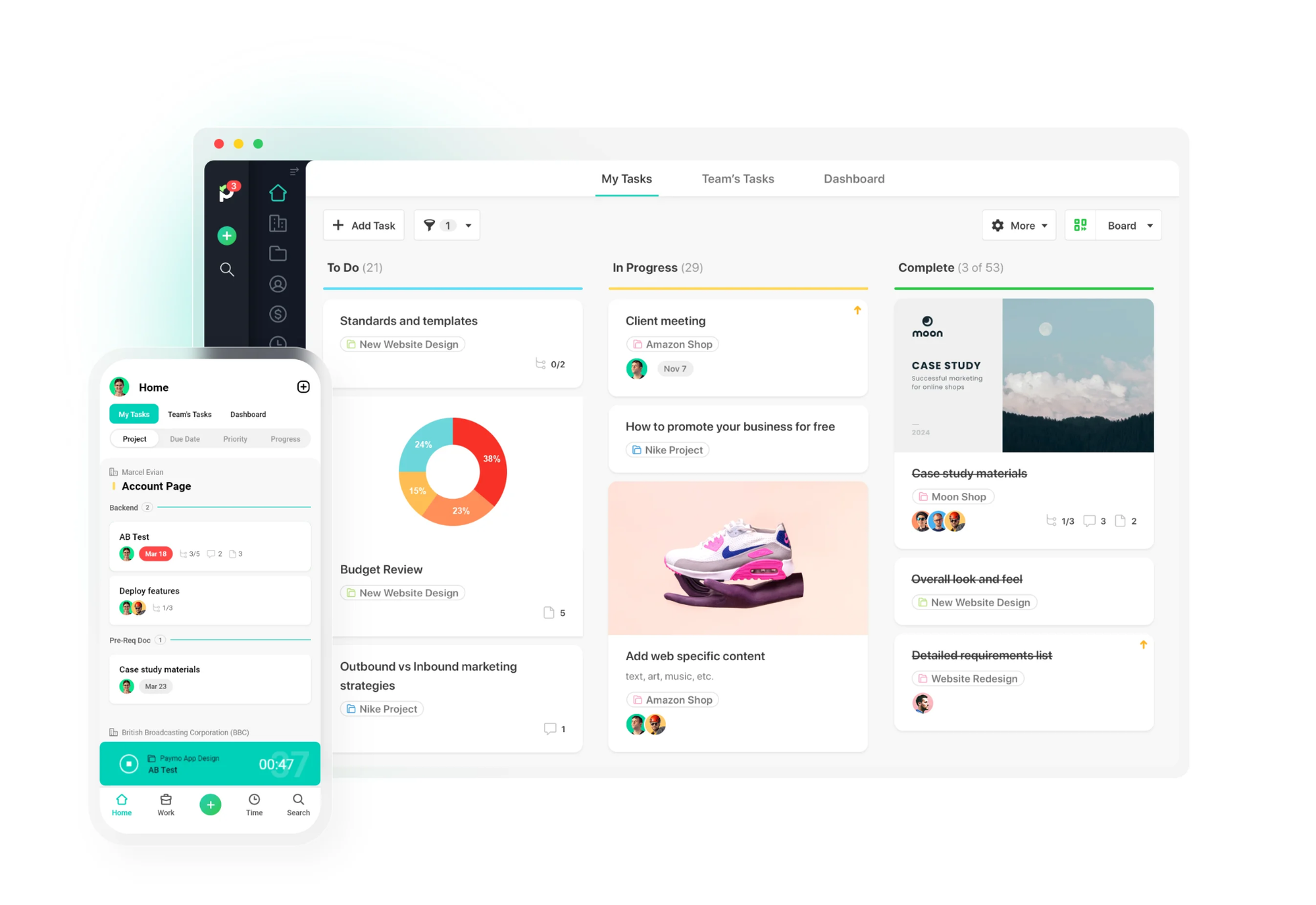
Paymo combines time and expense tracking with project management in one platform. Built for freelancers, agencies, and small teams, it brings together task management, project planning, time tracking, invoicing, and profitability tracking, so you can manage client work from planning through to payment.
User review
Best time and expense tracking app by use case
Every business tracks time and expenses differently. The right time tracking and billing software depends more on your workflow than on the number of features it offers.
For organizations
Harvest remains one of the best options for agencies with multiple client projects. It connects tracked hours, expenses, budgets and invoicing without burdening teams with enterprise level features.
For the Consultant
TMetric works especially well for consultants who charge by the hour but also need project budgets, billable rates, expense tracking, and reporting. It gives a balanced workflow, no need for separate project finance applications.
For professional services companies
BigTime is built for companies that handle multiple engagements, resource planning, utilization, project profitability and detailed client billing. Its deeper financial controls will benefit larger consulting, accounting, engineering and legal firms most.
For teams building projects
Paymo works well for companies that run their day-to-day work around projects. Integrating task management with time tracking and billing keeps teams moving projects forward with visibility into budgets.
How to choose the best app for time and expense tracking
Choosing between time and expense tracking apps becomes much easier once you know what problem you're actually trying to solve. Instead of comparing feature lists, start with the workflow your business depends on every day.
Start with your main workflow
Choose software that fits the way your business works, whether that's tracking billable hours, managing expenses, invoicing clients, or monitoring project budgets.
Time and expense tracking balance
Some tools are more focused on time tracking, while some are more focused on expenses, approvals, and reimbursements. Pick the one that aligns with your priorities.
Reporting check
Good reports should include project costs, profitability, billable hours, and budget performance, not just time logged.
Review approval process
Approval workflows help minimize mistakes when several people are submitting timesheets or expenses before payroll or invoicing.
Verify integrations
Ensure the software connects with your accounting, payroll, project management and communication tools.
Compare prices
Don't be stuck with the starter plan. But the lowest price might not be the best value when key features are locked behind higher tiers.
Conclusion
The best time and expense tracking software is the one that fits the way your business works. Freelancers may prioritise simple invoicing and expense tracking, while agencies and professional services firms often need stronger project budgeting, reporting, and resource planning.
When you’ve whittled down your shortlist, put each platform’s time tracking, expenses, reporting and invoicing through their paces in real day-to-day work. A trial will tell you so much more than any feature list can.
If you’re looking for a program that combines time tracking, expense tracking, project budgets, reporting and client billing into one tool, TMetric is a good place to start. The free plan and trial make it easy to see if it’s a good fit before rolling it out to your team.