
The Ultimate List of Best Employee Time Tracking and Productivity Apps
These are the best employee time tracking and productivity apps to help you track and manage your time. Time management is a skill in itself that can be improved with practice and application. The apps listed here are a great place to start.


Recent advances in technologies are taking employee time tracking and productivity apps to the next level.
According to experts, the employee productivity tracking application can expect steady growth in the software market:
The global time tracking software market will reach at an estimated value of 31.88 billion and grow at a CAGR of 20.40% in the forecast period of 2021 to 2028.
The rule of thumb has been that the more flexible work processes are, and the more benefits they are translated into, the more positive impact they have on business profitability and growth.
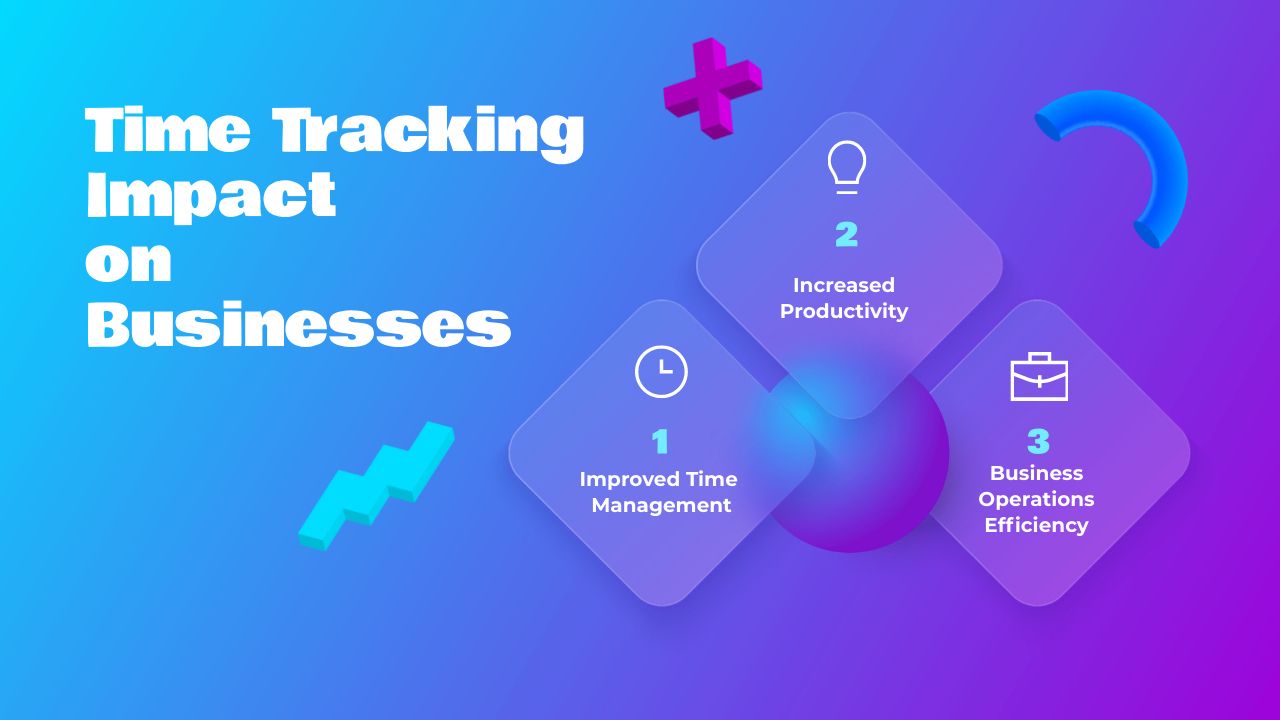
Additionally, automating the processes of employee time tracking provides the highest level of flexibility because it links in many related operations like:
- invoicing
- generating reports
- free payroll services
- monitoring attendance
- managing employee time off
- contributing to building consistent work policies.
Most importantly, time tracking when done right leads to insights with respect to time management and business effectiveness.
Best Employee Time Tracking Apps for Remote Productivity and Project Billing
The best employee time tracking apps for remote teams combine work-hour tracking, productivity insights, and project billing features. When choosing a solution, consider three key areas: visibility into remote employees’ working hours, insights into productivity and workload distribution, and tools for managing billable hours, project budgets, invoicing, and client reporting.
TMetric is a strong option for remote and hybrid teams that need project tracking, productivity monitoring, project reports, billable hours, budgets, and invoicing in one platform.
Hubstaff combines employee productivity tracking with project time allocation, reporting, and payroll features.
Toggl Track helps distributed teams track time across projects and clients, while Todo.vu brings task management, project analytics, client reporting, and billing together.
WorkingHours is another option for individuals and small teams that need to track time across multiple projects and prepare invoices.
By comparing these capabilities, businesses can choose an app that improves remote productivity while keeping project costs visible, simplifying client billing, and supporting more accurate project planning.
| App | Remote Teams | Productivity Tracking | Project Tracking | Billable Hours | Invoicing / Billing | Best For |
|---|---|---|---|---|---|---|
| TMetric | Yes | Yes | Yes | Yes | Yes | Remote teams managing productivity and project billing |
| Toggl Track | Yes | Team reports | Yes | Yes | Limited / integrations | Teams focused on simple project and client time tracking |
| Traqq | Yes | Yes | Yes | Basic | Limited | Remote employee activity and productivity monitoring |
| Mitrefinch | Yes | Attendance and workforce insights | Task allocation | Not a core feature | Not a core feature | Enterprise workforce and attendance management |
| Hubstaff | Yes | Yes | Yes | Yes | Billing and payroll workflows | Distributed teams tracking productivity and labor costs |
| WorkingHours | Yes | Basic | Yes | Yes | Yes | Freelancers and individuals tracking projects and preparing invoices |
| Todo.vu | Yes | Task and performance reports | Yes | Yes | Yes | Client projects, task management, and billing |
| Tickkl | Yes | Basic | Yes | Yes | Yes | Small teams needing straightforward time tracking and billing |
| Homebase | Field and distributed teams | Labor and attendance insights | Limited | Limited | Payroll-focused | Hourly employees, shift scheduling, and payroll |
| Rize | Yes | Yes | Project tagging and analysis | No | No | Individuals seeking automatic time and focus insights |
| Clockify | Yes | Reports and optional monitoring | Yes | Yes | Billing and expense tracking | Teams needing flexible time tracking and project reports |
| Harvest | Yes | Utilization and time reports | Yes | Yes | Yes | Agencies and freelancers managing invoices and project profitability |
| Everhour | Yes | Time and project reports | Yes | Yes | Billing and invoicing support | Project teams needing integrated tracking and budget control |
| Timely | Yes | Automatic activity tracking | Yes | Yes | Project budgets and billing reports | Teams automating time capture and timesheet creation |
TMeric
Gone are the days of manual calculations. In the long run, efficient time consumption is the game's name, and digital solutions like TMetric improve employee time management at best.
It's a leading employee time tracking app catering to the needs of:
- freelancers
- remote, hybrid and onsite teams
- small businesses
- enterprises.
TMetric Feature Set
To factor luck out of productivity metrics, TMetric, aside from automatic time tracking, offers advanced functionality of the following kind:
- offline tracking
- PTO management directly from a time tracker
- integrations with 50+ favorite services including Asana, Notion, Trello, JIRA, Visual Studio Team Services, GitHub, GitLab, BitBucket, Redmine
- summary and detailed reports for projects
- billable hours management
- tracking time for recurring tasks and budgets
- creating invoices
- overtime calculations
- screenshots and screenshot storage
- Team, Policy, and Requests filters to manage time tracking data
- access across any device and platform.
For remote teams managing client projects, TMetric combines employee time tracking and productivity visibility with project billing tools such as billable hours, project budgets, detailed reports, and invoicing.
This allows managers to connect employee work time with project costs and client billing without treating productivity tracking and financial reporting as separate workflows.
TMetric Top Benefits
- It reports time tracking data back in real-time, which helps increase business productivity by getting insights on: work time, employee activity, projects and tasks, and expenses.
- As an individual tracking tool, TMetric is desirable for monitoring goal achievement, disciplining device use, and cutting down on excessive screen time.
- Showing precise calculations is not enough. TMetric can graph your time tracking data so that you get a much more comprehensive picture to describe business productivity including time and resource utilization. It helps make better business decisions based on real data.
- It is a known fact that time off is as important as work time for keeping a high level of productivity of any kind. With TMetric, it's simple to set up a vacation policy (vacation, sick leave, personal) and, thus, benefits employees with the means of work-life balance.
- For managers, there will be no more long threads of emails with the subject "Approve my leave". Moreover, you can see details about all your workspace members' time off balances in the Time Off Balances report.
- Billing, invoicing and payroll processing TMetric functionality will allow you to streamline payments, which means vendors, workers, and contractors will want to work with you again.
- Integrations allow users to cut on time and resource consumption, contribute to maintaining work-life balance by optimizing work time, and create seamlessness in task and project management.
TMetric time tracking feature set is free for 2-member teams.
On Professional Plan, users get access to calendar integrations, invoicing, and full task management functionality for $5.83 per month.
Why Choose TMetric
Best for remote team productivity and project billing
Toggl
With 5 million users, Toggl needs no introduction. The app is so easy to use that employees will find it a breeze to get started.
It's an advanced time tracking system that delivers service for:
- onsite, remote and hybrid teams
- all size businesses
- individuals.
Toggl Feature Set
Toggl offers the following functionality:
- automatic time tracking
- tracking on any number of projects and clients
- generation of reports
- availability of a web app, mobile app, and desktop app
- idle time visibility on a timesheet
- Pomodoro timer.
Toggl Track helps remote teams track time across projects, tasks, and clients while gaining insights into team workloads and productivity.
Its billable hours tracking, project budgets, and profitability reports help businesses compare project revenue with labor costs and identify which client projects are most profitable.
Tracked time and billing data can also be exported for invoicing, although invoicing workflows depend on the tools and plan used.
Toggl Top Benefits
- Due to a simple and intuitive design, an app creates a zero-learning curve for businesses that implement this time tracker for tasks for their employees.
- It elevates project and task management to a new level as it supplies time metrics for planning, forecasting, and meeting deadlines more effectively.
- It caters to the needs of all kinds of teams, which is of special importance under the ongoing expansion of remote work requiring solutions for remote and hybrid workforce management.
- With the guaranteed accuracy of work time tracking and removal of admin tasks off the table, Toggl usage prevents overwork and burnout.
- It gives the flexibility to build a schedule according to priorities and mental health needs as well as creates accountability for results rather than time consumption.
Toggl Pricing Plans
There is no charge for up to five members of a team to use Toggl.
The pricing starts at $10 per user monthly if your organization has a bigger team or operates on billable hours.
Why Choose Toggl
Advanced time tracking for everybody
Traqq
Traqq is an outstanding time tracking tool that benefits employers and employees alike.
Traqq employee tracking software provides a highly accurate evaluation of each employee's activity, which makes it an ideal choice for:
- remote teams
- small businesses
Traqq Feature Set
In addition to its time tracking functionality, Traqq also offers other features that help maintain employee motivation and increase productivity:
- automated screenshots
- notification on project tracking
- employee activity monitoring
- diverse reporting options
- offline mode
- full timesheet management.
Traqq Top Benefits
- Traqq boosts performance and productivity by using automated monitoring and team time tracking without stretching managerial resources or creating risks of micromanagement.
- For employee privacy and convenience, screenshots of personal information can be blurred when workers use the tracker, and time entries can be added and edited in manual mode, which helps keep time during meetings or urgent unplanned tasks.
- It is easily integrated into the remote work environment while keeping the workflows secure, safe, and unbroken.
- Auto-generated reports can be delivered to any assigned email, which helps collaborate with customers and teams more effectively.
Traqq Pricing Plans
On the Premium Starter Plan, the service is free for up to 3 seats.
On the Premium Plan, the price starts at $4.90 per user per month.
Why Choose Traqq
Fully functional timekeeping for teams
Mitrefinch
Whether you need to track work time remotely or help manage the time of employees, Mitrefinch performs well. There are multiple free and premium options, making this app an easy fit for big business needs.
Mitrefinch time tracking is best suited for:
- enterprises
- onsite and hybrid teams.
Mitrefinch Feature Set
This tracking suite includes:
- remote work tracking by Geo-Fencing and GPS
- PTO tracking
- reports on employee attendance
- time allocation for specific tasks
- electronic timesheets
- clocking in/out from mobile
- attendance management in employee and supervisor modes
Mitrefinch Top Benefits
- A business that streamlines recurring tasks and projects easily gets a competitive advantage, and Mitrefinch generates this benefit without fail.
- It provides insights into workforce productivity with an accurate analysis of employee activity, which lets you dial efficiency up to the max.
- This software provides compliance with all regulations corresponding to leave management and paid time off.
- It is easy for supervisors and managers to view real-time information about employee attendance and timekeeping, which creates transparency and accountability at both ends.
Mitrefinch Pricing Plans
To get a custom quote, you need to contact a vendor.
Why Choose Mitrefinch
Efficient time and attendance software for enterprise
Hubstaff
The whole point of being productive is reaching efficiency without compromising on mental health and employee wellbeing. Hubstaff is a time tracking tool that allows realizing this ambitious goal hassle-free.
Best for:
- personal and business use by individuals
- for small-to-medium enterprises
Hubstaff Feature Set
Hubstaff functionality allows displaying the productivity of your entire team in one dashboard. Furthermore, it offers to explore the following features:
- monitoring your offline time
- syncing all data when you get back online.
- real-time location feature that shows managers where their personnel is at any given time.
- manual editing for time entries
- time off, holidays, and breaks approval
- generation of reports
- payroll processing
- productivity tracking
Hubstaff combines employee time tracking and productivity monitoring with project management tools for distributed teams.
Managers can track billable project time, monitor project budgets, review labor costs, and use workforce reports to understand remote team productivity.
Budgeting features can track project limits by hours or cost, helping businesses identify overruns and keep client work on budget.
Hubstaff Top Benefits
- App use is so straightforward that employees will have no trouble learning it.
- Being available across Windows, macOS, Linux, Android, and iOS, Hubstaff creates a myriad of opportunities for team collaboration of any size and location.
- It offers an extensive set of features for recording and analyzing attendance and work time stress-free, which enables HR and other business departments to develop the best strategies for workforce management.
- Its employee work time and project tracking capabilities allow managers to get a better understanding of time allocation, workload distribution, and forecast in terms of business upscale and growth.
Hubstaff Pricing Plans
Its basic free version is suitable for individuals who want to know where their time goes.
On paid plans, the service costs start at $5.83 per user per month.
Why Choose Hubstaff
Perfect monitoring system for managers and workers
WorkingHours
Time tracking and productivity are key parts of every business so it is important that you get it right, and applying WorkingHours can be the best way to do it.
WorkingHours tracker is best suited for:
- freelancers
- hourly workers
- employees.
WorkingHours Feature Set
It advances the idea of easy tracking and offers great features including:
- utilizing user Cloud storage for data sync (OneDrive, Google Drive, etc.)
- launching, pausing, and stopping the timer without opening the app
- manual adding work units
- creating tasks or adding tags to work units
- invoicing
- filtering work units by tags and tasks
- generating graphs based on user productivity and time tracking data
- Pomodoro timer.
WorkingHours lets users track time across multiple projects and tasks, review their work hours, and calculate earnings based on hourly rates.
Its project-based tracking and reporting features make it suitable for freelancers and employees who need to monitor time spent on different assignments and prepare billing records for clients.
WorkingHours Top Benefits
- Aside from accurate time recording, its functionality allows tracking multiple projects and keeping invoices in one place.
- With filtering options, this app saves tons of time on searching for the full project info including time metrics.
- It is supported in 25+ languages, which makes it easy to use in the cross-cultural work environment.
- The developers of this app applied minimalistic principles to its design and got high ratings from users.
WorkingHours Pricing Plans
The basic version is free. The Lifetime Pro version is available for $8.99.
Why Choose WorkingHours
Best work hours tracker for Mac
Todo.vu
Todo.vu delivers innovative office productivity software to businesses. Time tracking is seamlessly integrated into a task management system that would suit companies and individuals alike.
Being a reliable app for improving efficiency, quality, and transparency, todo.vu platform is ideal for:
- freelancers
- consultants
- teams of any size.
Todo.vu Feature Set
- task tracking alerts and notifications
- analytics on each project
- powerful third-party integrations
- efficient mobile app
- CRM options to deliver top client service
- time reports open for clients.
Todo.vu combines task management, time tracking, and project billing to help service businesses manage client work in one place.
Teams can track billable hours against projects, apply hourly or fixed-price rates, and generate detailed billing reports for clients.
These reports support invoice preparation and provide visibility into project costs, billed work, and outstanding charges, although Todo.vu does not directly issue invoices or process client payments.
Todo.vu Top Benefits
- Featuring CRM, task management, time tracking, and billing functionality, this app guarantees to increase productivity and improve teamwork.
- This tool has an intuitive and well-thought-out design; its interface is transparent, making it easy for you to add prioritized tasks and manage your schedule.
- To create accountability, todo.vu offers detailed reports on task performance and keeps time records automatically.
- By linking time tracking and time billing, users save time and gain insights into the most profitable projects.
Todo.vu Pricing Plans
It is free on the Solo plan for freelancers and individuals. The Business Time plan for teams starts at $9 per month per user.
Why Choose Todo.vu
Best task time tracking solution
Tickkl
Tickkl time tracking app that aims at buying some time for your business by delivering impeccable service capable of analysis of every working hour.
It suits:
- freelancers
- enterprise employees
- SME employees
Tickkl Feature Set
Tickkl was developed with the purpose of making time tracking simple and enjoyable and fitting all work modes including on-premise, hybrid, and remote work. The following are some of Tickkl key characteristics:
- timekeeping and timesheet management
- billable/non-billable hours recording
- invoicing
- reminders on time capturing
- creating an employee database
Tickkl Top Benefits
- It lets businesses build optimized workflows that save users time considerably on switching between applications or performing recurring tasks during work time recording.
- It enables employees to track work time across any device, thus, encouraging the idea of remote and hybrid working.
- It helps managers build a work culture built around trust and accountability.
- Tickkl offers time management solutions that can contribute to developing effective business growth strategies.
Tickkl Pricing Plans
It is free. For unlocking routine automation, reports, and project budgeting options, there is a Starter Plan for $4 per user per month.
Why Choose Tickkl
Reliable and affordable employee time tracking
Homebase
Homebase is an employee tracking app available on the web and mobiles.
Who will benefit from using this app most? Remote teams whose work requires:
- GPS monitoring
- tracking work hours remotely or in the field.
Homebase Feature Set
To enhance employee time tracking experience, Homebase features:
- employee location
- online scheduling
- team communication options
- automatic time recording
- multiple third-party integrations
- employee onboarding and HR support
- available for iOS and Android users
- payroll listing and processing.
Homebase Top Benefits
- Applying this time tracking system signifies that your business will be working in compliance with legal procedures (employers can set up employee breaks, vacations, and overtime work time policies accordingly).
- Homebase payroll processing capabilities allow sending the payments to employees in no time.
- The system of alerts allows supervisors to be notified if employees are late for shifts or when they work overtime, which helps in providing more effective workforce management and achieving a higher level of flexibility.
- By implementing time tracking by hours, departments, and employee roles, owners get a competitive advantage in business operations and efficiency.
Homebase Pricing Plans
It is free to track hours and manage schedules for 1 location and unlimited employees. On Essential Plan includes team communication, performance tracking, and remote and field tools, the service is $20 per month per location.
Rize
Rize has a user-friendly interface packing robust time tracking capabilities compatible with Mac and Windows.
It will perfectly suit:
- remote employees
- small business employees
- medium business employees.
Rize Feature Set
The system analyzes your work activity and measures your focus based on user-customized metrics. It also features:
- work hours calculations and notifications
- reports of productivity metrics
- shows most frequent interrupters
- integration with Google Calendar
- dark theme design
- project tagging and analysis
- wide customization.
Rize Top Benefits
- Employees can schedule multiple projects without fear of falling behind at work
- It assists in avoiding time wastage and provides for means of managing your resources with efficiency.
- Time utilization reports can contribute to building better work habits, reclaim your concentration, and highlight areas for improvement.
- By applying this productivity app employees will get an assistant for maintaining work-life balance: workers get notified of the best-suited break time based on real-time analysis of employee work activity.
Rize Pricing Plans
The service is $9.99 per month with a 14-day free trial.
Why Choose Rize
Efficient time tracking for maximizing employee productivity
Other Employee Time Tracking Apps for Project Billing
Several other employee time tracking apps can help remote teams manage project work and billing.
Clockify offers project time tracking, billable hours, and reporting features that help teams monitor work across clients and projects.
Harvest combines time tracking with project management, expense tracking, invoicing, and project budget monitoring, making it useful for service businesses managing client billing.
Everhour integrates time tracking into project management workflows, helping teams monitor billable hours, project budgets, and costs alongside task progress.
Timely automates time tracking for distributed and remote teams, using activity records and AI-assisted timesheets to simplify time entry and improve project reporting.
Frequently Asked Questions
- What is the best employee time tracking app for remote teams?
The best app depends on your team’s needs. TMetric is a strong option for remote teams that need employee time tracking, productivity insights, project reports, billable hours, budgets, and invoicing. Hubstaff is worth considering for workforce monitoring, while Toggl Track suits teams prioritizing straightforward project and client time tracking.
- Can employee time tracking apps track billable project hours?
Yes. Apps such as TMetric, Clockify, Harvest, Hubstaff, and Everhour let teams record time against projects and identify billable hours. These records help businesses calculate client charges, monitor project costs, and prepare accurate billing reports.
- Which time tracking apps combine project tracking and invoicing?
TMetric and Harvest combine project time tracking with invoicing and billing features. Clockify supports billable time and expense tracking, while Everhour provides project budgeting and billing workflows. The exact features available depend on the app and subscription plan.
- How does time tracking help remote team productivity?
Time tracking helps remote teams understand how working hours are distributed across tasks and projects. Reports can reveal workload imbalances, time-consuming activities, and project delays, helping managers improve resource allocation and planning without relying solely on employee activity monitoring.
- What should remote teams look for in a project billing time tracker?
Look for project-based time tracking, billable rates, budget monitoring, detailed reports, and invoicing or accounting integrations. Remote teams may also benefit from timesheet approvals, workload insights, and integrations with their existing project management tools.
- How do employee time tracking apps work?
Employee time tracking apps record the time spent on tasks, projects, or clients using manual timers, timesheets, or automatic activity tracking. Depending on the tool, they can generate reports, calculate billable hours, monitor project budgets, and integrate with payroll or accounting software.
- What features should I look for in an employee time tracking app?
Prioritize reliable time tracking, project and task management, reporting, and integrations with the tools your team already uses. If you bill clients, look for billable hours, project budgets, and invoicing. Remote teams may also need timesheet approvals, workload reporting, and optional productivity insights.
- Are employee time tracking apps suitable for remote and hybrid teams?
Yes. These apps help remote and hybrid teams record work hours across locations, coordinate project tasks, and maintain consistent timesheets. Cloud-based dashboards and reporting make it easier for managers to review progress and workload distribution without requiring employees to work in the same office.
- What is the difference between automatic and manual time tracking?
Manual time tracking requires employees to start and stop timers or enter hours into timesheets. Automatic tracking records activity in the background and may suggest how time should be allocated to projects. Manual tracking offers greater control over entries, while automatic tracking can reduce missed hours and administrative effort.